
1. Produktüberschreitungview
The Parkside PRMA 40-Li C1 is a powerful cordless lawn mower designed for efficient lawn maintenance. It features a 40 cm cutting width, a durable brushless motor, and is compatible with a dual charger for convenient battery management. This model offers a clean and precise cut, making it ideal for various lawn sizes.

Abbildung 1: Vorderseite view of the Parkside PRMA 40-Li C1 Cordless Lawn Mower.
2. Sicherheitshinweise
2.1 Allgemeine Sicherheitshinweise
- Always wear appropriate personal protective equipment (PPE) including safety glasses, sturdy footwear, and hearing protection when operating the lawn mower.
- Kinder, Haustiere und Umstehende müssen vom Arbeitsbereich ferngehalten werden.
- Inspect the area for objects such as stones, sticks, or toys before mowing and remove them to prevent damage to the blade or injury.
- Betreiben Sie den Rasenmäher nicht bei nassem Gras oder Regen.
- Never lift or carry the mower while the motor is running.
- Vor jeder Benutzung muss sichergestellt werden, dass alle Schutzvorrichtungen und Sicherheitseinrichtungen vorhanden sind und ordnungsgemäß funktionieren.
2.2 Batteriesicherheit
- Use only the specified battery packs and chargers for this appliance.
- Do not expose battery packs to heat or fire. Avoid direct sunlight.
- Schließen Sie einen Akku nicht kurz.
- Store battery packs in a cool, dry place away from metal objects.
- If the battery pack is damaged, do not use it. Contact customer support.
3. Einrichtung
3.1 Griffmontage
Unfold the handle and secure it in place using the quick-release levers or knobs provided. Ensure the handle is firmly locked before operation.

Abbildung 2: Seite view of the lawn mower, illustrating handle position.
3.2 Einlegen der Batterie
Open the battery compartment cover. Insert the fully charged battery packs into their respective slots until they click into place. Close the battery compartment cover securely.

Figure 3: Inserting battery into the compartment.
3.3 Grass Box Attachment
Lift the rear discharge flap. Hook the grass collection box onto the mower's frame. Ensure it is securely attached to prevent grass clippings from escaping.
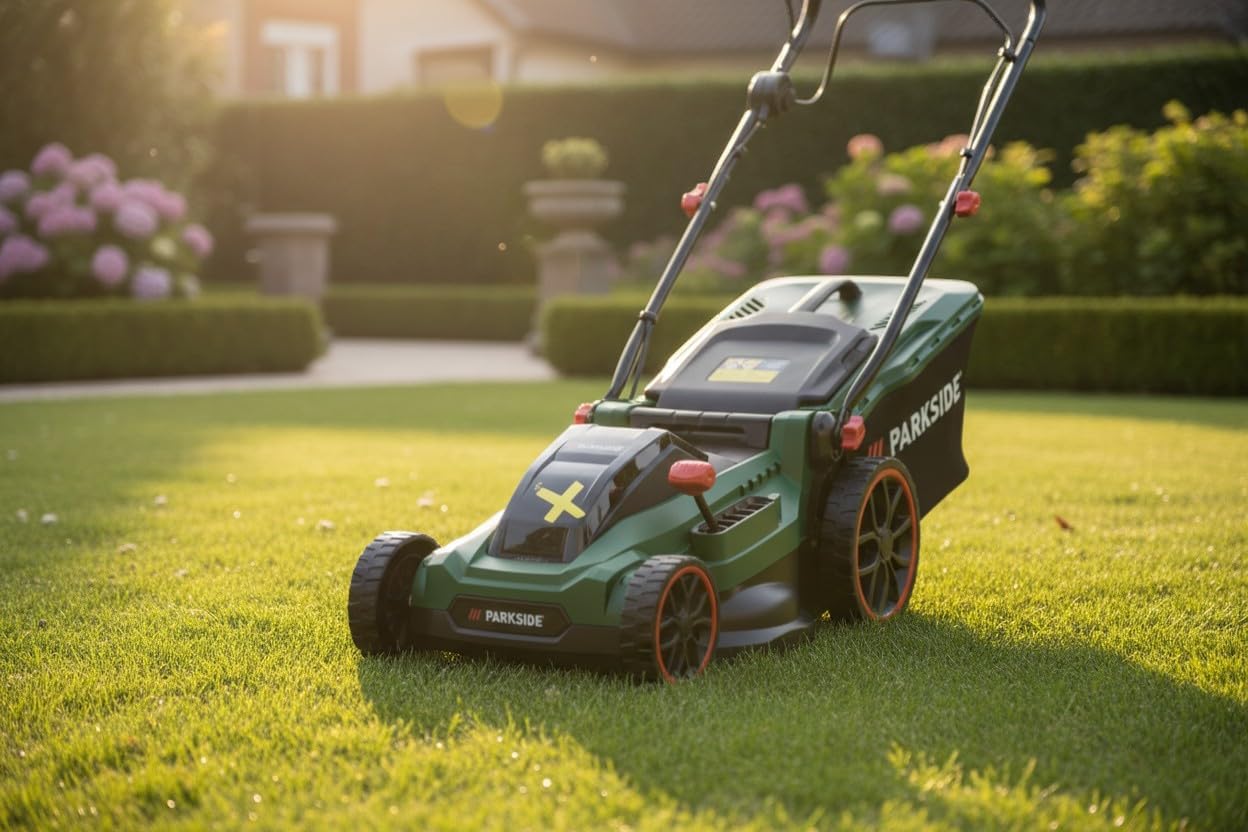
Figure 4: Attaching the grass collection box.
3.4 Schnitthöhenverstellung
The cutting height can be adjusted centrally. Locate the height adjustment lever on the side of the mower. Pull the lever outwards and move it to the desired height setting (25-75 mm). Release the lever to lock it in position.

Abbildung 5: Einstellen der Schnitthöhe.
4. Bedienungsanleitung
4.1 Starten des Rasenmähers
To start the mower, press and hold the safety button, then pull the switch lever towards the handle. The motor will start. Release the safety button once the motor is running.
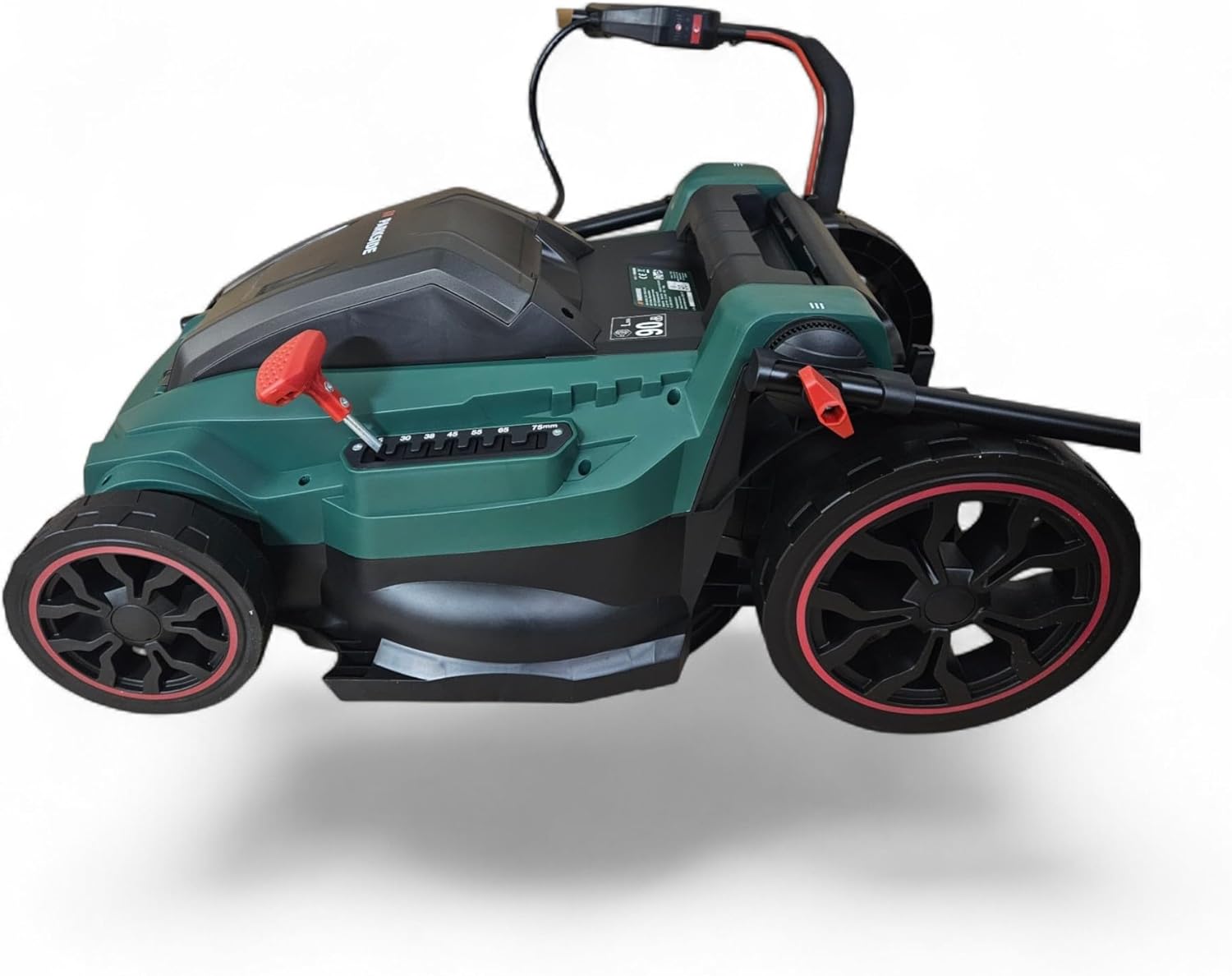
Figure 6: Operating the lawn mower.
4.2 Mähtechniken
- Für einen gleichmäßigen Schnitt in geraden, sich überlappenden Bahnen mähen.
- For best results, avoid cutting more than one-third of the grass height at a time.
- Ändern Sie regelmäßig die Mährichtung, um ein Verfilzen des Grases zu verhindern.
- When mowing slopes, always mow across the face of the slope, never up and down. Exercise extreme caution.
4.3 Anhalten des Rasenmähers
Release the switch lever to stop the motor. The blade will stop rotating within a few seconds.
4.4 Entleeren des Grasfangkorbs
When the grass box is full, the mower's performance may decrease. Stop the mower, remove the battery for safety, and then detach the grass box. Empty the clippings into a suitable container.

Figure 7: Emptying the grass collection box.
5. Wartung
5.1 Reinigung des Rasenmähers
- After each use, disconnect the battery and clean the mower thoroughly.
- Remove grass clippings and debris from the cutting deck, wheels, and air vents using a brush or cloth.
- Do not use water or high-pressure cleaners directly on the motor or electrical components.
5.2 Klingenpflege
Überprüfen Sie das Schneidmesser regelmäßig auf Schärfe und Beschädigungen. Ein stumpfes oder beschädigtes Messer kann die Schnittleistung beeinträchtigen und den Motor belasten. Lassen Sie das Messer gegebenenfalls von einem qualifizierten Servicetechniker schärfen oder austauschen.

Figure 8: Inspecting the cutting blade.
5.3 Batterielagerung
When storing the mower for extended periods, remove the battery packs. Store batteries in a cool, dry place, ideally at a charge level of 50-70% to prolong their lifespan.

Figure 9: Parkside X 20V Team battery.
6. Fehlerbehebung
| Problem | Mögliche Ursache | Lösung |
|---|---|---|
| Mäher startet nicht | Battery not inserted correctly or discharged; Safety button/lever not activated. | Ensure battery is fully charged and correctly inserted. Activate safety button and pull switch lever simultaneously. |
| Schlechte Schnittleistung | Dull or damaged blade; Cutting height too low; Grass box full. | Sharpen or replace blade. Adjust cutting height. Empty grass box. |
| Übermäßige Vibration | Beschädigte oder unausgewogene Klinge; Lose Bauteile. | Inspect blade for damage and balance. Tighten any loose screws or bolts. Seek professional service if vibration persists. |
| Motor stoppt während des Betriebs | Overload; Battery discharged; Overheating. | Reduce load (raise cutting height). Recharge battery. Allow motor to cool down. |
7. Spezifikationen
| Besonderheit | Detail |
|---|---|
| Modellnummer | PRMA 40-Li C1 |
| Marke | Parkside |
| Hersteller | HKM Akku Technik |
| Schnittbreite | 40 cm |
| Schnitthöheneinstellung | 7 Positionen (25 mm - 75 mm) |
| Motortyp | Bürstenlos |
| Stromquelle | Battery (40V system, typically 2x 20V batteries) |
| Betriebsart | Automatisch |
| Material | Legierter Stahl |
| Farbe | Grün |
8. Garantie und Support
Your Parkside PRMA 40-Li C1 Cordless Lawn Mower comes with a standard manufacturer's warranty. Please refer to the warranty card included with your product for specific terms and conditions.
For technical support, spare parts, or warranty claims, please contact HKM Akku Technik customer service. Contact details can typically be found on the product packaging or the manufacturer's official webWebsite.
Always provide your model number (PRMA 40-Li C1) and purchase date when contacting support.