
1. Einleitung
Thank you for choosing the Joyroom JR-X1 Bluetooth Wireless Earphones. These earphones are designed to provide a comfortable and high-quality audio experience with bone conduction technology, allowing you to enjoy sound without blocking your ears. This manual will guide you through the setup, operation, and maintenance of your new earphones.

Figure 1: Joyroom JR-X1 Bluetooth Wireless Earphones, showcasing ihr elegantes Design.
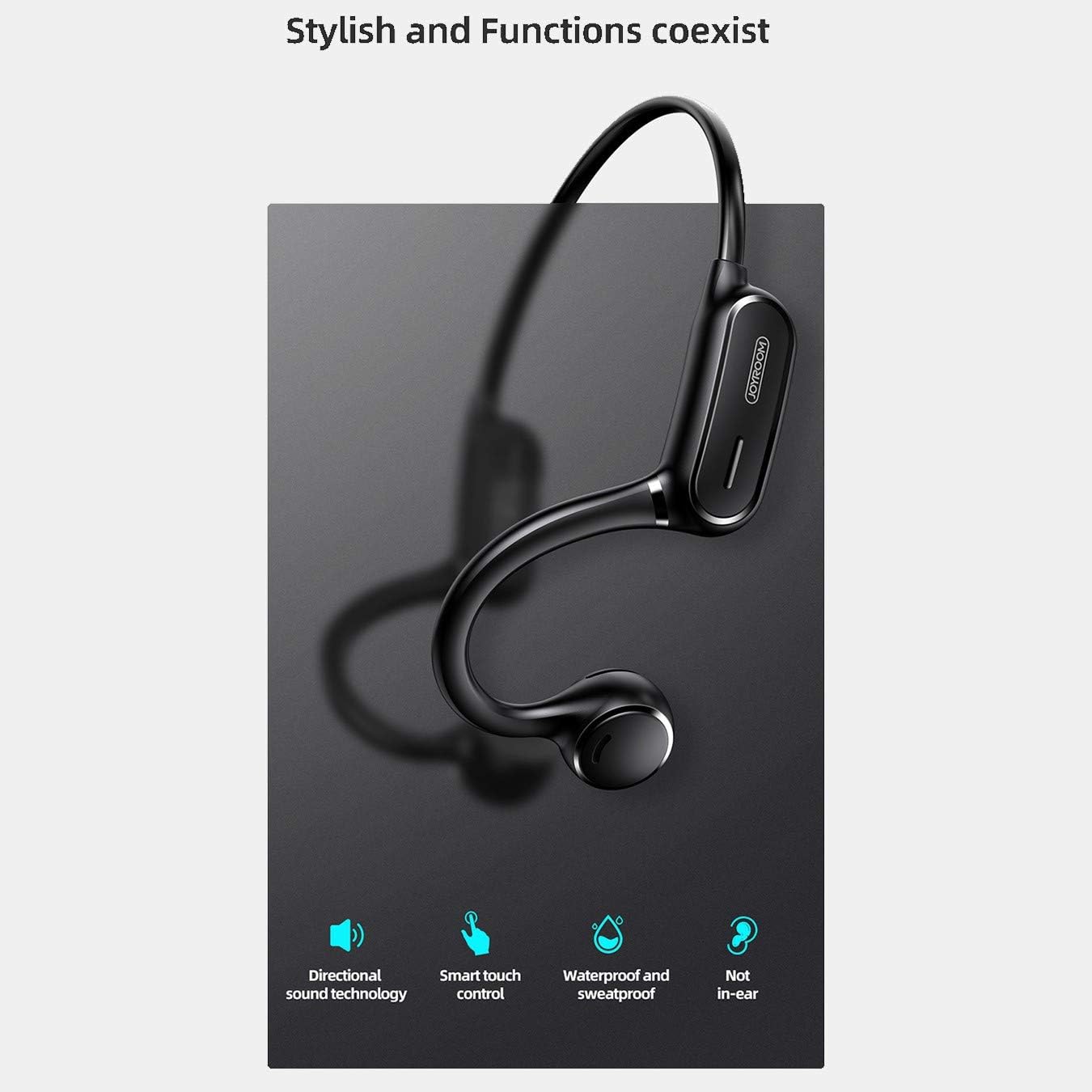
Figure 2: Key features of the JR-X1, including directional sound technology, smart touch control, waterproof and sweatproof design, and non-in-ear wearing style.
2. Einrichtung
2.1. Aufladen der Ohrhörer
Before first use, fully charge your JR-X1 earphones. Connect the charging cable to the charging port on the earphones and a compatible USB power source (5V/1A). The indicator light will show the charging status and turn off or change color once fully charged. A full charge takes approximately 2 hours.
2.2. Ein-/Ausschalten
- Einschalten: Press and hold the multi-function button for a few seconds until the indicator light flashes and you hear a power-on prompt.
- Ausschalten: Press and hold the multi-function button for a few seconds until the indicator light turns off and you hear a power-off prompt.
2.3. Bluetooth-Kopplung
- Stellen Sie sicher, dass die Kopfhörer ausgeschaltet sind.
- Halten Sie die Multifunktionstaste gedrückt, bis die Kontrollleuchte abwechselnd rot und blau blinkt und damit den Kopplungsmodus anzeigt.
- Aktivieren Sie auf Ihrem Gerät (Smartphone, Tablet usw.) Bluetooth und suchen Sie nach verfügbaren Geräten.
- Select "JR-X1" from the list of found devices.
- Once connected, the indicator light will stop flashing and you will hear a connection confirmation.
The earphones will automatically power off after 5 minutes if not connected to a device.

Figure 3: The JR-X1 earphones are designed for comfortable, non-in-ear wearing, utilizing bone conduction technology.
3. Bedienungsanleitung
3.1. Musikwiedergabe
- Abspielen/Pause: Tap the multi-function button once.
- Nächster Titel: Double-tap the multi-function button.
- Vorheriges Lied: Triple-tap the multi-function button.
3.2. Lautstärkeregelung
The JR-X1 features volume control. Refer to the specific buttons or touch areas on your earphones for volume adjustment. Typically, there are dedicated volume up (+) and volume down (-) buttons or touch gestures.
3.3. Anrufverwaltung
- Anruf annehmen/beenden: Tap the multi-function button once.
- Anruf ablehnen: Halten Sie die Multifunktionstaste 2 Sekunden lang gedrückt.
- Sprachassistent (Siri/Google Assistant): Tap the multi-function button three times to activate your device's voice assistant.

Figure 4: The JR-X1 features smart touch controls for easy operation, including managing calls and music playback.
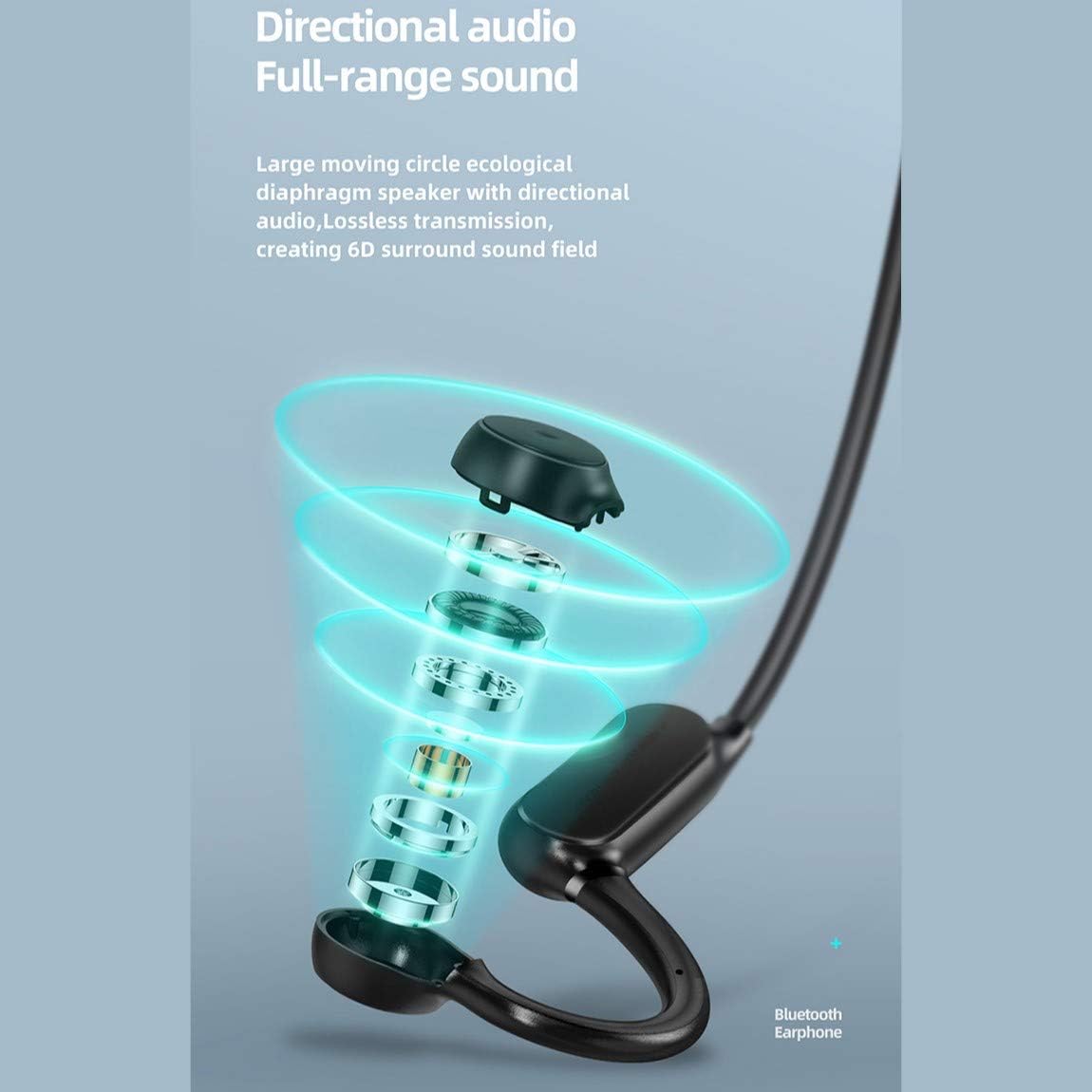
Figure 5: The directional audio technology provides full-range sound through a large moving circle ecological diaphragm speaker, ensuring lossless transmission and a 6D surround sound field.
4. Wartung
4.1. Reinigung
Regularly clean your earphones to ensure optimal performance and hygiene. Use a soft, dry, lint-free cloth to wipe the surfaces. Do not use harsh chemicals, cleaning solvents, or strong detergents.
4.2. Speicherung
When not in use, store the earphones in a cool, dry place, away from direct sunlight and extreme temperatures. Avoid placing heavy objects on them or storing them in a tangled state.
4.3. Wasserbeständigkeit
The JR-X1 earphones are designed to be waterproof and sweatproof. However, they are not intended for submersion in water. Avoid prolonged exposure to heavy rain or swimming. After exposure to sweat or light rain, wipe them dry before charging.
5. Fehlerbehebung
5.1. Earphones Not Powering On
- Ensure the earphones are fully charged. Connect them to a power source and check the charging indicator.
- Press and hold the power button for a longer duration (5-7 seconds) to ensure it's not a brief press.
5.2. Kopplung mit dem Gerät nicht möglich
- Make sure the earphones are in pairing mode (indicator flashing red and blue alternately).
- Stellen Sie sicher, dass Bluetooth auf Ihrem Gerät aktiviert ist und sich in Reichweite befindet (typischerweise 10 Meter).
- Schalten Sie Bluetooth an Ihrem Gerät aus und wieder ein.
- If previously paired, try forgetting "JR-X1" from your device's Bluetooth settings and re-pairing.
- Ensure no other devices are currently connected to the earphones.
5.3. Kein Ton oder geringe Lautstärke
- Überprüfen Sie die Lautstärke sowohl an den Kopfhörern als auch an Ihrem angeschlossenen Gerät.
- Stellen Sie sicher, dass die Kopfhörer ordnungsgemäß mit Ihrem Gerät verbunden sind.
- Versuchen Sie, verschiedene Audioquellen abzuspielen, um ein Problem mit den Medien auszuschließen. file.
5.4. Zeitweise unterbrochene Verbindung
- Um Störungen zu reduzieren, gehen Sie näher an Ihr angeschlossenes Gerät heran.
- Vermeiden Sie Umgebungen mit starken WLAN-Signalen oder anderen Bluetooth-Geräten, die Störungen verursachen könnten.
- Stellen Sie sicher, dass die Ohrhörer vollständig aufgeladen sind.
6. Spezifikationen
| Besonderheit | Spezifikation |
|---|---|
| Marke | Freudenraum |
| Modellnummer | JR-X1 |
| Typ | Wireless Earphones (Bone Conduction) |
| Farbe | Weiß |
| Materialien | ABS + Silikon |
| Bluetooth-Version | 5.0 |
| Empfindlichkeit | 84 ± 3 dB |
| Frequenzgangbereich | 20 Hz - 20 kHz |
| Mikrofonempfindlichkeit | -38 dB |
| Batteriekapazität des Kopfhörers | 230 mAh |
| Impedanz | 10 Ohm ± 15% (800 Hz) |
| Nennleistung | 1 Watt |
| Spielzeit | Approx. 6 hours (70-80% volume) |
| Gesprächszeit | Ca. 6 Stunden |
| Standby-Zeit | Ca. 10 Tage |
| Automatische Abschaltung | 5 minutes if not connected |
| Ladeeingang | 5 V/1 A |
| Ladezeit | Ca. 2 Stunden |
| Besondere Merkmale | Lightweight, Microphone Included, Waterproof, Sweatproof |
| Kontrollmethode | Touch-Steuerung, Lautstärkeregelung |
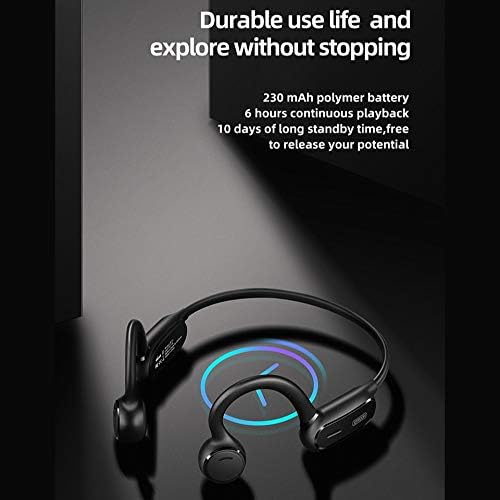
Figure 6: The JR-X1 features a 230 mAh polymer battery, offering approximately 6 hours of continuous playback and up to 10 days of standby time.

Figure 7: Equipped with Bluetooth 5.0 and a QCC master chip, the JR-X1 ensures fast, stable connection, low latency, and efficient power consumption.
7. Garantie und Support
7.1. Garantieinformationen
The Joyroom JR-X1 Bluetooth Wireless Earphones come with a standard manufacturer's warranty. Please refer to the warranty card included in your product packaging for specific terms, conditions, and duration. Keep your purchase receipt as proof of purchase for warranty claims.
7.2. Kundendienst
For any technical assistance, troubleshooting not covered in this manual, or warranty inquiries, please contact Joyroom customer support. Contact details can typically be found on the official Joyroom webauf der Website oder auf der Produktverpackung.