
Einführung
This manual provides comprehensive instructions for the beyerdynamic FOX Professional USB Studio Microphone and its accompanying Microphone Suspension Boom Scissor Arm. It covers essential information regarding product setup, operation, maintenance, and troubleshooting to ensure optimal performance and longevity of your equipment. Please read this manual thoroughly before using the product.
Sicherheitshinweise
Please observe the following safety instructions to prevent damage to the device, injury to yourself, or damage to other property:
- Do not expose the microphone to moisture, rain, or extreme temperatures.
- Vermeiden Sie es, das Mikrofon fallen zu lassen oder starken Stößen auszusetzen.
- Versuchen Sie nicht, das Mikrofon zu zerlegen oder zu verändern. Alle Wartungsarbeiten dürfen nur von qualifiziertem Fachpersonal durchgeführt werden.
- Keep the microphone and boom arm away from strong magnetic fields.
- Ensure the boom arm is securely clamped to a stable surface to prevent accidental falls.
- Use only the specified power source (USB connection) for the microphone.
Packungsinhalt
Bitte überprüfen Sie, ob alle unten aufgeführten Artikel in Ihrem Paket enthalten sind:
- beyerdynamic FOX Professional USB Studio Microphone
- Microphone Suspension Boom Scissor Arm with 3/8-Inch-16 Threading (Black)
- USB-Kabel
- Desk Stand (for microphone)
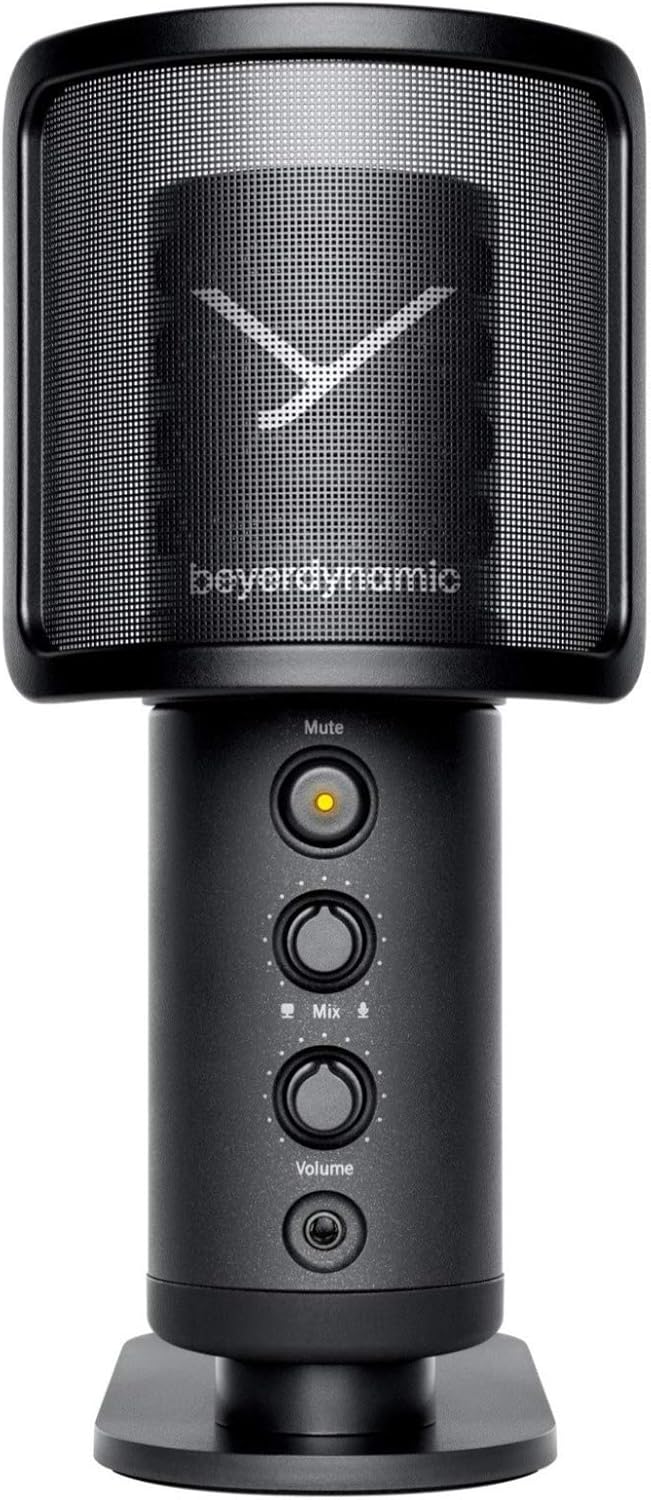
Image: The beyerdynamic FOX USB Studio Microphone and the included boom arm, showcasing das komplette Paket.
Produkt überview
Hauptmerkmale:
- Hochauflösendes Audio: 24-bit / 96 kHz studio-grade quality for professional recordings.
- Large Condenser Capsule: Ensures accurate signal conversion and low inherent noise.
- Nieren-Polarmuster: Fokussiert sich auf den Schall direkt vor dem Mikrofon und reduziert so unerwünschte Hintergrundgeräusche.
- Überwachung ohne Latenz: Integrated headphone output allows real-time monitoring of your audio.
- Stummschaltfläche: Instantly mutes the microphone for privacy or to prevent unwanted sounds from being recorded.
- Verstärkungsschalter: Adjustable gain for recording various sound sources, including loud instruments.
- USB-Konnektivität: Simple plug-and-play connection to PC, Mac, or compatible smartphones/tablets.
Mikrofonkomponenten:
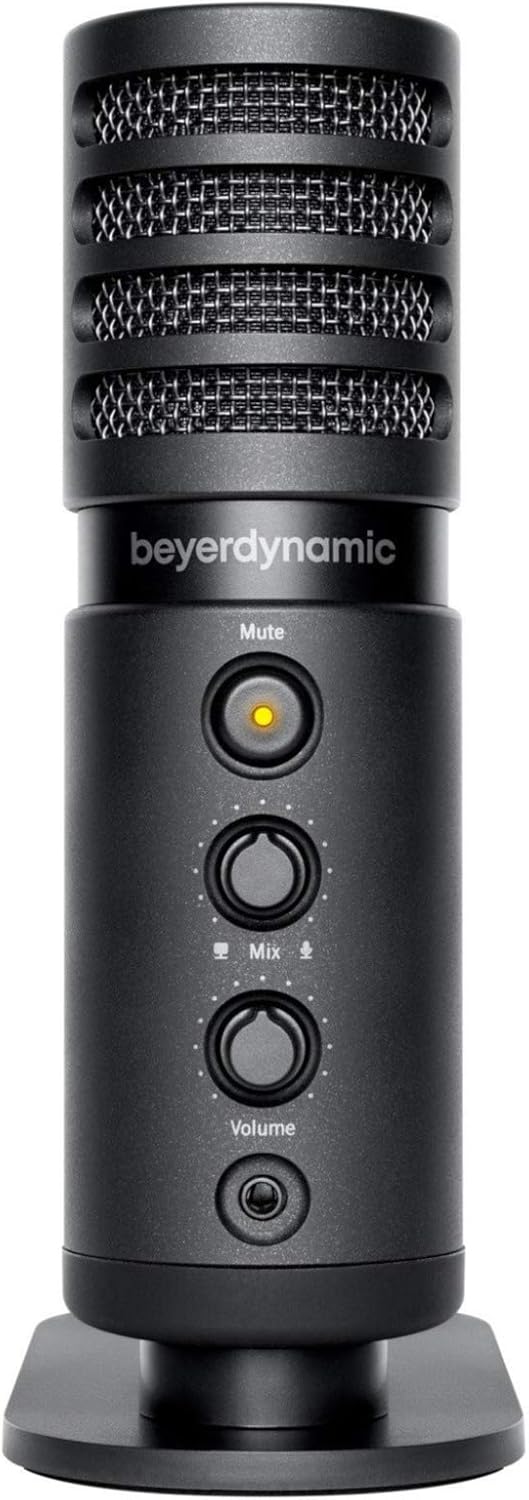
Bild: Vorderseite view of the beyerdynamic FOX microphone, highlighting the mute button, mix control, and volume knob.
- Mikrofongitter: Protects the condenser capsule.
- Stummschaltfläche: Press to mute/unmute the microphone. An indicator light will show status.
- Mischungsregler: Adjusts the balance between microphone input and computer playback in your headphones.
- Lautstärkeregler: Regelt die Lautstärke des Kopfhörerausgangs.
- Kopfhöreranschluss (3.5 mm): Zum Anschluss von Monitoring-Kopfhörern.
- USB-C-Anschluss: For connecting the microphone to your computer or mobile device.
- Threaded Mount: For attaching to the desk stand or boom arm.
Aufstellen
1. Assembling the Boom Arm:
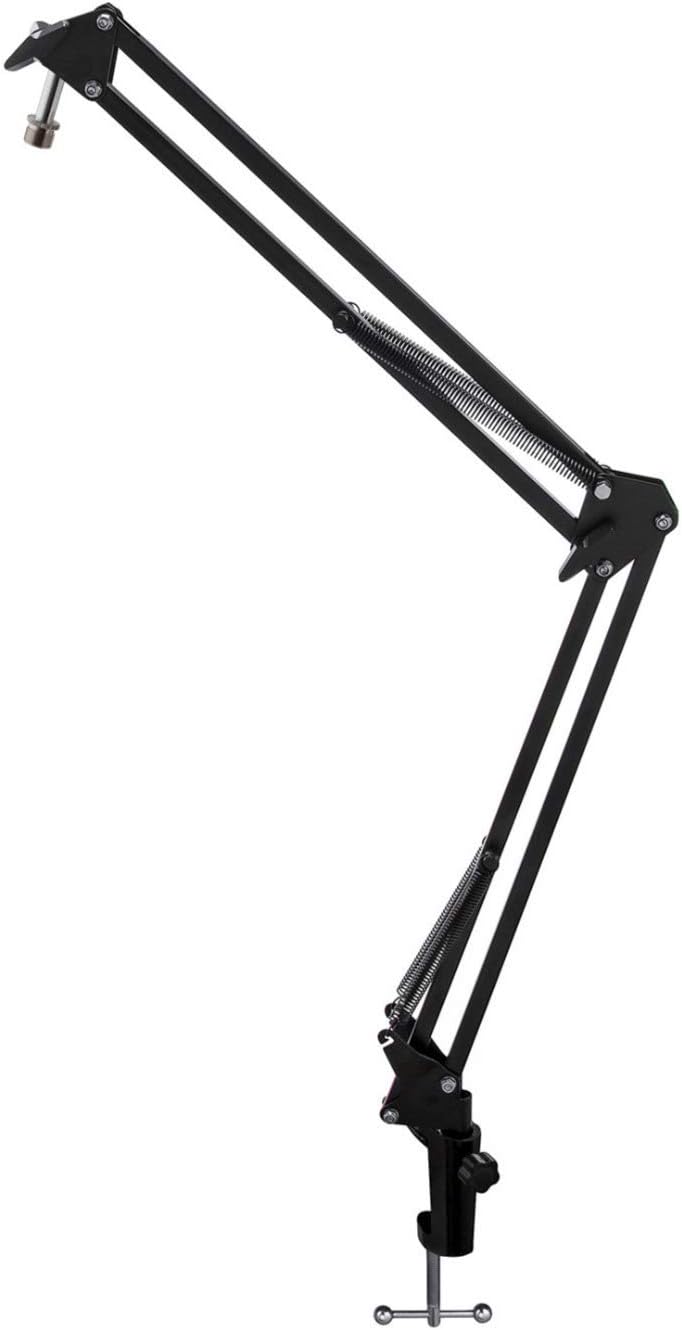
Image: The Microphone Suspension Boom Scissor Arm, showing its adjustable joints and desk clamp.
- Schreibtisch-Cl anbringenamp: Befestigen Sie die Schreibtischklammern sicher.amp to the edge of a sturdy desk or table. Ensure it is tight to prevent movement.
- Mikrofonarm einsetzen: Setzen Sie den Fuß des Auslegerarms in die Öffnung an der Tischklemme ein.ampZiehen Sie die Feststellschraube am Verschluss fest.amp to hold the arm in place.
- Position anpassen: Adjust the boom arm to your desired height and reach. The springs will help balance the microphone's weight.
2. Attaching the Microphone:
- To Boom Arm: Screw the beyerdynamic FOX microphone onto the 3/8-inch-16 threaded mount at the end of the boom arm. Ensure it is finger-tight.
- Using Desk Stand (Optional): If not using the boom arm, screw the microphone onto its included desk stand.
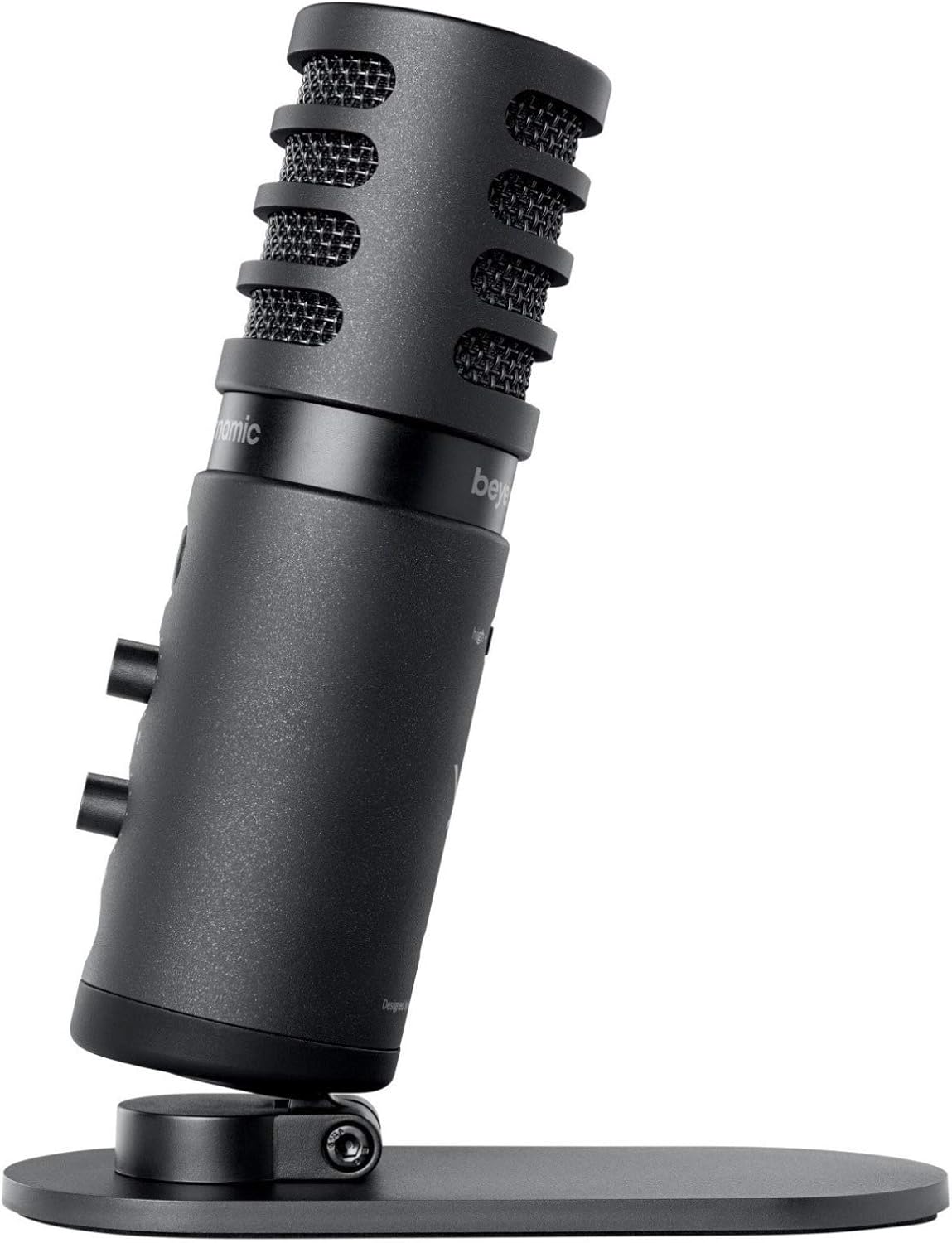
Image: The beyerdynamic FOX microphone mounted on its compact desk stand, ready for use.
3. Verbindung mit Ihrem Gerät herstellen:
- Connect the supplied USB cable to the USB-C port on the microphone.
- Connect the other end of the USB cable to an available USB port on your computer (PC/Mac) or compatible smartphone/tablet (adapter may be required for some mobile devices).
- Das Mikrofon ist Plug-and-Play-fähig und sollte von Ihrem Betriebssystem automatisch erkannt werden.
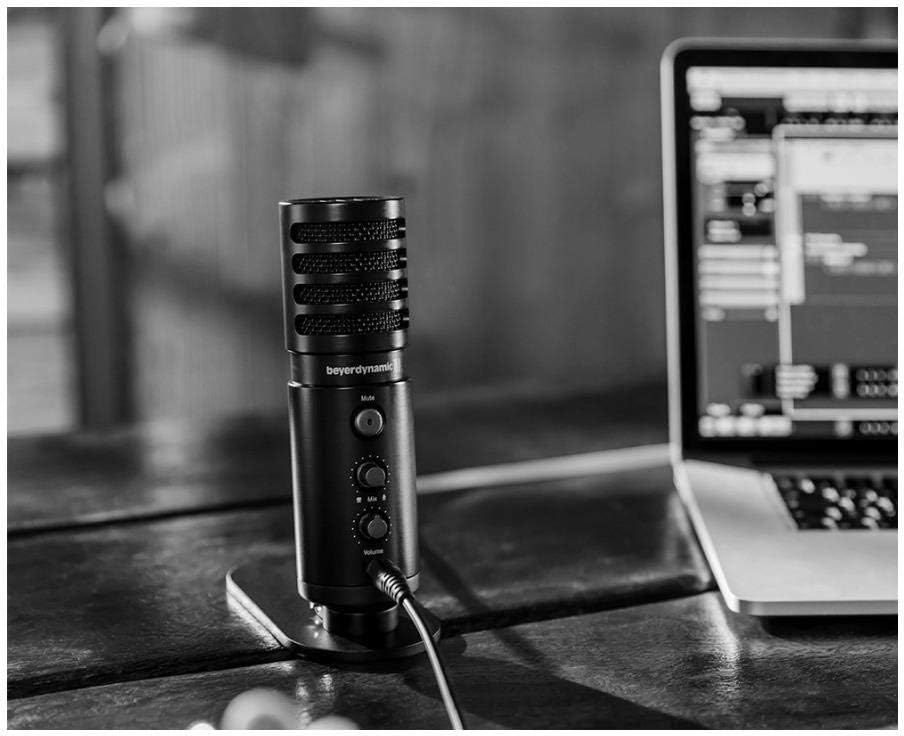
Image: The beyerdynamic FOX microphone in use, connected via USB to a laptop on a wooden desk.
Bedienungsanleitung
1. System Recognition:
- Once connected, your operating system (Windows, macOS, Android, iOS) should automatically detect the beyerdynamic FOX as an audio input and output device.
- You may need to select "beyerdynamic FOX" as your default input/output device in your system's sound settings or within your recording software.
2. Using the Mute Button:
- Drücken Sie die Stumm button on the front of the microphone to toggle between active and muted states.
- An indicator light will typically show the microphone's status (e.g., green for active, red/orange for muted).
3. Adjusting Gain (Input Level):
- The FOX microphone features a gain switch (often labeled "Gain" or represented by a symbol like a microphone with a "+" or "-").
- Use this switch to adjust the microphone's sensitivity. For quiet sources (e.g., soft vocals), use a higher gain setting. For loud sources (e.g., instruments, loud speaking), use a lower gain setting to prevent distortion.
- Monitor your recording software's input levels to ensure they are not peaking (clipping).
4. Zero-Latency Monitoring:
- Connect headphones to the 3.5mm headphone jack on the microphone.
- Verwenden Sie die Volumen knob to adjust the headphone listening level.
- Der Mischen control allows you to blend the microphone's direct input with the audio playback from your computer. Turn towards the microphone icon to hear more of your live input, and towards the speaker icon to hear more of your computer's audio.
- This feature allows you to hear your voice or instrument in real-time without delay, which is crucial for accurate performance.
Wartung
- Reinigung: Use a soft, dry cloth to clean the microphone's exterior. Do not use liquid cleaners or solvents.
- Lagerung: Bewahren Sie das Mikrofon bei Nichtgebrauch in einer trockenen, staubfreien Umgebung auf.
- Auslegerarm: Periodically check the boom arm's clamps and joints for tightness. Lubricate moving parts if necessary with a small amount of silicone-based lubricant.
- Kabelpflege: Vermeiden Sie scharfe Biegungen oder Knicke im USB-Kabel. Bewahren Sie es ordentlich auf, um Beschädigungen zu vermeiden.
Fehlerbehebung
| Problem | Mögliche Ursache | Lösung |
|---|---|---|
| Kein Ton vom Mikrofon |
|
|
| Verzerrter oder übersteuerter Ton |
|
|
| Kein Ton im Kopfhörer |
|
|
| Der Auslegerarm ist instabil |
|
|
Technische Daten
| Besonderheit | Detail |
|---|---|
| Modellnummer | FOXUSBMIC_K5 |
| Mikrofon-Formfaktor | Table Array (with included desk stand) |
| Konnektivitätstechnologie | USB |
| Steckertyp | USB |
| Richtcharakteristik | Unidirektional (Niere) |
| Auflösung | 24 Bit / 96 kHz |
| Signal-Rausch-Verhältnis | 78 dB |
| Hardware-Plattform | PC, Smartphone |
| Kompatible Geräte | Headphone, Personal Computer, Smartphone |
| Stromquelle | Kabelgebunden (USB-betrieben) |
| Item Weight (Microphone) | 16 Unzen (1 Pfund) |
| Technische Daten | 16.2 x 8.3 x 6.8 inches (overall bundle dimensions) |
| Farbe | Schwarz |
| UPC | 040962932483 |
Garantie und Support
Informationen zur Garantie und zum technischen Support finden Sie auf der offiziellen Website von beyerdynamic. webBesuchen Sie die Website oder kontaktieren Sie direkt den Kundenservice. Bewahren Sie Ihren Kaufbeleg für Garantieansprüche auf.
Offiziell WebWebsite: www.beyerdynamic.com