
1. Einleitung
This user manual provides essential information for the safe and efficient installation, operation, and maintenance of your TOA Electronics PC-1860 5-Inch Ceiling Mount Speaker. Please read this manual thoroughly before using the product and retain it for future reference.
The PC-1860 is designed for clear audio reproduction in various indoor environments, featuring a compact design suitable for ceiling installation.
2. Sicherheitsvorkehrungen
WARNUNG:
- Stellen Sie sicher, dass alle elektrischen Anschlüsse von qualifiziertem Personal vorgenommen werden und den örtlichen Elektrovorschriften entsprechen.
- Do not install the speaker in locations exposed to direct water spray or excessive humidity, as the product is not waterproof.
- Vor Installations-, Wartungs- oder Fehlersucharbeiten muss immer die Stromzufuhr unterbrochen werden.
- Use appropriate mounting hardware and ensure the ceiling structure can support the speaker's weight (approximately 10 pounds).
- Avoid placing heavy objects on the speaker or subjecting it to strong impacts.
VORSICHT:
- Do not attempt to modify or repair the speaker yourself. Refer all servicing to qualified service personnel.
- Keep the speaker away from heat sources and direct sunlight to prevent damage.
- Sorgen Sie für ausreichende Belüftung rund um den Lautsprecher, um eine Überhitzung zu vermeiden.
3. Packungsinhalt
Bitte überprüfen Sie, ob alle unten aufgeführten Artikel in Ihrem Paket enthalten sind:
- 1 x TOA Electronics PC-1860 5-Inch Ceiling Mount Speaker
- 1 x Mesh Filter
- Dieses Benutzerhandbuch
4. Einrichtung und Installation
Eine fachgerechte Installation ist für optimale Leistung und Sicherheit unerlässlich. Es wird empfohlen, die Installation von einem qualifizierten Techniker durchführen zu lassen.
4.1 Auspacken
Carefully remove the speaker and all accessories from the packaging. Inspect for any signs of damage during transit. If damage is found, contact your supplier immediately.
4.2 Auswahl des Montageorts
Choose a suitable location in the ceiling that can structurally support the speaker's weight. Ensure there are no obstructions such as electrical conduits, water pipes, or structural beams in the chosen area. Maintain adequate clearance for wiring and ventilation.
4.3 Installationsschritte
- Deckenöffnung vorbereiten: Cut a circular hole in the ceiling at the selected location, ensuring the diameter matches the speaker's mounting requirements. Refer to the speaker's physical dimensions for precise measurements.
- Verkabelung anschließen: Verlegen Sie das Lautsprecherkabel von Ihrem amplifier or audio source to the ceiling opening. Connect the wires to the speaker terminals, observing correct polarity (+ to + and - to -). Ensure connections are secure.
- Insert Speaker into Opening: Carefully insert the speaker into the prepared ceiling opening. The mounting clips (visible in the image) are designed to secure the speaker in place.
- Sichern Sie den Lautsprecher: Engage the mounting clips by tightening the screws (if applicable) or by pushing them outwards until they firmly grip the ceiling material. Ensure the speaker is flush with the ceiling surface and securely held.
- Attach Mesh Filter: If not pre-installed, attach the included mesh filter to the speaker grille. This helps protect the speaker from dust and debris.
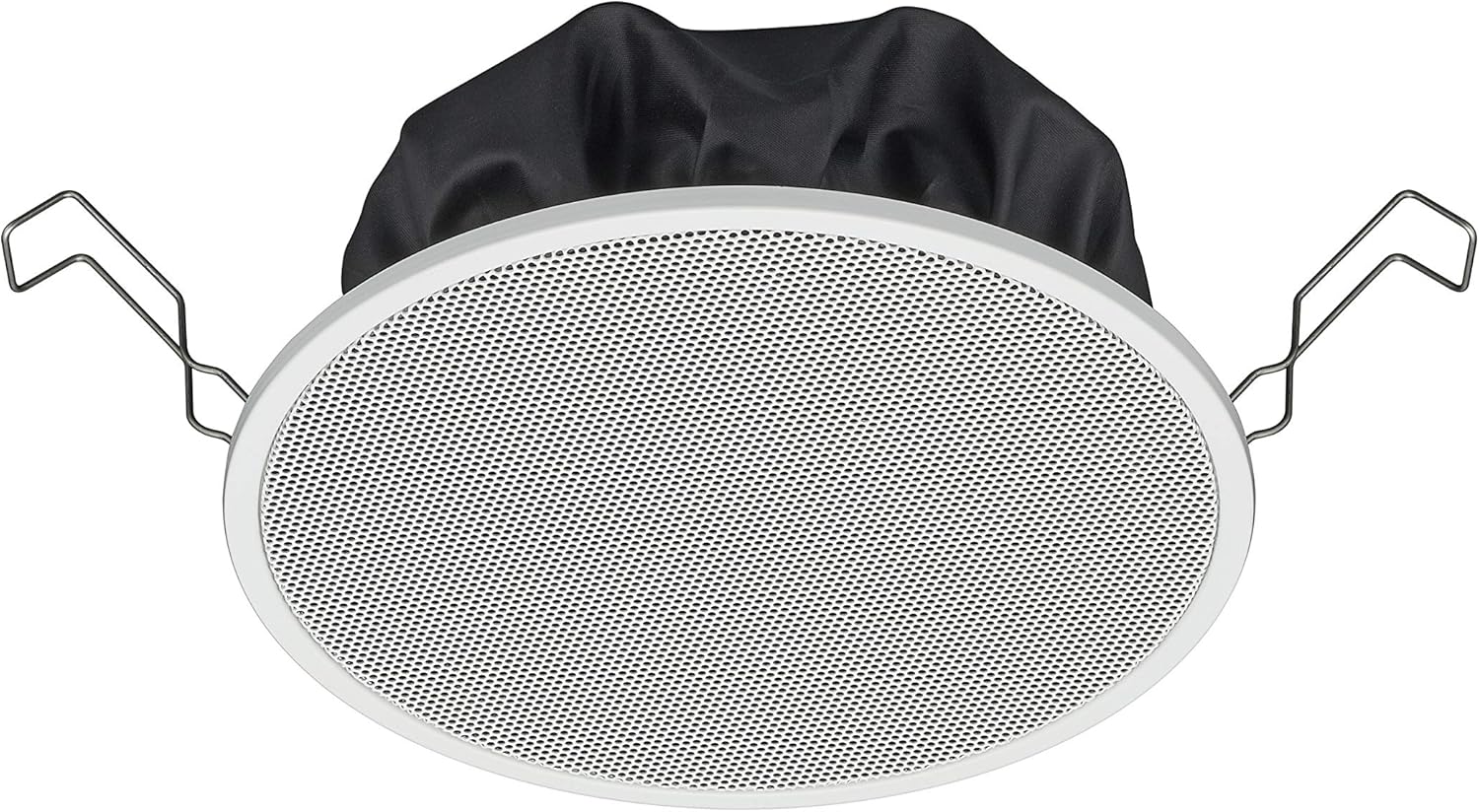
Figure 1: TOA Electronics PC-1860 5-Inch Ceiling Mount Speaker, showing the white grille, black rear enclosure, and metal mounting clips. This image illustrates the speaker's design for flush ceiling installation.
5. Bedienungsanleitung
The TOA Electronics PC-1860 is a passive speaker designed to reproduce audio from an external amplifier or audio source. It does not require direct power or complex controls.
5.1 Grundlegende Audiowiedergabe
- Einschalten AmpReiniger: Stellen Sie sicher, dass Ihr Audio amplifier or receiver is powered on and connected to your audio source (e.g., MP3 player, desktop, projector, television).
- Lautstärke anpassen: Use the volume controls on your amplifier or audio source to set the desired listening level.
- Voice Control (if applicable): If your connected audio system supports voice control, you may be able to manage playback and volume through voice commands directed at your audio source device. The speaker itself does not have integrated voice control functionality but can reproduce audio from devices that do.
- Radio Functionality (if applicable): If your connected audio source is a radio receiver, the speaker will reproduce the radio broadcast. The speaker itself does not contain a radio tuner.
The PC-1860 is designed for straightforward audio output. All primary controls for audio source selection, volume, and equalization will be managed through your connected ampVerstärker oder Audiosystem.
6. Wartung
Regelmäßige Wartung gewährleistet die Langlebigkeit und optimale Leistung Ihres Lautsprechers.
- Reinigung: Gently wipe the speaker grille and frame with a soft, dry cloth. For stubborn dirt, a slightly damp cloth can be used, followed by a dry cloth. Avoid using harsh chemicals, solvents, or abrasive cleaners.
- Staubentfernung: Periodically use a soft brush or a vacuum cleaner with a brush attachment to remove dust from the grille, especially the mesh filter.
- Inspektion: Occasionally inspect the speaker for any visible damage or loose connections. If any issues are found, refer to the troubleshooting section or contact support.
- Umfeld: Ensure the installation environment remains within recommended temperature and humidity levels.
7. Fehlerbehebung
If you encounter issues with your PC-1860 speaker, refer to the following common problems and solutions:
| Problem | Mögliche Ursache | Lösung |
|---|---|---|
| Kein Ton vom Lautsprecher |
|
|
| Verzerrter oder undeutlicher Ton |
|
|
| Lautsprecher nicht sicher befestigt |
|
|
If the problem persists after attempting these solutions, please contact TOA Electronics customer support.
8. Spezifikationen
Below are the key technical specifications for the TOA Electronics PC-1860 5-Inch Ceiling Mount Speaker:
| Besonderheit | Detail |
|---|---|
| Modellname | PC-1860 |
| Marke | TOA Elektronik |
| Lautsprechertyp | In der Decke |
| Montagetyp | Deckenmontage |
| Lautsprechergröße | 5 Zoll |
| Audiotreibertyp | Dynamischer Treiber |
| Audioausgabemodus | Stereo (when paired with another speaker) |
| Farbe | Weiß |
| Im Lieferumfang enthaltene Komponenten | 1 x Mesh Filter |
| Ist wasserdicht | FALSCH |
| Artikelgewicht | 10 Pfund (ungefähr) |
| Stromquelle | Kabelgebundenes Elektrogerät (über amplifizierer) |
| Kontrollmethode | Voice (via compatible external devices) |
| Empfohlene Verwendung | Construction, Industrial |
| Kompatible Geräte | Desktop, MP3 Player, Projector, Television (via amplifizierer) |
9. Garantieinformationen
The TOA Electronics PC-1860 speaker comes with a Limited Warranty. Specific terms and conditions of the warranty, including coverage period and claim procedures, are subject to the policies of TOA Electronics.
For detailed warranty information, please refer to the official TOA Electronics webBesuchen Sie die Website oder kontaktieren Sie direkt den Kundenservice. Bewahren Sie Ihren Kaufbeleg für Garantieansprüche auf.
10. Kundendienst
If you require further assistance, have questions not covered in this manual, or need technical support, please contact TOA Electronics customer service.
- Online-Hilfe: Visit the official TOA Electronics webWebsite mit FAQs, Produktdokumentation und Kontaktformularen.
- Kontaktinformationen: Refer to the TOA Electronics website for current phone numbers and email addresses for your region.
When contacting support, please have your product model (PC-1860) and purchase information readily available.