
1. Einleitung
This manual provides instructions for the installation, operation, and maintenance of your GIM KB-23 RGB Case Fan. Please read this manual thoroughly before installation and use to ensure proper function and safety.
The GIM KB-23 is a 120mm case fan designed to enhance airflow within your computer chassis while providing customizable RGB lighting effects.
2. Sicherheitshinweise
Beachten Sie immer die folgenden Sicherheitsvorkehrungen:
- Stellen Sie sicher, dass Ihr Computer ausgeschaltet und vom Stromnetz getrennt ist, bevor Sie Installationen oder Wartungsarbeiten durchführen.
- Entladen Sie jegliche statische Elektrizität Ihres Körpers, indem Sie vor der Handhabung der Bauteile einen geerdeten Metallgegenstand berühren.
- Do not force connectors. Ensure proper alignment before connecting.
- Kleinteile wie Schrauben sollten von Kindern ferngehalten werden.
- Vermeiden Sie es, die Lüfterflügel zu berühren, während der Lüfter in Betrieb ist.
3. Packungsinhalt
Überprüfen Sie, ob alle Artikel in Ihrem Paket vorhanden sind:
- 1 x GIM KB-23 120mm RGB Case Fan
- 4 x Befestigungsschrauben
4. Einrichtung und Installation
Follow these steps to install your GIM KB-23 RGB Case Fan:
4.1 Vorbereitung
- Power off your computer and unplug the power cable from the wall outlet.
- Öffnen Sie das Computergehäuse, um Zugang zu den Lüfterbefestigungspunkten zu erhalten.
- Identify an appropriate 120mm fan mounting position within your case. Consider airflow direction (intake or exhaust).
4.2 Montage des Lüfters
Position the fan in the desired mounting location. Use the four included mounting screws to secure the fan to the case. Ensure the screws are tightened firmly but do not overtighten to avoid damaging the fan frame or case.
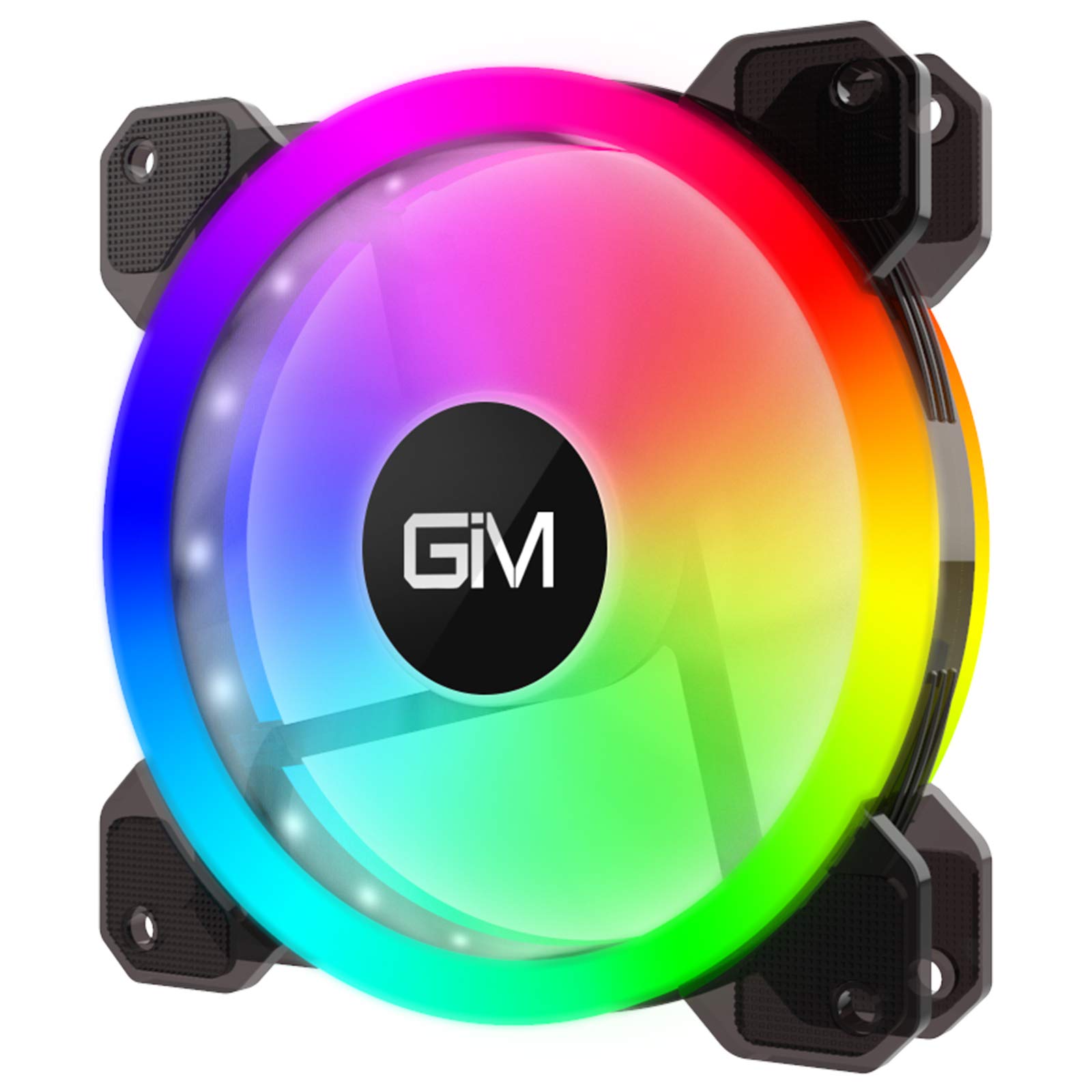
Image 1: GIM KB-23 RGB Case Fan. This image shows the fan's design and typical appearance when installed.
4.3 Lüfter anschließen
Locate the 6-pin power connector on the GIM KB-23 fan cable. Connect this cable to a compatible GIM RGB fan controller (sold separately or included with multi-pack fan kits). The fan will not function or light up without a compatible controller.
Ensure the connector is fully seated. Route the cables neatly to maintain good airflow and aesthetics within your case.
5. Bedienungsanleitung
Once installed and connected to a compatible GIM RGB fan controller, the fan will begin operating when your computer is powered on.
- Lüftergeschwindigkeit: The fan speed is typically controlled by the GIM RGB fan controller or motherboard software, depending on the controller's capabilities and how it's connected to your system.
- RGB-Beleuchtung: The RGB lighting effects are managed through the GIM RGB fan controller. Refer to your GIM controller's manual for specific instructions on changing lighting modes, colors, and brightness.
6. Wartung
Regelmäßige Wartung trägt dazu bei, eine optimale Leistung und Langlebigkeit Ihres Ventilators zu gewährleisten.
- Reinigung: Periodically clean the fan blades and frame to remove dust buildup. Use a can of compressed air or a soft, dry cloth. Ensure the computer is powered off and unplugged before cleaning.
- Inspektion: Prüfen Sie die Kabel auf Abnutzungserscheinungen oder Beschädigungen. Stellen Sie sicher, dass alle Verbindungen fest sitzen.
7. Fehlerbehebung
If you encounter issues with your GIM KB-23 RGB Case Fan, refer to the following common problems and solutions:
| Problem | Mögliche Ursache | Lösung |
|---|---|---|
| Lüfter dreht sich nicht |
|
|
| RGB-Lichter funktionieren nicht |
|
|
| Übermäßiger Lärm |
|
|
8. Spezifikationen
| Besonderheit | Detail |
|---|---|
| Modell | KB-23 |
| Abmessungen (L x B x H) | 4.72" x 0.98" x 4.72" (120 mm x 25 mm x 120 mm) |
| Typ des Stromanschlusses | 6-Pin (Proprietary GIM) |
| Bandtage | 12 Volt |
| Wastage | 1.96 Watt |
| Kühlmethode | Luft |
| Kompatible Geräte | Desktop-Computer |
| Geräuschpegel | 25 Dezibel (dB) |
| Maximale Drehzahl | 1300 U/min |
9. Garantie und Support
For warranty information or technical support, please contact GIM customer service through their official webBewahren Sie Ihren Kaufbeleg für Garantieansprüche auf der Website oder beim Händler auf, bei dem Sie das Produkt gekauft haben.