
MuGo T7A
MuGo Bluetooth-Duschlautsprecher – Benutzerhandbuch
Modell: T7A
Einführung
Vielen Dank für Ihren Einkauf.asing the MuGo Bluetooth Shower Speaker. This manual provides important information on how to set up, operate, and maintain your speaker to ensure optimal performance and longevity. Please read this manual thoroughly before use and retain it for future reference.

Image: The MuGo Bluetooth Shower Speaker, showcasing its compact design, control buttons, and ambient LED lighting, with water droplets indicating its waterproof nature.
Packungsinhalt
- MuGo Bluetooth Shower Speaker
- USB-Ladekabel
- Abnehmbarer Saugnapf
- Bedienungsanleitung
Produkt überview
The MuGo Bluetooth Shower Speaker is designed for portable audio enjoyment in various environments, including wet conditions. It features IP7 waterproofing, ambient LED lighting, and the ability to pair two speakers for true wireless stereo sound. Its internal components are engineered for clear, immersive audio.

Bild: Eine explodierte view diagram of the MuGo speaker, illustrating its internal components such as the speaker driver, circuit board, and battery, highlighting its sound technology.
Tastenfunktionen:
- Netzschalter: Zum Ein-/Ausschalten gedrückt halten.
- "M"-Taste (Modus): Kurzes Drücken schaltet zwischen Bluetooth- und FM-Radiomodus um.
- "T" Button (TWS/LED Control): Short press to change LED light modes. Long press to initiate True Wireless Stereo (TWS) pairing.
- "-" Taste: Short press for previous song (Bluetooth mode), long press to decrease volume.
- "+"-Schaltfläche: Short press for next song (Bluetooth mode), long press to increase volume.
- Wiedergabe-/Pause-Taste: Musik abspielen oder pausieren. Anrufe annehmen/beenden.
- Eingebautes Mikrofon: Für Freisprechanrufe.

Image: A detailed diagram illustrating the function of each button on the MuGo speaker, including power, mode, pairing, volume, track control, and built-in microphone.
Aufstellen
Aufladen des Lautsprechers:
- Locate the charging port, usually protected by a silicone cover to maintain waterproofing.
- Connect the provided USB charging cable to the speaker and a USB power source (e.g., computer, wall adapter).
- Die LED-Anzeige signalisiert den Ladestatus. Eine vollständige Ladung dauert in der Regel 2–3 Stunden.
- Once fully charged, disconnect the cable and ensure the silicone cover is securely closed.

Image: The MuGo speaker connected to a laptop via its charging cable, illustrating the charging process and highlighting its approximate 7-hour play time on a full charge.
Anbringen des Saugnapfs:
The speaker comes with a detachable suction cup for easy mounting on smooth, flat surfaces.
- Ensure the suction cup and the desired surface are clean and dry.
- Align the suction cup with the designated area on the back of the speaker.
- Press firmly to attach the suction cup to the speaker, then press the speaker with the attached suction cup onto the smooth surface until it adheres securely.

Image: A woman working at a desk with the MuGo speaker securely attached to the surface using its strong suction cup, demonstrating its versatility for various environments.
Bedienungsanleitung
Ein-/Ausschalten:
- Zum Einschalten halten Sie die Netzschalter until the LED lights illuminate and you hear an audible prompt.
- Halten Sie zum Ausschalten die Taste gedrückt Netzschalter Wiederholen Sie den Vorgang, bis die LED-Leuchten ausgehen und Sie ein akustisches Signal hören.
Bluetooth-Pairing:
- Ensure the speaker is powered on and in Bluetooth pairing mode (LED will flash). If not, short press the "M" Button um in den Bluetooth-Modus zu wechseln.
- Aktivieren Sie auf Ihrem Gerät (Smartphone, Tablet usw.) Bluetooth und suchen Sie nach verfügbaren Geräten.
- Select "MuGo Speaker" from the list.
- Once paired, the speaker will indicate a successful connection, and the LED light will stabilize.
True Wireless Stereo (TWS) Kopplung:
To achieve 360° stereo sound, you can pair two MuGo speakers together.
- Ensure both MuGo speakers are powered on and not connected to any other Bluetooth device.
- Bei einem Lautsprecher die Taste lange drücken "T" ButtonEs wechselt in den TWS-Kopplungsmodus.
- The second speaker will automatically connect to the first. You will hear a confirmation sound when TWS pairing is successful.
- Now, connect your device to the primary speaker via Bluetooth as described above. Both speakers will play audio simultaneously.

Image: Two MuGo speakers positioned to demonstrate the True Wireless Stereo feature, providing a wider soundstage when paired together.
UKW-Radiomodus:
- Drücken Sie kurz die "M" Button um in den FM-Radiomodus zu wechseln.
- Im FM-Modus kurz die Taste drücken Wiedergabe-/Pause-Taste to auto-scan and save available radio stations.
- Verwenden Sie die "-" Und "+" Buttons um zwischen gespeicherten Stationen zu navigieren.
LED-Lichtsteuerung:
- Drücken Sie kurz die "T" Button to cycle through different ambient LED light modes and colors.
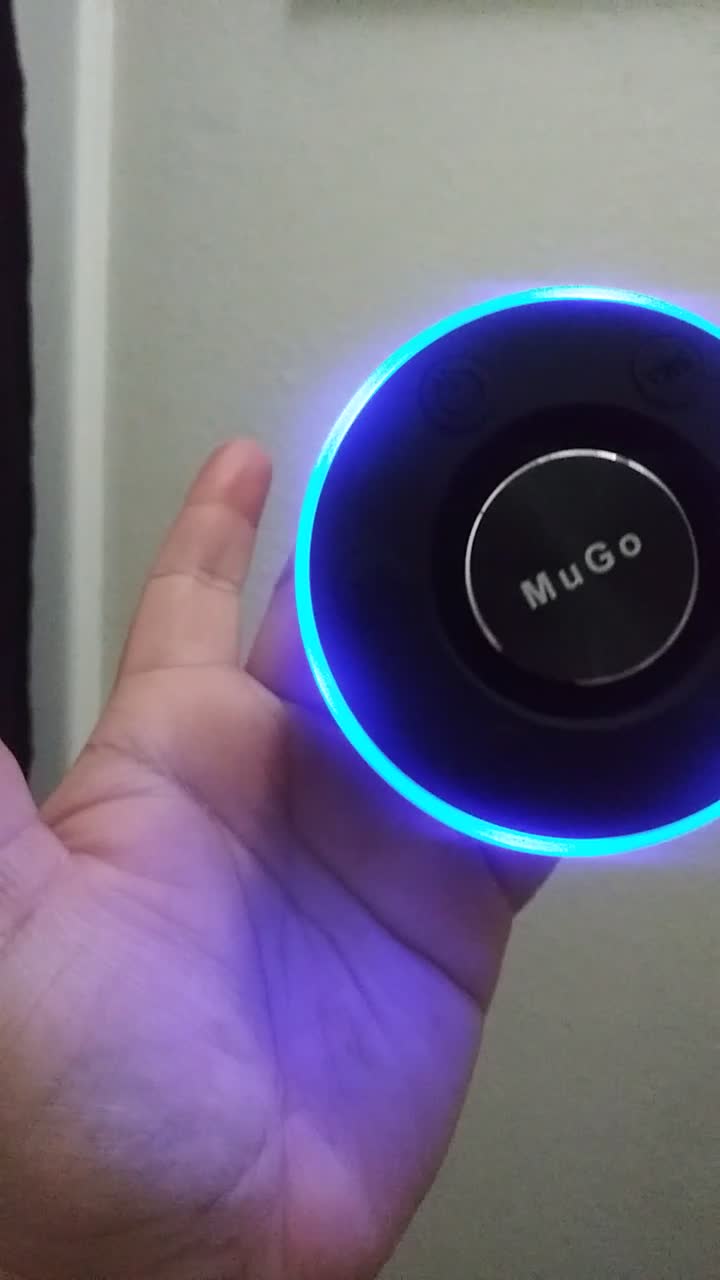
Image: The MuGo speaker showcasing its vibrant, color-changing LED light ring, which can be adjusted to different modes.
Wartung und Pflege
- Reinigung: Wischen Sie den Lautsprecher mit einem weichen, damp Tuch. Verwenden Sie keine scharfen Chemikalien oder Scheuermittel.
- Abdichtung: While IP7 waterproof, ensure the charging port cover is securely sealed before exposing the speaker to water. Do not submerge for extended periods or at depths beyond 1 meter.
- Lagerung: Bewahren Sie den Lautsprecher bei Nichtgebrauch an einem kühlen, trockenen Ort auf. Vermeiden Sie extreme Temperaturen.
- Batterie: Um die Batterielebensdauer zu verlängern, laden Sie den Lautsprecher vor dem ersten Gebrauch vollständig auf und danach mindestens einmal alle drei Monate, wenn er nicht regelmäßig benutzt wird.

Image: The MuGo speaker positioned in a shower, illustrating its IP7 waterproof capability, allowing for use in wet environments.
Fehlerbehebung
| Problem | Mögliche Ursache | Lösung |
|---|---|---|
| Der Lautsprecher lässt sich nicht einschalten. | Niedriger Batteriestand; Ein-/Ausschalter nicht lange genug gedrückt gehalten. | Laden Sie den Lautsprecher auf; Halten Sie den Ein-/Ausschalter 3-5 Sekunden lang gedrückt. |
| Kopplung mit Bluetooth-Gerät nicht möglich. | Lautsprecher nicht im Kopplungsmodus; Bluetooth-Gerät ausgeschaltet; Zu weit vom Lautsprecher entfernt. | Ensure speaker LED is flashing; Turn on Bluetooth on your device; Move device closer to speaker (within 10 meters). |
| Kein Ton oder geringe Lautstärke. | Lautstärke am Lautsprecher oder Gerät zu niedrig; Lautsprecher nicht angeschlossen. | Increase volume on both speaker and device; Re-pair the speaker. |
| TWS-Kopplung fehlgeschlagen. | Speakers already connected to another device; Not in TWS pairing mode. | Disconnect speakers from all devices; Ensure both speakers are powered on and long press the "T" button on one speaker. |
| Der Saugnapf hält nicht. | Surface is dirty, wet, or uneven; Suction cup is dirty. | Clean and dry the surface and suction cup; Ensure surface is smooth and non-porous. |
Technische Daten
| Modell: | T7A |
| Bluetooth-Version: | 5.0 |
| Wasserdichtigkeit: | IP7 |
| Akkulaufzeit: | Up to 7 hours (varies with volume and LED usage) |
| Ladezeit: | Ca. 2-3 Stunden |
| Bluetooth-Reichweite: | Bis zu 10 Meter (33 Fuß) |
| Lautsprecherausgangsleistung: | 20 Watt |
| Abmessungen: | 2.36 x 2.36 x 2.36 Zoll (6 x 6 x 6 cm) |
| Gewicht: | 10.2 Unzen (289 Gramm) |
Garantie und Support
MuGo products are designed and manufactured to the highest quality standards. This product is covered by a limited warranty from the date of purchase. For detailed warranty information, product support, or to report any issues, please contact MuGo customer service through the retailer where you purchased the product or visit the official MuGo webWebsite.
Bitte bewahren Sie Ihren Kaufbeleg für Garantieansprüche auf.
Ask a question about this manual
Ask about setup, troubleshooting, compatibility, parts, safety, or missing instructions. Manuals+ will review the question and use this page’s manual context to help answer it.