
Tengsen M1P
Tengsen M1P MP3 Player User Manual
Einführung
This manual provides comprehensive instructions for the operation and maintenance of your Tengsen M1P MP3 Player. Please read this manual carefully before using the device to ensure proper function and longevity. This device combines a portable music player with a touch screen interface, Bluetooth connectivity, and various multimedia functions.
Packungsinhalt
Bitte überprüfen Sie, ob alle unten aufgeführten Artikel in Ihrem Paket enthalten sind:
- Tengsen M1P MP3 Player
- Micro-USB-Ladekabel
- Kopfhörer
- Transparente Schutzhülle
- Benutzerhandbuch (dieses Dokument)

Image: The Tengsen M1P MP3 Player displayed with its standard accessories, including wired earphones, a transparent protective case, and two USB cables, highlighting its 4.0-inch full screen and Bluetooth 5.0 capabilities.
Gerät überview
Front View

Bild: Ein klares view of the Tengsen M1P MP3 Player's 4.0-inch touch screen, displaying its main menu with icons for Music, E-book, Video, Radio, Picture, Stopwatch, Record, Calculator, Calendar, Theme, Folder, and Settings.
Seite und Unterseite Views

Image: A close-up of the bottom of the Tengsen M1P MP3 Player, showcasing the built-in speaker grille, Micro USB charging port, and 3.5mm headphone jack, emphasizing its integrated audio capabilities.
- 4.0-Zoll-Voll-Touchscreen: Primary interface for navigation and control.
- Netzschalter: An der Seite gelegen, dient zum Ein-/Ausschalten des Geräts und zum Sperren/Entsperren des Bildschirms.
- Lautstärketasten: Befindet sich an der Seite zum Einstellen der Lautstärke.
- Micro-USB-Anschluss: Zum Aufladen und zur Datenübertragung.
- 3.5mm Kopfhörerbuchse: Zum Anschluss von kabelgebundenen Kopfhörern.
- Eingebauter Lautsprecher: Zur Audiowiedergabe ohne Kopfhörer.
- MicroSD-Kartensteckplatz: Zur Erweiterung der Speicherkapazität (unterstützt bis zu 128 GB).
Aufstellen
Aufladen des Geräts
Before first use, fully charge your MP3 player. Connect the provided Micro USB cable to the player's Micro USB port and the other end to a USB power adapter (not included) or a computer's USB port. The battery indicator on the screen will show charging status. A full charge typically takes approximately 2-3 hours.

Image: The Tengsen M1P MP3 Player with a visual representation of its 1400mAh battery, indicating extended usage times of 8+ hours for video playback and 20+ hours for music playback with wired earphones.
Ein-/Ausschalten
So schalten Sie das Gerät ein: Halten Sie den Ein-/Ausschalter an der Seite gedrückt, bis der Bildschirm aufleuchtet.
So schalten Sie das Gerät aus: Halten Sie die Ein-/Aus-Taste gedrückt und wählen Sie dann auf dem Bildschirm „Ausschalten“ aus.
Einsetzen einer MicroSD-Karte
Locate the MicroSD card slot on the side of the device. Gently insert a MicroSD card (up to 128GB, not included) into the slot until it clicks into place. Ensure the card is inserted correctly to avoid damage. To remove, gently push the card in until it springs out.
Bedienungsanleitung
Grundlegende Navigation
The device features a 4.0-inch full touch screen. Swipe left/right or up/down to navigate through menus and applications. Tap an icon to open an application or select an option. Use the back arrow icon on the top left of the screen to return to the previous menu.

Image: A hand demonstrating interaction with the 4.0-inch full touch screen of the Tengsen M1P MP3 Player, showing a video playing, emphasizing its smartphone-like ease of operation and durable metal body.
Musikwiedergabe
Tap the "Music" icon on the home screen. You can browse music by Artist, Album, Songs, or Playlists. The player supports various audio formats including MP3, WMA, OGG, APE, and FLAC.
Wiedergabelisten erstellen: While playing a song, you can add it to a playlist. Refer to the on-screen prompts for detailed steps. You can also organize music into folders via a computer and access them through the "Folder" application on the device.
Video-Wiedergabe
Tap the "Video" icon. The player supports HD 1080P video playback and various formats such as AVI, RMVB, MOV, MPEG, VOB, MKV, H.264, XVID, MPEG2, and MP4.
For best performance, ensure video files are optimized for mobile playback. The 4-inch screen provides a comfortable viewErfahrung.

Image: The Tengsen M1P MP3 Player showcasing its ability to play HD 1080P videos, with a clear image of a video playing on its screen and a list of supported video formats below.
Bluetooth-Verbindung
Go to "Settings" and select "Bluetooth". Turn Bluetooth ON. The device will scan for available Bluetooth devices. Select your desired device (e.g., headphones, speaker) from the list to pair. Once paired, you can stream audio wirelessly.
The device features upgraded Bluetooth 5.0 for a more stable and efficient connection with your Bluetooth headsets and speakers.
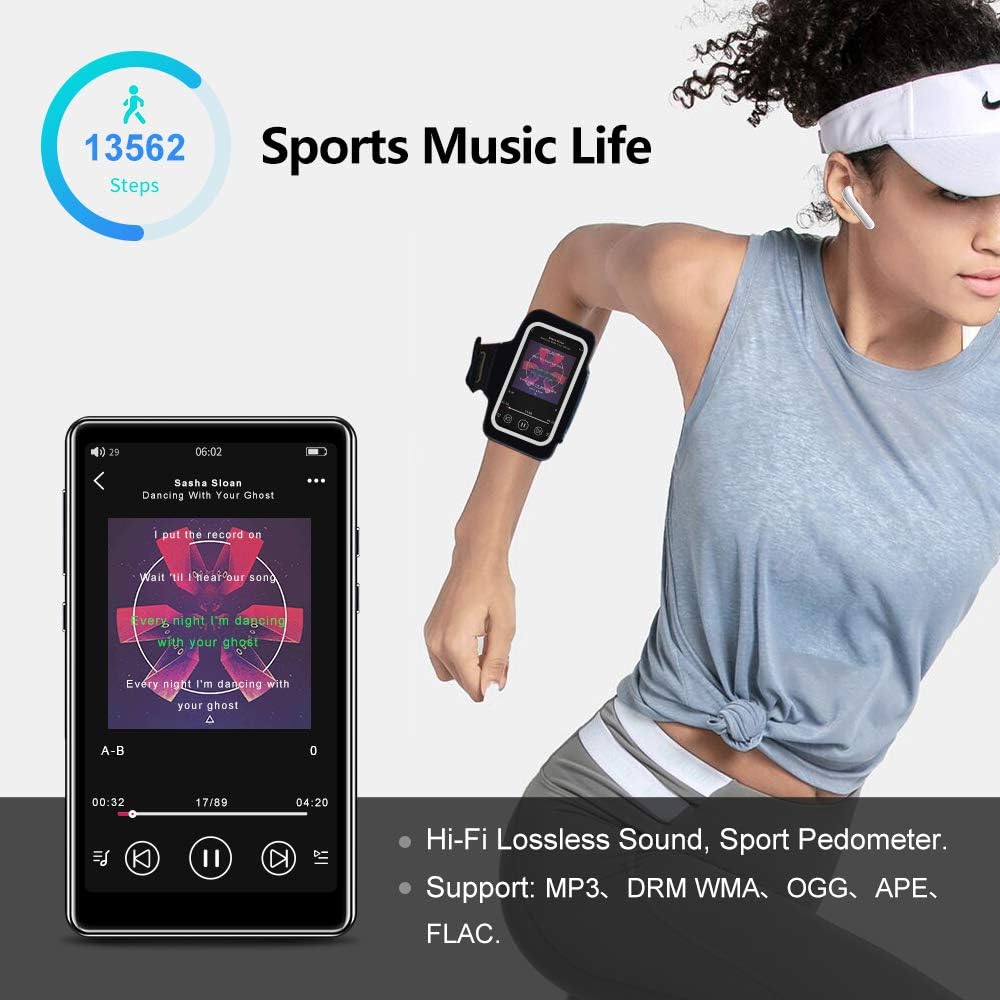
Image: The Tengsen M1P MP3 Player displaying music playback, with text indicating "UPGRADE BLUETOOTH 5.0" and highlighting its stable connection capabilities with Bluetooth headsets and speakers, which are also shown.
UKW-Radio
Connect wired earphones to the 3.5mm headphone jack; they act as the antenna. Tap the "Radio" icon. You can auto-scan for stations or manually tune to your preferred frequencies.
Sprachrekorder
Tap the "Record" icon to access the voice recorder function. You can start, pause, and save recordings. The built-in microphone is suitable for general voice recording and note-taking.
E-Book-Reader
Tap the "E-book" icon. The player supports various text formats. You can browse and read e-books stored on the device or MicroSD card. While basic, it provides a convenient way to read on the go.
Pedometer (Sports Mode)
Tap the "Pedometer" or "Sports" icon. This feature tracks your steps, distance, and calories burned during physical activity. Ensure the device is carried securely, for example, in an armband, for accurate tracking.
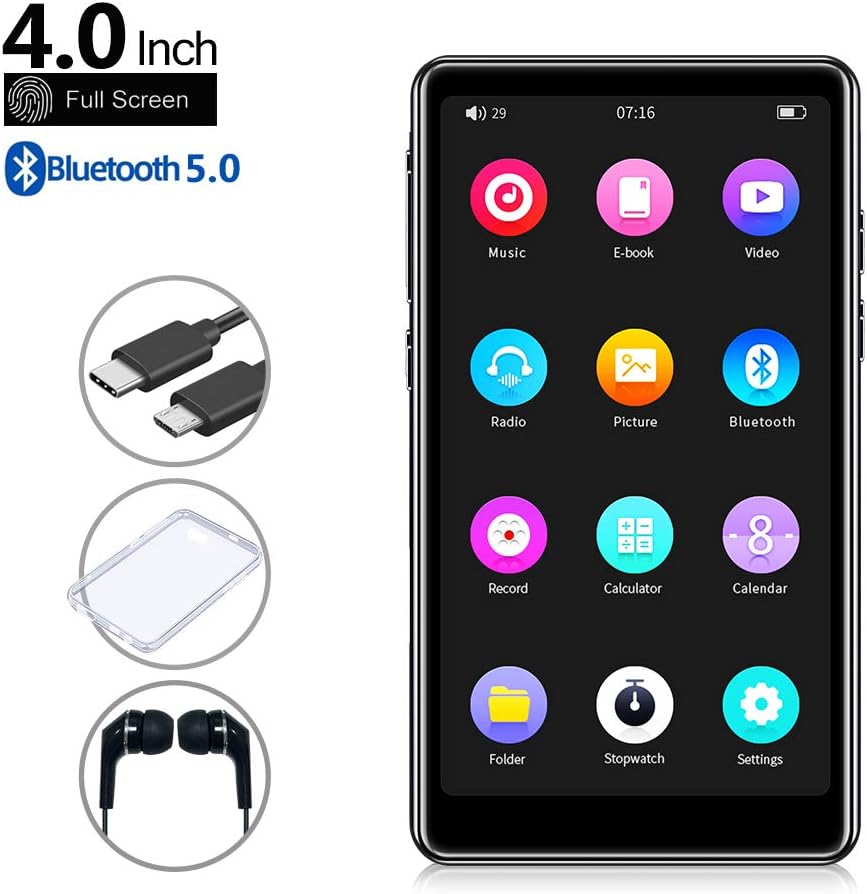
Image: The Tengsen M1P MP3 Player displaying music playback with a pedometer icon and step count, illustrating its "Sports Music Life" feature. The image also highlights Hi-Fi Lossless Sound and supported audio formats like MP3, WMA, OGG, APE, and FLAC.
Einstellungen
Tap the "Settings" icon to customize various device parameters, including display brightness, date and time, language, system information, and more. Explore the settings menu to personalize your experience.
Wartung und Pflege
- Keep the device dry. Avoid exposure to moisture or liquids, as this can cause damage to internal components.
- Clean the screen and body with a soft, dry, lint-free cloth. Do not use abrasive cleaners, alcohol, or chemical solvents.
- Avoid extreme temperatures. Do not expose the device to direct sunlight for prolonged periods or to very cold environments.
- Protect the screen from scratches. Use the provided transparent protective case and consider a screen protector for added durability.
- Regularly back up important data (music, videos, documents) from your device to a computer to prevent data loss.
- Do not attempt to disassemble or repair the device yourself, as this will void the warranty and may cause further damage.
Fehlerbehebung
If you encounter any issues with your Tengsen M1P MP3 Player, please refer to the following common problems and solutions:
| Problem | Mögliche Lösung |
|---|---|
| Gerät lässt sich nicht einschalten. | Stellen Sie sicher, dass der Akku geladen ist. Schließen Sie das Gerät an eine Stromquelle an und versuchen Sie es erneut. Falls das Gerät nicht reagiert, halten Sie den Ein-/Ausschalter 10–15 Sekunden lang gedrückt, um einen Neustart zu erzwingen. |
| Verbindung zum Bluetooth-Gerät nicht möglich. | Ensure Bluetooth is enabled on both devices. Make sure the devices are within range (typically 10 meters). Try unpairing and re-pairing the devices. |
| Kein Ton aus Lautsprecher/Kopfhörern. | Check the volume level on the device. Ensure earphones are properly plugged into the 3.5mm jack. If using Bluetooth, check the connection status and volume on the connected device. |
| MicroSD-Karte wird nicht erkannt. | Ensure the card is inserted correctly and fully. Try reinserting the card. If it's a new card or has been used in other devices, try formatting the card (this will erase all data) on a computer or through the device's settings if available. |
| Der Bildschirm reagiert nicht oder ist eingefroren. | Perform a soft reset by pressing and holding the power button until the device restarts. If the issue persists, ensure the screen is clean and free of debris. |
Technische Daten
| Besonderheit | Detail |
|---|---|
| Modell | Tengsen M1P |
| Bildschirmgröße | 4.0 Zoll |
| Display-Technologie | LCD |
| Interner Speicher | 16 GB |
| Erweiterbarer Speicher | Bis zu 128 GB über microSD-Karte |
| Bluetooth-Version | 5.0 |
| Akku-Typ | Lithium-polymer (1400mAh built-in) |
| Unterstützte Audioformate | MP3, WMA, OGG, APE, FLAC |
| Unterstützte Videoformate | AVI, RMVB, MOV, MPEG, VOB, MKV, H.264, XVID, MPEG2, MP4 (Supports 1080P) |
| Eingebaute Komponenten | Speaker, Voice Recorder, FM Radio, Pedometer |
| UPC | 729993998032 |
Garantie und Support
For warranty information and technical support, please refer to the warranty card included with your purchase or visit the official Tengsen website. Keep your purchase receipt as proof of purchase for any warranty claims. For further assistance, please contact Tengsen customer service through the contact details provided on their official support channels.
Ask a question about this manual
Ask about setup, troubleshooting, compatibility, parts, safety, or missing instructions. Manuals+ will review the question and use this page’s manual context to help answer it.