
1. Einleitung
This manual provides detailed instructions for the Delton 10X Bluetooth Computer Headset. This wireless headset is designed for clear communication and extended use, featuring Bluetooth 5.0 connectivity, a noise-canceling microphone, and a USB dongle for versatile compatibility. Please read this manual thoroughly to ensure proper setup and operation of your device.

Bild 1.1: The Delton 10X Bluetooth Computer Headset and its accompanying USB dongle. This image displays the headset's over-the-head design, single ear cup, adjustable microphone boom, and the compact USB dongle.
2. Packungsinhalt
Überprüfen Sie, ob alle Artikel in Ihrem Paket vorhanden sind:
- Delton 10X Bluetooth Headset
- USB-Dongle
- Ladekabel
- Benutzerhandbuch (dieses Dokument)
3. Produktmerkmale
The Delton 10X headset offers a range of features designed for optimal performance and user comfort:
- Bluetooth 5.0-Konnektivität: Ensures stable and efficient wireless connection up to 30 feet.
- Mikrofon mit Geräuschunterdrückung: Reduziert Hintergrundgeräusche für eine klare Sprachübertragung.
- Um 270° drehbares Mikrofon: Ermöglicht flexible Positionierung und Verwendung an beiden Ohren.
- Verlängerte Akkulaufzeit: Up to 15 hours talk time, 18 hours play time, and 160 hours standby time.
- Schnelles Laden: Vollständiges Aufladen in ca. 1.5 Stunden.
- Adjustable Headband & Plush Ear Cushion: Provides comfort for prolonged wear.
- Ear Gripper T-Pad: Ensures secure fit during movement.
- Universelle Kompatibilität: Works with smartphones, tablets, desktop PCs, laptops, and supports iOS and Windows platforms.

Bild 3.1: A visual summary of the Delton 10X headset's key features, including 15 hours talk time, Bluetooth 5.0, adjustable headband, high fidelity sound, noise-canceling mic, rotatable mic, long battery backup, voice assistant support, and plush cushions.
3.1 Batterieleistung
The Delton 10X headset is equipped with a long-lasting battery to support your daily communication needs.
- Gesprächszeit: Bis zu 15 Stunden
- Spielzeit: Bis zu 18 Stunden
- Standby-Zeit: Bis zu 160 Stunden
- Ladezeit: Ungefähr 1.5 Stunden
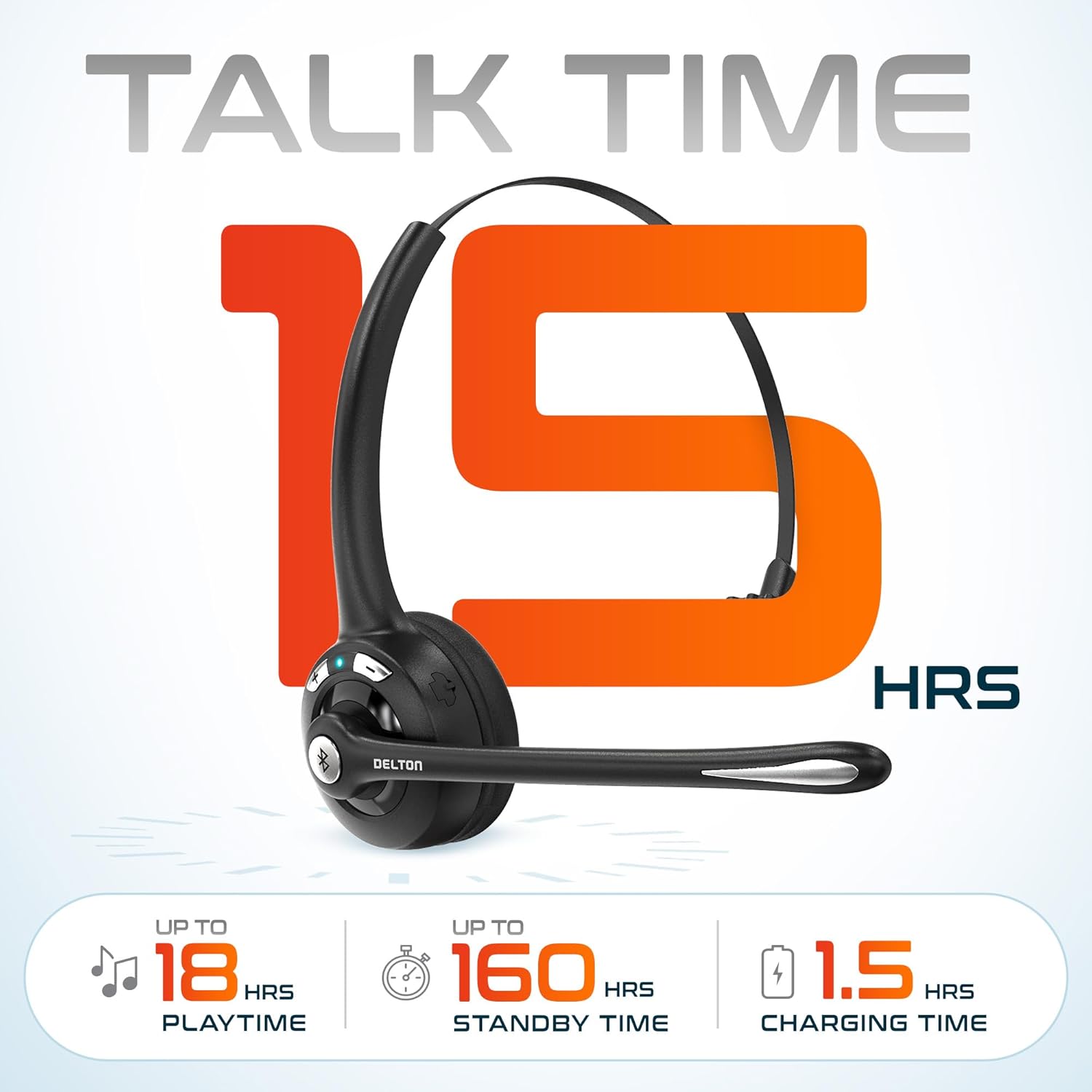
Bild 3.2: An infographic detailing the battery performance of the Delton 10X headset, highlighting 15 hours of talk time, 18 hours of play time, 160 hours of standby time, and a 1.5-hour charging time.
3.2 Fortschrittliche Technologie
The headset incorporates an advanced chipset for seamless connectivity and improved power efficiency.

Bild 3.3: Eine Nahaufnahme view of the headset's internal components, illustrating the advanced Bluetooth 5.0 chipset. This image emphasizes the technology that reduces outside noise, improves power efficiency, and provides seamless connectivity up to 30 feet.
4. Einrichtung
4.1 Aufladen des Headsets
- Schließen Sie das mitgelieferte Ladekabel an den Ladeanschluss des Headsets an.
- Stecken Sie das andere Ende des Kabels in eine USB-Stromquelle (z. B. USB-Anschluss am Computer, Netzteil).
- Die LED-Anzeige signalisiert den Ladestatus. Eine vollständige Ladung dauert etwa 1.5 Stunden.
4.2 Ein-/Ausschalten
- So schalten Sie das Gerät ein: Press and hold the Multi-Function Button (MFB) until the LED indicator flashes blue.
- So schalten Sie das Gerät aus: Press and hold the MFB until the LED indicator flashes red and then turns off.
4.3 Bluetooth Pairing (Direct)
To connect the headset directly to a Bluetooth-enabled device (e.g., smartphone, tablet):
- Stellen Sie sicher, dass das Headset ausgeschaltet ist.
- Press and hold the MFB for approximately 5-7 seconds until the LED indicator flashes red and blue alternately, indicating pairing mode.
- Aktivieren Sie auf Ihrem Gerät Bluetooth und suchen Sie nach verfügbaren Geräten.
- Select "Delton 10X" from the list of found devices.
- Sobald die Verbindung hergestellt ist, blinkt die LED-Anzeige am Headset langsam blau.
4.4 USB-Dongle-Anschluss
For computers without native Bluetooth or for a more stable connection, use the included USB dongle. The dongle provides instant auto-pairing.
- Plug the USB dongle into an available USB port on your computer. The dongle's LED will blink.
- Power on your Delton 10X headset.
- The headset and dongle will automatically pair. The dongle's LED will turn solid blue, and the headset's LED will flash blue slowly once connected.
- Ensure the Delton 10X is selected as the audio input and output device in your computer's sound settings.

Bild 4.1: A visual representation of the USB dongle being inserted into a laptop's USB port. The image highlights the 'Auto-Pair USB Dongle' feature and 'Plug & Play' functionality, indicating no driver installation is required.
4.5 Kompatibilität
The Delton 10X headset is designed for broad compatibility:
- Geräte: Smartphones, Tablets, Desktop PCs, Laptops.
- Betriebssysteme: iOS, Windows, Linux, Mac.
- Anwendungen: MS Teams, Zoom, Google Meet, Slack, Skype.

Bild 4.2: Eine Illustration zeigtasing the wide compatibility of the Delton 10X headset with various devices, including phones, tablets, iOS & Windows laptops, and desktop computers/iMacs. This emphasizes its versatility across different platforms.
5. Bedienungsanleitung
5.1 Headset-Bedienelemente
Das Headset verfügt über intuitive Bedienelemente zur Verwaltung von Anrufen und Audiowiedergabe:
- Multifunktionstaste (MFB):
- Press once to Answer/End Call.
- Press and hold for 2 seconds to Redial.
- Einmal drücken zum Abspielen/Pausieren der Musik.
- Lautstärketaste (+):
- Einmal drücken, um die Lautstärke zu erhöhen.
- Press and hold for 2 seconds for Next Track.
- Leiser-Taste (-):
- Einmal drücken, um die Lautstärke zu verringern.
- Press and hold for 2 seconds for Previous Track.

Bild 5.1: A detailed diagram of the Delton 10X headset's controls, showing the Volume Down (-), Volume Up (+), and Multi-Function Button (MFB) with their respective functions for call management, track control, and power.
5.2 Mikrofonnutzung
The microphone is designed for clear voice pickup and can be adjusted for optimal positioning.
- Einstellen des Mikrofons: The microphone boom can rotate 270 degrees. Position the microphone approximately 1-2 inches from your mouth for best voice clarity.
- Geräuschunterdrückung: The integrated noise-canceling technology helps filter out ambient sounds, ensuring your voice is heard clearly by others.
5.3 Tragen des Headsets
The Delton 10X headset is designed for comfort and can be worn on either ear.
- Verstellbares Kopfband: Das Kopfband lässt sich verlängern oder verkürzen, um es bequem an Ihre Kopfgröße anzupassen.
- Ear Gripper T-Pad: This feature helps secure the headset in place.
- Left or Right Ear: Rotate the microphone boom to position the ear cup on your preferred ear.

Bild 5.2: An image illustrating the comfort and adjustability features of the Delton 10X headset. It shows the adjustable headband, the Ear Gripper T-Pad, the plush ear cushion, and the 270° rotation of the flexible microphone, demonstrating its usability on both left and right ears.
6. Wartung
Durch sachgemäße Wartung wird die Langlebigkeit und optimale Leistung Ihres Headsets sichergestellt.
- Reinigung: Reinigen Sie das Headset mit einem weichen, trockenen Tuch. Für die Ohrpolster genügt ein leicht feuchtes Tuch.amp Tücher können verwendet werden, müssen aber vor Gebrauch vollständig trocken sein. Vermeiden Sie aggressive Chemikalien oder scheuernde Materialien.
- Lagerung: Bewahren Sie das Headset an einem kühlen, trockenen Ort fern von direkter Sonneneinstrahlung und extremen Temperaturen auf.
- Batteriepflege: Um die Akkulaufzeit zu verlängern, sollten Sie das Headset nicht häufig vollständig entladen. Laden Sie es regelmäßig auf, auch wenn Sie es längere Zeit nicht benutzen.
- Wasser vermeiden: Das Headset ist nicht wasserfest. Vermeiden Sie den Kontakt mit Flüssigkeiten.
7. Fehlerbehebung
If you encounter issues with your Delton 10X headset, refer to the following common solutions:
| Problem | Mögliche Ursache | Lösung |
|---|---|---|
| Das Headset lässt sich nicht einschalten. | Niedriger oder kein Akkuladestand. | Laden Sie das Headset mindestens 1.5 Stunden lang auf. |
| Kopplung mit dem Gerät nicht möglich. | Headset nicht im Kopplungsmodus; Bluetooth am Gerät deaktiviert; Gerät zu weit entfernt. | Ensure headset is in pairing mode (flashing red/blue). Turn on device Bluetooth. Move headset closer to device (within 30 feet). Try using the USB dongle. |
| Poor microphone audio quality (others cannot hear me clearly). | Microphone position; computer audio settings; environmental noise. | Adjust the microphone closer to your mouth (1-2 inches). Check your computer's sound settings to ensure the Delton 10X is selected as the input device and microphone volume is adequate. Ensure the noise-canceling mic is facing the correct direction. |
| No sound or low sound from headset. | Headset volume too low; device volume too low; incorrect audio output device. | Increase headset volume using the '+' button. Increase volume on your connected device. Verify that the Delton 10X is selected as the audio output device in your computer's sound settings. |
| Die Verbindung bricht häufig ab. | Außer Reichweite; Störungen. | Ensure you are within 30 feet of the connected device or USB dongle. Minimize obstacles between the headset and device. |
8. Spezifikationen
Detailed technical specifications for the Delton 10X Bluetooth Computer Headset:
| Besonderheit | Spezifikation |
|---|---|
| Modellname | 10X Monoaural Headset + Dongle |
| Konnektivitätstechnologie | Kabellos (Bluetooth 5.0) |
| Bluetooth-Reichweite | Bis zu 30 Fuß |
| Lärmschutz | Sound Isolation (Noise-Canceling Mic) |
| Frequenzgang | 20 Hz – 20,000 Hz |
| Akkulaufzeit (Sprechzeit) | Bis zu 15 Stunden |
| Akkulaufzeit (Spielzeit) | Bis zu 18 Stunden |
| Akkulaufzeit (Standby) | Bis zu 160 Stunden |
| Ladezeit | 1.5 Stunden |
| Kopfhöreranschluss | USB (zum Aufladen) |
| Steuerungstyp | Call Control, Volume Control, Track Control |
| Artikelgewicht | 1.5 Unzen |
| Technische Daten | 6 x 6 x 2 Zoll |
| Material | Plastik |
| Platzierung des Ohrs | Over Ear (Monoaural) |
9. Garantie und Support
For warranty information or technical assistance, please contact Delton customer support. Details can typically be found on the official Delton website or through your purchase documentation. Please retain your proof of purchase for warranty claims.