
Einführung
Thank you for choosing the MEDION E11909 (MD 20059) 19-inch HD TV. This television features an integrated DVD player, a 12V car adapter for mobile use, and a triple tuner for receiving cable, satellite, or DVB-T2 HD signals. This manual provides essential information for the safe and efficient use of your new device. Please read it thoroughly before operation and keep it for future reference.
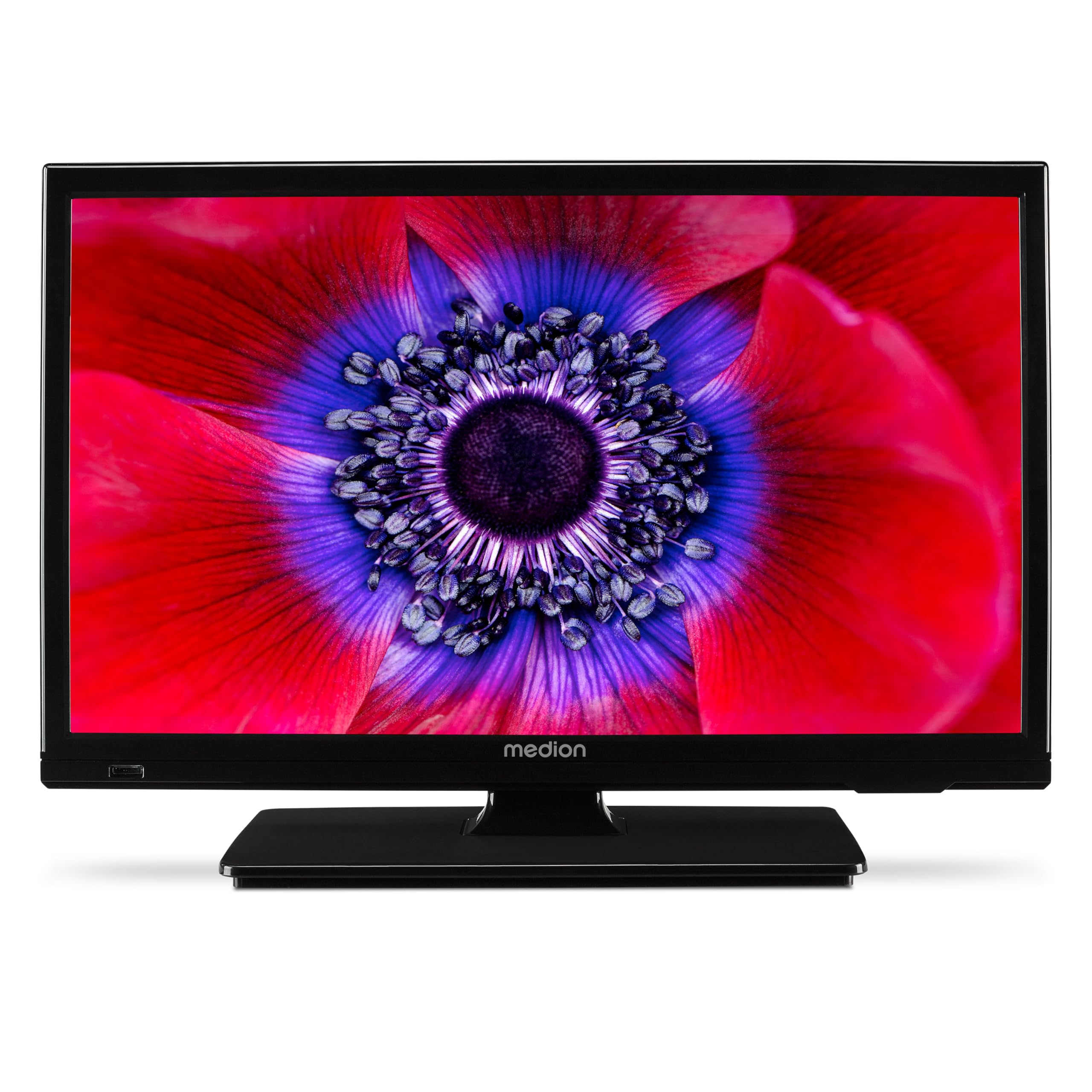
Abbildung 1: MEDION E11909 19-inch HD TV. This image shows the front view of the television, highlighting its compact design suitable for various environments.
Sicherheitshinweise
Please observe the following safety instructions to prevent damage to the device or injury to yourself:
- Setzen Sie den Fernseher weder Regen noch Feuchtigkeit aus.
- Sorgen Sie für ausreichende Belüftung; blockieren Sie keine Belüftungsöffnungen.
- Verwenden Sie nur das mit dem Gerät gelieferte Netzteil.
- Öffnen Sie nicht den Fernseher.asing; alle Wartungsarbeiten sind qualifiziertem Personal zu überlassen.
- Halten Sie den Fernseher von Wärmequellen und direkter Sonneneinstrahlung fern.
- When using the 12V car adapter, ensure the vehicle's power outlet is clean and provides stable power.
Packungsinhalt
Bitte überprüfen Sie, ob alle Artikel im Paket vorhanden sind:
- MEDION E11909 MD20059 LCD TV
- Fernbedienung mit Batterien (AAA)
- Externes Netzteil
- Car adapter (12V)
- DVB-T Antenne
- AV-Adapter
- Ständer mit Schrauben
- Benutzerhandbuch
- Garantieheft
Aufstellen
1. Anbringen des Ständers
- Legen Sie den Fernseher vorsichtig mit dem Bildschirm nach unten auf eine weiche, saubere Oberfläche.
- Richten Sie den Standfuß an den Befestigungslöchern an der Unterseite des Fernsehers aus.
- Befestigen Sie den Ständer mit den mitgelieferten Schrauben.
2. Stromversorgung anschließen
- Für den Heimgebrauch: Connect the external power adapter to the TV's DC IN port and then plug it into a standard wall outlet.
- For Mobile Use (Car/Caravan): Connect the 12V car adapter to the TV's DC IN port and then plug it into your vehicle's 12V DC power socket.
3. Connecting Antennas and External Devices
Refer to the connection diagram below for port locations.

Abbildung 2: Rear panel connections. This image illustrates the various input and output ports on the back of the television, including HDMI, USB, SCART, VGA, AV In, YPbPr, PC Audio In, Headphone Jack, Digital Audio Out, and the 12V DC power input.
- Antenne/Kabel: Connect your DVB-T antenna (included), cable, or satellite dish to the appropriate RF IN port.
- HDMI-Geräte: Connect devices like Blu-ray players or game consoles to the HDMI ports.
- USB-Geräte: Insert USB drives for media playback into the USB port.
- Older Devices: Use the SCART, VGA, or AV IN ports for older equipment.
4. Ersteinrichtung
After connecting power and turning on the TV for the first time, an initial setup wizard will guide you through language selection, country, and channel scanning. Follow the on-screen instructions.
Betrieb
1. Ein-/Ausschalten
Drücken Sie die LEISTUNG button on the remote control or on the TV to turn the unit on or off.
2. Fernbedienungsfunktionen
The remote control allows you to navigate menus, change channels, adjust volume, and select input sources. Refer to the remote control diagram in your separate warranty booklet for specific button functions.
3. Channel Selection and Volume
- Verwenden Sie die CH+/- Tasten zum Wechseln der Kanäle.
- Verwenden Sie die LAUTSTÄRKE+/- Tasten zum Einstellen der Lautstärke.
4. Auswahl der Eingangsquelle
Drücken Sie die QUELLE button on the remote control to cycle through available input sources (TV, HDMI1, HDMI2, AV, USB, DVD).
5. Using the Integrated DVD Player
- Insert a DVD disc into the disc slot on the side of the TV.
- Der Fernseher sollte automatisch in den DVD-Modus wechseln. Falls nicht, drücken Sie die Taste QUELLE button and select DVD.
- Verwenden Sie die Wiedergabetasten der Fernbedienung (Wiedergabe, Pause, Stopp, Vorspulen, Zurückspulen) to control DVD playback.

Abbildung 3: TV with integrated DVD player. This image shows the television screen displaying high-definition content, with a DVD disc partially visible, indicating the integrated DVD player functionality.
6. Using the Media Player (USB)
- Stecken Sie ein USB-Speichergerät in den USB-Anschluss.
- Drücken Sie die QUELLE button and select USB.
- Navigieren Sie durch Ihren files (photos, music, videos) using the remote control and press OK zum Spielen.

Abbildung 4: Easy playback of photos, videos, and more. This image highlights the USB port on the TV's side and icons representing music, photos, and video files, indicating the TV's multimedia playback capabilities.
Wartung
1. Reinigen des Bildschirms
Wischen Sie den Bildschirm vorsichtig mit einem weichen, fusselfreien Tuch ab. Bei hartnäckigen Flecken leicht andrücken.ampBefeuchten Sie das Tuch mit Wasser oder einem speziellen Bildschirmreiniger. Sprühen Sie keine Flüssigkeit direkt auf den Bildschirm.
2. Reinigung des Geräts
Wischen Sie den Fernseher ab.asinMit einem weichen, trockenen Tuch abwischen. Vermeiden Sie die Verwendung von Scheuermitteln oder Lösungsmitteln.
3. Speicherung
Wenn Sie den Fernseher über einen längeren Zeitraum einlagern, trennen Sie ihn vom Stromnetz, entfernen Sie die Batterien aus der Fernbedienung und lagern Sie ihn an einem kühlen, trockenen Ort, vorzugsweise in der Originalverpackung.
Fehlerbehebung
If you encounter problems with your TV, please refer to the following common issues and solutions:
- Kein Strom:
- Check if the power adapter is securely connected to both the TV and the power outlet.
- Stellen Sie sicher, dass die Steckdose funktionsfähig ist. - Kein Bild/Ton:
- Verify that the correct input source is selected (e.g., HDMI1, TV, DVD).
- Check all cable connections (antenna, HDMI, AV).
- Perform a channel scan if using TV mode. - DVD wird nicht abgespielt:
- Ensure the disc is inserted correctly with the label facing up.
- Check if the disc is clean and free from scratches.
- Try a different DVD to rule out disc issues. - Fernbedienung funktioniert nicht:
- Replace the batteries (AAA).
- Stellen Sie sicher, dass sich keine Hindernisse zwischen der Fernbedienung und dem Infrarotsensor des Fernsehers befinden.
Wenn das Problem nach dem Ausprobieren dieser Lösungen weiterhin besteht, wenden Sie sich bitte an den Kundensupport.
Technische Daten
- Marke: MEDION
- Modell: E11909 (MD 20059)
- Bildschirmgröße: 18.5 Zoll (47 cm)
- Anzeigetechnologie: LCD LED
- Auflösung: 768p (HD)
- Aktualisierungsrate: 60 Hz
- Seitenverhältnis: 1.77:1
- Konnektivitätstechnologie: HDMI, USB
- Besondere Merkmale: Built-in DVD player, 12V Car Adapter, Triple Tuner for HD reception (Cable, Satellite, DVB-T2)
- Enthaltene Komponenten: LCD TV (MD 20059)
- Produktabmessungen: 16 cm (T) x 44 cm (B) x 31 cm (H)
- Audioausgang: 2 x 3 W RMS Stereo Speakers
Garantie und Support
Your MEDION E11909 (MD 20059) TV comes with a manufacturer's warranty. Please refer to the included warranty booklet for detailed terms and conditions, including the warranty period and coverage.
Für technischen Support, Service oder weitere Anfragen besuchen Sie bitte die offizielle MEDION-Website. website or contact their customer service department. Contact information can typically be found in your warranty booklet or on the MEDION support page.