
1. Einleitung
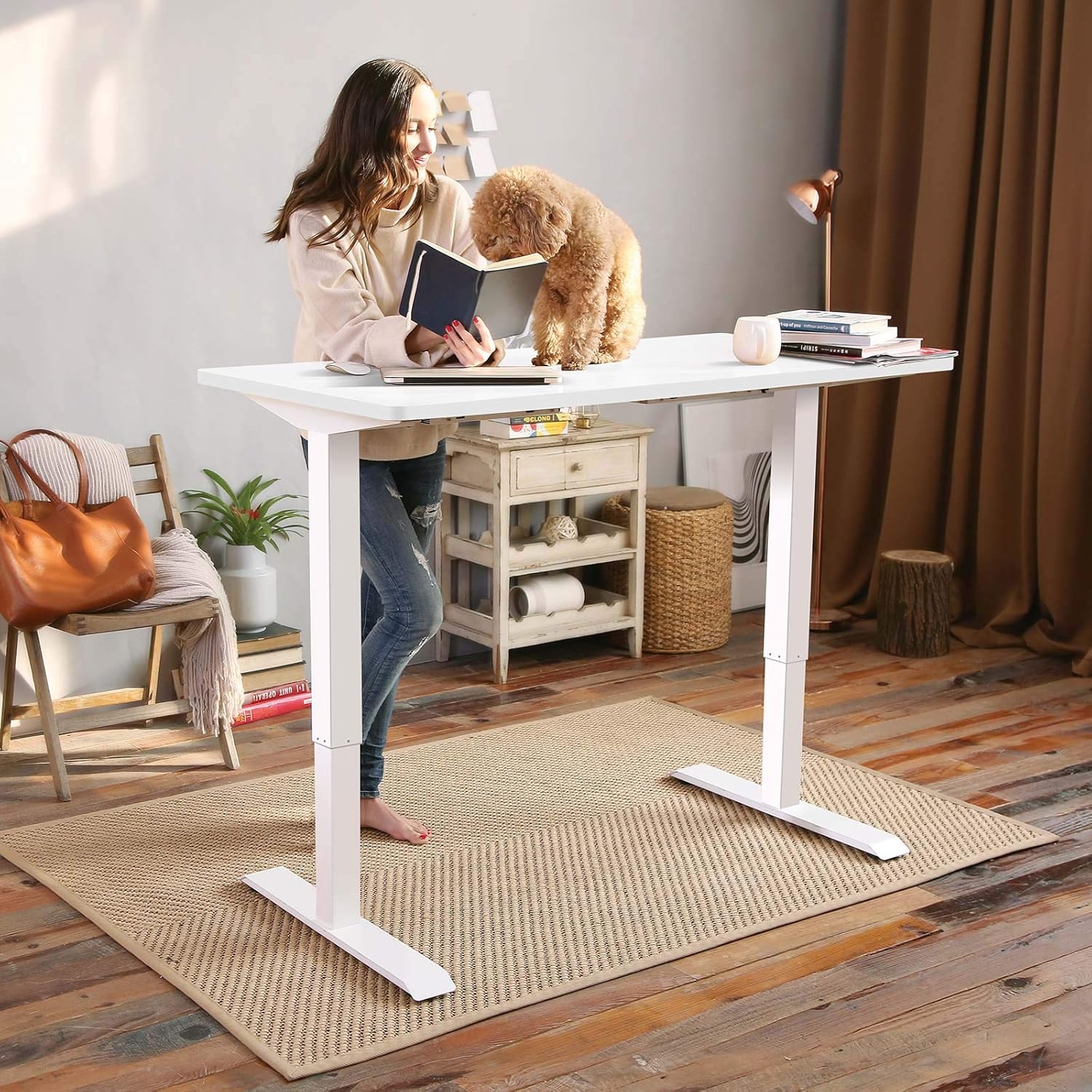
This manual provides detailed instructions for the assembly, operation, and maintenance of your FLEXISPOT EN1 Electric Height Adjustable Standing Desk. This desk features a 48x30 inch one-piece desktop, an electric lift system for smooth height adjustments, and a smart keypad with four memory presets. Please read this manual thoroughly before use to ensure proper function and safety.

2. Sicherheitshinweise
Um Verletzungen oder Schäden am Produkt zu vermeiden, beachten Sie bitte die folgenden Sicherheitsrichtlinien:
- This desk has a maximum weight capacity of 176 lbs (80 kg). Do not exceed this limit.
- Stellen Sie sicher, dass alle Komponenten während der Montage sicher befestigt sind.
- Halten Sie Kinder und Haustiere während des Betriebs vom Schreibtisch fern.
- Halten Sie während der Höhenverstellung Ihre Hände und andere Gegenstände von beweglichen Teilen fern.
- Der Schreibtisch darf nur auf einer ebenen Fläche verwendet werden.
- Vor der Reinigung oder Wartung die Stromzufuhr unterbrechen.
3. Packungsinhalt
Prüfen Sie vor Beginn der Montage, ob alle Komponenten vorhanden sind. Das Paket enthält:
- Schreibtischgestell (Beine und Querstange)
- Desktop (one-piece, 48x30 inch, white)
- Bedienfeld mit LED-Anzeige
- Netzteil und Kabel
- Montagewerkzeuge
- Detaillierte Bedienungsanleitung
Note: The desk frame and desktop may ship and arrive in separate packages.

4. Montageanleitung
Assembly typically requires two people. Follow the step-by-step instructions provided in the included manual. A detailed sit-stand desk installation video is also available for reference.
- Alle Komponenten auspacken und anhand der Packungsinhaltsliste überprüfen.
- Attach the lifting columns to the feet using the provided screws and tools.
- Connect the crossbar between the two lifting columns.
- Carefully place the desktop upside down on a soft, clean surface.
- Align the assembled frame with the pre-drilled holes on the desktop and secure it with screws.
- Montieren Sie das Bedienfeld an der Unterseite des Schreibtisches an einer geeigneten Stelle.
- Connect all cables (motor to control box, control panel to control box, power adapter to control box).
- Flip the desk upright and connect it to a power outlet.
The desk features a 1-inch thick one-piece desktop, which provides enhanced stability compared to multi-piece designs.

5. Bedienungsanleitung
5.1. Höhenverstellung
The desk is equipped with an electric lift system for smooth height adjustments. Use the 'Up' and 'Down' arrows on the control panel to move the desk to your desired height. The height range is from 28.1 inches to 45.7 inches (excluding the 1-inch desktop thickness). The motor operates quietly, with noise levels below 50 dB.
5.2. Speichervoreinstellungen
The control panel features four programmable memory presets, allowing you to save and recall your preferred sitting and standing heights.
- Adjust the desk to your desired height using the 'Up' or 'Down' arrows.
- Press the 'M' button (or similar memory set button, indicated by 'i' on the image) followed by a number button (1, 2, 3, or 4) to save the current height.
- Um eine gespeicherte Höhe aufzurufen, drücken Sie einfach die entsprechende Zifferntaste (1, 2, 3 oder 4). Der Schreibtisch fährt automatisch in die gespeicherte Position.

6. Wartung
Regelmäßige Wartung gewährleistet die Langlebigkeit und optimale Leistung Ihres Schreibtisches.
- Reinigung: Wischen Sie die Tischplatte und den Rahmen mit einem weichen, fusselfreien Tuch ab.amp Tuch. Vermeiden Sie Scheuermittel oder aggressive Chemikalien.
- Inspektion: Überprüfen Sie regelmäßig alle Schrauben und Bolzen auf festen Sitz. Ziehen Sie sie gegebenenfalls nach.
- Kabelmanagement: Achten Sie darauf, dass die Kabel nicht eingeklemmt oder verheddert werden, insbesondere bei Höhenverstellungen.
7. Fehlerbehebung
If you encounter any issues with your FLEXISPOT EN1 desk, please refer to the following general troubleshooting tips:
- Schreibtisch bewegt sich nicht: Check if the power cable is securely connected to both the desk and the wall outlet. Try unplugging and re-plugging the desk.
- Fehlermeldung auf dem Display: Disconnect the power for 10 seconds, then reconnect. If the error persists, contact customer support.
- Unstable desk: Ensure all assembly screws are tightened. Verify the desk is on a level surface.
Für weitere Unterstützung wenden Sie sich bitte an den FLEXISPOT-Kundendienst.
8. Spezifikationen
| Besonderheit | Spezifikation |
|---|---|
| Marke | FLEXISPOT |
| Modellnummer | MAH0002307 |
| Abmessungen der Tischplatte (T x B) | 30" x 48" (76.2 cm x 121.9 cm) |
| Desktop-Dicke | 1 Zoll (2.54 cm) |
| Einstellbarer Höhenbereich | 28.1" - 45.7" (71.4 cm - 116.1 cm) |
| Maximale Gewichtskapazität | 176 kg |
| Motorgeräuschpegel | Unter 50 dB |
| Desktop-Material | FSC-zertifiziertes Holz |
| Rahmenmaterial | Legierter Stahl |
| Farbe | Weißer Rahmen + weiße Oberseite |
| Artikelgewicht | 80 Pfund (36.3 kg) |
| Erforderliche Montage | Ja |


9. Garantie und Support
The FLEXISPOT EN1 desk comes with a manufacturer's warranty. Please refer to the product packaging or the official FLEXISPOT website for specific warranty terms and conditions (e.g., 'Limited' or 'Full' warranty type). For technical support, assembly questions, or warranty claims, please contact FLEXISPOT customer service directly.
Contact information can typically be found on the FLEXISPOT official weboder innerhalb Ihrer Produktverpackung.