
1. Einleitung
This manual provides detailed instructions for the installation, operation, and maintenance of your Overmax Camspot 3.7 Full HD Wireless Indoor Camera. Please read this manual thoroughly before using the product to ensure proper function and safety. Keep this manual for future reference.
2. Packungsinhalt
Überprüfen Sie, ob alle Komponenten im Paket vorhanden sind:
- Overmax Camspot 3.7 Wireless Indoor Camera
- Power Cable with Adapter
- Montagesatz (Schrauben, Dübel, Halterung)
- Benutzerhandbuch (dieses Dokument)
3. Produktüberschreitungview
Machen Sie sich mit den Komponenten und Schnittstellen der Kamera vertraut.
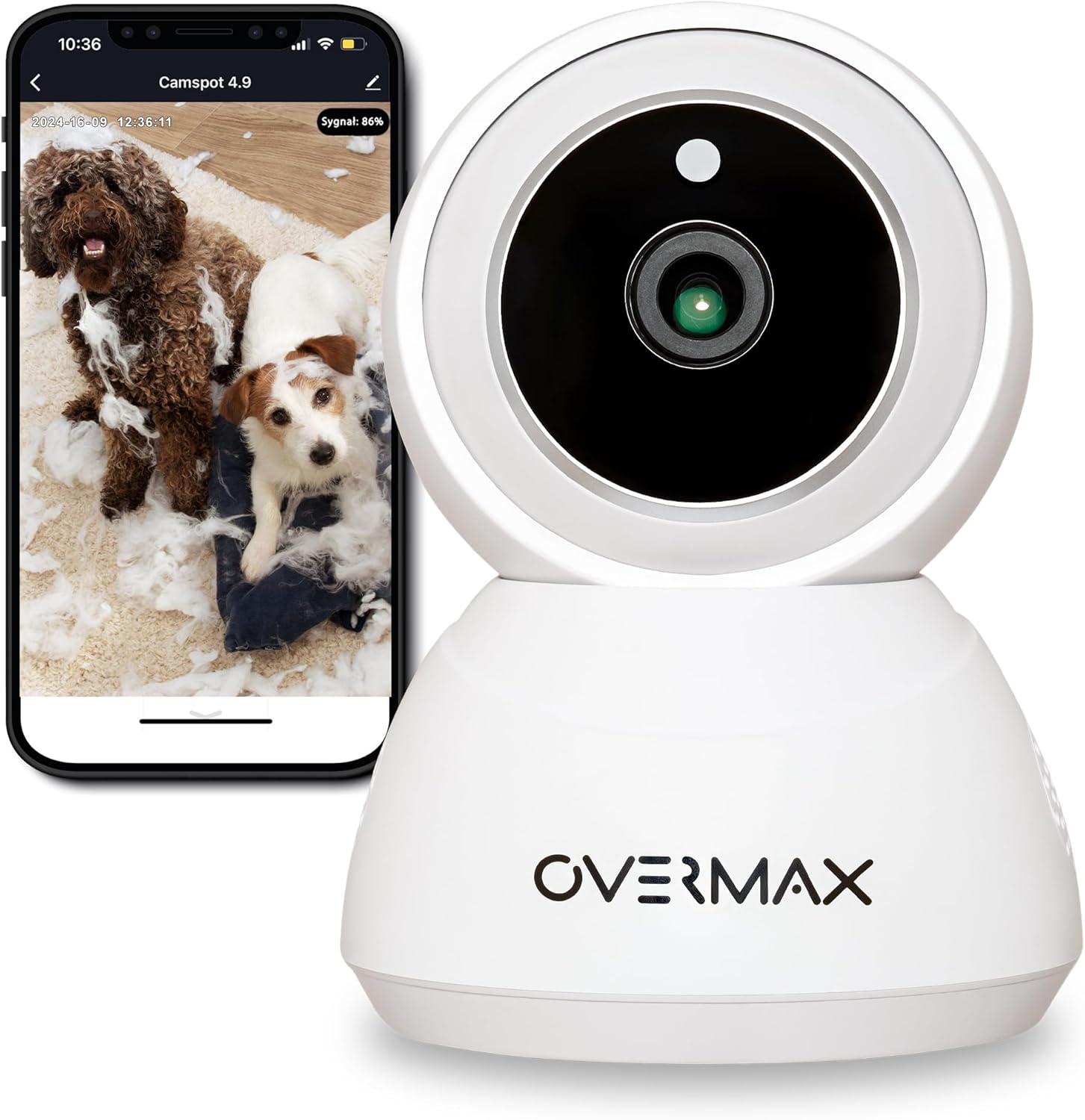
Abbildung 3.1: Vorderseite view of the Overmax Camspot 3.7 camera with a smartphone showing the live video feed.

Abbildung 3.2: Seite view of the Overmax Camspot 3.7 camera, showing its dome shape and speaker grille.

Abbildung 3.3: Rückseite view of the camera, highlighting the LAN port, Reset button, and DC 5V power input.

Abbildung 3.4: View of the camera with the microSD card slot visible, located beneath the lens assembly.
4. Einrichtung
4.1 Physische Installation
The Camspot 3.7 can be placed on a flat surface or mounted to a wall or ceiling.
- Wählen Sie einen Standort: Wählen Sie einen Standort, der die gewünschten Eigenschaften bietet. viewing angle and is within range of your Wi-Fi network or an Ethernet connection.
- Montage (Optional):
- Attach the mounting bracket to the desired surface using the provided screws and wall plugs.
- Secure the camera to the mounting bracket. Ensure it is firmly attached.

Figure 4.1: The Overmax Camspot 3.7 camera shown mounted on a wall bracket, illustrating a typical installation.
4.2 App-Installation und Kontoerstellung
The Overmax Control app is required to operate the camera.
- Laden Sie die App herunter: Suchen nach "Overmax Control" in your smartphone's app store (iOS or Android) and download it.
- Benutzerkonto erstellen: Öffnen Sie die App und folgen Sie den Anweisungen auf dem Bildschirm, um ein neues Benutzerkonto zu erstellen.

Figure 4.2: The Overmax Camspot 3.7 camera alongside a smartphone displaying the 'CONTROL' app logo, indicating the required application for setup and operation.
4.3 Einschalten und Netzwerkverbindung
- Einschalten: Connect the power cable to the camera's DC 5V port and plug the adapter into a power outlet. The camera will power on and initiate its startup sequence.
- Netzwerkverbindung:
- W-lan: Folgen Sie den Anweisungen in der App, um die Kamera mit Ihrem 2.4-GHz-WLAN-Netzwerk zu verbinden.
- Ethernet (optional): Connect an Ethernet cable from your router to the camera's LAN port for a wired connection.
4.4 Koppeln der Kamera
Once the camera is powered on and the app is installed, proceed with pairing:
- Gerät hinzufügen: In the Overmax Control app, tap the "Add Device" or "+" icon.
- Kameratyp auswählen: Choose the appropriate camera model (Camspot 3.7).
- QR-Code scannen: The app will prompt you to scan a QR code. Position your smartphone's screen with the QR code approximately 15-20 cm in front of the camera lens. The camera will emit a sound upon successful scanning.
- Komplette Einrichtung: Follow any remaining on-screen prompts in the app to finalize the pairing process.

Figure 4.3: The Overmax Camspot 3.7 camera positioned to scan a QR code displayed on a smartphone, a common method for device pairing.
5. Bedienungsanleitung
5.1 Live View
Access the live video feed from your camera through the Overmax Control app. This allows real-time monitoring of the camera's surroundings.
5.2 Schwenk-/Neigesteuerung
The Camspot 3.7 features motorized pan and tilt capabilities.
- Horizontale Drehung: 355 Grad
- Vertikale Drehung: 120 Grad
Use the directional controls within the Overmax Control app to adjust the camera's viewden Winkel aus der Ferne einstellen.

Figure 5.1: Diagram illustrating the camera's extensive pan (355°) and tilt (120°) rotation range.
5.3 Zwei-Wege-Audio
The camera is equipped with a microphone and speaker, enabling two-way communication. You can listen to the camera's environment and speak through the camera using the app.
5.4 Bewegungserkennung und automatische Verfolgung
The camera can detect moving objects and automatically track their movement within its field of view. Configure motion detection sensitivity and alerts in the app settings.
5.5 Nachtsicht
The Camspot 3.7 features infrared technology for clear viewing in low-light or complete darkness, with a night vision range of up to 10 meters. The camera automatically switches to night mode when ambient light is insufficient.
5.6 Aufzeichnung und Speicherung
The camera supports two primary storage methods for video recordings:
- MicroSD-Karte: Insert a microSD card (up to 128GB, not included) into the designated slot for local storage. This allows for continuous recording for up to 3 weeks.
- Cloud-Speicher: The camera supports real-time cloud storage for recordings. Refer to the app for subscription details and options.
5.7 Smart-Home-Integration
The Camspot 3.7 is compatible with Google Home and Amazon Alexa. Follow the instructions within the respective smart home apps to integrate your camera for voice control and automation.
5.8 Baby Monitor Function
Utilize the camera's features, including two-way audio and night vision, to monitor an infant. The app provides a comprehensive interface for this purpose.

Figure 5.2: The Overmax Camspot 3.7 camera shown with a smartphone displaying the app's control interface, including options for screenshot, speaking, recording, cloud storage, and direction control.
6. Wartung
- Reinigung: Reinigen Sie Objektiv und Gehäuse der Kamera mit einem weichen, trockenen Tuch. Verwenden Sie keine scharfen Chemikalien oder Scheuermittel.
- Firmware-Updates: Regularly check the Overmax Control app for available firmware updates to ensure optimal performance and security.
- Speicherverwaltung: In regelmäßigen Abständenview and manage recordings on your microSD card or cloud storage to free up space if needed.
7. Fehlerbehebung
- Kamera stellt keine Verbindung zum WLAN her:
- Stellen Sie sicher, dass Ihr WLAN-Netzwerk mit 2.4 GHz arbeitet. Die Kamera unterstützt keine 5-GHz-Netzwerke.
- Überprüfen Sie das WLAN-Passwort auf Richtigkeit.
- Bringen Sie die Kamera näher an den Router heran.
- Starten Sie die Kamera und Ihren Router neu.
- Kein Leben View:
- Verify internet connection on your smartphone and the camera.
- Prüfen Sie, ob die Kamera eingeschaltet und mit dem Netzwerk verbunden ist.
- Starten Sie die App neu.
- Bewegungserkennung funktioniert nicht:
- Stellen Sie sicher, dass die Bewegungserkennung in den App-Einstellungen aktiviert ist.
- Passen Sie die Empfindlichkeitseinstellungen an.
- Check for obstructions in the camera's view.
- MicroSD-Karte zeichnet nicht auf:
- Stellen Sie sicher, dass die microSD-Karte korrekt eingesetzt ist.
- Formatieren Sie die microSD-Karte über die App.
- Check if the card is full or corrupted.
- Kamera reagiert nicht:
- Press and hold the Reset button (located at the back) for approximately 5-10 seconds to factory reset the camera. You will need to re-pair it after a reset.
8. Spezifikationen
| Besonderheit | Spezifikation |
|---|---|
| Modellname | Overmax Camspot 3.7 |
| Videoauflösung | Full HD (1080p) |
| Linse | 3.6 mm |
| Bilder pro Sekunde (FPS) | 25-30 |
| Videokomprimierung | H.264 |
| Horizontale Drehung | 355° |
| Vertikale Drehung | 120° |
| Nachtsichtbereich | Bis zu 10 Meter (Infrarot) |
| Unterstützung für microSD-Karten | Bis zu 128 GB |
| Konnektivität | WLAN (2.4 GHz), Ethernet |
| Unterstützte Systeme | Windows XP/7/8/10, Android, iOS, Mac |
| Zwei-Wege-Audio | Yes (Microphone, 1W Speaker) |
| Bewegungserkennung | Yes (Automatic Detector) |
| Stromversorgung | 12 Volts, 1 Watt |
| Abmessungen (L x B x H) | 8.5 x 8.2 x 10.5 cm |
| Gewicht | 180 Gramm |
| Material | Metall |
| Farbe | Weiß |
9. Garantie und Support
Overmax products are covered by a manufacturer's warranty. For specific warranty terms and conditions, please refer to the warranty card included in your package or visit the official Overmax webWebsite.
For technical support, troubleshooting assistance, or any product-related inquiries, please contact Overmax customer service through the contact information provided on the official website or within the Overmax Control application.