
ROIDMI X30 Pro
ROIDMI X30 Pro Akku-Staubsauger – Benutzerhandbuch
Model: X30 Pro (XCQ28RM)
1. Einleitung
Thank you for choosing the ROIDMI X30 Pro Cordless Vacuum Cleaner. This powerful and versatile cleaning device is designed to provide efficient and convenient cleaning for your home. Featuring a 120,000 rpm digital motor, a six-level HEPA filtration system, and a smart OLED color screen, the X30 Pro offers advanced cleaning performance and real-time information. This manual provides essential instructions for assembly, operation, maintenance, and troubleshooting to ensure optimal performance and longevity of your device.
2. Sicherheitshinweise
Please read all safety warnings and instructions before using this appliance.
- Dieses Gerät ist ausschließlich für den Hausgebrauch bestimmt. Verwenden Sie es nicht für gewerbliche oder industrielle Zwecke.
- Do not use the vacuum cleaner to pick up water or other liquids, hot ashes, large sharp objects, or hazardous materials.
- Halten Sie Haare, lose Kleidung, Finger und alle Körperteile von Öffnungen und beweglichen Teilen fern.
- Ensure the dustbin and filters are correctly installed before use.
- Betreiben Sie den Staubsauger nicht, wenn er beschädigt ist oder eine Fehlfunktion aufweist. Wenden Sie sich an den Kundendienst, um Unterstützung zu erhalten.
- Use only the original charger and accessories provided by ROIDMI.
- Tauchen Sie das Hauptgerät nicht in Wasser oder andere Flüssigkeiten.
- Beaufsichtigen Sie Kinder und achten Sie darauf, dass sie nicht mit dem Gerät spielen.
- Unplug the charger from the power outlet when not in use and before cleaning or performing maintenance.
3. Packungsinhalt
Überprüfen Sie, ob alle Komponenten im Paket vorhanden sind:
- Hauptvakuumeinheit
- Verlängerungsstange
- Nex-V All-Surface Brush Head
- Pet and Mattress Brush
- Fugendüse
- Staubbürste
- MOP Accessory (for wet cleaning)
- Wandmontierte Ladestation
- Netzteil
- HEPA-Filter (vorinstalliert)
- Bedienungsanleitung
4. Produktüberschreitungview
Familiarize yourself with the main components of your ROIDMI X30 Pro.

Image 1: Fully assembled ROIDMI X30 Pro Cordless Vacuum Cleaner, showing the main unit, extension rod, and floor brush.

Image 2: Close-up of the main vacuum unit, highlighting the ergonomic handle, dustbin, and motor housing.
OLED-Farbbildschirm
The integrated OLED color screen provides real-time information, including:
- Batteriestand
- Current cleaning mode
- Dustbin full indicator
- Filterwechsel-Erinnerung
- Calorie consumption during cleaning (via Bluetooth app)
5. Einrichtung
5.1 Montage
- Insert the extension rod into the main vacuum unit until it clicks securely.
- Attach the desired cleaning head (e.g., Nex-V brush) to the other end of the extension rod until it clicks. For direct handheld use, attach accessories directly to the main unit.
5.2 Erstaufladung
Vor dem ersten Gebrauch muss der Staubsauger vollständig aufgeladen werden.
- Mount the charging dock on a wall in a convenient location, ensuring it is near a power outlet.
- Schließen Sie das Netzteil an die Ladestation an und stecken Sie es in eine Steckdose.
- Place the vacuum cleaner onto the charging dock. The OLED screen will indicate charging status. A full charge takes approximately 2.5 hours.
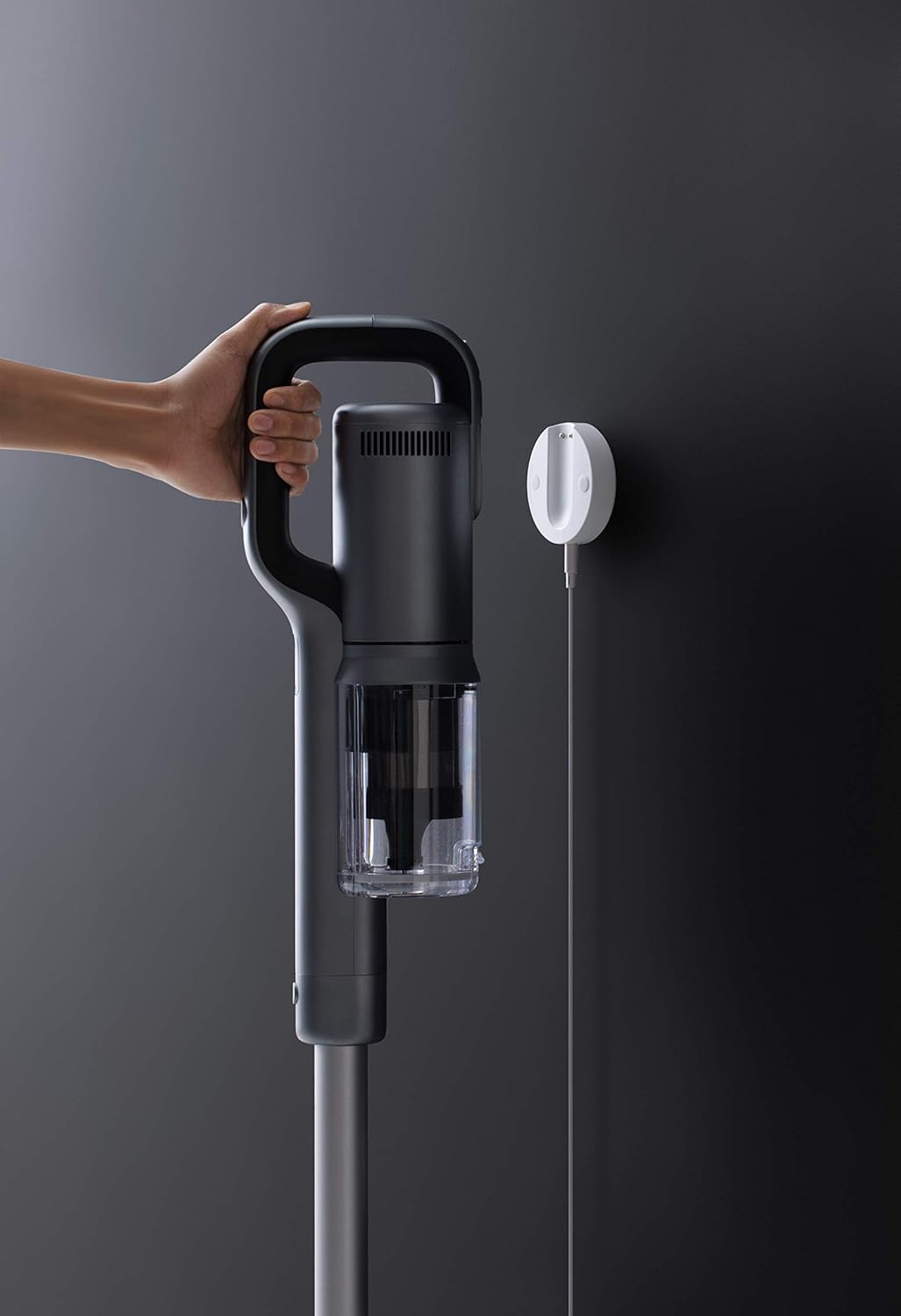
Image 3: The ROIDMI X30 Pro charging on its wall-mounted dock, connected to a power source.
5.3 Bluetooth Connection (Optional)
For enhanced features and real-time data, connect your ROIDMI X30 Pro to the ROIDMI app via Bluetooth.
- Download the 'ROIDMI' app from your smartphone's app store.
- Stellen Sie sicher, dass Bluetooth auf Ihrem Smartphone aktiviert ist.
- Open the ROIDMI app and follow the on-screen instructions to pair your vacuum cleaner.
6. Bedienungsanleitung
6.1 Ein-/Ausschalten und Modusauswahl
- Press the power button on the main unit to turn the vacuum cleaner on. It will start in standard cleaning mode.
- Press the mode selection button to cycle through different power modes (e.g., Standard, Max). The OLED screen will display the current mode.
- Drücken Sie den Netzschalter erneut, um den Staubsauger auszuschalten.
6.2 Verwendung von Reinigungsaufsätzen
Wählen Sie den für Ihre Reinigungsaufgabe geeigneten Aufsatz aus:
- Nex-V All-Surface Brush Head: Ideal for both hard floors and carpets. Its innovative hydrophobic fiber design eliminates the need to switch brush rolls between different surfaces.
- Pet and Mattress Brush: Designed for deep cleaning of upholstery, mattresses, and pet hair removal from fabrics.
- Fugendüse: Ideal für enge Spalten, Ecken und schwer zugängliche Stellen.
- Staubwedel: Suitable for delicate surfaces, curtains, and shelves.
- MOP Accessory: For wet cleaning. Attach this accessory to the main unit or extension rod as instructed in its specific manual. Ensure the dustbin is empty before using the MOP function.
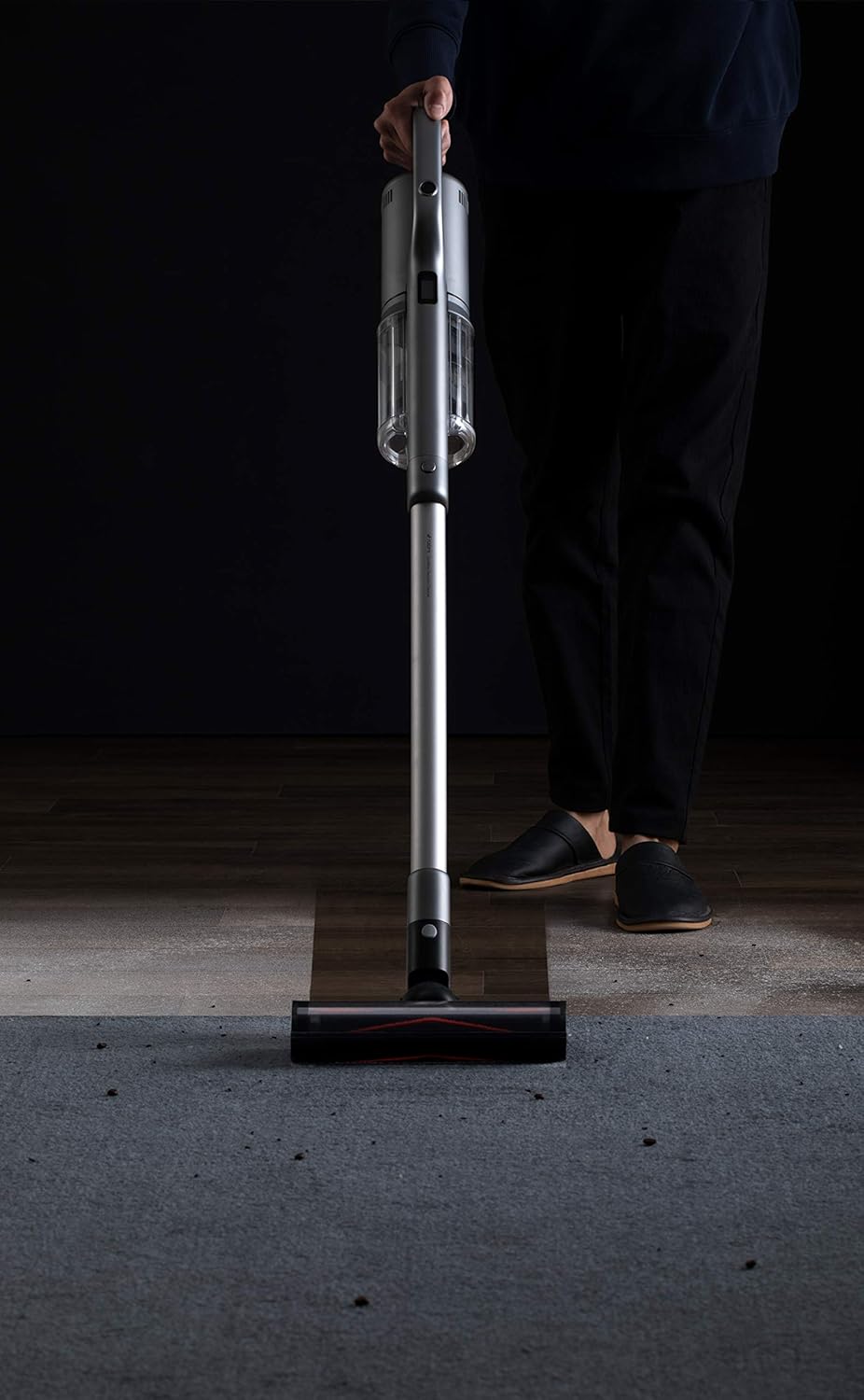
Image 4: A user operating the ROIDMI X30 Pro on a carpeted floor, demonstrating its ease of use.

Image 5: The flexible brush head of the ROIDMI X30 Pro reaching under low furniture for thorough cleaning.

Image 6: The ROIDMI X30 Pro in operation, with the OLED screen clearly displaying operational information.
7. Wartung
Regular maintenance ensures the longevity and optimal performance of your ROIDMI X30 Pro.
7.1 Den Mülleimer leeren
Empty the dustbin when the 'dustbin full' indicator appears on the OLED screen or after each use.
- Stellen Sie sicher, dass der Staubsauger ausgeschaltet ist.
- Drücken Sie den Entriegelungsknopf für den Abfallbehälter, um diesen vom Hauptgerät zu trennen.
- Hold the dustbin over a trash can and open the bottom flap to release the debris.
- Schließen Sie die Klappe und setzen Sie den Abfallbehälter wieder an das Hauptgerät an, bis er einrastet.
7.2 Reinigung des HEPA-Filters
Clean the HEPA filter regularly, especially when suction power decreases or the 'filter change' indicator appears.
- Entfernen Sie den Mülleimer wie oben beschrieben.
- Den HEPA-Filter vorsichtig aus dem Abfallbehälter entnehmen.
- Klopfen Sie den Filter leicht über einem Mülleimer ab, um losen Staub zu entfernen.
- Spülen Sie den Filter unter fließendem Wasser aus, bis das Wasser klar ist. Verwenden Sie keine Reinigungsmittel.
- Lassen Sie den Filter mindestens 24 Stunden lang vollständig an der Luft trocknen, bevor Sie ihn wieder einsetzen. Verwenden Sie keinen Trockner oder direkte Hitze.
7.3 Reinigung der Bürstenwalze
Überprüfen Sie die Bürstenwalze regelmäßig auf verhedderte Haare oder Ablagerungen.
- Schalten Sie den Staubsauger aus und nehmen Sie den Bürstenkopf ab.
- Suchen Sie den Entriegelungsmechanismus der Bürstenwalze (in der Regel ein Riegel oder ein Knopf) und entnehmen Sie die Bürstenwalze.
- Verwenden Sie eine Schere oder ein Reinigungswerkzeug, um verhedderte Haare oder Fasern abzuschneiden und zu entfernen.
- Setzen Sie die Bürstenwalze wieder ein und befestigen Sie sie.
8. Fehlerbehebung
If you encounter issues with your ROIDMI X30 Pro, refer to the following common problems and solutions:
| Problem | Mögliche Ursache | Lösung |
|---|---|---|
| Vakuum lässt sich nicht einschalten | Niedriger Batteriestand; Ein-/Ausschalter nicht richtig gedrückt | Laden Sie den Akku auf; Stellen Sie sicher, dass der Netzschalter vollständig gedrückt ist. |
| Schwache Saugkraft | Dustbin full; Clogged filter; Blocked brush head/tube | Empty dustbin; Clean/replace filter; Remove blockages |
| Bürstenrolle dreht sich nicht | Tangled hair/debris; Brush roll not installed correctly | Clean brush roll; Reinstall brush roll securely |
| OLED-Bildschirm zeigt kein Bild an | Device off; Malfunction | Turn on device; If issue persists, contact support |
| MOP accessory not dispensing water | Wassertank leer; Düse verstopft | Refill water tank; Clean nozzle |
Sollte das Problem nach dem Ausprobieren dieser Lösungsansätze weiterhin bestehen, wenden Sie sich bitte an den ROIDMI-Kundendienst.
9. Spezifikationen
| Besonderheit | Spezifikation |
|---|---|
| Marke | ROIDMI |
| Modellnummer | XCQ28RM |
| Motordrehzahl | 120,000 rpm (Engine-X 2.0 Digital Motor) |
| Laufzeit | Bis zu 70 Minuten (1 Stunde 10 Minuten) |
| Ladezeit | Approx. 2.5 hours (wireless fast charge) |
| Filtersystem | Six-level HEPA filtration with ZiWei sterilization |
| Anzeige | OLED-Farbbildschirm |
| Konnektivität | Bluetooth (for ROIDMI App) |
| Abmessungen (L x B x H) | 119.1 x 25.09 x 16.04 cm |
| Farbe | Grau |
| Besondere Merkmale | HEPA, Portable, Pet Brush, MOP Accessory compatible |
| Oberflächenempfehlung | Carpet, All floors |
| Stromquelle | Batteriebetrieben |
| Formfaktor | Stock |
10. Garantieinformationen
ROIDMI products are covered by a limited warranty. Please refer to the warranty card included in your product packaging or visit the official ROIDMI webAuf der Website finden Sie die detaillierten Garantiebedingungen für Ihre Region. Bewahren Sie Ihren Kaufbeleg als Kaufnachweis für Garantieansprüche auf.
11. Kundendienst
For technical assistance, spare parts, or any inquiries regarding your ROIDMI X30 Pro, please contact ROIDMI customer support through their official website or the contact information provided in your product documentation. When contacting support, please have your model number (XCQ28RM) and purchase details ready.
Ask a question about this manual
Ask about setup, troubleshooting, compatibility, parts, safety, or missing instructions. Manuals+ will review the question and use this page’s manual context to help answer it.