
1. Einleitung
Vielen Dank für Ihren Einkauf.asing the BESTISAN 28-inch Soundbar. This manual provides detailed instructions for setting up, operating, and maintaining your new soundbar to ensure optimal performance and an immersive audio experience. Please read this manual thoroughly before use and retain it for future reference.
2. Packungsinhalt
Bitte überprüfen Sie, ob alle unten aufgeführten Artikel in Ihrem Paket enthalten sind:
- Soundbar
- Fernbedienung
- Netzteil
- Digitales optisches Kabel
- Stereo-Cinch-auf-3.5-mm-Audiokabel
- Benutzerhandbuch
- Mount Kits (Wall mount template, Mount screws, Wall mount brackets)

3. Produktüberschreitungview
3.1. Bedienelemente und Anzeigen auf der Vorderseite

- Netzschalter: Short press to turn on, long press for 2 seconds to turn off. Short press to switch modes (BT-HDMI-AUX-OPT-BT).
- Volume + / Next Button: Short press to increase volume step by step, long press for the next song (in Bluetooth mode).
- Volume - / Previous Button: Short press to decrease volume step by step, long press for the previous song (in Bluetooth mode).
- Wiedergabe-/Pause-Taste: Short press to play/pause songs (in Bluetooth mode).
- Mode LED Indicator: Displays the current input mode (Standby, Bluetooth, Optical, ARC, AUX, USB).
3.2. Anschlüsse auf der Rückseite
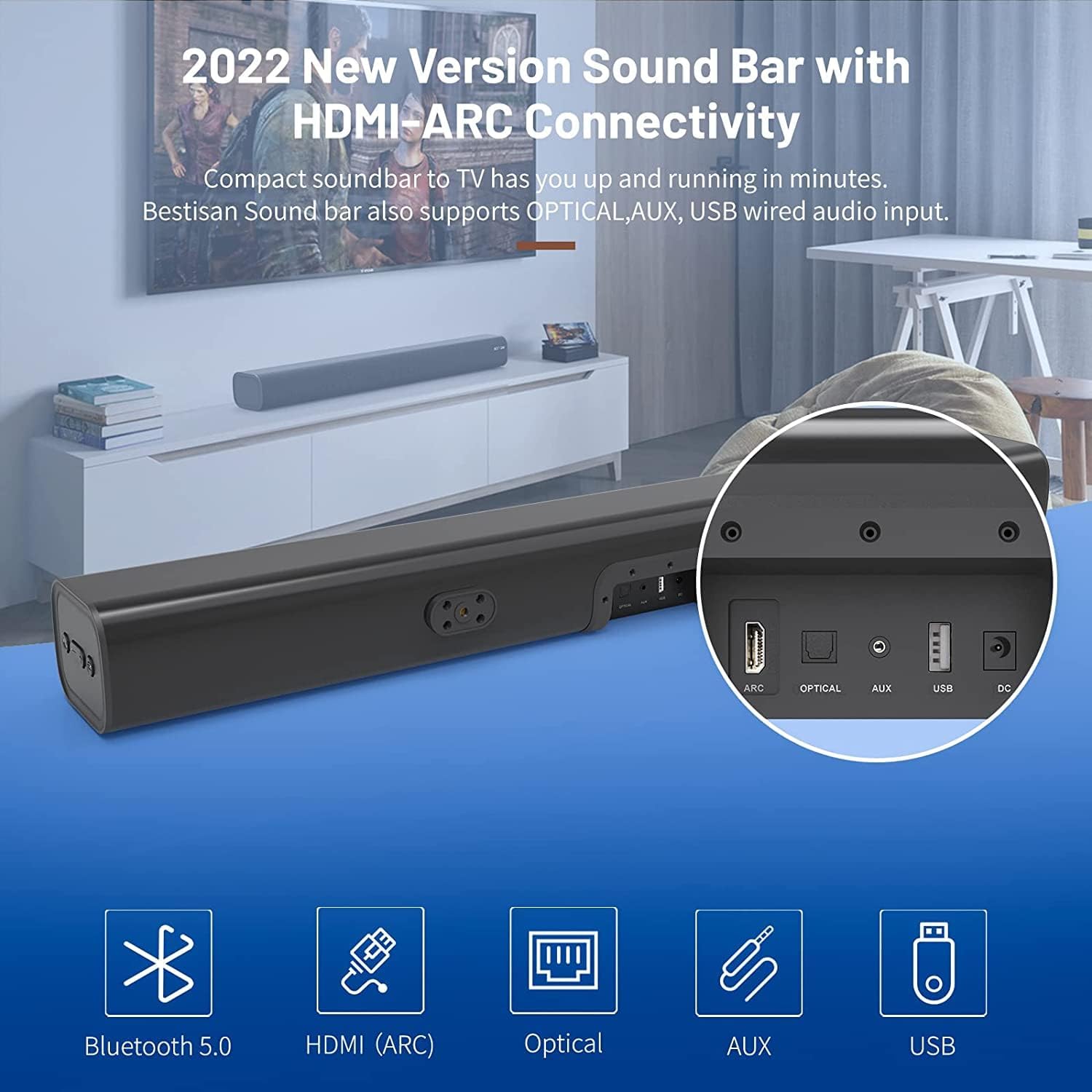
- HDMI ARC (TV): Connects to your TV's HDMI ARC port for high-quality audio transmission.
- OPTISCH: Digitaler optischer Audioeingang.
- AUX-IN: 3.5-mm-Aux-Audioeingang.
- USB: USB input for media playback.
- DC IN: Stromanschluss für die Soundbar.
4. Einrichtung
4.1. Platzierungsoptionen
The BESTISAN Soundbar offers flexible placement options to suit your home theater setup:
- Desktop-Platzierung: Place the soundbar on a flat surface in front of your TV. Ensure it does not obstruct the TV's remote sensor.
- Wandmontage: Use the included wall mount kit to securely attach the soundbar to the wall below your TV. A wall mounting template is provided for easy installation.


4.2. Einschalten
- Connect the power cord to the DC IN port on the back of the soundbar.
- Stecken Sie das andere Ende des Netzkabels in eine Netzsteckdose.
- Press the Power button on the soundbar or the remote control to turn it on. The LED indicator will light up.
Video 1: This video demonstrates the easy setup process for the soundbar, including connecting the power adapter and turning on the device. It highlights the various input options available on the back of the soundbar.
5. Anschließen an Ihr Fernsehgerät
The soundbar offers multiple connection options for your TV. Choose the method that best suits your TV's available ports.
5.1. HDMI-ARC-Anschluss
- Connect one end of the HDMI cable (not included) to the HDMI ARC port on the soundbar.
- Connect the other end of the HDMI cable to your TV's HDMI ARC port.
- On your TV settings, set the audio output to "HDMI ARC" and the digital sound format to "PCM" or "Passthrough".
5.2. Optische Verbindung
- Connect one end of the Digital Optical Cable (included) to the OPTICAL port on the soundbar.
- Connect the other end of the Digital Optical Cable to your TV's optical audio output port.
- On your TV settings, set the audio output to "Optical" and the digital sound format to "PCM".
5.3. AUX-Anschluss
- Connect one end of the Stereo RCA to 3.5mm Audio Cable (included) to the AUX IN port on the soundbar.
- Connect the RCA ends of the cable to your TV's RCA audio output ports (usually red and white).
- On your TV settings, ensure the audio output is set to "External Speakers" or "Headset".
5.4. Bluetooth-Verbindung
- Turn on the soundbar and press the "BT" button on the remote or the mode button on the soundbar until the LED indicator flashes blue, indicating Bluetooth pairing mode.
- Aktivieren Sie Bluetooth auf Ihrem Mobilgerät (Smartphone, Tablet usw.).
- Suchen nach "BESTISAN" or "ST08" in the list of available Bluetooth devices and select it to pair.
- Sobald die Verbindung hergestellt ist, leuchtet die LED-Anzeige dauerhaft blau.
6. Bedienung der Soundbar
6.1. Verwendung der Fernbedienung
Die mitgelieferte Fernbedienung bietet volle Funktionalität für Ihre Soundbar:
- Leistung: Schalten Sie die Soundbar ein/aus.
- Stumm: Mute/unmute the sound.
- Lautstärke +/-: Passen Sie die Lautstärke an.
- Abspielen/Pause: Play or pause audio (Bluetooth mode).
- Vorherige Nächste: Skip to the previous or next track (Bluetooth mode).
- Mode Selection (OPT, BT, ARC, AUX, USB): Wechseln Sie zwischen Eingangsquellen.
- Sound Modes (Movie, Music, Dialogue): Select optimized equalizer settings for different content types.
- Höhen +/-: Höhenpegel anpassen.
- Bass +/-: Basspegel anpassen.
6.2. Sound Modes (DSP Technology)
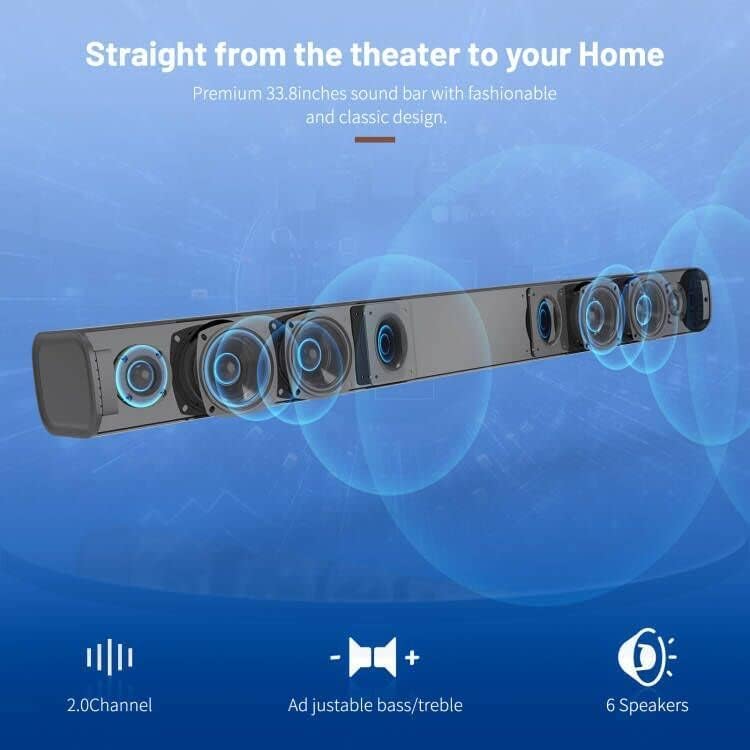
The soundbar features DSP (Digital Signal Processing) technology with three preset equalizer modes:
- Filmmodus: Enhances cinematic audio with dynamic range and impactful bass.
- Musikmodus: Optimiert die Audiowiedergabe für Musik und sorgt für einen ausgewogenen Klang.
- Dialogmodus: Clarifies speech, making conversations easier to understand.

7. Wartung
- Reinigen Sie die Soundbar mit einem weichen, trockenen Tuch. Verwenden Sie keine flüssigen Reiniger oder Sprays.
- Vermeiden Sie es, die Soundbar extremen Temperaturen, hoher Luftfeuchtigkeit oder direkter Sonneneinstrahlung auszusetzen.
- Versuchen Sie nicht, das Gerät selbst zu zerlegen oder zu reparieren. Wenden Sie sich an den Kundendienst.
8. Fehlerbehebung
| Problem | Mögliche Lösung |
|---|---|
| Kein Strom | Stellen Sie sicher, dass das Netzteil fest mit der Soundbar und einer funktionierenden Steckdose verbunden ist. |
| Kein Ton |
|
| Probleme mit der Bluetooth-Kopplung |
|
| Fernbedienung funktioniert nicht |
|
9. Spezifikationen
- Marke: BESTISAN
- Modellname: ST08, SE08
- Lautsprechertyp: Soundbar
- Konnektivitätstechnologie: HDMI (ARC), Optical, Aux, USB, Bluetooth 5.0
- Audioausgabemodus: Stereo
- Maximale Ausgangsleistung des Lautsprechers: 100 Watt
- Produktabmessungen: 3.4"T x 33.79"B x 4.4"H
- Artikelgewicht: 5.19 Pfund
- Montageart: Wandhalterung
- Besonderheit: Bass Boost, DSP Technology (Dialogue, Movie, Music modes)
10. Garantie und Support
For warranty information, technical support, or customer service inquiries, please refer to the contact details provided in your User's Guide or visit the official BESTISAN webWebsite.
Hersteller: Bestisan
Datum der Erstveröffentlichung: 3. November 2020