
Einführung
This manual provides essential information for the safe and efficient operation of your MEDION P64145 All-in-One Audio System. Please read it thoroughly before using the device and keep it for future reference.
Wichtige Sicherheitsinformationen
Beachten Sie beim Gebrauch dieses Produkts stets die grundlegenden Sicherheitsvorkehrungen, um das Risiko von Bränden, Stromschlägen und Verletzungen zu verringern. Bewahren Sie diese Bedienungsanleitung zum späteren Nachschlagen griffbereit auf.
- Setzen Sie das Gerät weder Regen noch Feuchtigkeit aus.
- Blockieren Sie keine Belüftungsöffnungen.
- Verwenden Sie nur vom Hersteller angegebene Anbaugeräte/Zubehör.
- Überlassen Sie sämtliche Wartungsarbeiten qualifiziertem Servicepersonal.
Packungsinhalt
Vergewissern Sie sich beim Auspacken, dass alle Artikel vorhanden und in gutem Zustand sind:
- MEDION Life MD44125 P64145 AiO Audio System
- Fernbedienung (inkl. Batterie)
- Netzkabel
- Benutzerhandbuch
Aufstellen
1. Auspacken und Aufstellen
Carefully remove the audio system from its packaging. Place the unit on a stable, flat surface away from direct sunlight, heat sources, and excessive dust or moisture. Ensure adequate ventilation around the unit.
2. Connecting the Power and Antenna
Connect the provided power cord to the AC IN socket on the rear of the audio system, then plug the other end into a wall outlet. Extend the telescopic antenna on the rear of the unit for optimal FM and DAB+ radio reception. Adjust its position for the best signal quality.
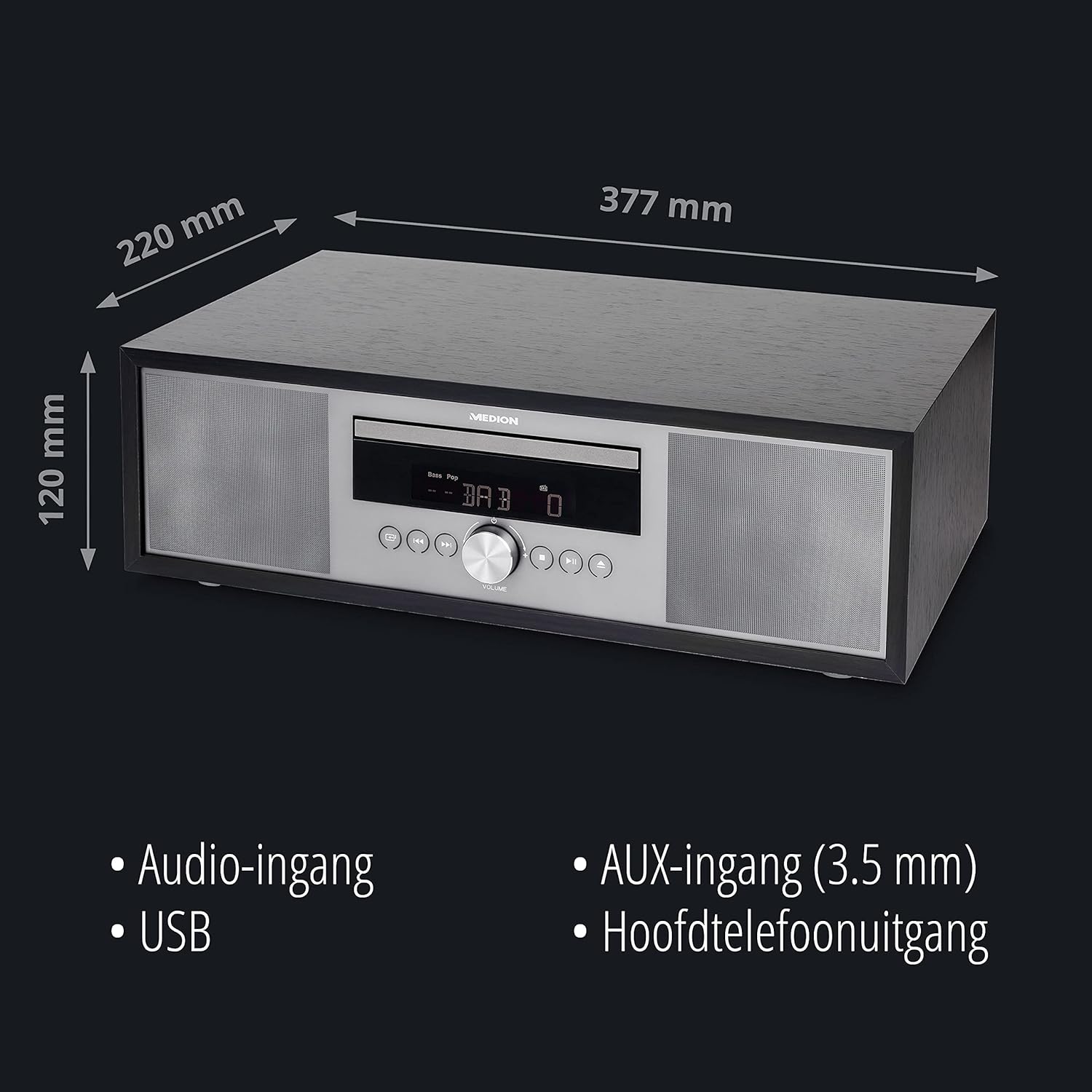
Bild: Hinteren view of the MEDION P64145 audio system with the power cord connected and the telescopic antenna extended. This image demonstrates how to properly connect power and set up the antenna for improved radio signal reception.
3. Installation der Fernbedienungsbatterie
Open the battery compartment on the remote control and insert the provided battery, observing the correct polarity.
Bedienungsanleitung
1. Ein-/Ausschalten
Drücken Sie die LEISTUNG Taste am Gerät oder an der Fernbedienung zum Ein- und Ausschalten des Systems.
2. Quellenauswahl
Drücken Sie die QUELLE button repeatedly to cycle through available input sources: DAB+, FM, CD, USB, Bluetooth, AUX-in.
3. DAB+ Radiobetrieb
- Select DAB+ mode.
- Das System sucht automatisch nach verfügbaren DAB+-Sendern.
- Verwenden Sie die TUNE +/- buttons or rotary knob to navigate through stations.
- Drücken OK um einen Sender auszuwählen.
- To save a station, press and hold a preset number button (1-30).
Video: This video demonstrates selecting DAB+ radio, adjusting volume, and other functions on a similar MEDION micro audio system. It illustrates the user interface and controls for various audio modes.
4. FM-Radiobetrieb
- Wählen Sie den FM-Modus.
- Verwenden Sie die TUNE +/- Tasten zum manuellen Einstellen oder gedrückt halten für die automatische Sendersuche nach dem nächsten verfügbaren Sender.
- To save a station, press and hold a preset number button (1-30).
5. CD-Wiedergabe
- Wählen Sie den CD-Modus.
- Insert a CD (audio CD or MP3 CD) into the CD slot.
- The system will automatically begin playback.
- Verwenden WIEDERGABE/PAUSE, STOPPEN, ÜBERSPRINGEN +/- Tasten zur Steuerung.

Bild: Front view of the audio system highlighting the integrated CD player. This image shows where to insert CDs for playback.
6. USB-Wiedergabe
- Stecken Sie einen USB-Stick mit MP3 ein files in den USB-Port.
- Wählen Sie den USB-Modus.
- Verwenden Sie die Navigationsschaltflächen, um Titel zu durchsuchen und auszuwählen.
7. Bluetooth-Streaming
- Select Bluetooth mode. The display will show "Pairing".
- On your smartphone or tablet, enable Bluetooth and search for "MEDION P64145".
- Wählen Sie das zu koppelnde Gerät aus. Nach der Verbindung können Sie Audio drahtlos streamen.

Bild: A smartphone displaying a music app connected via Bluetooth to the MEDION audio system. This image demonstrates wireless music streaming capability.
8. AUX-Eingangsanschluss
Connect an external audio device (e.g., MP3 player) to the AUX-in port using a 3.5mm audio cable. Select AUX-in mode to play audio from the connected device.
9. Alarm and Sleep Timer
The system features an alarm function (wake via radio, alarm sound, CD, or USB) and a sleep timer. Refer to the detailed instructions in the full user manual for setting these features.
10. Toneinstellungen
Stellen Sie den Ton einfile using the equalizer settings. The system offers five selectable sound settings (Pop, Rock, Jazz, Classic, Flat) to optimize your listening experience.

Bild: Icons representing different sound equalizer presets (Pop, Rock, Jazz, Classic, Flat) available on the audio system. This image highlights the customizable sound options.
Wartung
- Reinigung: Use a soft, dry cloth to clean the unit. Do not use liquid cleaners or aerosol sprays.
- CD-Pflege: Fassen Sie CDs an den Kanten an. Halten Sie sie sauber und kratzfrei.
- Lagerung: Wenn das Gerät längere Zeit nicht benutzt wird, ziehen Sie den Netzstecker und lagern Sie es an einem kühlen, trockenen Ort.
Fehlerbehebung
| Problem | Mögliche Ursache | Lösung |
|---|---|---|
| Kein Strom | Netzkabel nicht richtig angeschlossen; Steckdose defekt. | Überprüfen Sie den Netzanschluss; versuchen Sie eine andere Steckdose. |
| Kein Ton | Lautstärke zu niedrig; Stummschaltung aktiviert; Falsche Quelle ausgewählt. | Increase volume; Deactivate mute; Select correct source. |
| Schlechter Radioempfang | Antenne nicht ausgefahren oder richtig positioniert; Störungen. | Extend and adjust antenna; Move unit away from other electronic devices. |
| Probleme mit der Bluetooth-Kopplung | Device not in pairing mode; Bluetooth disabled on external device. | Ensure system is in Bluetooth pairing mode; Enable Bluetooth on external device and retry pairing. |
Technische Daten
- Modell: MEDION P64145 (MD44125)
- Audio-Ausgangsleistung: 15 Watt
- Radio-Tuner: DAB+, PLL-FM Stereo (30 presets each)
- CD-Spieler: Supports Audio CD, MP3-CD
- Konnektivität: Bluetooth, USB, AUX-in
- Besondere Merkmale: Alarm function, Sleep timer, Color display
- Maße (ca.): 41.8 x 27.3 x 15.5 cm
- Gewicht (ca.): 3.95 kg

Bild: The MEDION P64145 audio system with its dimensions indicated. This image provides a visual representation of the product's size.
Garantie und Support
For warranty information, technical support, or service inquiries, please refer to the warranty card included in your package or visit the official MEDION webBewahren Sie Ihren Kaufbeleg für Garantieansprüche auf.


