
Einführung
This manual provides instructions for the safe and efficient use of your Car and Driver Dual-Port Car Charger, Model CAD-3175BK. This device is designed to provide fast charging for various electronic devices, including smartphones, tablets, and laptops, via your vehicle's cigarette lighter socket.
Produkteigenschaften
- Zwei Ladeanschlüsse: Equipped with one USB-A port and one USB-C (Power Delivery) port for versatile device compatibility.
- Schnellladefähigkeit: The USB-C Power Delivery port can charge compatible phones at up to three times the standard speed. The USB-A port also provides fast charging.
- Hohe Ausgangsleistung: Offers a maximum total output of 48W. The USB-C port provides up to 30W, suitable for charging compatible laptops, while the USB-A port provides up to 18W.
- LED-Anzeige: Features an LED light to indicate charging status (fully charged, active quick charging, or connection issues).
- Breite Kompatibilität: Supports a wide range of devices including iPhone models (16 and older), Samsung Galaxy S20/S10, Pixel phones, tablets, and laptops.
Setup und Installation
Follow these steps to install and begin using your car charger:
- Locate Vehicle Power Socket: Identify the 12V cigarette lighter socket in your vehicle. Ensure the vehicle's engine is off before installation.
- Ladegerät einsetzen: Firmly insert the Car and Driver Dual-Port Car Charger into the 12V power socket. Push until it is securely seated.
- Leistung überprüfen: Once inserted, start your vehicle's engine. The LED indicator on the charger should illuminate, confirming it is receiving power.
- Gerät verbinden: Use a compatible USB charging cable to connect your device to either the USB-A or USB-C port on the charger.

Image: The Car and Driver Dual-Port Car Charger installed in a car's console, actively charging a smartphone.
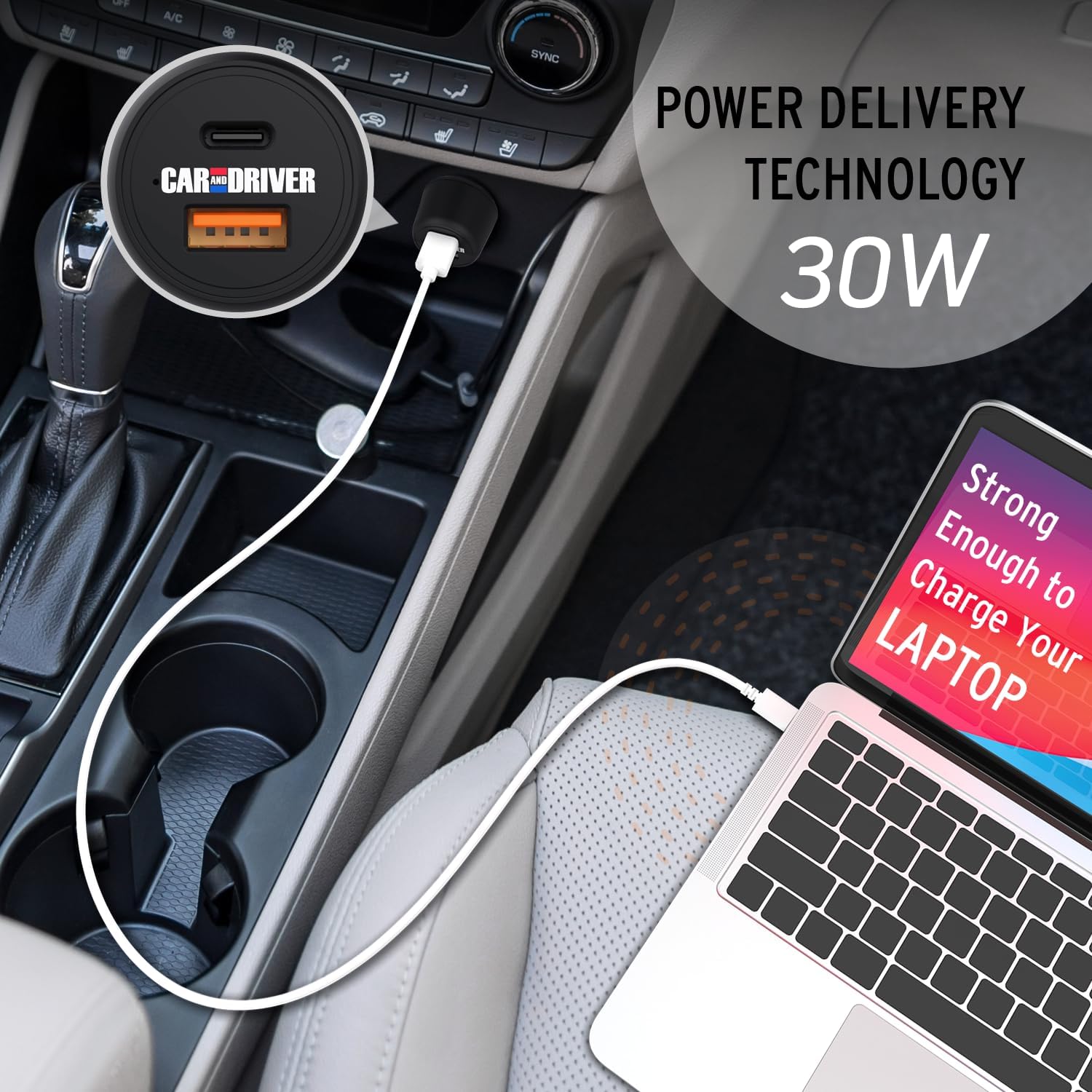
Image: A laptop being charged by the Car and Driver Dual-Port Car Charger through its USB-C port, demonstrating its capability to power larger devices.
Bedienungsanleitung
The Car and Driver Dual-Port Car Charger is designed for simple operation:
- Laden eines einzelnen Geräts: Connect your device to either the USB-A or USB-C port using a compatible cable. The charger will automatically detect your device and begin charging.
- Laden von zwei Geräten: You can charge two devices simultaneously by connecting one to the USB-A port and another to the USB-C port. The charger will distribute power efficiently between both devices.
- LED-Anzeigestatus:
- Dauerhaft blaues Licht: Indicates the charger is powered on and ready to charge, or actively charging.
- Kein Licht: The charger is not receiving power, or there is an issue with the connection.
- Optimales Laden: For best results and fastest charging, use high-quality charging cables that are compatible with your devices and the charger's output capabilities (e.g., USB-C Power Delivery compatible cables for the USB-C port).
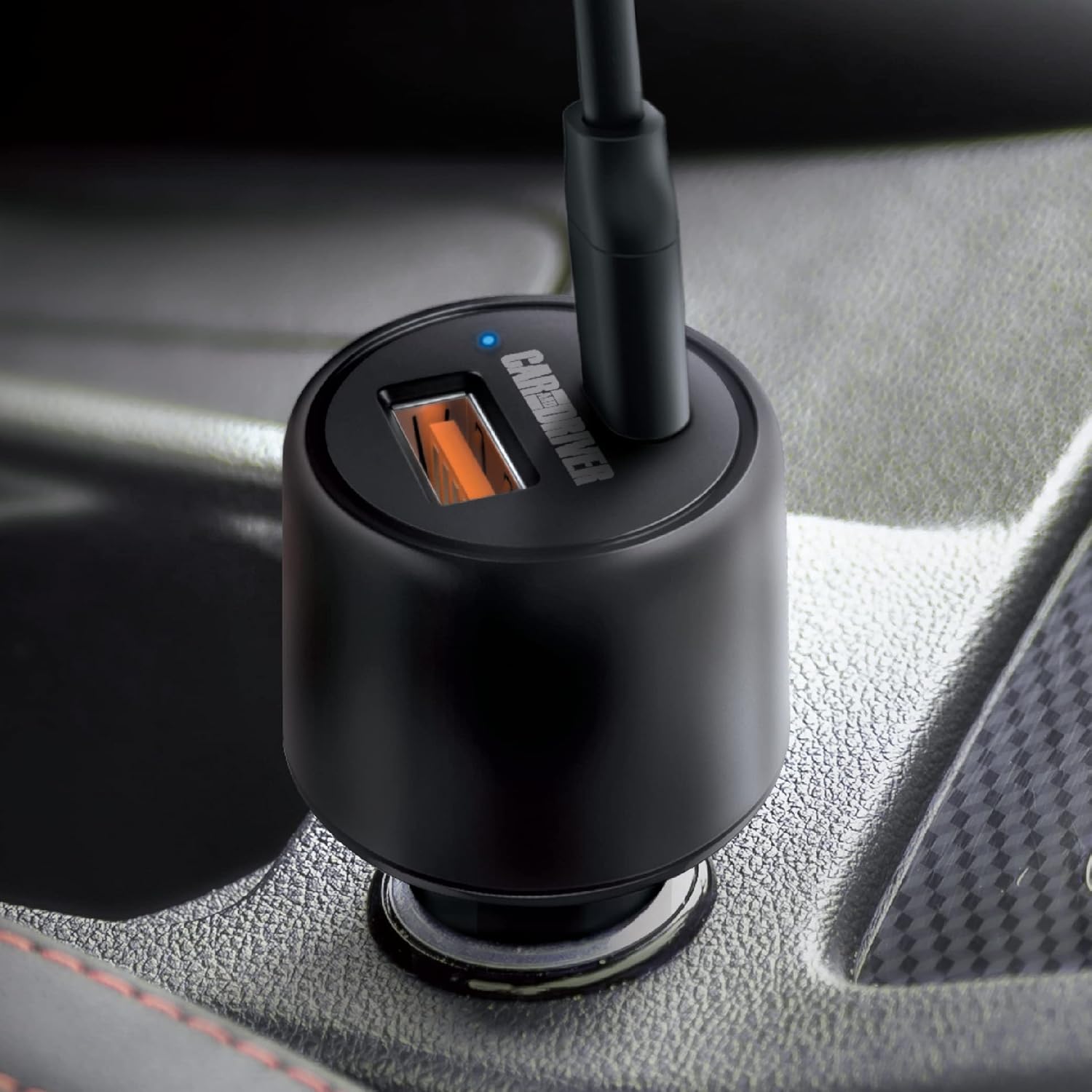
Bild: Eine Nahaufnahme view of the charger's ports and the illuminated blue LED indicator, signifying active operation.

Image: A graphic detailing the power output of each port: 30W for the USB-C Power Delivery port and 18W for the USB-A port.
Wartung
To ensure the longevity and optimal performance of your Car and Driver Dual-Port Car Charger, follow these simple maintenance guidelines:
- Reinigung: Use a soft, dry cloth to wipe the exterior of the charger. Do not use liquid cleaners or solvents, as they may damage the device.
- Lagerung: Bei längerer Nichtbenutzung sollte das Ladegerät an einem kühlen, trockenen Ort, geschützt vor direkter Sonneneinstrahlung und extremen Temperaturen, aufbewahrt werden.
- Handhabung: Avoid dropping the charger or subjecting it to strong impacts, which can damage internal components.
- Kabelpflege: Always unplug cables by gripping the connector, not the cable itself, to prevent damage to the cable and charger ports.
Fehlerbehebung
If you encounter issues with your Car and Driver Dual-Port Car Charger, refer to the following common problems and solutions:
| Problem | Mögliche Ursache | Lösung |
|---|---|---|
| Die LED am Ladegerät leuchtet nicht. |
|
|
| Das Gerät lädt nicht oder nur sehr langsam. |
|
|
| Das Ladegerät fühlt sich während des Gebrauchs warm an. | Normalbetrieb auch unter hoher Last. | This is normal. If it becomes excessively hot or emits smoke/odor, disconnect immediately and cease use. |
Technische Daten
| Besonderheit | Detail |
|---|---|
| Modellnummer | CAD-3175BK |
| Eingangslautstärketage | 12-24 Volts DC (from vehicle cigarette lighter) |
| USB-C-Ausgang (Stromversorgung) | Bis zu 30 W |
| USB-A-Ausgang | Bis zu 18 W |
| Maximale Gesamtleistung | 48 W |
| Maße | 1.38 x 1.38 x 2.69 Zoll |
| Gewicht | 2.4 Unzen |
| Farbe | SCHWARZ |
| Konnektivität | USB Typ C, USB Typ A |
| Kompatible Geräte | Cellular Phones, Laptops, Tablets |
Offizielles Produktvideo
Video: This video demonstrates the installation and usage of the Car and Driver Dual-Port Car Charger, highlighting its fast-charging capabilities for various devices in a vehicle.
Garantie und Support
For warranty information and customer support, please refer to the contact details provided with your product packaging or visit the official Car and Driver webWebsite. Bewahren Sie Ihren Kaufbeleg für Garantieansprüche auf.
Manufacturer: Summit Electronics LLC