
1. Einleitung
Thank you for choosing the Philips CoreLine Panel RC133V G4 LED36S/840 Recessed Luminaire. This manual provides essential information for the safe and correct installation, operation, and maintenance of your new lighting product. Please read this manual thoroughly before installation and retain it for future reference.
2. Wichtige Sicherheitshinweise
Beachten Sie stets die folgenden Sicherheitsvorkehrungen, um Verletzungen oder Schäden am Produkt zu vermeiden.
- Elektrische Sicherheit: Installation must be performed by a qualified electrician in accordance with all local and national electrical codes. Ensure the main power supply is switched off before commencing any installation, maintenance, or repair work.
- Produktintegrität: Do not modify or alter the luminaire in any way. Use only genuine Philips replacement parts if necessary.
- Handhabung: Behandeln Sie die Leuchte vorsichtig, um Beschädigungen an den LED-Komponenten oder am Gehäuse zu vermeiden.
- Umfeld: This luminaire is designed for indoor use in dry locations. Do not expose to moisture or extreme temperatures unless specified otherwise.
- Entsorgung: Entsorgen Sie das Produkt und seine Komponenten verantwortungsvoll gemäß den örtlichen Vorschriften für Elektronikschrott.
3. Packungsinhalt
Verify that all components are present and undamaged upon opening the package. If any items are missing or damaged, contact your supplier immediately.
- 1 x Philips CoreLine Panel RC133V G4 LED36S/840 Recessed Luminaire
- 1 x Netzteil (PSU)
- Bedienungsanleitung (dieses Dokument)
4. Einrichtung und Installation
4.1 Bevor Sie beginnen
- Ensure the power supply to the installation area is switched off at the circuit breaker.
- Gather necessary tools: screwdriver, wire strippers, measuring tape, safety gloves, safety glasses.
- Confirm the ceiling opening dimensions are suitable for the W62L62 (62x62 cm) panel.
4.2 Installationsschritte
The luminaire requires assembly and professional installation.
- Deckenöffnung vorbereiten: Ensure the recessed ceiling opening is clean and correctly sized for the luminaire.
- Connect the PSU: Connect the mains power supply cable (L, N, E) to the Power Supply Unit (PSU) terminals. Ensure correct polarity and secure connections.
- Connect Luminaire to PSU: Connect the output cable from the PSU to the input connector on the luminaire. Ensure a firm and secure connection.
- Position the Luminaire: Carefully insert the luminaire into the prepared ceiling opening. Ensure it sits flush and is securely held by the ceiling grid or mounting clips (if applicable, not included).
- Endkontrolle: Double-check all electrical connections and ensure the luminaire is properly seated.
- Strom wiederherstellen: Sobald die Installation abgeschlossen und überprüft ist, stellen Sie die Stromversorgung am Leistungsschalter wieder her.
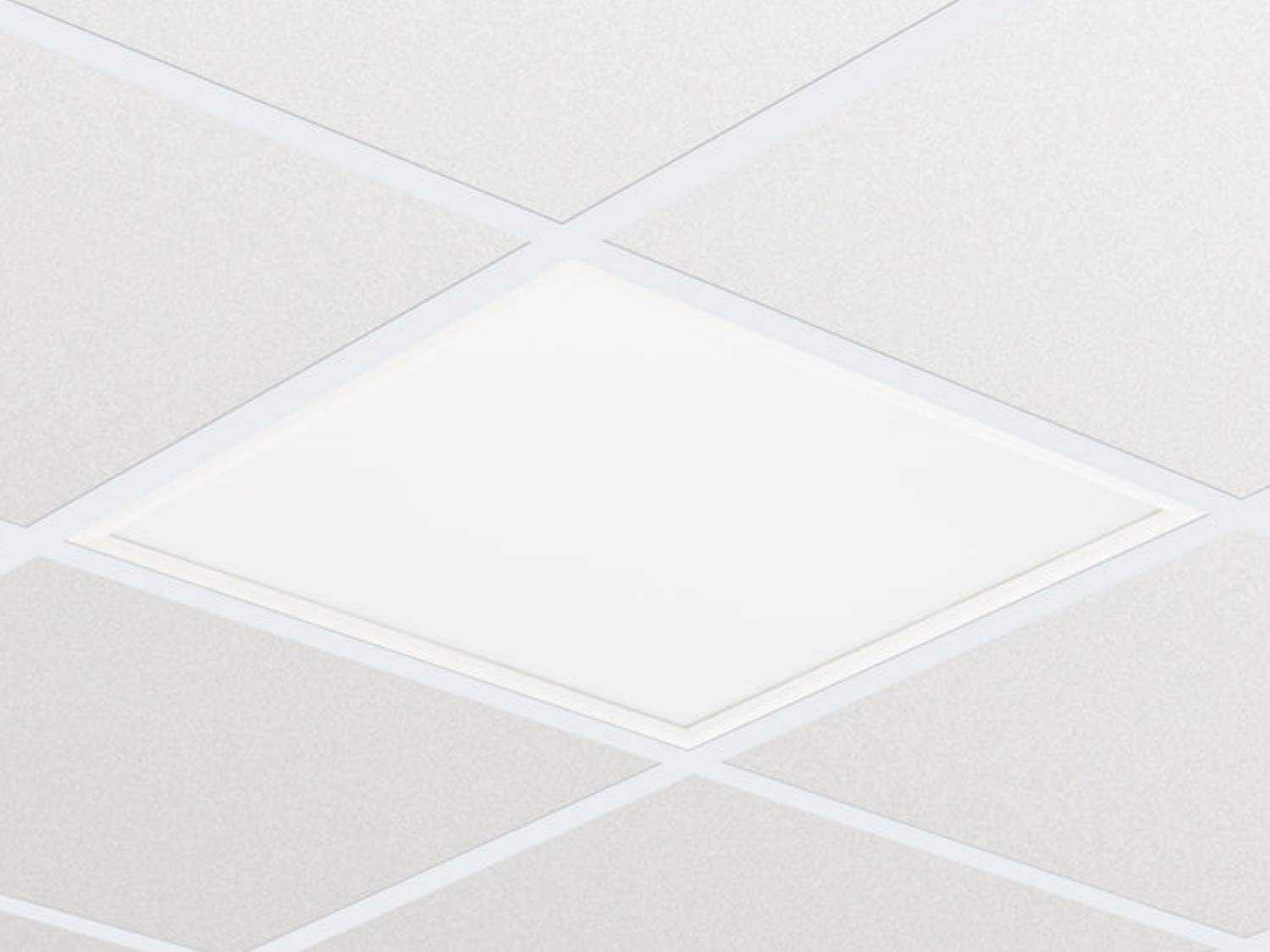
Abbildung 1: Beispielample of the Philips CoreLine Panel RC133V G4 LED36S/840 Recessed Luminaire. This image illustrates the general appearance of the panel, which is designed for seamless integration into a suspended ceiling grid.
5. Bedienungsanleitung
The Philips CoreLine Panel RC133V G4 LED36S/840 is designed for straightforward operation.
- Ein-/Ausschalten: Once installed and connected to the mains power supply, the luminaire will operate via the standard wall switch or building lighting control system it is wired to.
- Keine Benutzersteuerung: This luminaire does not feature integrated user controls (e.g., dimmers, color temperature adjustments) on the unit itself. Operation is external.
6. Wartung
Regular maintenance helps ensure optimal performance and longevity of your luminaire.
- Reinigung: Vor der Reinigung die Stromzufuhr unterbrechen. Verwenden Sie ein weiches, trockenes oder leicht angefeuchtetes Tuch.amp cloth to wipe the surface of the luminaire. Do not use abrasive cleaners, solvents, or harsh chemicals, as these can damage the finish or optical components.
- Inspektion: Periodically inspect the luminaire for any signs of damage, loose connections, or unusual operation. If any issues are detected, disconnect power and consult a qualified electrician.
- Keine vom Benutzer zu wartenden Teile: The LED light source and driver are integrated and not user-replaceable. Do not attempt to open or repair the unit.
7. Fehlerbehebung
If you encounter issues with your luminaire, refer to the table below for common problems and solutions.
| Problem | Mögliche Ursache | Lösung |
|---|---|---|
| Die Lampe schaltet sich nicht ein. | Keine Stromversorgung. Lose elektrische Verbindung. Fehlerhafter Schalter. | Prüfen Sie den Sicherungsautomaten und den Wandschalter. Ensure all connections are secure (power off first!). Test the switch or consult an electrician. |
| Das Licht flackert oder ist schwach. | Instabile Stromversorgung. Falsche Verkabelung. Product fault. | Prüfen Sie, ob eine stabile Stromversorgung gewährleistet ist. Lassen Sie die Verkabelung von einem qualifizierten Elektriker überprüfen. Sollte das Problem weiterhin bestehen, wenden Sie sich bitte an den Philips-Support. |
| Unusual noise from luminaire. | Lose Komponenten. Elektrisches Problem. | Disconnect power and inspect for loose parts (if safe to do so). Wenden Sie sich sofort an einen qualifizierten Elektriker. |
8. Technische Daten
Key technical details for the Philips CoreLine Panel RC133V G4 LED36S/840.
| Spezifikation | Detail |
|---|---|
| Marke | Philips |
| Modell | RC133V G4 LED36S/840 Netzteil W62L62 OC |
| ASIN | B08PYWRP3N |
| Energieaufnahme | 29 Watt |
| Bandtage | 133 Volt |
| Lichtstrom | 3600 Lumen |
| Farbtemperatur | 4000K (Cool White) |
| Lichtquellentyp | LED |
| Material | Metal (Housing), Aluminum (Shade) |
| Stil | Modern |
| Zimmertyp | Living Room (as per general classification, suitable for office) |
| Stromquelle | Kabelgebundene Elektrik |
| Basistyp | G4 (refers to internal component, not external base) |
| Montage erforderlich | Ja |
9. Garantie und Support
Warranty information for the Philips CoreLine Panel RC133V G4 LED36S/840 is typically provided with your purchase documentation or can be found on the official Philips website. For technical support, service, or warranty claims, please contact your retailer or visit the Philips lighting support portal.