
Einführung
Thank you for choosing the PALOVUE iSound True Wireless Earbuds. These earbuds are designed to provide a superior audio experience with advanced features such as Qualcomm CSR Bluetooth 5.0, aptX HD sound quality, CVC 8.0 noise cancellation, and intuitive touch controls. This manual will guide you through the setup, operation, and maintenance of your new earbuds to ensure optimal performance.
Lieferumfang
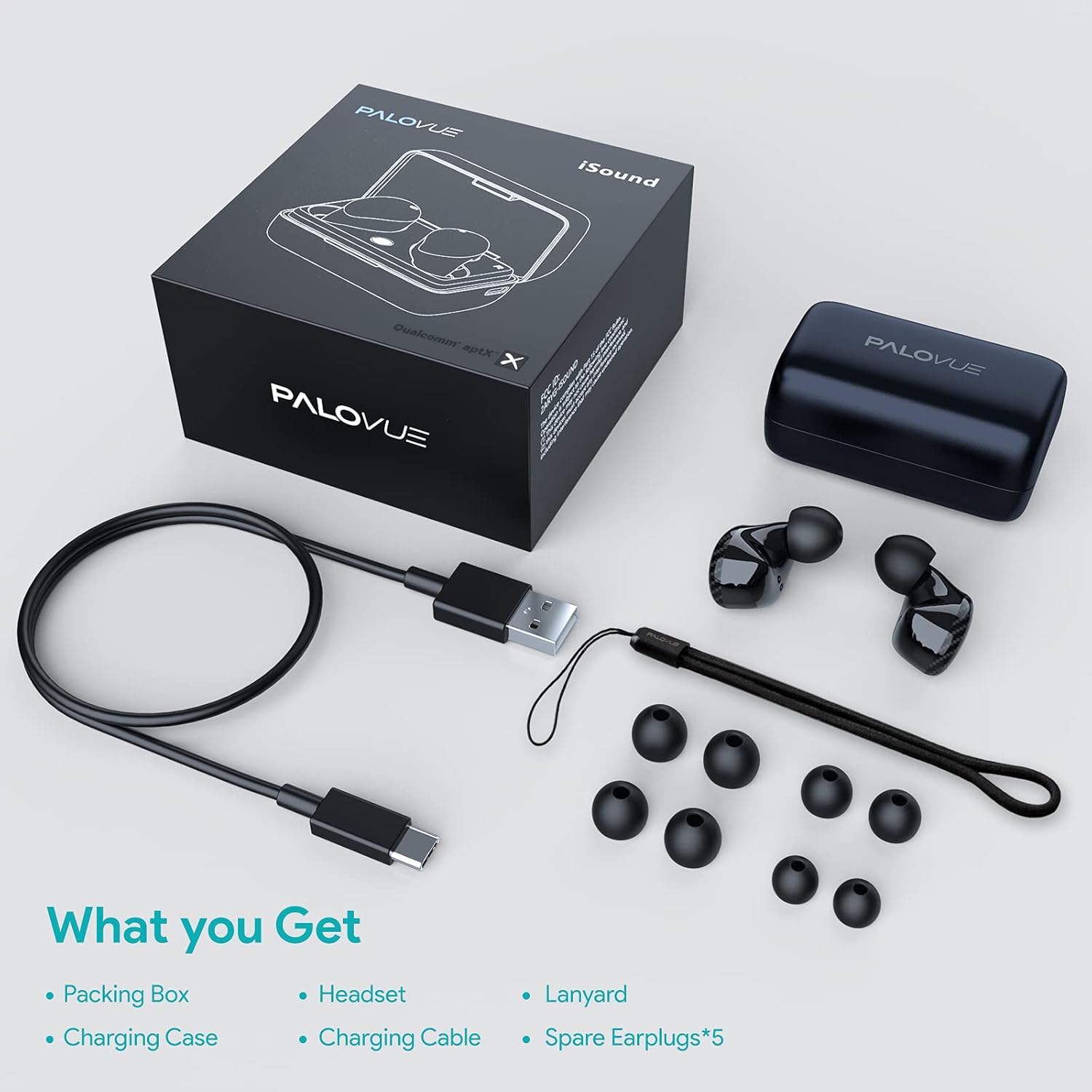
Upon unboxing your PALOVUE iSound True Wireless Earbuds, please verify that all components are present:
- PALOVUE iSound Earbuds (Left and Right)
- Ladeetui
- USB-C-Ladekabel
- Schlüsselband
- 5 Pairs of Silicone Ear Tips (XS, S, M, L, XL)
- Benutzerhandbuch (dieses Dokument)
Produkt überview
Familiarize yourself with the key components of your PALOVUE iSound Earbuds.


Aufstellen
1. Aufladen der Ohrhörer und des Ladecase
Before first use, fully charge the earbuds and the charging case. Place the earbuds into the charging case. Connect the USB-C charging cable to the case and a power source. The indicator lights on the case will show the charging status.
- A full charge provides up to 24 hours of playback with the charging case.
2. Koppeln mit Ihrem Gerät
- Stellen Sie sicher, dass Bluetooth auf Ihrem Gerät aktiviert ist.
- Open the charging case. The earbuds will automatically enter pairing mode (if it's the first time or if they are not connected to a previously paired device).
- On your device, search for Bluetooth devices and select "PALOVUE iSound" from the list.
- Sobald die Verbindung hergestellt ist, hören Sie einen Bestätigungston.
Automatische Wiederverbindung: After the initial pairing, simply open the charging case, and the earbuds will automatically connect to your last paired device.
3. Tragen der Ohrhörer
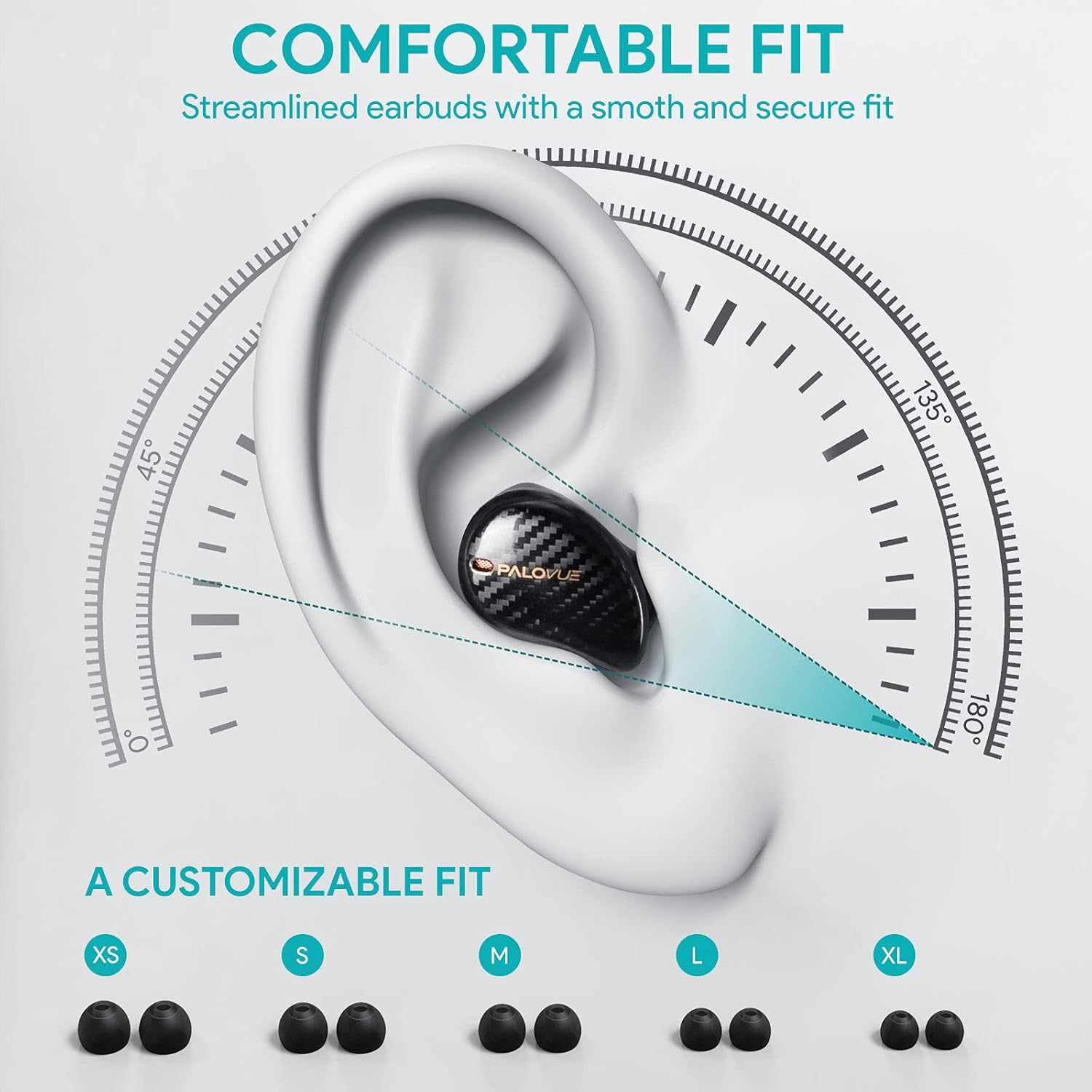
For optimal sound quality and comfort, select the correct ear tip size and ensure a secure fit.
- Choose from the 5 provided ear tip sizes (XS, S, M, L, XL) to find the best fit for your ears.
- Gently insert the earbuds into your ear canal and rotate them slightly until they feel secure and comfortable.
Bedienungsanleitung
Touch-Bedienelemente
The PALOVUE iSound earbuds feature multi-function touch panels on each earbud for easy control of audio playback and calls. Specific touch functions can be customized via the PALOVUE iSound app.
- Abspielen/Pause: Tippen Sie einmal auf einen der Ohrhörer.
- Nächster Titel: Doppeltippen Sie auf den rechten Ohrhörer.
- Vorheriges Lied: Doppeltippen Sie auf den linken Ohrhörer.
- Anruf annehmen/beenden: Tippen Sie einmal auf einen der Ohrhörer.
- Anruf ablehnen: Halten Sie einen der Ohrhörer 2 Sekunden lang gedrückt.
- Sprachassistenten aktivieren: Dreimaliges Tippen auf einen der Ohrhörer.
- Lautstärkeregelung: Customizable via the PALOVUE iSound app (e.g., tap and hold left for volume down, right for volume up).

Anrufmanagement und Geräuschunterdrückung
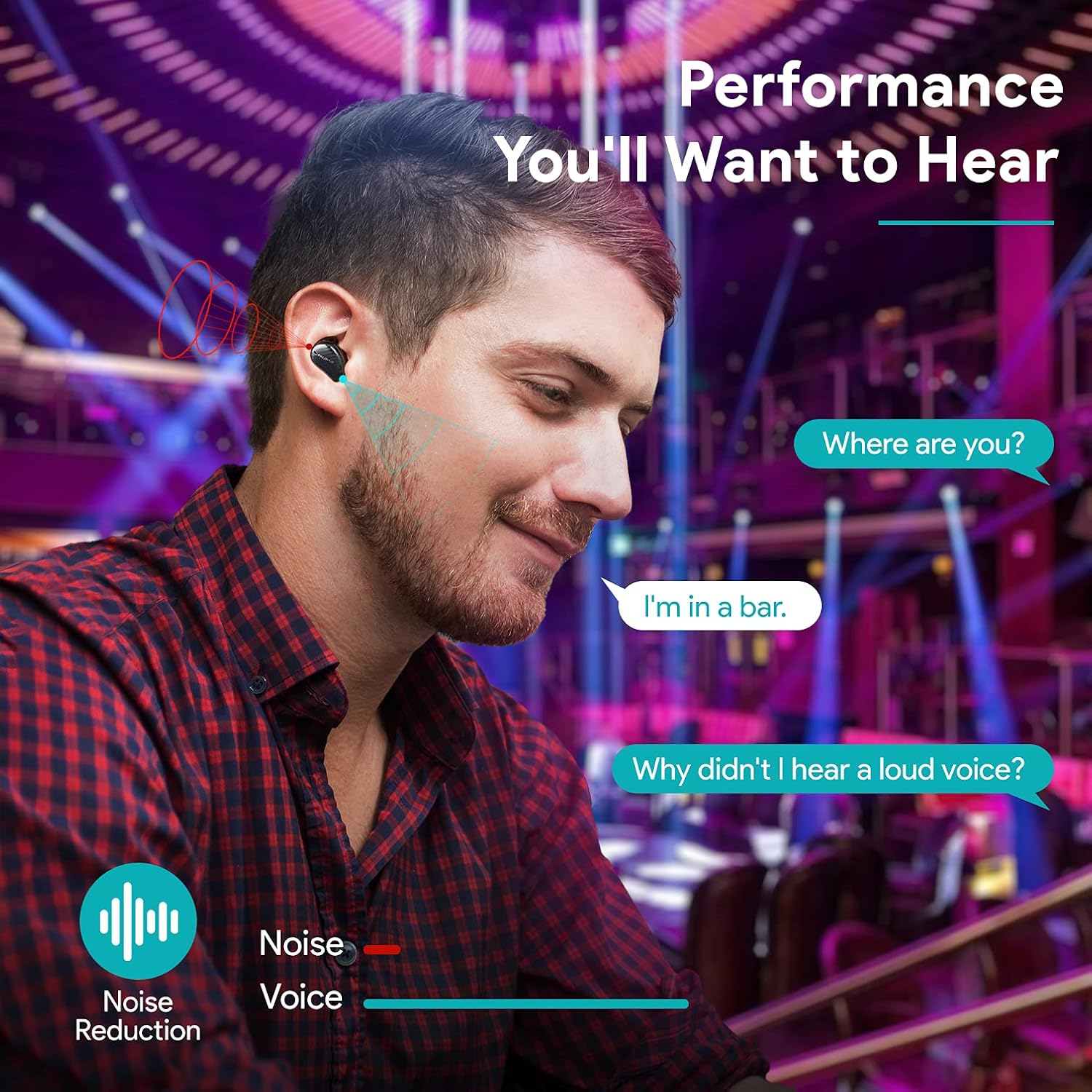
The earbuds are equipped with 4 microphones and CVC 8.0 noise cancellation technology to ensure clear calls even in noisy environments.
PALOVUE iSound App
Download the PALOVUE iSound app to customize touch controls, check battery status, and access additional features for your earbuds.
Wartung
Durch sachgemäße Pflege wird die Langlebigkeit und optimale Leistung Ihrer Ohrhörer gewährleistet.
- Reinigung: Reinigen Sie die Ohrhörer und das Ladecase regelmäßig mit einem weichen, trockenen und fusselfreien Tuch. Verwenden Sie keine scharfen Chemikalien oder Scheuermittel.
- Ohrtipps: Remove and clean the silicone ear tips with mild soap and water. Ensure they are completely dry before reattaching.
- Lagerung: Bewahren Sie die Ohrhörer bei Nichtgebrauch im Ladecase auf, um sie vor Staub und Beschädigungen zu schützen.
- Wasser vermeiden: While the earbuds may have some water resistance, avoid submerging them in water or exposing them to excessive moisture.
Fehlerbehebung
If you encounter issues with your PALOVUE iSound earbuds, refer to the following common solutions:
- Ohrhörer lassen sich nicht koppeln:
- Stellen Sie sicher, dass beide Ohrhörer aufgeladen sind.
- Legen Sie die Ohrhörer zurück in das Ladecase, schließen Sie es und öffnen Sie es dann wieder, um den Kopplungsmodus erneut zu aktivieren.
- Forget "PALOVUE iSound" from your device's Bluetooth settings and try pairing again.
- Nur ein Ohrhörer funktioniert:
- Stellen Sie sicher, dass beide Ohrhörer aufgeladen sind.
- Versuchen Sie, die Ohrhörer zurückzusetzen (siehe App oder Herstelleranleitung). web(Website für genaue Anweisungen zum Zurücksetzen).
- Legen Sie beide Ohrhörer in das Ladecase, schließen Sie den Deckel, warten Sie einige Sekunden und öffnen Sie ihn dann wieder.
- Schlechte Tonqualität:
- Achten Sie darauf, dass die Ohrstöpsel fest im Gehörgang sitzen. Probieren Sie verschiedene Größen aus.
- Entfernen Sie jegliche Verunreinigungen von den Ohrhörerdüsen.
- Stellen Sie sicher, dass sich Ihr Gerät in Bluetooth-Reichweite befindet (bis zu 10 Meter).
- Ohrhörer laden nicht:
- Stellen Sie sicher, dass das Ladekabel sowohl mit dem Gehäuse als auch mit der Stromquelle fest verbunden ist.
- Prüfen Sie, ob die Ladekontakte an den Ohrhörern und im Inneren des Ladecase sauber und frei von Verunreinigungen sind.
- Versuchen Sie es mit einem anderen USB-C-Kabel und Netzteil.
For further assistance, please contact PALOVUE customer support.
Technische Daten
| Marke | PALOVUE |
| Modellnummer | 012000125 |
| Kopfhörer-Typ | In-Ear |
| Konnektivitätstechnologie | Kabellos (Bluetooth 5.0) |
| Drahtlose Kommunikationstechnologie | Bluetooth |
| Besondere Merkmale | Noise Reduction (CVC 8.0), Wireless |
| Chipsatz | Qualcomm CSR QCC3020 |
| Audio-Codec | aptX HD |
| Batteriezusammensetzung | Lithium Polymer |
| Wiederaufladbarer Akku | Ja |
| Wiedergabezeit | Bis zu 24 Stunden Akkulaufzeit mit Ladecase |
| Material | Plastik |
Garantie und Support
PALOVUE products are designed for reliability and performance. For warranty information, please refer to the warranty card included in your product packaging or visit the official PALOVUE webWebsite.
If you require technical support or have questions regarding your PALOVUE iSound True Wireless Earbuds, please contact PALOVUE customer service through their official webWebsite oder die in Ihrer Produktdokumentation angegebenen Kontaktinformationen.
Bitte halten Sie Ihre Modellnummer (012000125) und die Kaufdetails bereit, wenn Sie sich an den Support wenden.