
1. Einleitung
This manual provides instructions for the Arducam 16MP Autofocus USB Camera, Model B0290. This camera module features a 16-megapixel IMX298 sensor, offering sharp images and accurate color reproduction. It is designed for various applications including home surveillance, 3D printer monitoring, object recognition, and machine vision.

Figure 1: Arducam 16MP Autofocus USB Camera Module (Model B0290).
2. Hauptmerkmale
- High Quality Imaging: Adopts a 16MP IMX298 sensor for sharp images and accurate color reproduction. Maximum still picture resolution: 4656 x 3496.
- Autofokus: Automatically adjusts focus for objects at various distances without manual lens adjustment.
- Bildraten: Supports MJPG 10fps@4656x3496/4160x3120/3264x2448/2592x1944; 30fps@2320x1744/1080P/720; YUY2 10fps@1024x768/800x600/640x480.
- Plug & Play: UVC-compliant, requiring no additional drivers for installation on compatible operating systems.
- Anwendungen: Suitable for home surveillance, 3D printer monitoring, object recognition, tracking, and other machine vision tasks requiring high resolution.
3. Lieferumfang
- USB-Kabel
4. Einrichtungsanweisungen
The Arducam 16MP Autofocus USB Camera is UVC-compliant, allowing for plug-and-play functionality on most compatible operating systems without the need for additional driver installations.
4.1 Connecting to a Computer (Windows, Linux, Mac OS)
- Suchen Sie einen verfügbaren USB-Anschluss an Ihrem Computer.
- Connect the provided USB cable to the camera module.
- Stecken Sie das andere Ende des USB-Kabels in den USB-Anschluss Ihres Computers.
- Das Betriebssystem sollte die notwendigen Treiber automatisch erkennen und installieren.
- Open a camera application (e.g., Camera app on Windows, Guvcview on Linux, Photo Booth on Mac) to verify the camera's functionality.

Figure 2: Connecting the camera to a laptop via USB.
4.2 Connecting to a Raspberry Pi
- Stellen Sie sicher, dass Ihr Raspberry Pi ausgeschaltet ist.
- Connect the provided USB cable to the camera module.
- Plug the other end of the USB cable into an available USB port on your Raspberry Pi.
- Power on your Raspberry Pi. The camera should be recognized as a standard UVC device.
- Use appropriate software (e.g., `fswebcam`, `motion`, or custom Python scripts) to access the camera feed.

Figure 3: Connecting the camera to a Raspberry Pi.
4.3 Connecting to an Android Device
For Android devices, a USB-C to USB-A adapter (not included) may be required if your device uses a USB-C port. Ensure your Android device supports USB OTG (On-The-Go) functionality.
- Connect the provided USB cable to the camera module.
- If necessary, connect the USB-A end of the cable to a USB-C to USB-A adapter.
- Plug the adapter (or USB-A end directly) into your Android device's USB port.
- Install a compatible USB camera application from the Google Play Store (e.g., 'USB Camera' by ShenYao).
- Open the application and select the Arducam camera as the input source.
4.4 Produktüberschussview Video
Video 1: Ein überview demonstrating the Arducam 16MP IMX298 Autofocus USB Camera (Model B0290) connected to various devices and showcasing its autofocus capabilities.
5. Bedienungsanleitung
Once connected, the Arducam 16MP Autofocus USB Camera operates as a standard webcam or camera module, depending on the host device and software used.
5.1 Autofokus-Funktionalität
The camera features automatic autofocus. Simply point the camera at your desired subject, and the lens will adjust to achieve a clear image. This eliminates the need for manual focus adjustments, making it suitable for dynamic environments or varying object distances.
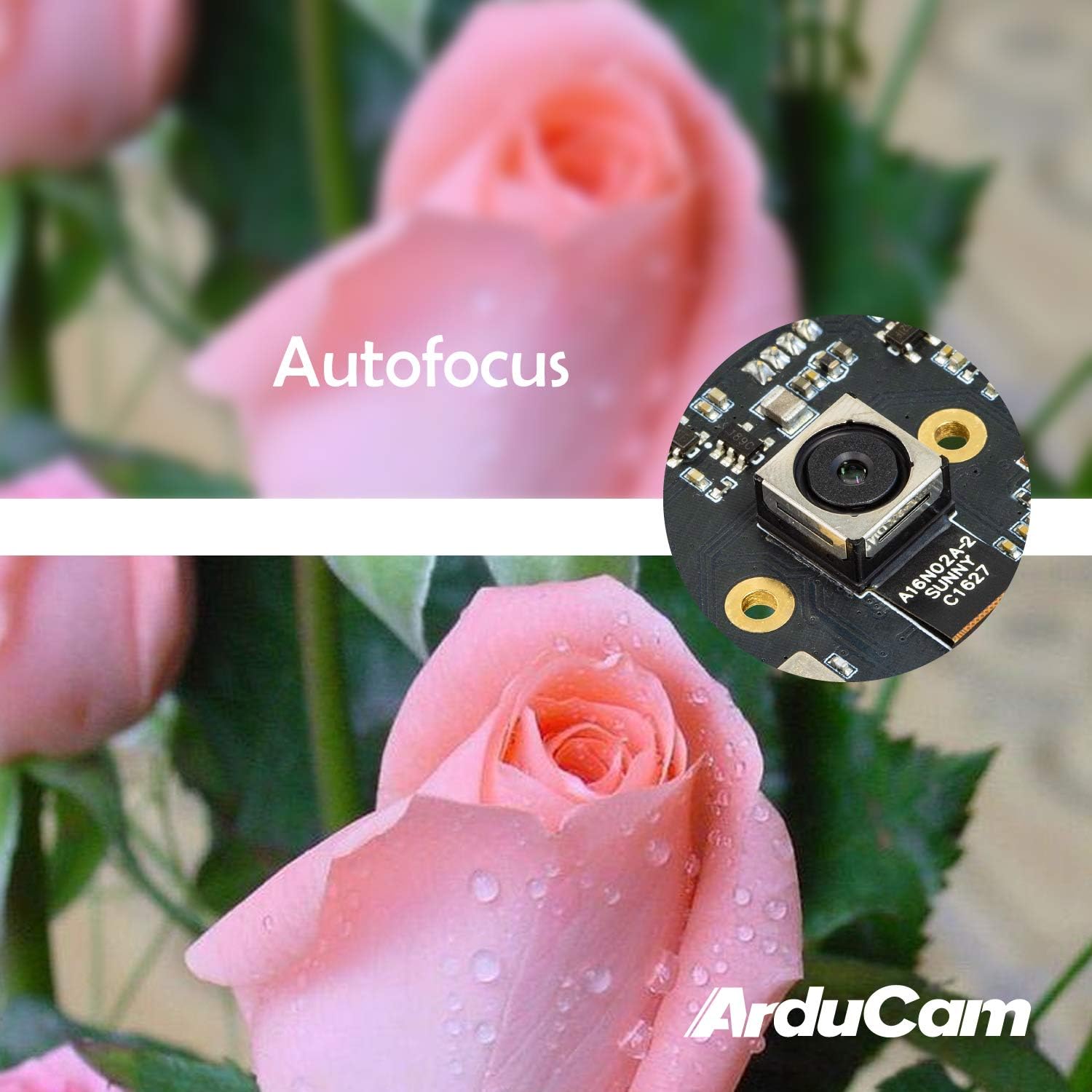
Figure 4: Demonstration of the camera's autofocus capability.
5.2 Softwarekompatibilität
The camera is compatible with standard UVC (USB Video Class) software. On Windows, you can use the built-in Camera app or third-party webcam software. On Linux, applications like Guvcview or Cheese can be used. For Mac OS, Photo Booth or QuickTime Player can access the camera. For advanced applications, programming libraries such as OpenCV can be utilized.
6. Spezifikationen
| Besonderheit | Detail |
|---|---|
| Marke | Arducam |
| Modellnummer | B0290 |
| Fotosensor-Technologie | CMOS |
| Effektive Standbildauflösung | 16 Megapixel |
| Auflösung der Videoaufnahme | 1080p |
| Maximale Brennweite | 100 Millimeter |
| Minimale Brennweite | 100 Millimeter |
| Fokustyp | Autofokus |
| Konnektivitätstechnologie | USB |
| Betriebssystemkompatibilität | Linux, Mac, Windows |
| Artikelgewicht | 0.07 Kilogramm |
| Fotosensorgröße | 1/2.8 Zoll |
| Unterstütztes Bildformat | MJPG / YUY2 |
| Unterstütztes Audioformat | AAC, MP3, or PCM |
| Merkmale | Schwaches Licht |

Abbildung 5: Oben und unten views of the camera module with dimensions.
7. Wartung
To ensure the longevity and optimal performance of your Arducam 16MP Autofocus USB Camera, follow these maintenance guidelines:
- Reinigung: Use a soft, dry, lint-free cloth to gently wipe the camera lens and module surface. Avoid using liquid cleaners or abrasive materials, as they can damage the lens or electronic components.
- Lagerung: When not in use, store the camera in a cool, dry place away from direct sunlight, extreme temperatures, and high humidity. Keep it protected from dust and physical impact.
- Handhabung: Handle the camera module by its edges to avoid touching the lens or sensitive electronic components.
8. Fehlerbehebung
If you encounter issues with your Arducam 16MP Autofocus USB Camera, consider the following troubleshooting steps:
- Kamera nicht erkannt:
- Stellen Sie sicher, dass das USB-Kabel sowohl mit der Kamera als auch mit dem Host-Gerät fest verbunden ist.
- Try connecting the camera to a different USB port on your device.
- Test the camera on another computer or compatible device to rule out a device-specific issue.
- Starten Sie Ihren Computer oder Ihr Host-Gerät neu.
- Kein Bild oder schwarzer Bildschirm:
- Verify that the correct camera is selected in your camera application settings.
- Close and reopen the camera application.
- Check if any other application is currently using the camera, as some systems only allow one application to access it at a time.
- Poor Image Quality / Focus Issues:
- Stellen Sie sicher, dass die Kameralinse sauber und frei von Staub und Fingerabdrücken ist.
- Provide adequate lighting for your subject.
- For autofocus, ensure there is sufficient contrast in the scene for the camera to lock focus.
- Kompatibilitätsprobleme:
- Confirm that your operating system and software are compatible with UVC devices.
- For Android, ensure USB OTG is supported and enabled.
9. Garantie und Support
Informationen zur Garantie und zum technischen Support finden Sie auf der offiziellen Arducam-Website. webBesuchen Sie die Website oder kontaktieren Sie den Verkäufer direkt. Bewahren Sie Ihren Kaufbeleg für Garantieansprüche auf.
Besuchen Sie die Arducam Store für zusätzliche Produktinformationen und Ressourcen.