
Einführung
Thank you for choosing the FLYLINKTECH CF700 Multi-functional Jump Starter and Tire Inflator. This device is designed to provide reliable assistance for vehicle emergencies, including jump-starting dead batteries, inflating tires, and serving as a portable power bank. Please read this manual thoroughly before use to ensure safe and optimal operation.
Wichtige Sicherheitshinweise
Failure to follow these instructions may result in electric shock, fire, and/or serious injury. Save these instructions for future reference.
- Always wear safety glasses and protective gloves when operating the jump starter.
- Starten Sie eine gefrorene Batterie nicht mit Starthilfe.
- Stellen Sie sicher, dass sich das Fahrzeug in Parkstellung (P) oder Neutralstellung (N) befindet und die Feststellbremse angezogen ist.
- Halten Sie Kinder und unbefugte Personen vom Arbeitsbereich fern.
- Verbinden Sie nicht den Pluspol (+) und den Minuspol (-).amps zusammen.
- Setzen Sie das Gerät weder Regen noch Nässe aus.
- Das Gerät darf nicht auseinandergebaut werden. Alle Wartungsarbeiten dürfen nur von qualifiziertem Fachpersonal durchgeführt werden.
- Store the device in a cool, dry place away from direct sunlight and heat.
- The device contains a lithium-ion battery. Dispose of it according to local regulations.
Packungsinhalt
Überprüfen Sie, ob alle Artikel in Ihrem Paket vorhanden sind:
- FLYLINKTECH CF700 Jump Starter and Tire Inflator
- Smart Klamps with 8 Protections
- USB-zu-Typ-C-Kabel
- DC-Adapter
- 3 x Valve Adapters (for various inflatables)
- Benutzerhandbuch (dieses Dokument)
- Aufbewahrungstasche

Produkt überview
Familiarize yourself with the different parts and functions of your FLYLINKTECH CF700 device.

- DC 12V-16V/10A Output Port: Zur Stromversorgung von 12V-Autozubehör.
- USB Output Ports (QC3.0 & 2.4A): For charging mobile phones, tablets, and other USB-powered devices.
- Typ-C-Eingangsanschluss: For recharging the CF700 unit.
- EC5-Ausgangsanschluss: For connecting the smart jump starter clamps.
- Netzschalter: To turn the unit on/off and cycle through LED light modes.
- LCD-Betriebsanzeige: Zeigt die verbleibende Akkuladung an.
- LCD-Luftdruckanzeige: Shows current and target tire pressure.
- ON/OFF Button (for Air Compressor): Activates and deactivates the tire inflator.
- LED-Notlicht: Provides illumination with Stable, SOS, and Strobe modes.
Technische Daten
| Besonderheit | Spezifikation |
|---|---|
| Modell | CF700 |
| Spitzenstrom | 2500 A |
| Batteriekapazität | 24000 mAh |
| Fahrzeug-Servicetyp | Car, Motorcycle, SUV, Scooter, Truck, Tractor |
| Motorkompatibilität | Up to All Gasoline Engines, Up to 8.0L Diesel Engines |
| Reifenfülldruck | Max 150 PSI (0.3~10.3 BAR) |
| USB-Ausgang 1 (QC3.0) | 5V/3A, 9V/2A, 12V/1.5A |
| USB Ausgang 2 | 5 V/2.4 A |
| DC-Ausgang | 12V-16V / 10A |
| LED-Lichtleistung | 5W |
| Betriebstemperatur | -20 °C bis 60 °C (-4 °F bis 140 °F) |
| Abmessungen (L x B x H) | Ca. 22 x 17 x 9 cm (8.7 x 6.7 x 3.5 Zoll) |
| Gewicht | Ca. 1.5 kg |
Aufladen des Geräts
Before first use, fully charge the FLYLINKTECH CF700. It takes approximately 5 hours to fully charge using a fast charger.
- Connect the USB to Type-C cable to the Type-C input port on the CF700.
- Connect the other end of the USB cable to a USB wall adapter (not included) or a car charger.
- The LCD power indicator will show the charging progress. The device is fully charged when the indicator shows 100%.
Es wird empfohlen, das Gerät alle 3 bis 6 Monate aufzuladen, um die Batterieleistung zu erhalten, auch wenn es nicht benutzt wird.
Starthilfe für ein Fahrzeug
The CF700 can jump start 12V vehicles with up to all gasoline engines and 8.0L diesel engines.

- Ensure the CF700 is sufficiently charged (at least 50% recommended).
- Schalten Sie die Zündung des Fahrzeugs und sämtliche Zubehörteile (Lichter, Radio usw.) aus.
- Setzen Sie den Smart-Cl einamp cable into the EC5 output port of the CF700. The indicator light on the smart clamp will flash green and red.
- Verbinden Sie ROT positiv (+) clamp an den Pluspol (+) der Fahrzeugbatterie.
- Verbinden Sie SCHWARZ negativ (-) clamp to the vehicle's negative (-) battery terminal or a solid metal part of the engine block (unpainted).
- Sobald die clamps are correctly connected, the indicator light on the smart clamp will turn solid green. If it flashes red, check the connections.
- Starten Sie den Motor des Fahrzeugs.
- Sobald der Motor anspringt, entfernen Sie sofort den Smart-Close-Schalter.ampZuerst den negativen Anschluss (-) der Fahrzeugbatterie.ampdann das positive (+) clamp.
- Trennen Sie die Smart-Client-Verbindung.amp cable from the CF700.
Notiz: If the vehicle does not start after 3 attempts, stop and check for other potential issues with the vehicle.

Verwendung des Reifenfüllers
The integrated air compressor can inflate tires up to 150 PSI and features an automatic shut-off function.
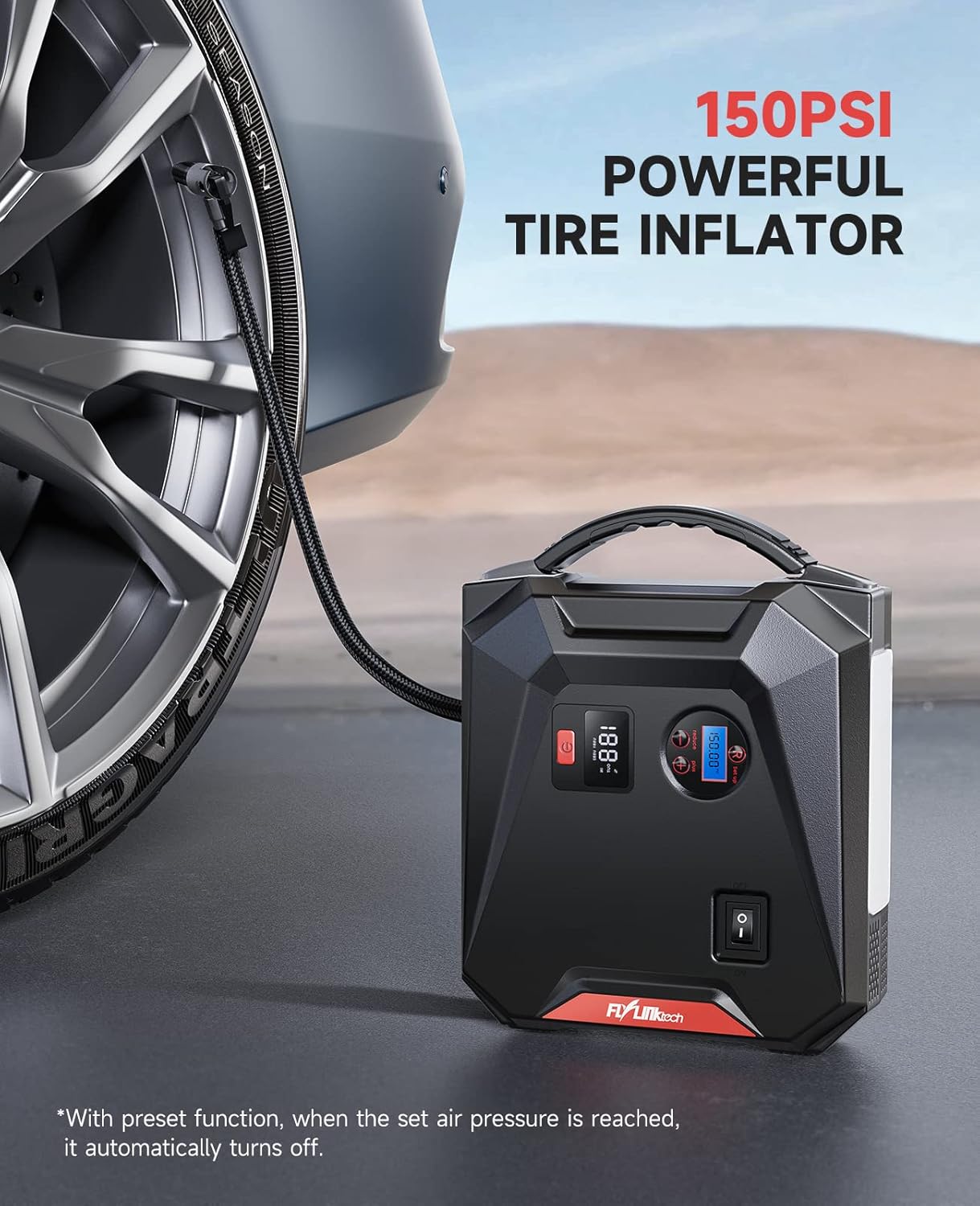
- Connect the air hose to the tire valve stem. Ensure it is securely tightened to prevent air leakage.
- Press the power button on the CF700 to turn on the unit. The LCD air pressure display will show the current tire pressure.
- Use the '+' and '-' buttons to set the desired target pressure. The unit supports PSI, BAR, KPA, and KG/CM².
- Press the ON/OFF button for the air compressor to start inflation.
- Der Kompressor schaltet sich automatisch ab, sobald der voreingestellte Druck erreicht ist.
- Den Luftschlauch vom Reifenventil abziehen.
Use the included valve adapters for inflating bicycles, balls, and other inflatables.
Verwendung als Powerbank
Die Kapazität von 24000 mAh ermöglicht das Aufladen verschiedener elektronischer Geräte.

- USB-Aufladung: Connect your device's USB charging cable to either of the USB output ports (USB 1 QC3.0 or USB 2 2.4A) on the CF700. The device will begin charging automatically.
- DC-Ausgang: For 12V car accessories, connect the accessory to the DC 12V-16V/10A output port. Ensure the accessory's power requirements do not exceed 10A.
Verwenden des LED-Notlichts
The 5W LED light provides illumination for various situations.

- Press and hold the power button for approximately 3 seconds to turn on the LED light in Stable mode.
- Press the power button again to cycle through the light modes: Stable → SOS → Strobe → Off.
- To turn off the light directly from any mode, press and hold the power button for 3 seconds.
Fehlerbehebung
| Problem | Mögliche Ursache | Lösung |
|---|---|---|
| Gerät lässt sich nicht einschalten. | Der Akku ist vollständig entladen. | Laden Sie das Gerät vollständig auf. |
| Das Fahrzeug lässt sich nicht überbrücken. | Falsche Klamp Verbindung unterbrochen; Gerätebatterie zu schwach; Fahrzeugbatterie stark beschädigt. | Überprüfen Sie dieamp connections (solid green light on smart clamp); Recharge CF700; Consult a mechanic. |
| Smart Klamp Die Kontrollleuchte blinkt rot. | Verpolung; Kurzschluss; Übertemperatur. | Trennen Sie die Verbindungamps and reconnect correctly; Check for short circuits; Allow device to cool down. |
| Tire inflator does not start or stops prematurely. | Air hose not securely connected; Target pressure already reached; Device battery too low. | Ensure hose is tight; Check current pressure; Recharge CF700. |
| USB-Geräte werden nicht geladen. | Device battery too low; Cable issue; Device not compatible. | Recharge CF700; Try a different USB cable; Check device compatibility. |
Wartung und Lagerung
- Reinigen Sie das Gerät mit einem trockenen, weichen Tuch. Verwenden Sie keine scharfen Chemikalien oder Scheuermittel.
- Store the CF700 in its storage bag in a cool, dry place between -20°C and 60°C (-4°F and 140°F).
- Avoid storing the device in direct sunlight or near heat sources.
- For optimal battery life, recharge the unit every 3-6 months, even if not used.
Garantie und Support
FLYLINKTECH products are designed and manufactured to the highest quality standards. For warranty information or technical support, please refer to the contact details provided on the product packaging or the official FLYLINKTECH website. Please have your model number (CF700) and purchase date available when contacting support.