
1. Produktüberschreitungview
The Inandon KV-V5 Max is a professional home entertainment karaoke system designed for an immersive singing experience. It features a capacitive touch screen, wireless microphones, and a dual operating system (Android and KTV). This system supports cloud song downloads and offers a vast library of songs in multiple languages.
Wichtiger Hinweis: This karaoke machine requires an external amplifier and speakers for audio output. These components are not included in the package.
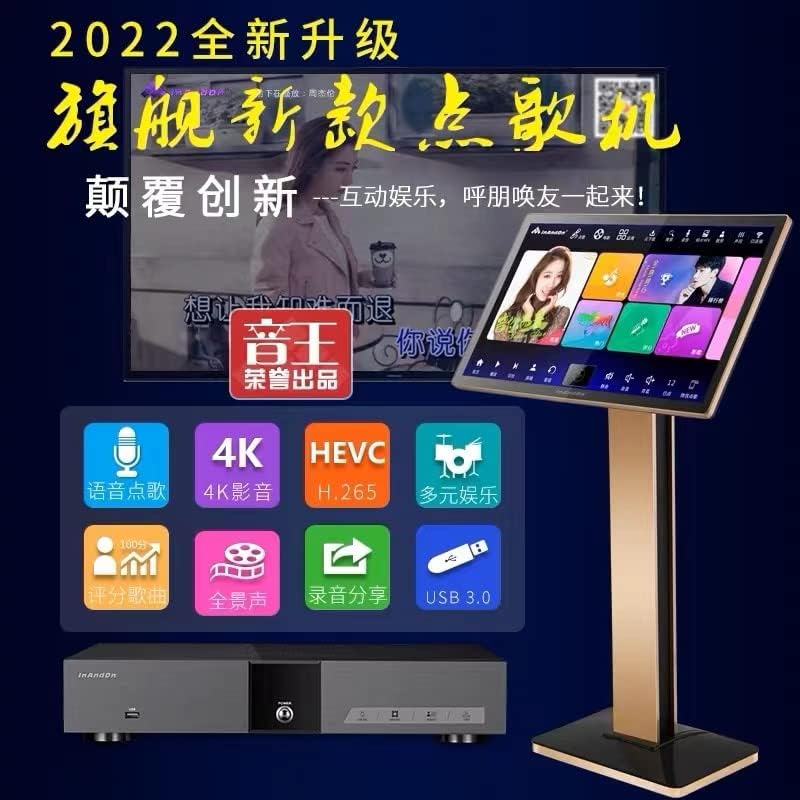
Figure 1: Inandon KV-V5 Max Karaoke System, showing the main unit and the touchscreen display.
2. Einrichtungsanweisungen
2.1 Auspacken und Komponentenprüfung
Packen Sie alle Komponenten vorsichtig aus. Stellen Sie sicher, dass folgende Teile vorhanden sind:
- Inandon KV-V5 Max Main Unit
- Touchscreen Display Unit
- Drahtlose Mikrofone (2)
- Drahtloser Mikrofonempfänger
- Netzteil
- Fernbedienung (falls im Lieferumfang enthalten)
- Bedienungsanleitung
2.2 Anschließen des Systems
Follow these steps to connect your karaoke system:
- Stromanschluss: Connect the power adapter to the DC IN 12V 4A port on the rear of the main unit and plug it into a power outlet.
- Videoausgang: Connect the main unit to your TV or display using an HDMI cable (HD OUT port) or a VGA cable (VGA port).
- Audioausgang: Connect the main unit's AUDIO OUT (RCA L/R) ports to your amplifier's audio input. Alternatively, use the COAXIAL or OPTICAL audio outputs if your amplifier supports them.
- Mikrofonanschluss: Connect the wireless microphone receiver to the MIC OUT 1 or MIC OUT 2 ports on the main unit. Ensure the microphones are paired with the receiver.
- Netzwerkverbindung: For cloud song downloads and online features, connect the main unit to your network via the LAN port with an Ethernet cable or use the built-in Wi-Fi receiver.
- Touchscreen Connection: Connect the touchscreen display unit to the main unit using the dedicated TOUCHSCREEN port.
- USB-Geräte: Use the USB ports on the front or rear for connecting external storage or other compatible USB devices.
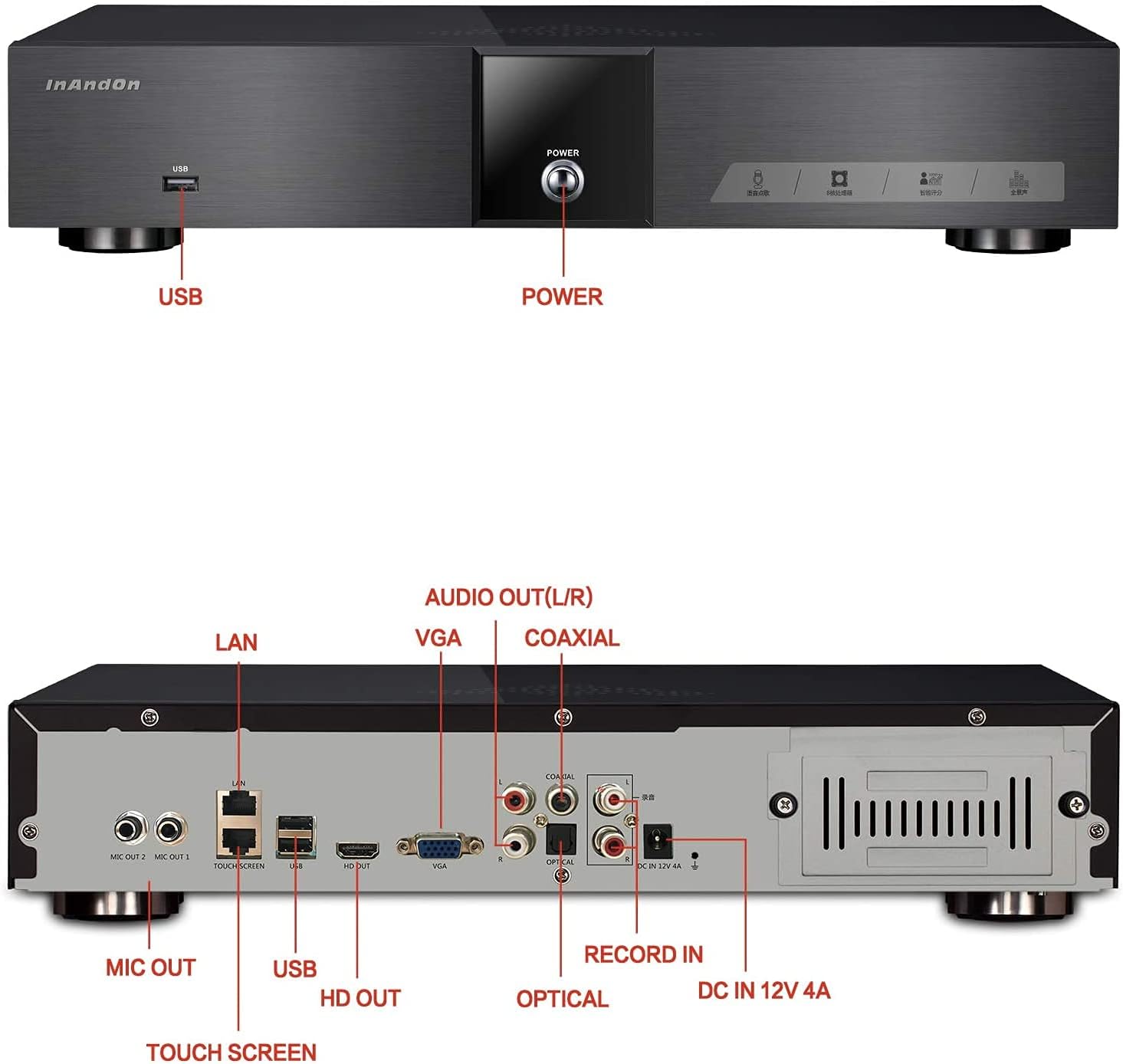
Figure 2: Rear panel connections, including HDMI, VGA, RCA, USB, LAN, and microphone inputs.
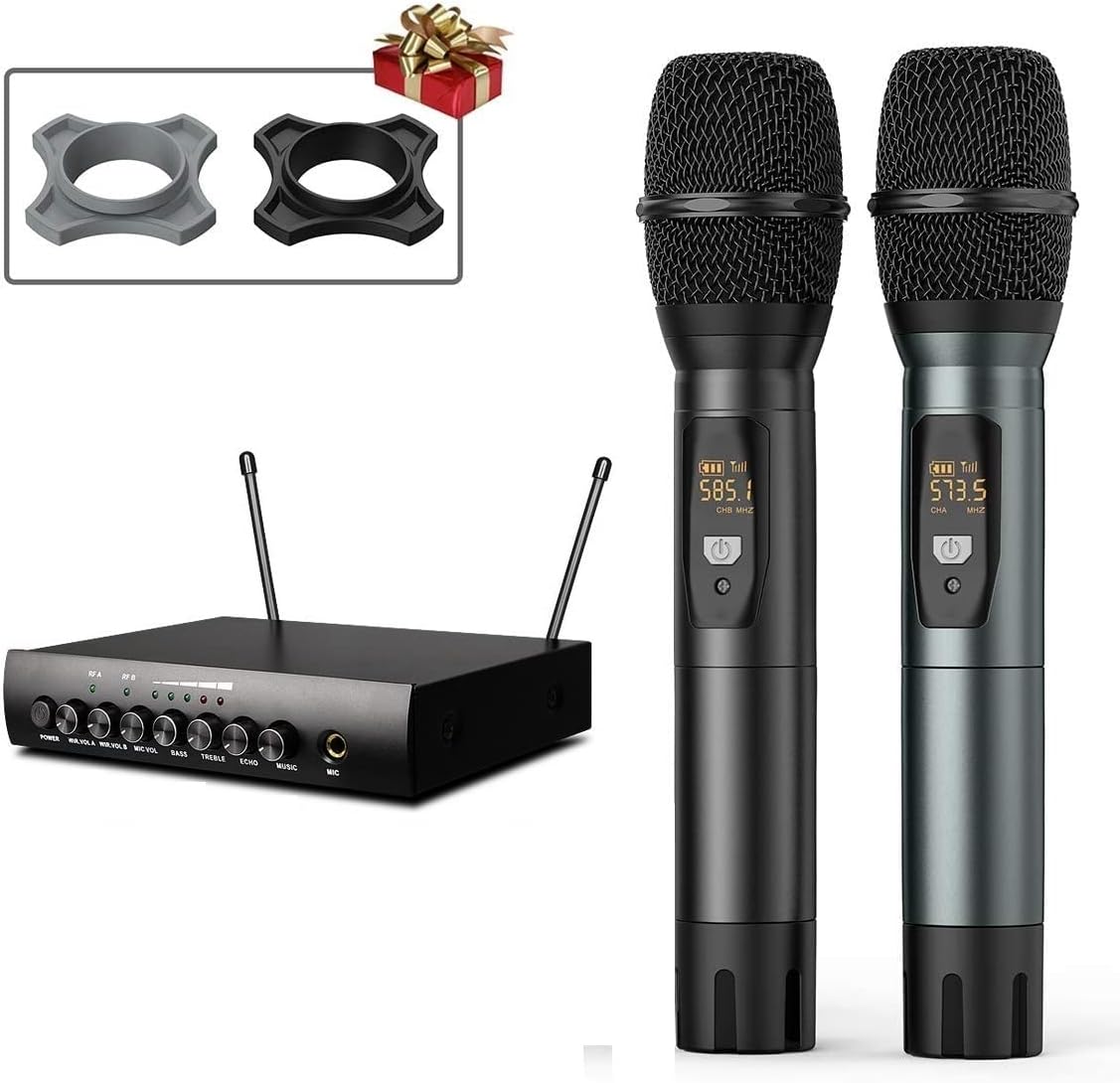
Figure 3: Wireless microphones and their receiver unit.
3. Bedienungsanleitung
3.1 Einschalten und erster Startvorgang
Press the POWER button on the front of the main unit. The system will boot up, displaying the dual Android and KTV operating systems. Select the KTV system for karaoke functions.
3.2 Navigation auf der Benutzeroberfläche
The system features a capacitive touch screen for intuitive navigation. You can browse songs, adjust settings, and control playback directly from the display.

Figure 4: The touchscreen display unit for song selection and system control.
3.3 Song Selection and Cloud Downloads
The system includes a 4TB hard drive pre-loaded with approximately 90,000 songs. When connected to the internet, you can access a cloud song library with about 320,000 songs for free download. The cloud library updates every two weeks.
- Durchsuchen: Use the touchscreen to browse songs by artist, title, genre, or language.
- Cloud Download: Connect to Wi-Fi or LAN. Select songs from the cloud library to download them to the hard drive.
- Sprachen: The system supports Chinese, English, Cantonese, Japanese, and Korean songs, among others. Note that the English song library is smaller than the Chinese library.
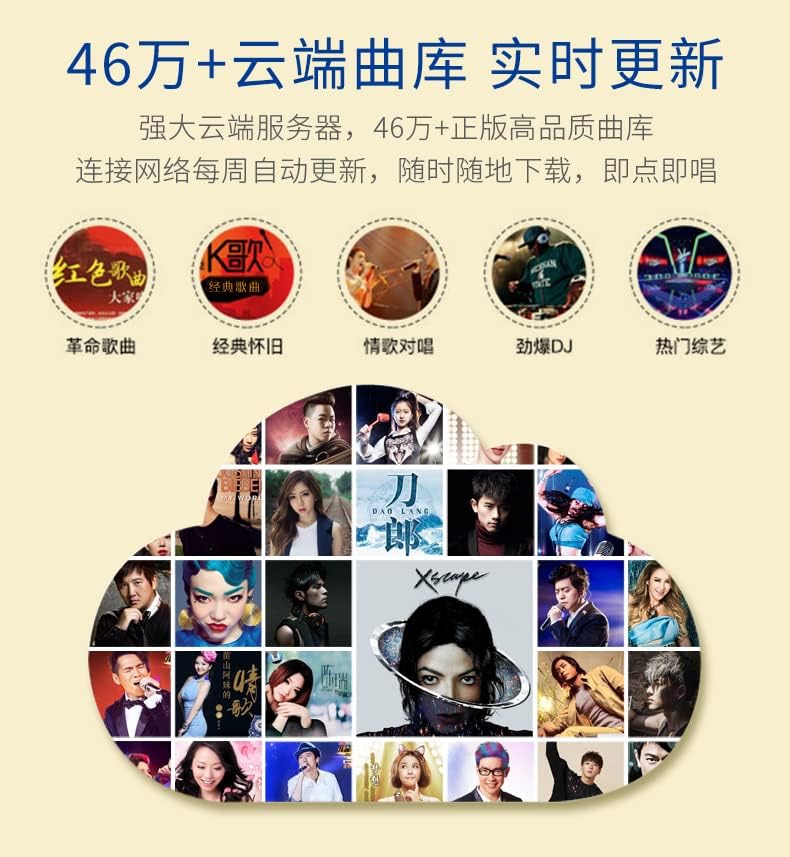
Figure 5: Representation of the cloud song library interface, indicating a large collection of songs.
3.4 Erweiterte Funktionen
The KV-V5 Max offers various advanced functionalities:
- Intelligent Song Deletion: To manage storage, the system automatically deletes songs with low or no click-through rates when the hard drive memory falls below 10GB. These songs can be re-downloaded from the cloud if needed.
- APP Live Broadcast & Online Video: Utilize the Android system for live broadcasting, online video streaming, and TV play functions.
- Unterstützte Formate: The system supports various file formats including CD, DVD, AVI, DAT, MPG, MP3, JPEG, and BMP.
- Audioverarbeitung: Features a professional audio decoder chip and supports 7.1 surround music.

Abbildung 6: Überview of various core functions and features supported by the system, including voice control, 4K video, H.265 decoding, and Wi-Fi connectivity.
4. Wartung
To ensure the longevity and optimal performance of your Inandon KV-V5 Max Karaoke System, follow these maintenance guidelines:
- Reinigung: Regularly wipe the touchscreen and main unit with a soft, dry, anti-static cloth. Avoid using harsh chemicals or abrasive cleaners.
- Belüftung: Ensure the main unit's ventilation openings are clear and unobstructed to prevent overheating.
- Lagerung: Bei längerer Nichtbenutzung sollte das System an einem kühlen, trockenen Ort, geschützt vor direkter Sonneneinstrahlung und extremen Temperaturen, aufbewahrt werden.
- Software-Updates: Periodically check for system software updates to ensure you have the latest features and performance enhancements.
5. Fehlerbehebung
This section addresses common issues you might encounter with your Inandon KV-V5 Max Karaoke System.
| Problem | Mögliche Ursache | Lösung |
|---|---|---|
| Keine Audioausgabe | System not connected to amplifier/speakers; incorrect audio settings. | Ensure the karaoke machine is connected to an amplifier and speakers. Check audio cable connections and system audio output settings. |
| Songs are automatically deleted | Intelligent song deletion feature activated due to low storage. | This is a normal function when hard drive memory is below 10GB. Re-download desired songs from the cloud library if needed. |
| Limited English songs available | The system's primary library has more Chinese content. | While the system supports English songs, the quantity is less than Chinese songs. Utilize the cloud download feature for a wider selection. |
| Difficulty navigating the interface | Initial learning curve for new users. | Spend time familiarizing yourself with the touchscreen interface and menu options. Practice will improve navigation speed. |
| Kein Videoausgang | Incorrect video cable connection; TV input not selected. | Verify HDMI or VGA cable connections. Ensure your TV is set to the correct input source (e.g., HDMI 1, VGA). |
Sollten Sie auf Probleme stoßen, die hier nicht behandelt werden, finden Sie die Kontaktinformationen im Supportbereich.
6. Spezifikationen
Key technical specifications for the Inandon KV-V5 Max Karaoke System:
| Besonderheit | Detail |
|---|---|
| Modell | KV-V5 Max |
| Artikelgewicht | 28.4 Pfund |
| Verpackungsabmessungen | 27.3 x 20.3 x 12.5 Zoll |
| Speichergröße | 4TB (approx. 90,000 songs) |
| Cloud Song Library | Approx. 320,000 songs (free download, updates every 2 weeks) |
| Kompatible Geräte | Ampschwerer |
| Steckertypen | HDMI, RCA, USB, VGA, LAN, Coaxial, Optical |
| Stromquelle | Steckergebunden |
| Besonderheit | Wireless Microphones, Capacitive Touch Screen, Dual System (Android/KTV), Wi-Fi Receiver |
| Im Lieferumfang enthaltene Komponenten | Mikrofone |
| Empfohlene Verwendung | Home parties, Recreational/entertainment purposes, Live performances |
7. Unterstützung
For technical assistance or further inquiries regarding your Inandon KV-V5 Max Karaoke System, please contact the seller or manufacturer directly.
Wechat Technical Support: 17727581630
When contacting support, please have your product model (KV-V5 Max) and any relevant purchase information ready.