
Einführung
Welcome to the instruction manual for your new lecover Touch Two C5 Wireless Earbuds. This guide provides detailed information on how to set up, operate, maintain, and troubleshoot your earbuds to ensure optimal performance and longevity. Please read this manual thoroughly before using the product.
Lieferumfang
Carefully unpack your lecover Wireless Earbuds and ensure all items are present:
- 2 x Touch Two C5 Wireless Earbuds
- 1 x Ladekoffer
- 1 x USB-Kabel
- 3 x Soft Silicone Earplugs (S/M/L)
- 1 x Benutzerhandbuch

Image: All components included in the lecover Wireless Earbuds package.
Produkt überview
The lecover Touch Two C5 Wireless Earbuds are designed for a superior audio experience with convenience and durability. They feature advanced Bluetooth 5.0 technology, IP8 waterproof rating, and intuitive touch controls.

Image: The lecover Touch Two C5 Wireless Earbuds with their charging case.
Installationshandbuch
1. Aufladen
Before first use, fully charge both the earbuds and the charging case. The earbuds provide 5-6 hours of music time on a single charge, and the portable charging case can recharge them up to 30 times, offering a total playtime of up to 150 hours.
- Legen Sie die Ohrhörer in das Ladecase. Achten Sie darauf, dass sie richtig sitzen.
- Connect the USB cable to the charging case and a power source (e.g., computer USB port, wall adapter).
- The indicator lights on the case and earbuds will show charging status. Once fully charged, the lights will change or turn off.
2. Paarung
Die Ohrhörer verfügen über eine Ein-Schritt-Kopplung für eine schnelle und einfache Verbindung.
- Stellen Sie sicher, dass Bluetooth auf Ihrem Gerät (Smartphone, Tablet usw.) aktiviert ist.
- Nehmen Sie beide Ohrhörer aus dem Ladecase. Sie schalten sich automatisch ein und wechseln in den Kopplungsmodus.
- On your device's Bluetooth settings, search for "Touch Two C5" (or similar name) and select it to connect.
- Once connected, you will hear a confirmation prompt, and the earbud indicator lights will stop flashing.

Image: Automatic pairing technology for seamless connection.
3. Tragen der Ohrhörer
For optimal sound quality and comfort, choose the correct size earplugs and ensure a secure fit.
- Select the earplug size (S, M, L) that best fits your ear canal. A snug fit enhances bass and noise isolation.
- Gently insert the earbud into your ear, twisting slightly until it feels secure and comfortable.
- The ergonomic design ensures the earbuds stay securely in place, even during sports or active use.
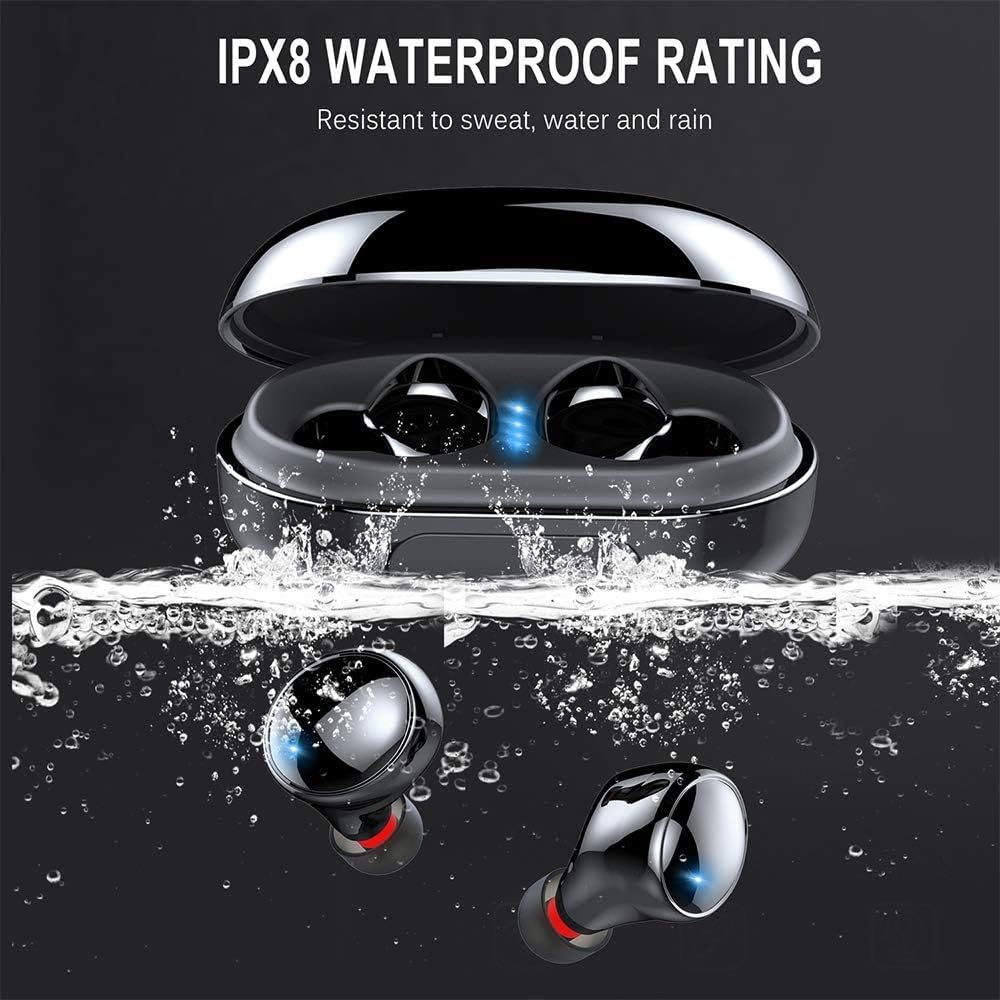
Image: Proper placement of the earbud for a comfortable and secure fit.
Bedienungsanleitung
Touch-Bedienelemente
The lecover earbuds feature intuitive touch controls on each earbud. Lightly touch the earbud surface to perform various functions:
| Aktion | Funktion |
|---|---|
| Einmaliges Tippen (Links/Rechts) | Musik abspielen/pausieren, Anruf annehmen/beenden |
| Doppeltippen (rechts) | Nächster Titel |
| Doppeltippen (links) | Vorheriger Titel |
| Dreifaches Tippen (rechts) | Lautstärke erhöhen |
| Dreifachtippen (links) | Lautstärke verringern |
| Langes Drücken (2 Sekunden) | Activate Voice Assistant (Siri, Google Assistant), Reject Call |

Image: Demonstrating the touch control functionality of the earbuds.
Ein-/Ausschalten
- Einschalten: Die Ohrhörer schalten sich automatisch ein, sobald sie aus dem Ladecase genommen werden.
- Ausschalten: Earbuds automatically power off when placed back into the charging case.
Pflege und Wartung
Reinigung
Regelmäßige Reinigung trägt zur Erhaltung der Klangqualität und Hygiene bei.
- Verwenden Sie ein weiches, trockenes, fusselfreies Tuch, um die Ohrhörer und das Ladecase abzuwischen.
- Entfernen Sie die Ohrstöpsel und reinigen Sie sie mit milder Seife und Wasser. Stellen Sie sicher, dass sie vollständig trocken sind, bevor Sie sie wieder anbringen.
- Gently clean any earwax or debris from the earbud mesh using a small, soft brush or cotton swab.
Wasserbeständigkeit (IP8)
Your lecover earbuds are IP8 waterproof, meaning they are protected against the effects of continuous immersion in water. This makes them ideal for sports and use in rainy conditions.
- While waterproof, avoid prolonged exposure to saltwater or chemicals.
- Um Beschädigungen der Ladekontakte zu vermeiden, stellen Sie sicher, dass die Ohrhörer trocken sind, bevor Sie sie wieder in das Ladecase legen.

Image: The earbuds demonstrating their IPX8 waterproof capability.
Lagerung
Bewahren Sie die Ohrhörer bei Nichtgebrauch in ihrem Ladeetui auf, um sie zu schützen und geladen zu halten.
- An einem kühlen, trockenen Ort aufbewahren und vor extremen Temperaturen schützen.
- Vermeiden Sie es, die Ohrhörer und das Ladecase fallen zu lassen oder starken Stößen auszusetzen.
Fehlerbehebung
Sollten Sie Probleme mit Ihren Ohrhörern haben, beachten Sie bitte die folgenden häufig auftretenden Probleme und Lösungen:
| Problem | Mögliche Lösung |
|---|---|
| Ohrhörer lassen sich nicht koppeln | Ensure earbuds are fully charged. Turn off and on Bluetooth on your device. Forget the device in Bluetooth settings and re-pair. |
| Nur ein Ohrhörer funktioniert | Legen Sie beide Ohrhörer zurück in das Ladecase, schließen Sie den Deckel, warten Sie einige Sekunden und nehmen Sie sie dann wieder heraus. Stellen Sie sicher, dass beide Ohrhörer geladen sind. |
| Kein Ton oder geringe Lautstärke | Check volume levels on both earbuds and your connected device. Ensure earbuds are properly seated in your ears. |
| Ladeprobleme | Ensure the charging cable is securely connected. Clean the charging contacts on both earbuds and the case. Try a different USB port or charger. |
| Schlechte Anrufqualität | Stellen Sie sicher, dass das Mikrofon nicht verdeckt ist. Gehen Sie näher an Ihr angeschlossenes Gerät heran. Vermeiden Sie laute Umgebungen. |
Produktspezifikationen
Detailed technical specifications for the lecover Touch Two C5 Wireless Earbuds:
| Besonderheit | Spezifikation |
|---|---|
| Modellname | Berühren Sie zwei C5 |
| Konnektivitätstechnologie | Kabellos (Bluetooth 5.0) |
| Bluetooth-Reichweite | 10 Meter |
| Wasserbeständigkeit | IP8 Wasserdicht |
| Playtime (Total with Case) | Bis zu 150 Stunden |
| Steuerungstyp | Touch-Steuerung |
| Lärmschutz | Aktive Geräuschunterdrückung (CVC8.0) |
| Audiotreibertyp | Dynamischer Treiber |
| Frequenzbereich | 20 Hz – 20,000 Hz |
| Artikelgewicht | 0.141 Unzen (pro Ohrhörer) |
| Technische Daten | 1.18 x 1.18 x 0.79 Zoll |
| Batterien | 2 Lithium-Polymer-Batterie (im Lieferumfang enthalten) |
Garantie und Support
For warranty information or technical support, please refer to the contact details provided on the product packaging or visit the official lecover webBewahren Sie Ihren Kaufbeleg als Kaufnachweis für eventuelle Garantieansprüche auf.