
OnePlus GM1917
OnePlus 7 Pro Dual SIM Smartphone Instruction Manual (Model GM1917)
Your comprehensive guide to the OnePlus 7 Pro
1. Einleitung
The OnePlus 7 Pro (Model GM1917) is a high-performance smartphone designed to deliver a smooth and immersive user experience. It features a 6.67-inch Fluid AMOLED display with a 90 Hz refresh rate and QHD+ resolution, offering exceptional clarity and fluidity. The device is equipped with a versatile camera system, including a 48 MP main camera, an ultra-wide-angle lens, and 3x optical zoom, enhanced by smart scene recognition and Nightscape 2.0 technology. This manual provides essential information for setting up, operating, and maintaining your OnePlus 7 Pro.

Abbildung 1: Vorderseite view of the OnePlus 7 Pro smartphone.
2. Ersteinrichtung
2.1. Packungsinhalt
Bevor Sie fortfahren, vergewissern Sie sich, dass alle Artikel in Ihrem Paket vorhanden sind:
- OnePlus 7 Pro Smartphone (Model GM1917)
- Netzteil
- USB-Typ-C-Kabel
- SIM-Auswerferwerkzeug
- Kurzanleitung
- Sicherheitshinweise
2.2. SIM-Karten einlegen
- Suchen Sie den SIM-Karten-Einschub an der Seite Ihres Geräts.
- Führen Sie das SIM-Auswurfwerkzeug in die kleine Öffnung am Fach ein und drücken Sie fest, bis das Fach ausgeworfen wird.
- Place your Nano-SIM cards into the tray with the gold contacts facing down. The OnePlus 7 Pro supports Dual SIM functionality.
- Setzen Sie das Fach vorsichtig wieder in das Gerät ein.
2.3. Einschalten und Erstkonfiguration
- Press and hold the Power button (located on the right side) until the OnePlus logo appears.
- Folgen Sie den Anweisungen auf dem Bildschirm, um Ihre Sprache auszuwählen, eine WLAN-Verbindung herzustellen und Ihr Google-Konto einzurichten.
- You will be guided through setting up security features such as fingerprint unlock and face unlock.
3. Operating Your OnePlus 7 Pro
3.1. Anzeigefunktionen
The OnePlus 7 Pro features a 6.67-inch Fluid AMOLED display with a QHD+ resolution (2560 x 1440 pixels) and a 90 Hz refresh rate. This combination provides incredibly smooth scrolling, fluid animations, and vibrant colors. Adjust display settings such as brightness, color mode, and refresh rate (if applicable) in the Settings menu under 'Display'.
3.2. Leistung und Speicherung
Powered by a Qualcomm Snapdragon 855 processor and 6GB of RAM, the OnePlus 7 Pro delivers robust performance for multitasking, gaming, and demanding applications. The device comes with 128GB of internal storage, providing ampPlatz für Apps, Fotos und Videos.
3.3. Navigation
Your device offers various navigation options, including traditional on-screen navigation buttons or gesture navigation. These can be customized in the Settings menu under 'Buttons & gestures'.
4. Kamerasystem
The OnePlus 7 Pro is equipped with a triple rear camera setup and a unique pop-up front camera.
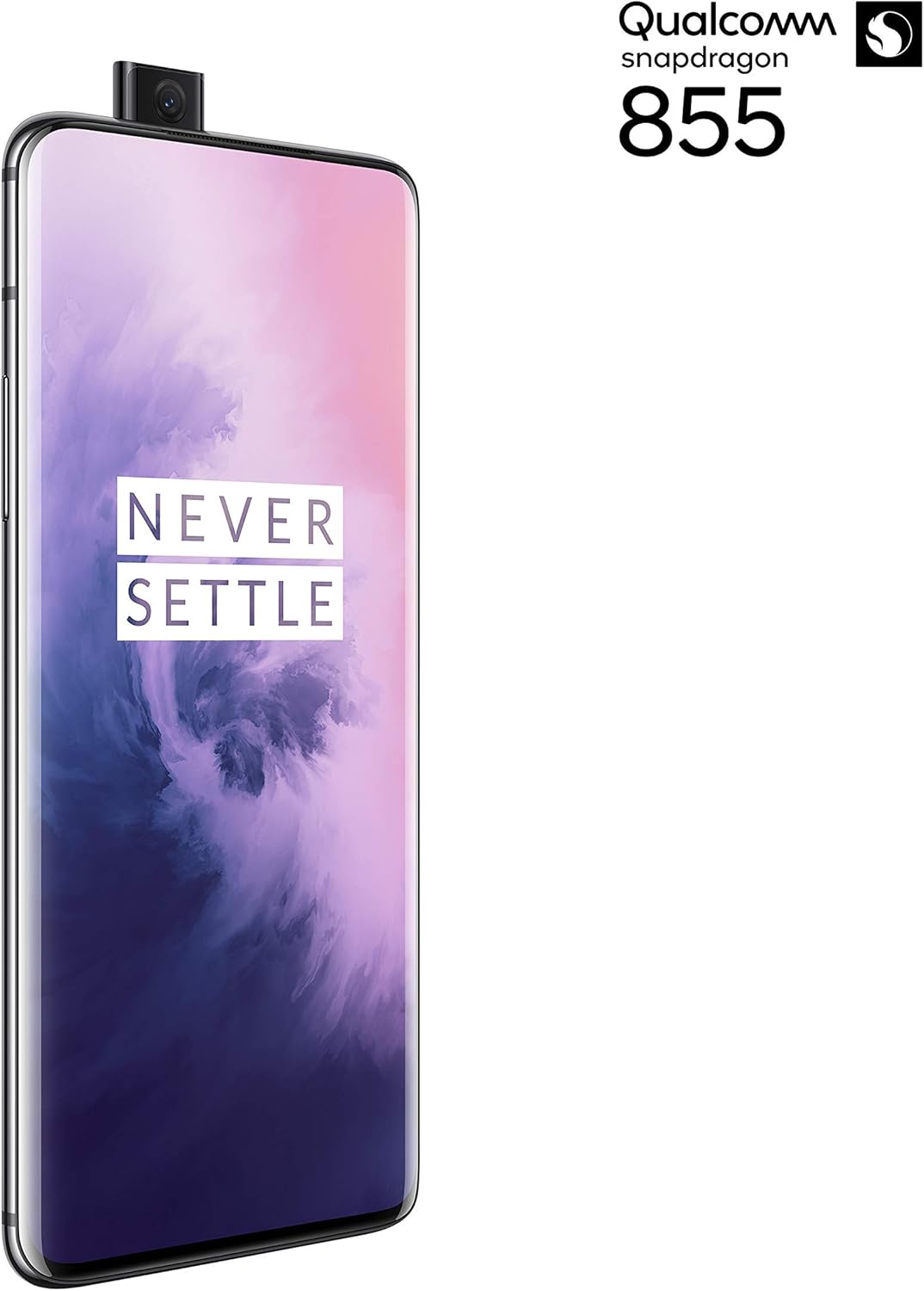
Abbildung 2: Vorderseite view of the OnePlus 7 Pro with its pop-up selfie camera.
4.1. Rückfahrkameras
- Hauptkamera: 48 MP sensor for high-resolution photos.
- Ultra-Wide Angle Lens: Erfasst ein breiteres Feld von viewIdeal für Landschafts- und Gruppenaufnahmen.
- Teleobjektiv: Offers 3x optical zoom for clear, detailed shots from a distance.
4.2. Frontkamera
The device features a motorized pop-up front camera, ensuring an uninterrupted full-screen display. This camera is designed for high-quality selfies and video calls.
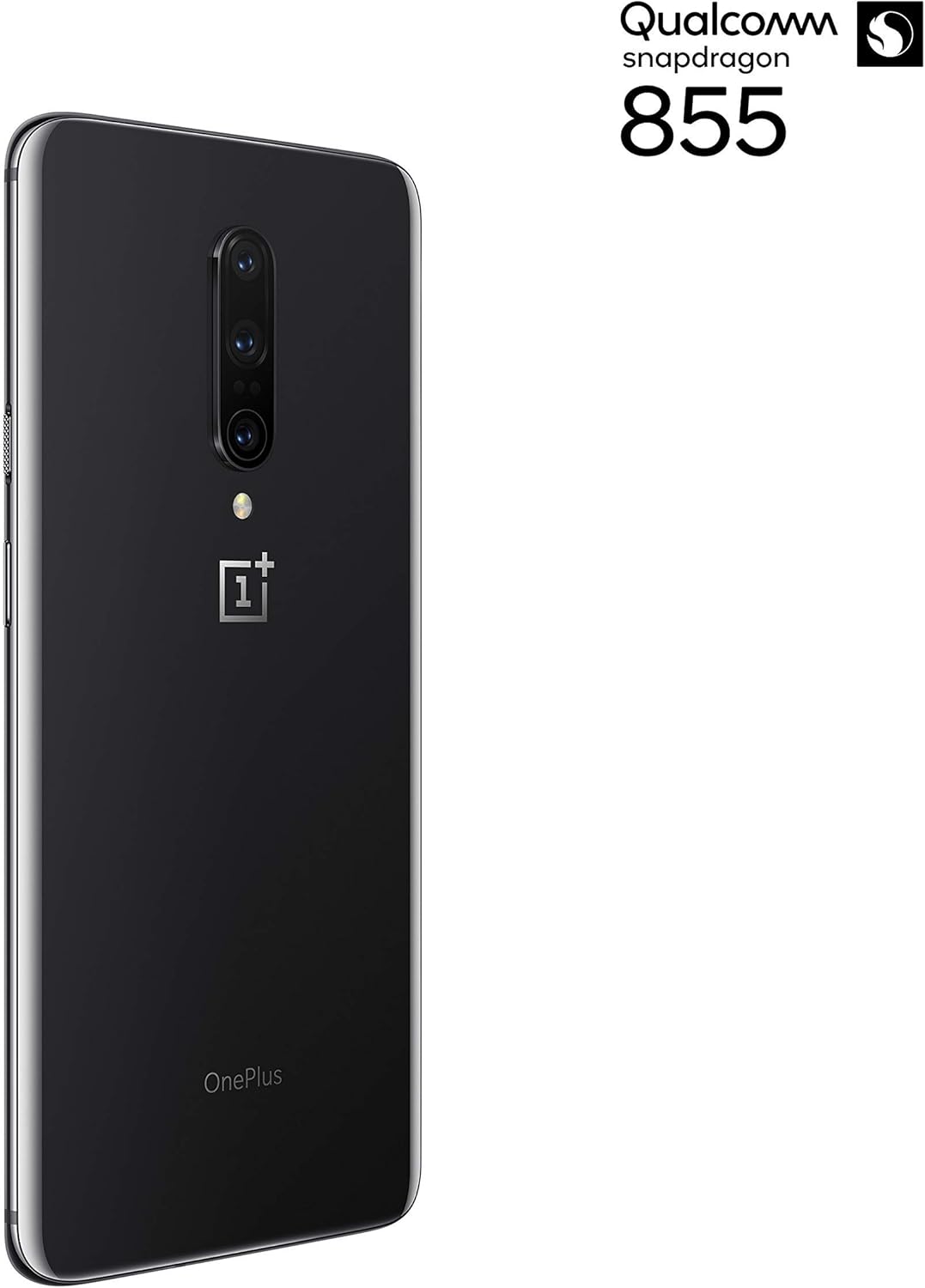
Abbildung 3: Rückseite view of the OnePlus 7 Pro highlighting the triple camera module.
4.3. Kameramodi
Entdecken Sie verschiedene Kameramodi, um Ihre Fotografie zu verbessern:
- Foto: Standardmodus für alltägliche Aufnahmen.
- Porträt: Erzeugt einen Tiefenschärfeeffekt und verwischt den Hintergrund.
- Nightscape 2.0: Optimizes photos taken in low-light conditions for brighter and clearer results.
- Experten-Modus: Bietet manuelle Kontrolle über Einstellungen wie ISO, Verschlusszeit und Weißabgleich.
- Video: Records high-quality videos.
5. Akku und Aufladen
The OnePlus 7 Pro is equipped with a 4000 mAh battery, designed to provide extended usage. It supports Warp Charge technology for rapid charging.
5.1. Laden Sie Ihr Gerät auf
To charge your device, connect the provided USB Type-C cable to the phone's charging port and the power adapter. Plug the adapter into a wall outlet. For optimal charging speed, use only the official OnePlus Warp Charge adapter and cable.
5.2. Batterieoptimierung
Um die Akkulaufzeit zu maximieren, beachten Sie Folgendes:
- Bildschirmhelligkeit anpassen.
- Aktivieren Sie bei Bedarf den Batteriesparmodus.
- Schließen Sie nicht benötigte, im Hintergrund laufende Anwendungen.
- Beschränken Sie die Hintergrunddatennutzung für bestimmte Apps.
6. Technische Daten
| Besonderheit | Spezifikation |
|---|---|
| Modellnummer | GM1917 |
| Anzeige | 6.67-inch Fluid AMOLED, QHD+ (2560 x 1440), 90 Hz |
| Prozessor | Qualcomm Snapdragon 855 |
| RAM | 6 GB |
| Interner Speicher | 128 GB |
| Rückfahrkamera | 48 MP Main, Ultra-Wide, 3x Optical Zoom Telephoto |
| Frontkamera | Pop-up Selfie Camera |
| Batteriekapazität | 4000 mAh |
| Betriebssystem | Android |
| Konnektivität | Wi-Fi, 4G LTE (AT&T, Verizon, T-Mobile compatible) |
| SIM Typ | Dual Nano-SIM |
7. Fehlerbehebung
If you encounter issues with your OnePlus 7 Pro, try the following steps:
- Gerät reagiert nicht: Press and hold the Power button for approximately 10 seconds to force restart the device.
- App-Probleme: Clear the cache and data for the problematic app in Settings > Apps > [App Name] > Storage. If the issue persists, uninstall and reinstall the app.
- Netzwerkkonnektivität: Schalten Sie den Flugmodus ein und aus. Starten Sie Ihr Gerät neu. Überprüfen Sie, ob Ihre SIM-Karte richtig eingelegt ist.
- Batterieverbrauch: Review 'Battery Usage' in Settings to identify apps consuming excessive power. Reduce screen brightness and disable unnecessary features.
- Softwarefehler: Ensure your device's software is up to date via Settings > System > System updates.
- Werkseinstellungen zurückgesetzt: Als letzten Ausweg können Sie einen Werksreset durchführen (Einstellungen > System > Reset-Optionen > Alle Daten löschen). Warnung: Dadurch werden alle Daten auf Ihrem Gerät gelöscht. Sichern Sie wichtige Informationen, bevor Sie fortfahren.
8. Pflege und Wartung
To ensure the longevity and optimal performance of your OnePlus 7 Pro:
- Keep the device clean using a soft, lint-free cloth. Avoid harsh chemicals.
- Protect the screen with a screen protector and use a protective case.
- Setzen Sie das Gerät keinen extremen Temperaturen, direkter Sonneneinstrahlung oder Feuchtigkeit aus.
- Regularly back up your data to a cloud service or external storage.
- Install software updates to benefit from the latest features and security enhancements.
9. Garantie und Support
For information regarding warranty coverage, technical support, or service, please refer to the documentation provided with your purchase or visit the official OnePlus support website. As this is a renewed product, specific warranty terms may vary; please consult your seller for details on their renewed product warranty and return policy.