
1. Einleitung
Thank you for choosing the PRIOS Odia LED Cabinet Lighting. This manual provides essential information for the safe and efficient installation, operation, and maintenance of your new lighting system. Please read these instructions carefully before use and retain them for future reference.
The PRIOS Odia LED cabinet lighting system consists of two interconnected lamps designed to illuminate furniture or specific areas. These units feature warm-white LEDs and are controlled via a motion sensor for convenience and energy efficiency. The system includes a power supply and offers flexible installation due to its cable length.
2. Sicherheitshinweise
- Lesen Sie alle Anweisungen vor der Installation und Verwendung.
- Ensure power is disconnected at the main switch before any installation, maintenance, or cleaning.
- Verändern Sie das Produkt in keiner Weise. Nicht autorisierte Änderungen können zum Erlöschen der Garantie führen und Sicherheitsrisiken bergen.
- Dieses Produkt ist ausschließlich für den Innenbereich bestimmt (Schutzart IP20). Es darf keiner Feuchtigkeit oder extremen Temperaturen ausgesetzt werden.
- Die Installation sollte von einem qualifizierten Fachmann durchgeführt werden, wenn Sie sich bezüglich der elektrischen Anschlüsse unsicher sind.
- Verpackungsmaterialien außerhalb der Reichweite von Kindern aufbewahren.
- Schauen Sie nicht direkt in die eingeschaltete LED-Lichtquelle.
3. Packungsinhalt
Prüfen Sie, ob alle Komponenten vorhanden und unbeschädigt sind:
- 2 x PRIOS Odia LED Lighting Units
- 1 x Power Adapter (Euro plug)
- Anschlusskabel
- Mounting Accessories (screws/adhesive pads, if included)

Image: All components included in the PRIOS Odia LED Cabinet Lighting package, showing two triangular LED units, connecting cables, and a power adapter.
4. Produktüberschreitungview
The PRIOS Odia LED Cabinet Lighting features a modern, triangular design with a stainless steel finish. Each unit integrates warm-white LEDs and a motion sensor for convenient operation.
- Design: Triangular, compact units.
- Material: Stainless steel and plastic.
- Licht: Warm white (3000 Kelvin) LED illumination.
- Kontrolle: Integrated motion sensor for gesture control (on/off and dimming).
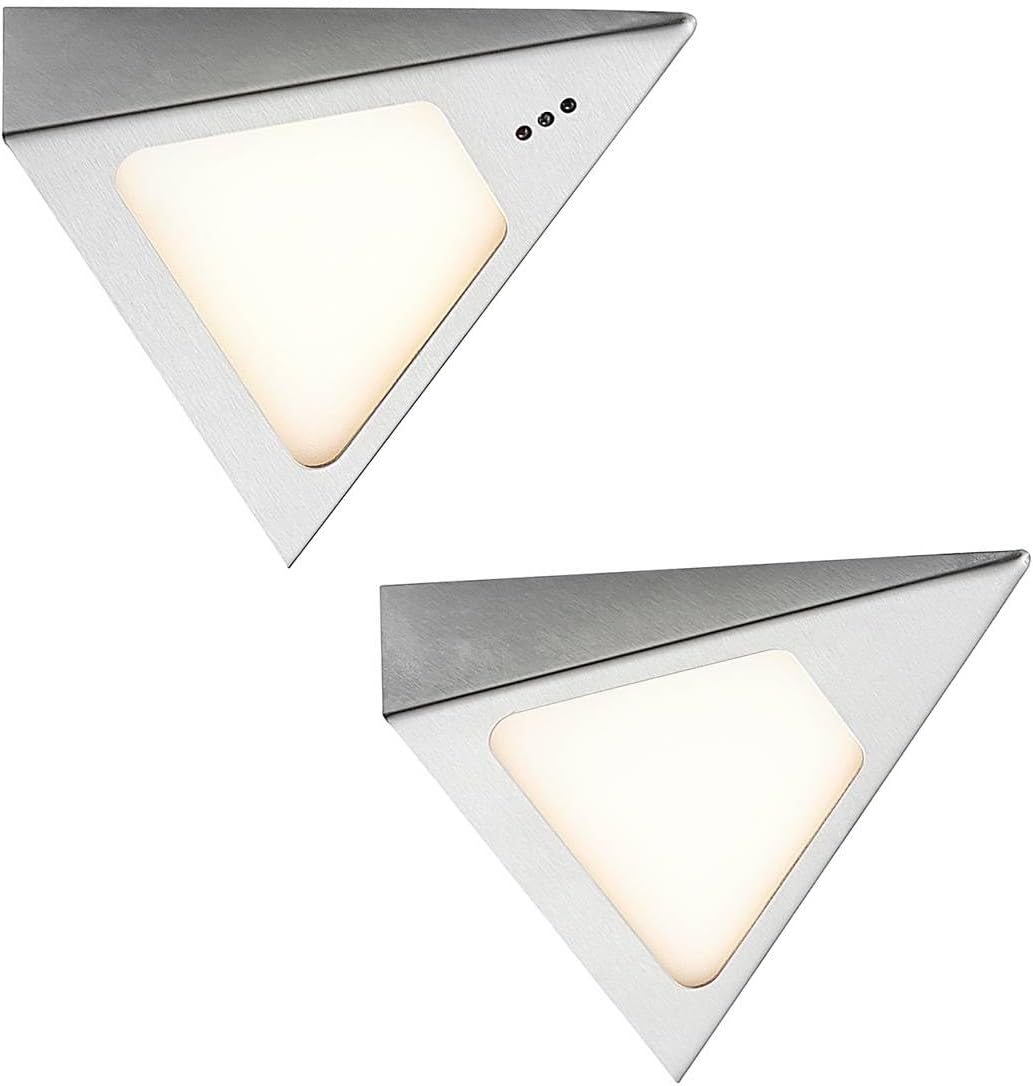
Image: Two individual PRIOS Odia LED lighting units, showcasing their triangular shape and stainless steel finish.

Bild: Eine Nahaufnahme view of one PRIOS Odia LED unit, highlighting the light panel and the three small dots indicating the motion sensor area.
5. Einrichtung und Installation
Befolgen Sie diese Schritte für eine ordnungsgemäße Installation:
- Ort wählen: Select a suitable location under a cabinet or shelf where you desire illumination. Ensure the surface is clean, dry, and flat.
- Mount Units: Securely mount the two LED units to the chosen surface. Use appropriate mounting hardware (e.g., screws or strong adhesive pads, not explicitly detailed but typically included or required for such installations). Ensure the motion sensor on one of the units is facing an accessible direction for gesture control.
- Geräte verbinden: Connect the two LED units to each other using the provided connection cable.
- Strom anschließen: Connect the power adapter to the first LED unit. The power adapter is designed to be flat for discreet placement behind cabinets.
- Einschalten: Stecken Sie den Netzadapter in eine normale 230-V-Steckdose.
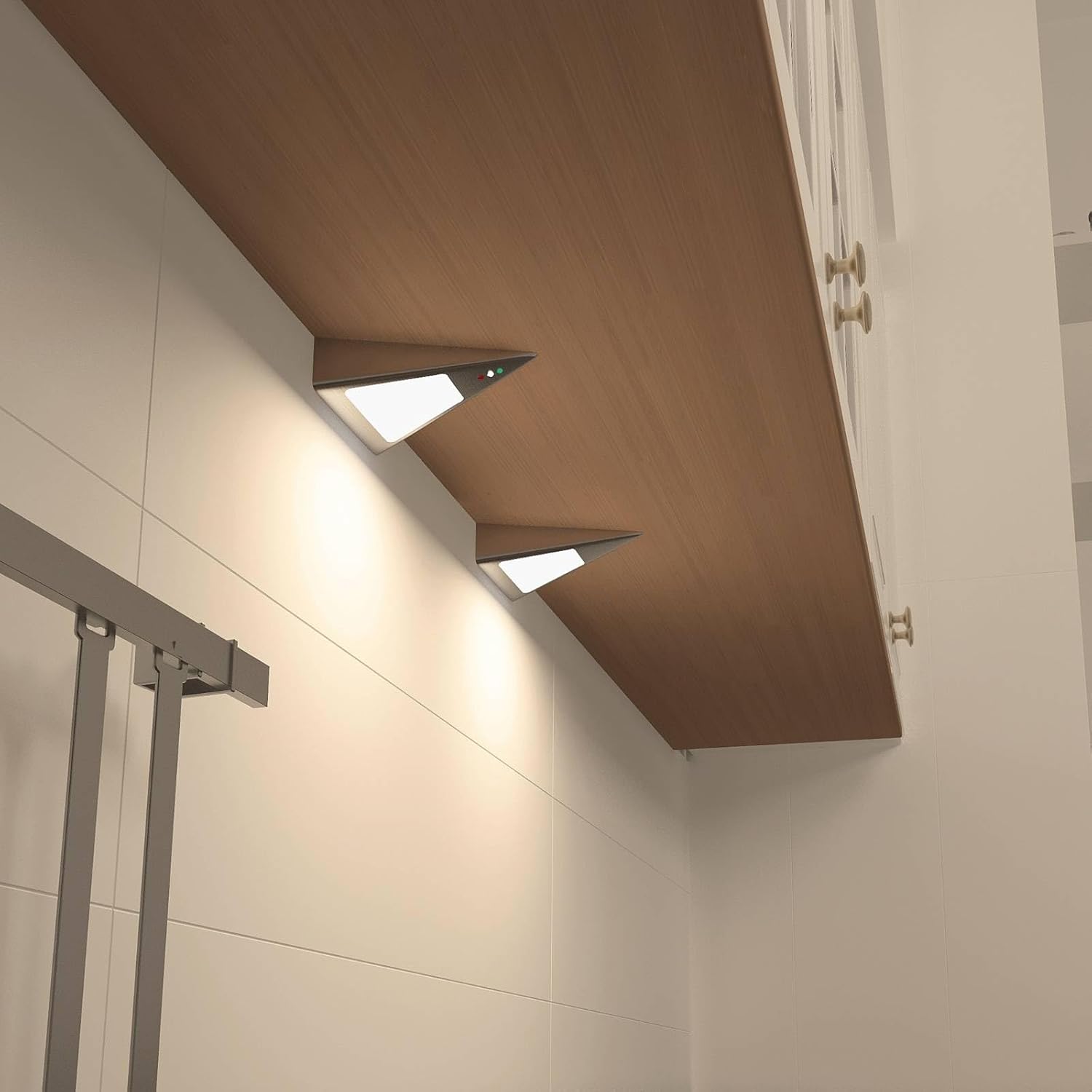
Image: Two PRIOS Odia LED units installed and illuminated under a wooden kitchen cabinet, demonstrating their practical application.

Image: Two PRIOS Odia LED units installed under a wooden kitchen cabinet, shown in an unlit state, highlighting their discreet design.

Image: A diagram illustrating the dimensions of the PRIOS Odia LED unit, showing a length of 135mm, width of 127mm, and height of 40mm.
6. Bedienungsanleitung
The PRIOS Odia LED lighting system features intuitive gesture control via its integrated motion sensor.
- Ein-/Ausschalten: To switch the lights on or off, briefly wave your hand in front of the motion sensor.
- Dimmen: To adjust the brightness, hold your hand steadily in front of the motion sensor. The light will gradually dim or brighten. Release your hand when the desired brightness level is achieved.

Image: A hand positioned near the PRIOS Odia LED unit, demonstrating the gesture control feature for operation.
7. Wartung
To ensure the longevity and optimal performance of your PRIOS Odia LED Cabinet Lighting, follow these simple maintenance guidelines:
- Reinigung: Clean the exterior of the units with a soft, dry, or slightly damp Mit einem Tuch abwischen. Verwenden Sie keine Scheuermittel, Lösungsmittel oder aggressive Chemikalien, da diese die Oberfläche oder elektronische Bauteile beschädigen können.
- Sensorbereich: Ensure the motion sensor area is kept clean and free from obstructions (e.g., dust, grease, objects) for optimal detection and response.
- Keine vom Benutzer zu wartenden Teile: The LED units contain no user-serviceable parts. Do not attempt to open or repair the units yourself. Contact qualified personnel for any repairs.
8. Fehlerbehebung
If you encounter any issues with your PRIOS Odia LED Cabinet Lighting, refer to the following troubleshooting guide:
- Lichter gehen nicht an:
- Prüfen Sie, ob der Netzadapter fest in einer funktionierenden Steckdose eingesteckt ist.
- Ensure all connection cables between the units and the adapter are properly seated.
- Vergewissern Sie sich, dass der Bewegungssensor nicht blockiert und sauber ist.
- Try waving your hand in front of the sensor again.
- Lichter dimmen nicht:
- Ensure you are holding your hand steadily in front of the sensor for the dimming function, rather than a quick wave.
- Check for any obstructions near the sensor.
- Lichter flackern:
- Check the stability of your electrical power supply.
- Stellen Sie sicher, dass alle Verbindungen sicher sind.
Sollte das Problem nach Anwendung dieser Lösungsansätze weiterhin bestehen, wenden Sie sich bitte an den Kundendienst.
9. Spezifikationen
| Besonderheit | Spezifikation |
|---|---|
| Marke | PRIOS |
| Modellnummer | 9934040 |
| Produktabmessungen (pro Einheit) | 13.5 x 12.75 x 4 cm |
| Gewicht | 284 g (gesamt) |
| Material | Plastic, Stainless steel |
| Farbe | Edelstahl |
| Anzahl der Lamps | 2 |
| Lichtquelle | 2 x 3W LED |
| Bandtage | 230 Volt |
| IP-Code | IP20 (nur Innenbereich) |
| Lichtstrom | 480 Lumen |
| Farbtemperatur | 3000 Kelvin (Warmweiß) |
| Besondere Merkmale | Dimmable, Motion Sensor (Gesture Control) |
| Energieeffizienzklasse | F |
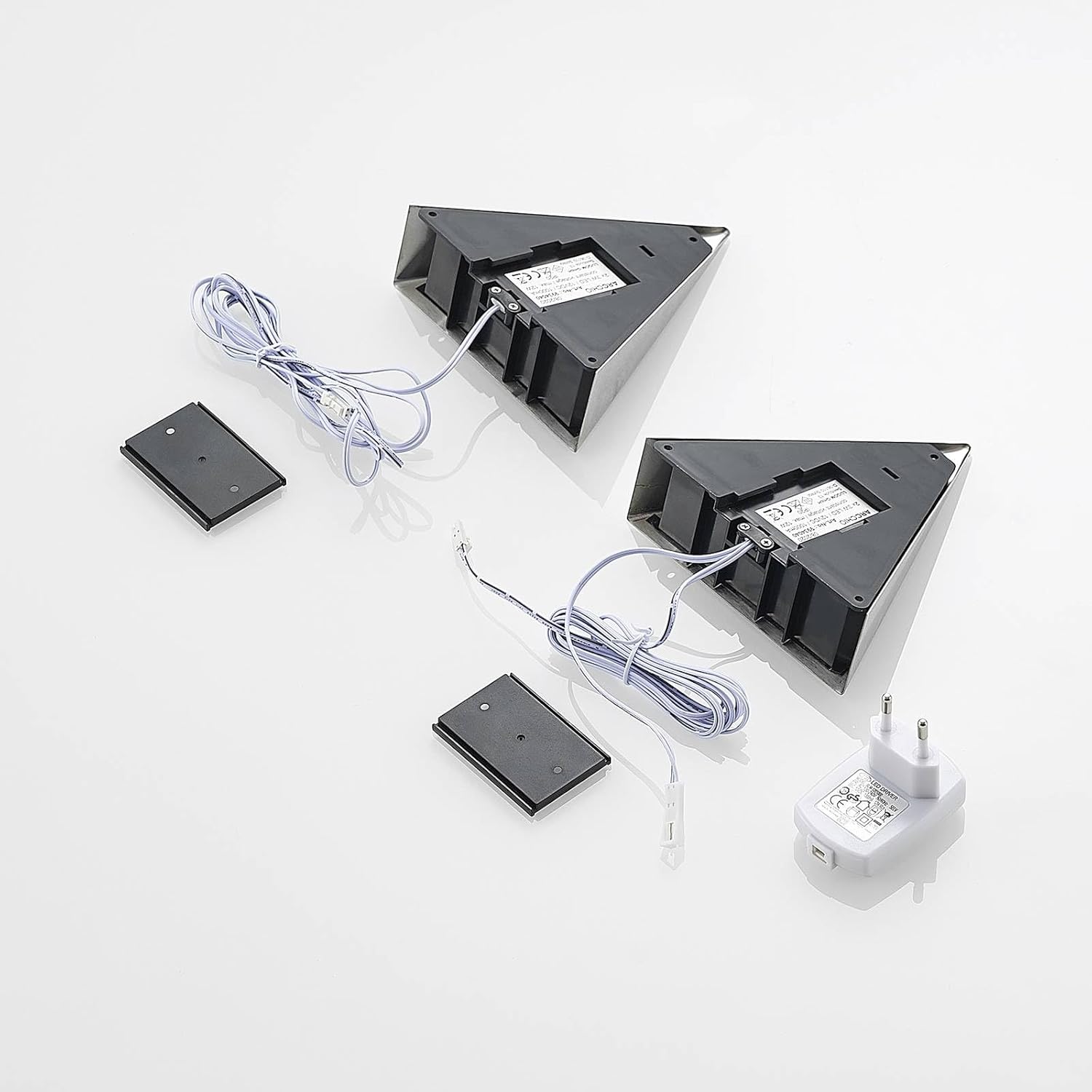
Image: EU Energy Label for Prios L9002100, indicating an energy efficiency class of F and 3 kWh/1000h consumption. For more details, visit the EU-EPREL-Datenbank.
10. Garantie und Support
For warranty information regarding your PRIOS Odia LED Cabinet Lighting, please refer to the documentation provided at the time of purchase or contact your retailer directly.
For technical support, assistance with installation, or any other inquiries, please contact PRIOS customer service through their official channels.