
Einführung
Thank you for choosing the LENRUE Bluetooth Speaker. This portable wireless speaker delivers loud stereo sound with rich bass and offers up to 12 hours of playtime. Featuring advanced Bluetooth 5.0 technology and a built-in microphone, it is designed for a superior audio experience and convenient hands-free communication. This manual provides essential information for setting up, operating, and maintaining your speaker.
Packungsinhalt
Bitte kreuzen Sie das Kästchen für die folgenden Elemente an:
- LENRUE Bluetooth Speaker (Model: yun-dong-199)
- USB-Ladekabel
- Zusätzliches Audiokabel
- Bedienungsanleitung
Produkt überview
The LENRUE Bluetooth Speaker is designed for portability and high-quality audio. It features:
- Überlegene Klangqualität: Dual high-performance drivers and enhanced bass for clear, powerful audio.
- Erweiterte Spielzeit: Bis zu 12 Stunden ununterbrochene Musikwiedergabe mit einer einzigen Akkuladung.
- Erweiterte Konnektivität: Bluetooth 5.0 for stable, fast wireless connections. Supports USB, Micro SD card (up to 32GB), and AUX input.
- Eingebautes Mikrofon: Enables hands-free calling with clear stereo sound.
- Tragbares Design: Lightweight (0.66 lb) and compact, making it ideal for travel and outdoor use.

Image: The LENRUE Bluetooth Speaker, showcasing its compact and sleek design in blue.
Aufstellen
1. Laden Sie den Lautsprecher auf
Before first use, fully charge the speaker. Connect the provided USB charging cable to the speaker's charging port and to a USB power source (e.g., computer, wall adapter). The charging indicator light will show the charging status (refer to LED indicator section for details). A full charge typically takes 2-3 hours.

Bild: Rückseite view of the speaker highlighting the USB, TF card, DC 9V charging, Reset pinhole, and AUX input ports.
2. Ein-/Ausschalten
- To Power On: Press and hold the Power/Mode button (often marked 'M' or with a power icon) until you hear an audible prompt or see the LED indicator light up.
- To Power Off: Press and hold the Power/Mode button again until you hear an audible prompt or the LED indicator turns off.
3. Bluetooth-Kopplung
- Ensure the speaker is powered on and in Bluetooth pairing mode (the LED indicator will usually flash blue).
- Aktivieren Sie auf Ihrem Gerät (Smartphone, Tablet usw.) Bluetooth und suchen Sie nach verfügbaren Geräten.
- Select "LENRUE Speaker" (or similar name) from the list.
- Once paired, the speaker will emit an audible confirmation, and the LED indicator will turn solid blue.

Image: The LENRUE speaker positioned on a desk, wirelessly connected to a laptop, tablet, and smartphone, illustrating its versatile Bluetooth 5.0 connectivity.
4. Connecting via AUX, USB, or Micro SD Card
- AUX-Eingang: Connect one end of the provided auxiliary audio cable to the speaker's AUX port and the other end to your audio device's headphone jack. The speaker will automatically switch to AUX mode.
- USB-Wiedergabe: Schließen Sie einen USB-Stick mit Audiodateien an. fileStecken Sie es in den USB-Anschluss. Der Lautsprecher erkennt das Laufwerk automatisch und spielt Musik davon ab.
- Wiedergabe von Micro-SD-Karten: Legen Sie eine Micro SD-Karte (bis zu 32 GB) mit Audio ein fileStecken Sie die TF-Karte in den Steckplatz. Der Lautsprecher erkennt die Karte automatisch und spielt Musik von ihr ab.
Bedienungsanleitung
Tastenfunktionen
Der Lautsprecher verfügt über intuitive Bedienelemente auf der Oberseite:

Bild: Oben view of the LENRUE speaker, displaying the control buttons for power, mode, volume, and track navigation.
- Power/Mode Button (M):
- Zum Ein-/Ausschalten gedrückt halten.
- Short press to switch between input modes (Bluetooth, AUX, USB, Micro SD).
- Wiedergabe-/Pause-Taste:
- Kurz drücken, um Musik abzuspielen oder anzuhalten.
- Short press to answer/end a phone call.
- Halten Sie gedrückt, um einen eingehenden Anruf abzulehnen.
- Lautstärke verringern / Vorheriger Titel (-):
- Kurz drücken, um die Lautstärke zu verringern.
- Halten Sie gedrückt, um zum vorherigen Titel zu gehen.
- Lautstärke erhöhen / Nächster Titel Taste (+):
- Kurz drücken, um die Lautstärke zu erhöhen.
- Halten Sie gedrückt, um zum nächsten Titel zu gehen.
Echte TWS-Verbindung (Wireless Stereo)
For an enhanced stereo experience, you can connect two LENRUE Bluetooth Speakers together:
- Stellen Sie sicher, dass beide Lautsprecher ausgeschaltet sind.
- Power on both speakers. They will automatically enter Bluetooth pairing mode.
- On one speaker, double-press the Power/Mode button. It will search for another speaker to pair with.
- Once connected, you will hear an audible confirmation, and both speakers will play in stereo.
- Now, connect your device to one of the speakers via Bluetooth as described in the "Bluetooth Pairing" section.
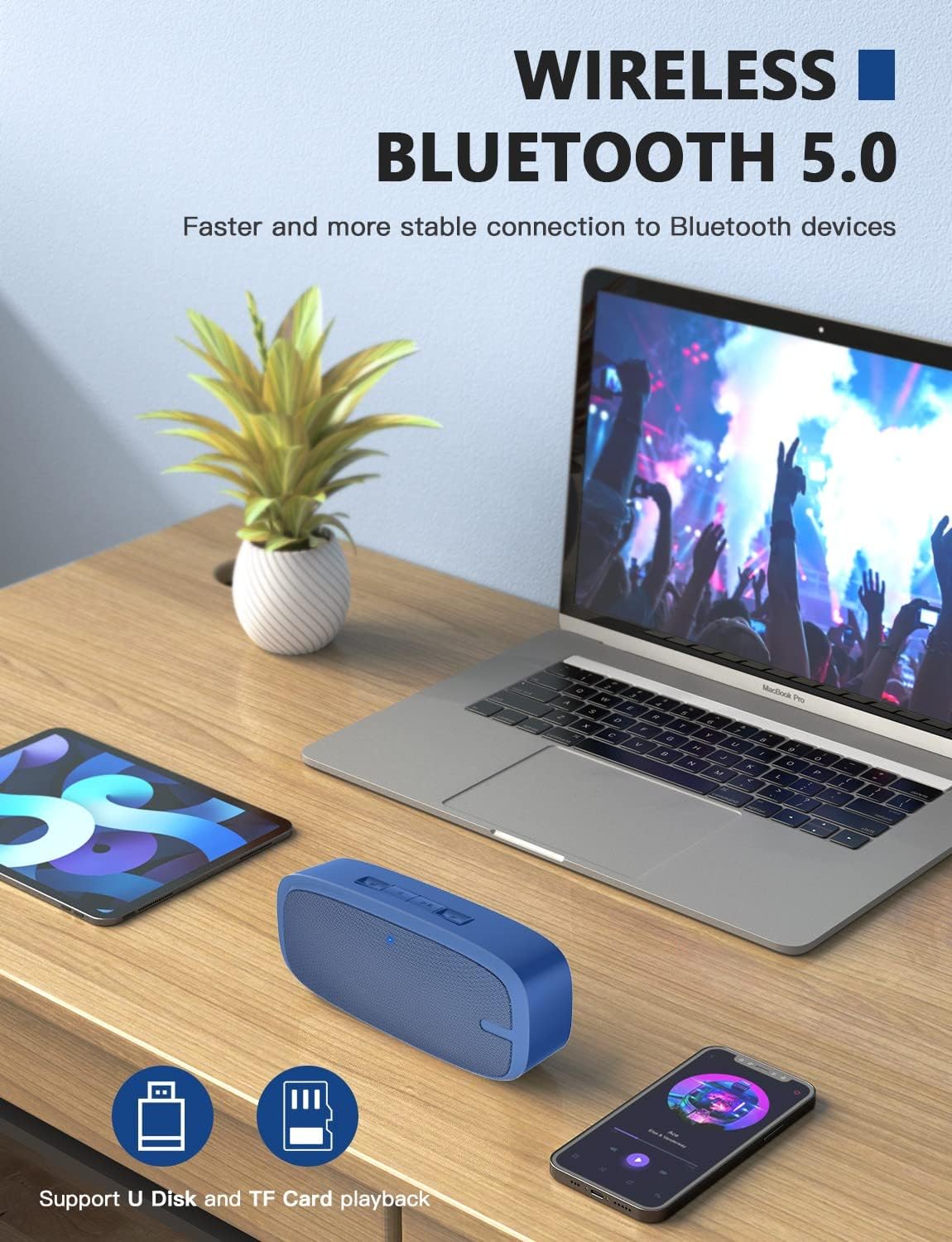
Image: Two LENRUE Bluetooth Speakers shown side-by-side, illustrating the True Wireless Stereo (TWS) connection capability for a wider soundstage.
Wartung
- Reinigung: Reinigen Sie die Oberfläche des Lautsprechers mit einem weichen, trockenen Tuch. Verwenden Sie keine scharfen Chemikalien oder Scheuermittel.
- Lagerung: Bewahren Sie den Lautsprecher an einem kühlen, trockenen Ort fern von direkter Sonneneinstrahlung und extremen Temperaturen auf.
- Batteriepflege: Um die Akkulaufzeit zu verlängern, vermeiden Sie es, den Lautsprecher häufig vollständig zu entladen. Laden Sie ihn regelmäßig auf, auch wenn er längere Zeit nicht benutzt wird.
- Wasserbeständigkeit: Dieser Lautsprecher ist NICHT wasserdicht. Vermeiden Sie den Kontakt mit Wasser oder übermäßiger Feuchtigkeit.
Fehlerbehebung
| Problem | Mögliche Ursache | Lösung |
|---|---|---|
| Der Lautsprecher lässt sich nicht einschalten. | Schwache Batterie. | Laden Sie den Lautsprecher mit dem mitgelieferten USB-Kabel vollständig auf. |
| Kopplung via Bluetooth nicht möglich. | Lautsprecher nicht im Kopplungsmodus; Bluetooth am Gerät deaktiviert; zu weit vom Gerät entfernt. | Ensure speaker is in pairing mode (flashing blue LED). Turn Bluetooth on your device. Move speaker closer to device (within 10 meters). Forget previous pairings on your device and try again. |
| Kein Ton. | Lautstärke zu niedrig; falscher Eingangsmodus; Gerät gibt keine Wiedergabe wieder. | Increase speaker and device volume. Check if the correct input mode (Bluetooth, AUX, USB, TF) is selected. Ensure your device is playing audio. |
| Schlechte Tonqualität. | Niedriger Batteriestand; Störungen; Gerät zu weit entfernt. | Charge the speaker. Move away from other wireless devices. Move speaker closer to your device. |
| Micro SD card or USB drive not recognized. | Falsch file format; card/drive not inserted correctly; unsupported capacity. | Sicherstellen der Audioqualität files are in a supported format (e.g., MP3). Reinsert the card/drive. Ensure Micro SD card is 32GB or less. |
Technische Daten
| Besonderheit | Detail |
|---|---|
| Marke | LENRU |
| Modellnummer | yun-dong-199 |
| Konnektivitätstechnologie | Bluetooth 5.0, AUX-Anschluss, USB-Anschluss |
| Audioausgabemodus | Stereo |
| Maximale Lautsprecherausgangsleistung | 3 Watt |
| Durchschnittliche Batterielebensdauer | 12 Stunden |
| Bluetooth-Reichweite | 10-Meter (33-Füße) |
| Artikelgewicht | 0.47 Kilogramm (0.66 Pfund) |
| Mikrofon | Built-in (1 microphone) |
| Unterstützte Medien | USB, Micro SD Card (up to 32GB), AUX |
| Kontrollmethode | Touch-Tasten |
| Ist wasserdicht | FALSCH |
Garantie und Support
The LENRUE Bluetooth Speaker comes with a limited warranty. For detailed warranty information, please refer to the product packaging or contact LENRUE customer support.
If you encounter any issues or have questions about your speaker, please contact our customer support team:
- Online-Hilfe: Visit the official LENRUE webWebsite mit häufig gestellten Fragen und Support-Ressourcen.
- E-Mail: Die E-Mail-Adresse des Kundendienstes finden Sie auf der Produktverpackung.