
1. Einleitung
This manual provides essential information for the safe and efficient operation, maintenance, and troubleshooting of your Leitz IQ Autofeed Small Office 50 P4 Shredder. Please read these instructions carefully before using the appliance and retain them for future reference.
The Leitz IQ Autofeed Small Office 50 P4 is designed for shredding confidential documents, sensitive paperwork, old financial records, and other personal or proprietary information in small office environments. It features an automatic feed mechanism for convenience and a P4 security level for cross-cut shredding.
2. Sicherheitshinweise
Beachten Sie stets diese Sicherheitsvorkehrungen, um Verletzungen oder Schäden am Aktenvernichter zu vermeiden:
- Keep children and pets away from the shredder. The shredder has sharp blades and moving parts that can cause injury.
- Halten Sie lose Kleidung, Schmuck, Haare und Krawatten vom Papiereinwurfschlitz fern.
- Finger oder andere Körperteile dürfen nicht in den Papiereinzugsschlitz eingeführt werden.
- Sprühen Sie keine brennbaren Produkte oder Schmierstoffe in den Aktenvernichter.
- Do not shred metal objects, hard plastics (other than credit cards), or adhesive labels, as these can damage the cutting mechanism.
- Ziehen Sie vor dem Umstellen, Reinigen oder Entleeren des Abfallbehälters immer den Netzstecker des Aktenvernichters.
- Do not operate the shredder if the power cord is damaged or if the appliance is malfunctioning. Contact customer support for assistance.
- Stellen Sie sicher, dass der Aktenvernichter auf einer stabilen, ebenen Fläche steht.
- Überlasten Sie den Aktenvernichter nicht über die angegebene Blattkapazität hinaus.
3. Einrichtung
- Auspacken: Nehmen Sie den Aktenvernichter vorsichtig aus der Verpackung. Bewahren Sie das Verpackungsmaterial für späteren Transport oder Lagerung auf.
- Platzierung: Stellen Sie den Aktenvernichter auf eine ebene, stabile Fläche in der Nähe einer Steckdose. Achten Sie auf ausreichend Platz um das Gerät herum für Belüftung und Zugang zum Abfallbehälter.
- Abfalleimer: Stellen Sie sicher, dass der Abfallbehälter korrekt in das Gehäuse des Aktenvernichters eingesetzt ist. Der Aktenvernichter funktioniert nicht, wenn der Behälter nicht richtig sitzt.
- Stromanschluss: Stecken Sie das Netzkabel in eine normale Steckdose.
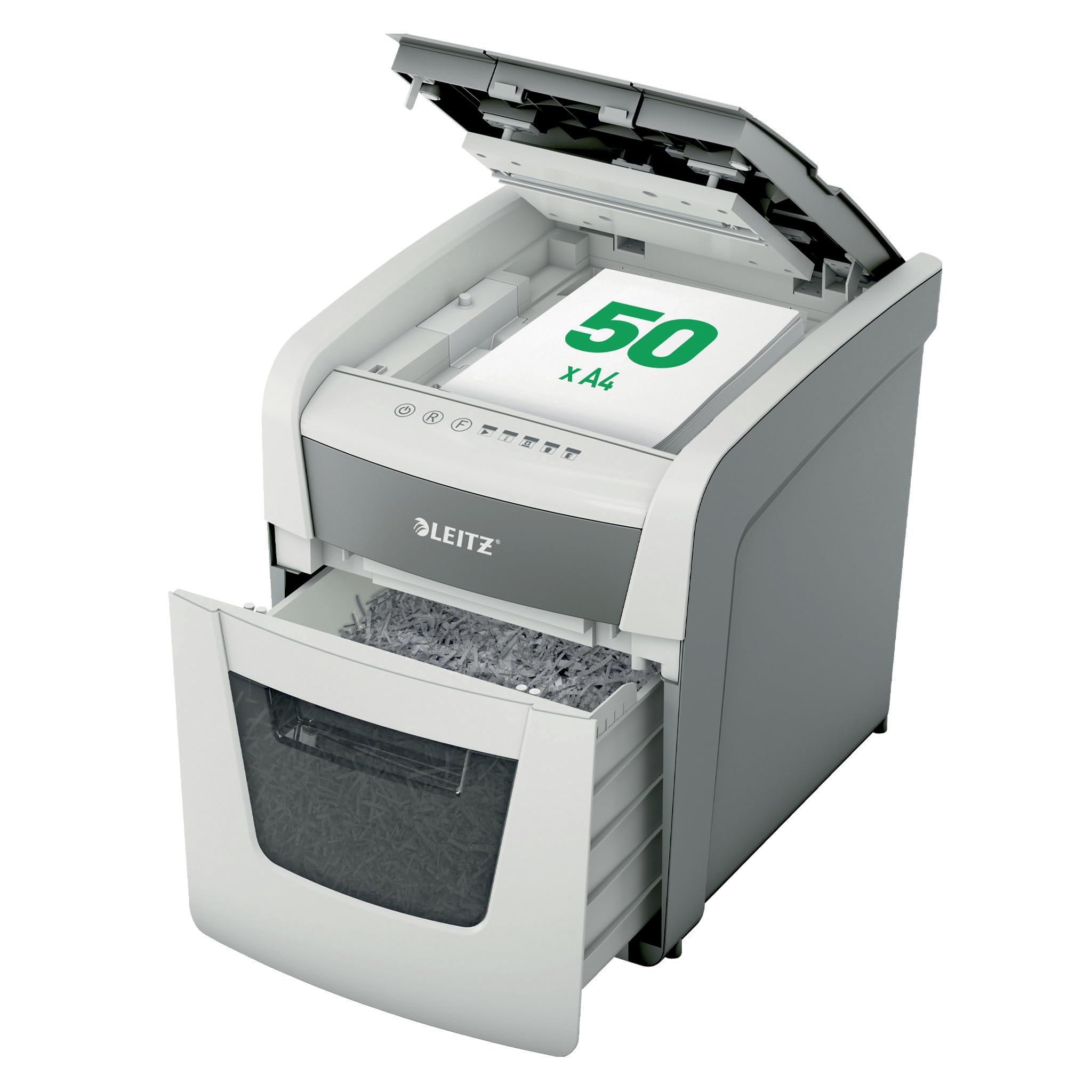
Image 1: Leitz IQ Autofeed Small Office 50 P4 Shredder. This image shows the overall design of the shredder, highlighting its compact size and modern aesthetic suitable for small office environments.
4. Bedienungsanleitung
The Leitz IQ Autofeed Small Office 50 P4 shredder offers both automatic and manual shredding modes.
4.1 Bedienfeld vorbeiview
The control panel typically includes buttons for Power On/Off, Reverse, Forward, and indicators for bin full, overheat, or door open.
4.2 Automatic Feed Shredding
- Open the autofeed tray cover.
- Stack up to 50 sheets of A4 paper neatly into the autofeed tray. Ensure there are no staples or paper clips on the documents for optimal performance, although the shredder can handle small staples and paper clips.
- Close the autofeed tray cover. The shredder will automatically detect the paper and begin shredding.
- Der Aktenvernichter schaltet sich automatisch ab, sobald das gesamte Papier im Einzugsfach vernichtet ist.
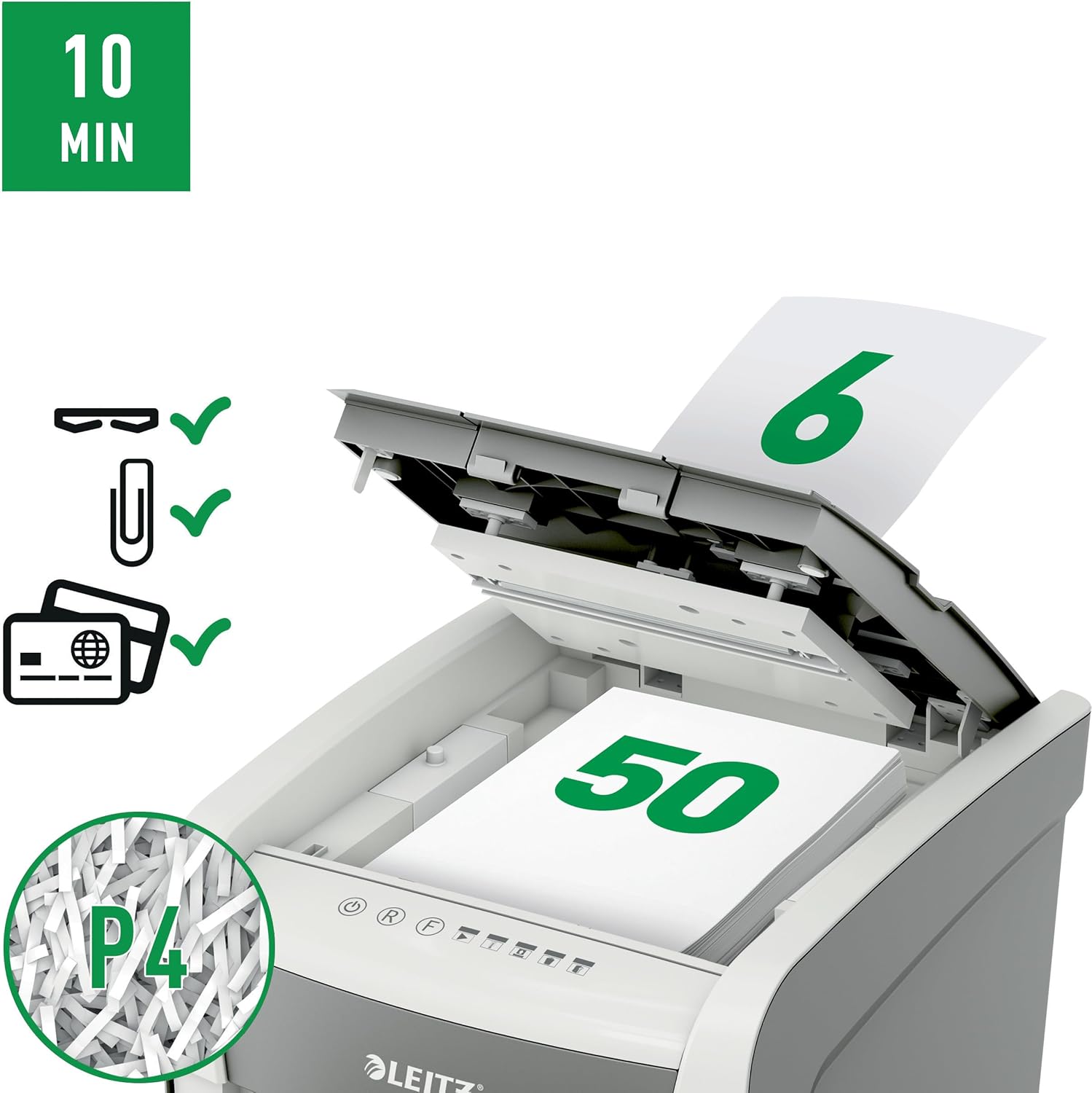
Image 2: Autofeed mechanism and P4 security. This image illustrates the autofeed tray loaded with paper, indicating its capacity and the P4 security level for cross-cut shredding.
4.3 Manuelle Zuführung zum Zerkleinern
- For a few sheets of paper (typically up to 6-8 sheets, refer to specifications for exact capacity) or credit cards, use the manual feed slot.
- Insert the paper or credit card into the manual feed slot. The shredder will automatically detect the item and begin shredding.
- Remove your hand immediately after the shredder grips the item.
4.4 Continuous Run Time
The shredder is designed for intermittent use. It has a continuous run time of approximately 10 minutes, after which it will enter a cool-down period to prevent overheating. Allow the shredder to cool down before resuming operation.
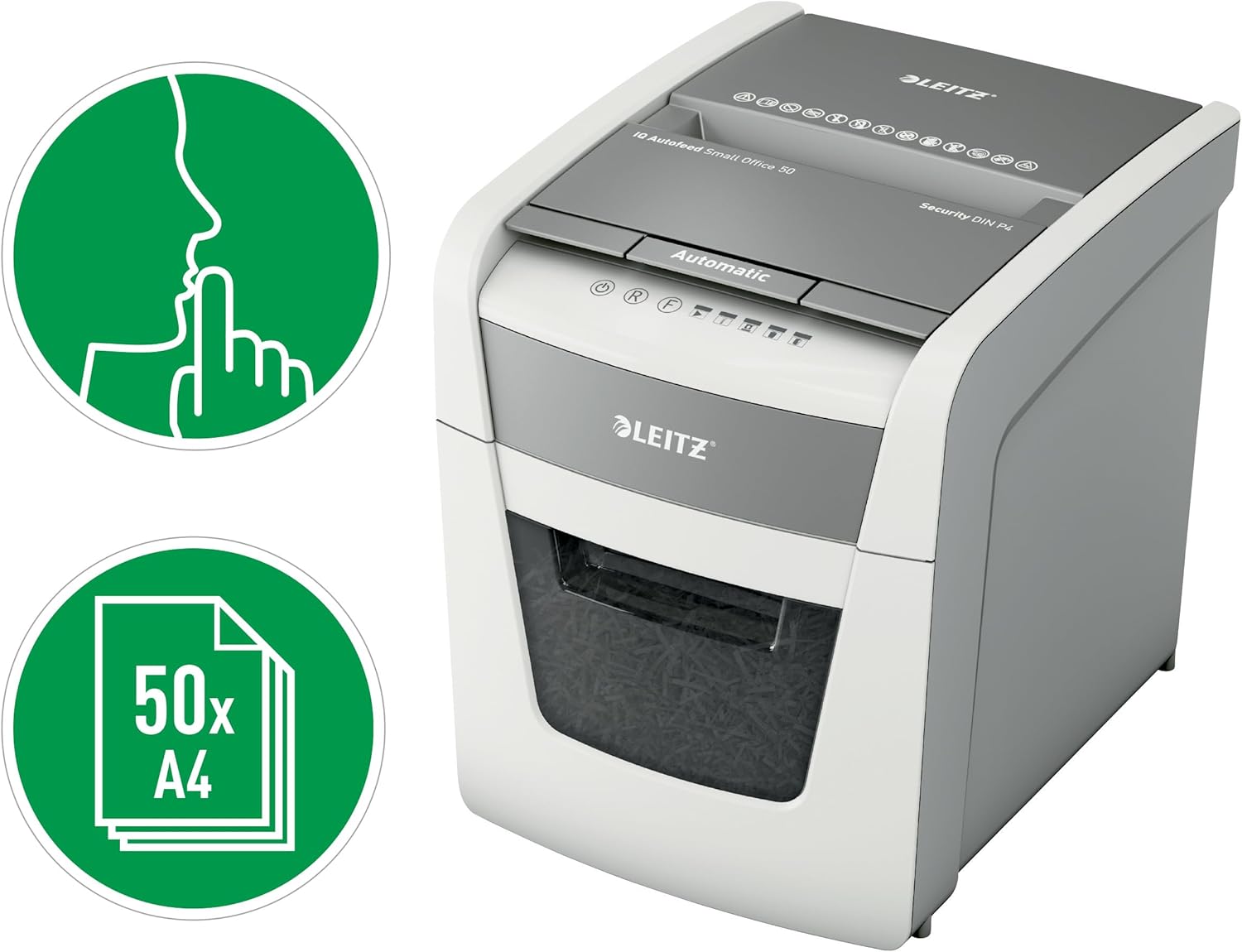
Image 3: Quiet operation and 50-sheet autofeed. This image highlights the shredder's quiet operation (indicated by the finger over lips icon) and its capacity to shred up to 50 A4 sheets automatically.
5. Wartung
Regelmäßige Wartung gewährleistet optimale Leistung und verlängert die Lebensdauer Ihres Aktenvernichters.
5.1 Abfallbehälter leeren
- Ziehen Sie den Stecker des Aktenvernichters aus der Steckdose.
- Ziehen Sie den Abfallbehälter heraus.
- Das geschredderte Papier entsorgen.
- Reinsert the waste bin firmly until it clicks into place. The shredder will not operate if the bin is not correctly seated.

Image 4: 20-liter waste bin capacity. This image shows the shredder with its waste bin pulled out, illustrating the 20-liter capacity for shredded material.
5.2 Ölen des Schredders
To maintain cutting performance and reduce wear, it is recommended to oil the shredder blades regularly, especially after emptying the waste bin 2-3 times or after heavy use. Use shredder oil sheets or liquid shredder oil specifically designed for paper shredders.
- Tragen Sie einen dünnen Streifen Aktenvernichteröl auf den Papiereinzugsschlitz auf.
- Run the shredder in manual feed mode for a few seconds to distribute the oil.
5.3 Reinigung
Wischen Sie die Außenseite des Aktenvernichters mit einem weichen, trockenen Tuch ab. Verwenden Sie keine Scheuermittel oder Lösungsmittel. Stellen Sie sicher, dass der Aktenvernichter vor der Reinigung vom Stromnetz getrennt ist.
6. Fehlerbehebung
Sollten Sie Probleme mit Ihrem Aktenvernichter haben, beachten Sie bitte die folgenden häufigen Probleme und Lösungen:
| Problem | Mögliche Ursache | Lösung |
|---|---|---|
| Der Aktenvernichter lässt sich nicht einschalten. | No power; waste bin not fully inserted; overheat protection activated. | Check power connection; ensure waste bin is correctly seated; allow shredder to cool down. |
| Papierstau. | Too much paper inserted; paper not inserted straight. | Press the reverse button to clear the jam. If unsuccessful, unplug, carefully remove paper, then plug in and try reverse again. |
| Der Aktenvernichter stoppt während des Betriebs. | Waste bin full; overheat protection activated; door open sensor triggered. | Empty waste bin; allow shredder to cool down; ensure waste bin is fully inserted. |
| Der Aktenvernichter ist laut. | Die Klingen müssen geölt werden. | Ölen Sie die Schneidmesser gemäß den Wartungsanweisungen. |
If the problem persists after attempting these solutions, please contact Leitz customer support.
7. Spezifikationen
| Besonderheit | Spezifikation |
|---|---|
| Modellnummer | 50 Seite 4 |
| Shred-Typ | Kreuzschnitt |
| Sicherheitsstufe | P4 (DIN 66399) |
| Autofeed Sheet Capacity | Up to 50 sheets (A4, 80gsm) |
| Manual Feed Sheet Capacity | Up to 6-8 sheets (A4, 80gsm) |
| Kapazität des Abfallbehälters | 20 Liter |
| Geräuschpegel | 35 Dezibel |
| Kontinuierliche Laufzeit | 10 Мinuten |
| Abklingzeit | Approximately 30-40 minutes (varies with ambient temperature) |
| Abmessungen (T x B x H) | 43 cm (T) x 40.7 cm (B) x 36.4 cm (H) |
| Gewicht | 9 kg |
| Stromquelle | Kabelgebundene Elektrik |
| Material | Metal and durable plastic |

Image 5: Shredder dimensions. This image provides a visual representation of the shredder's physical dimensions (height, width, depth) in millimeters.
8. Garantie und Support
Your Leitz IQ Autofeed Small Office 50 P4 Shredder comes with a manufacturer's warranty. Please refer to the warranty card included with your purchase for specific terms and conditions. For technical support, spare parts, or warranty claims, please contact Leitz customer service through their official webWebsite oder die in Ihren Garantieunterlagen angegebenen Kontaktinformationen.