Einführung
The ZHIYUN Smooth Q3 Combo is a 3-axis smartphone gimbal stabilizer designed to capture smooth, stable video footage. It features an integrated fill light, gesture control, and intelligent tracking capabilities, making it suitable for various video recording scenarios with both iPhone and Android smartphones. This manual provides instructions for setting up, operating, and maintaining your Smooth Q3 Combo.
Lieferumfang
Bitte überprüfen Sie, ob alle Artikel in Ihrem Paket vorhanden sind:
- ZHIYUN Smooth Q3 Gimbal
- Mini-Stativ
- USB-Kabel Typ C.
- Schutztasche
- VIP Card
- Handschlaufe

Image: The ZHIYUN Smooth Q3 Combo package contents, including the gimbal, mini tripod, USB-C cable, protective bag, VIP card, and wrist strap.
Aufstellen
- Ausklappen des Gimbals: Gently unfold the gimbal from its compact, folded position. Ensure all axes are free to move.

Image: The ZHIYUN Smooth Q3 gimbal held in a hand, illustrating its compact and foldable design.
- Montage Ihres Smartphones: Verlängern Sie die Telefonklemmeamp and securely place your smartphone in it. Ensure the phone is centered and balanced. For optimal performance, remove bulky phone cases.

Image: The ZHIYUN Smooth Q3 gimbal with a smartphone mounted, demonstrating its classic structure and design for stable footage.
- Ausbalancieren des Gimbals: After mounting your phone, manually adjust its position in the clamp bis es auch bei ausgeschaltetem Gimbal waagerecht bleibt. Dadurch wird die Belastung des Motors reduziert und die Stabilisierung verbessert.
- Ein-/Ausschalten: Drücken und halten Sie den Netzschalter einige Sekunden lang, um den Gimbal ein- oder auszuschalten.
- Connecting to ZY Cami App:
- Download the "ZY Cami" app from your smartphone's app store (iOS or Android).
- Aktivieren Sie Bluetooth auf Ihrem Smartphone.
- Open the ZY Cami app and follow the on-screen prompts to connect to your Smooth Q3.

Image: A smartphone screen displaying the ZY Cami application interface, used for controlling the gimbal and accessing advanced features.
Bedienungsanleitung
Grundlegende Bedienelemente
The Smooth Q3 features intuitive controls for easy operation. Refer to the ZY Cami app for a detailed button layout and customization options.
Gimbal-Modi
The 3-axis stabilization system offers several modes to suit different shooting styles:
- Pan-Following Mode: The camera pans left and right with your movement, while tilt and roll axes are locked.
- Sperrmodus: Alle drei Achsen (Schwenken, Neigen, Rollen) sind gesperrt, sodass die Kamera in eine feste Richtung zeigt.
- Full-Follow Mode: The camera follows your pan and tilt movements smoothly.
- PhoneGo-Modus: Provides rapid response for quick transitions and dynamic shots.

Image: A visual comparison demonstrating the enhanced stability of video footage captured with the ZHIYUN Smooth Q3 gimbal versus a handheld phone.
Integrated Fill Light
The Smooth Q3 features a touch-sensitive fill light that can be flipped 180° to illuminate your subject from various angles. It has three adjustable brightness levels.
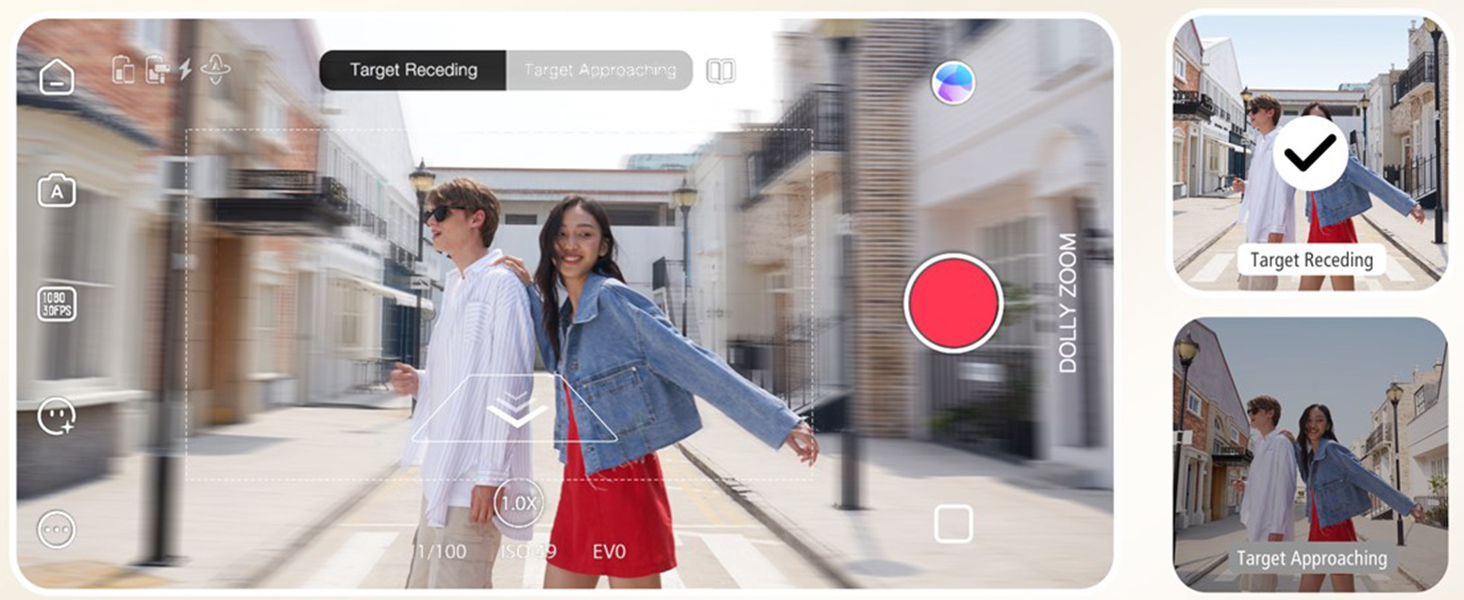
Image: The ZHIYUN Smooth Q3's integrated fill light, demonstrating its 180-degree rotatable design and three adjustable brightness levels for optimal lighting.
SmartFollow 3.0 & Gesture Control
Utilize SmartFollow 3.0 within the ZY Cami app to automatically track subjects with a single tap. Gesture control allows you to initiate or stop recording with simple hand gestures.

Image: An illustration of gesture control with the ZHIYUN Smooth Q3, showing hand signals to start and end video recording.

Image: The ZHIYUN Smooth Q3's intelligent tracking feature, automatically identifying and locking onto a moving subject to maintain focus.
Cinematic Features (via ZY Cami App)
The ZY Cami app unlocks a variety of creative shooting modes:
- Zeitlupe: Capture dramatic slow-motion footage.
- Dolly-Zoom: Create a classic cinematic effect where the background appears to zoom while the foreground remains constant.
- Anfangsmodus: Einen Dreh-Kamera-Effekt erzielen.
- 360°-Panorama: Capture expansive panoramic shots.
- Zeitraffer: Lange Ereignisse in kurze, ansprechende Videos zusammenfassen.
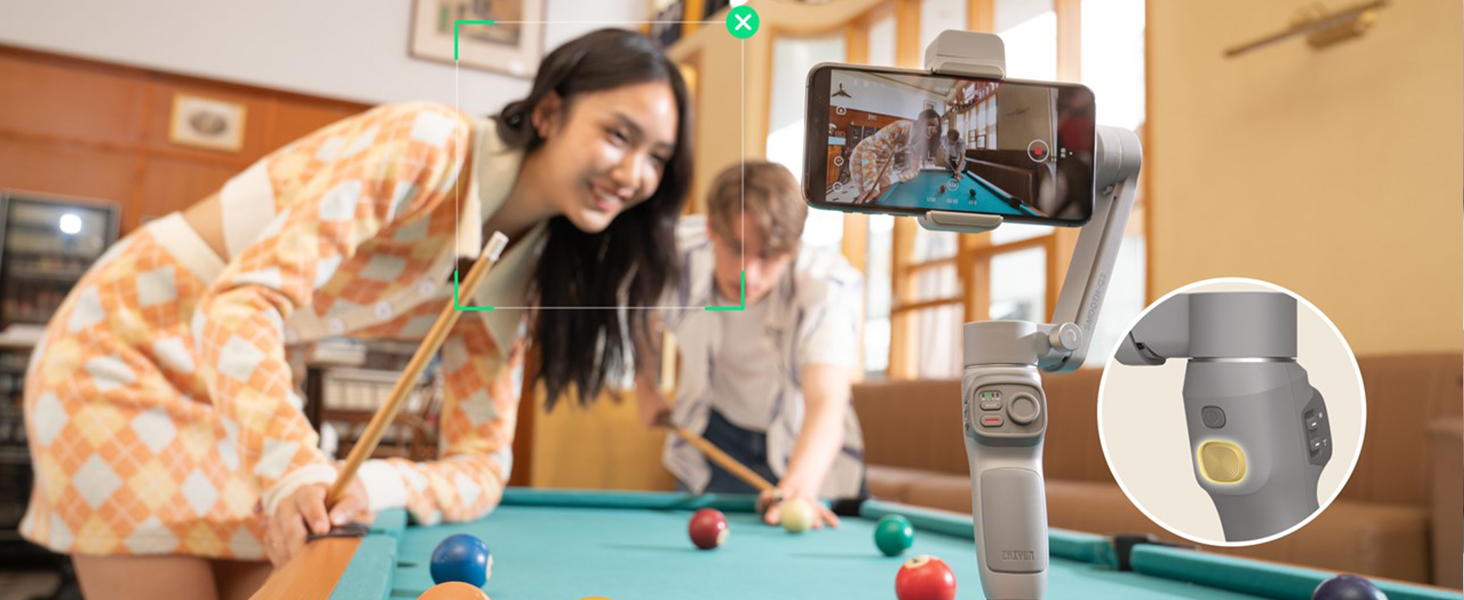
Image: A demonstration of the ZHIYUN Smooth Q3's Dolly Zoom feature, showing how to create a dynamic background effect while keeping the subject in focus.

Bild: Ein Example of the ZHIYUN Smooth Q3's 360-degree panorama feature, capturing a wide, immersive scene.
Wartung
- Reinigung: Reinigen Sie das Gimbal-Gehäuse mit einem weichen, trockenen Tuch. Vermeiden Sie die Verwendung von flüssigen Reinigern oder Lösungsmitteln.
- Lagerung: When not in use, fold the gimbal and store it in the protective bag in a cool, dry place.
- Batteriepflege: Laden Sie den Akku regelmäßig auf, auch wenn er nicht benutzt wird, um seine Lebensdauer zu erhalten. Vermeiden Sie es, den Akku über längere Zeiträume vollständig zu entladen.
Fehlerbehebung
| Problem | Mögliche Ursache | Lösung |
|---|---|---|
| Gimbal schaltet sich nicht ein | Niedriger Batteriestand; Ein-/Ausschalter nicht lange genug gedrückt gehalten | Laden Sie den Gimbal vollständig auf; Halten Sie den Ein-/Ausschalter 3 Sekunden lang gedrückt. |
| Instabiles Footage / Gimbal shaking | Phone not properly balanced; Overloaded gimbal; Obstruction | Re-balance the phone; Ensure phone weight is within limits (max 280g); Check for obstructions. |
| Cannot connect to ZY Cami App | Bluetooth off; App not updated; Gimbal not in pairing mode | Ensure Bluetooth is on; Update ZY Cami app; Restart gimbal and app. |
| Zusatzscheinwerfer funktioniert nicht | Low battery; Light not activated | Charge the gimbal; Tap the touch-sensitive area to activate and adjust brightness. |
Technische Daten
- Modell: Smooth Q3 Combo
- Produktabmessungen: 9.5 x 2.7 x 7.2 inches (unfolded); 1.8 x 6.1 x 7.1 inches (folded)
- Artikelgewicht: 12 Unzen (340 Gramm)
- Supported Device Weight: Up to 0.62lb (280g)
- Batterie: 1 Lithium Polymer battery (included), 1500 mAh
- Akkulaufzeit: Bis zu 10 Stunden
- Fülllicht: 180° rotatable, 3-level adjustable brightness
- Stabilisierung: 3-Achsen
- Konnektivität: Bluetooth
- Kompatible Geräte: Google Pixel 3XL; Realme X50 Pro X; OnePlus 8 7 Pro 6T, Samsung Galaxy S20 Ultra S10+ S9+ S9 S8+ Note10+ Note9 Note8, iPhone 12 11 Pro Max 12 mini XS Max XR X 8 7 6s Plus SE2 and similar sized smartphones.
Garantie und Support
For detailed warranty information and technical support, please refer to the official ZHIYUN webWebsite oder wenden Sie sich an den Kundendienst.
- Offizielles Benutzerhandbuch (PDF): PDF herunterladen
- ZHIYUN Store: Visit ZHIYUN Store on Amazon