
1. Einleitung
This manual provides detailed instructions for the installation, operation, and maintenance of your Alptop AT-200DW Outdoor PTZ WiFi IP Security Camera. This 1080P HD camera offers pan/tilt functionality, two-way audio, motion detection, and color night vision, designed to enhance your home surveillance.

Figure 1: Alptop AT-200DW Outdoor PTZ WiFi IP Security Camera.
Hauptmerkmale:
- Full 1080P HD Video Resolution (1920x1080P)
- Pan/Tilt Functionality: 320° horizontal, 90° vertical rotation
- Intelligent Full-color Night Vision (up to 100FT) and IR Night Vision (up to 150FT)
- Motion Detection Alerts with push notifications, email, or FTP upload
- Clear Two-Way Audio with built-in microphone and speaker
- Reliable 2.4G WiFi Connection (5Ghz not supported)
- Wetterfestes IP66-Design
- Supports max 128GB Micro SD Card for local storage
- Multiplattform viewing via CamHi/CamHiPro App (iOS/Android) and PC Software (Windows/Mac)
2. Installationsanleitung
2.1 Packungsinhalt
Bitte stellen Sie vor der Installation sicher, dass alle Komponenten vorhanden sind:
- Alptop AT-200DW Camera Unit
- Netzteil (12V 2A)
- Befestigungsschrauben und Dübel
- Benutzerhandbuch (dieses Dokument)
2.2 Physische Installation
The camera supports multiple installation options including vertical, wall, and ceiling mount. Choose a location that provides optimal viewing coverage and stable Wi-Fi signal.
- Markieren Sie die Bohrpunkte, indem Sie die Montagehalterung als Schablone verwenden.
- Bei der Montage auf Mauerwerk müssen Löcher gebohrt und Dübel eingesetzt werden.
- Befestigen Sie die Montagehalterung mit den mitgelieferten Schrauben an der gewünschten Oberfläche.
- Attach the camera unit to the mounted bracket.
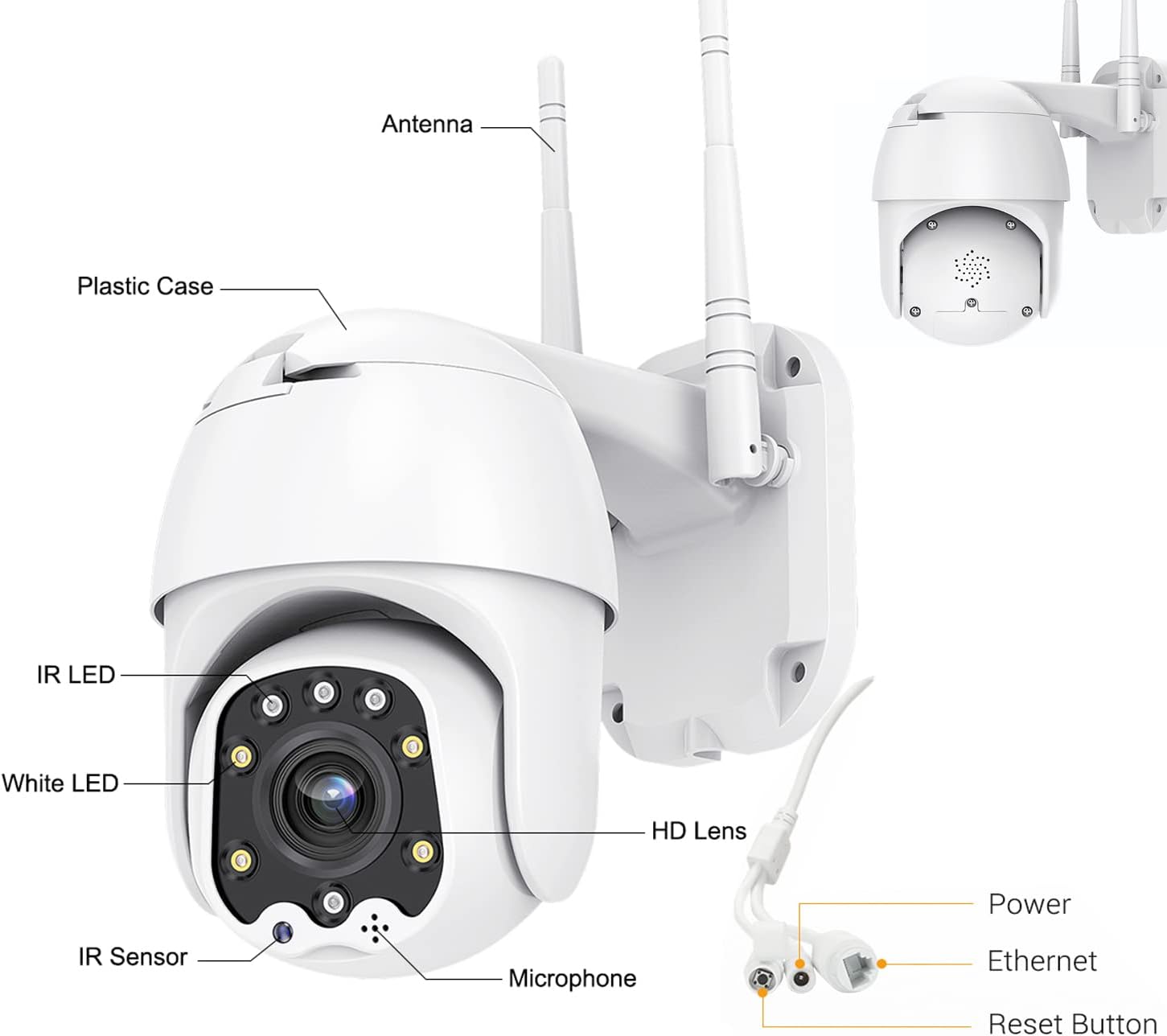
Figure 2: Camera Components and Connections.
2.3 Installation der SD-Karte (optional)
The camera supports a Micro SD card up to 128GB for local video storage (card not included).
- Open the cover on the camera body.
- Schieben Sie die Micro-SD-Karte vorsichtig in den Steckplatz, bis sie einrastet.
- Schließen Sie die Abdeckung sicher.
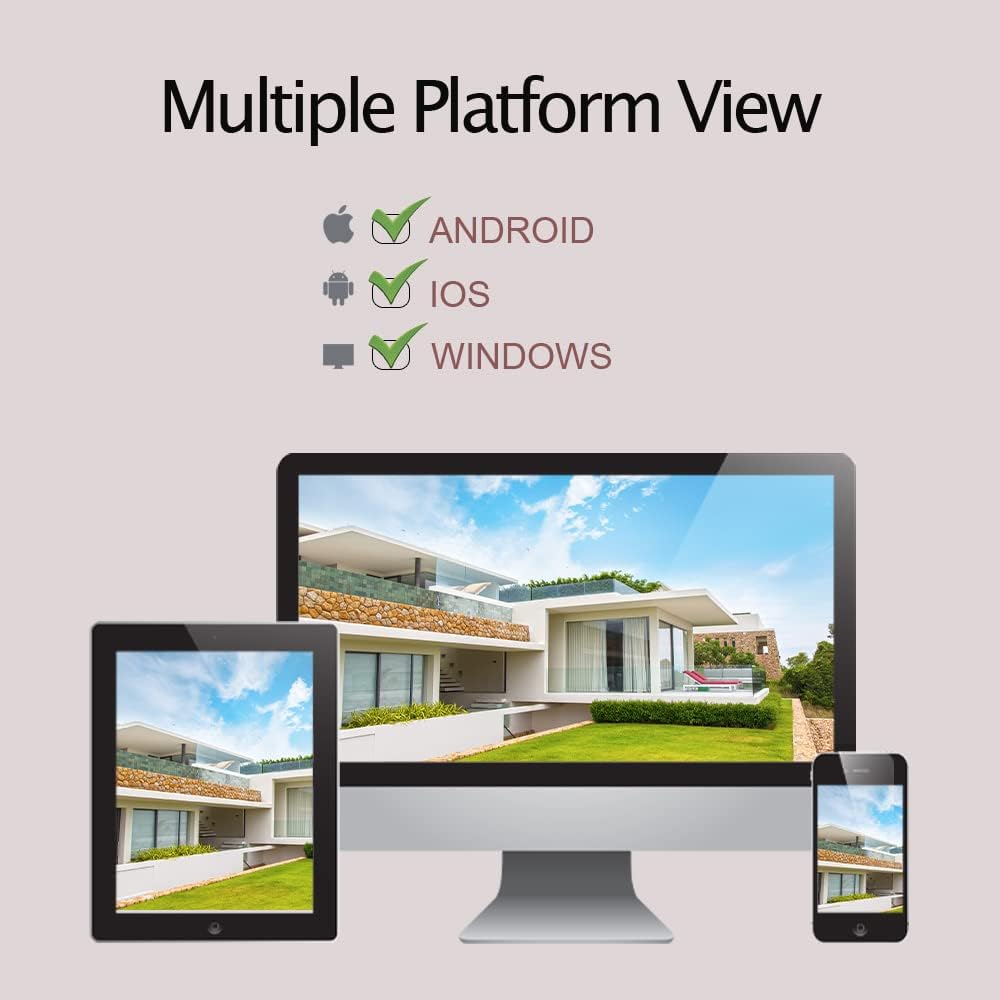
Figure 3: SD Card Installation Steps.
2.4 Network Connection and App Setup
The camera connects via 2.4GHz Wi-Fi. Ensure your Wi-Fi password does not contain special symbols.
- Download the "CamHiPro" app from the App Store (iOS) or Google Play Store (Android).
- Registrieren Sie ein Konto und melden Sie sich an.
- Schalten Sie die Kamera ein.
- In the app, follow the on-screen instructions to add a new device. Select "Add Camera" and choose the Wi-Fi setup method.
- Enter your 2.4GHz Wi-Fi network details when prompted.
- The camera will connect to your Wi-Fi network. Once connected, you can view der Livestream.
3. Bedienung der Kamera
3.1 Live View und PTZ-Steuerung
Once connected, you can access the live video feed through the CamHiPro app or PC software.
- Schwenken/Neigen: Verwenden Sie die Richtungssteuerung in der App, um die Kamera horizontal (320°) und vertikal (90°) zu drehen und so die Einstellungen anzupassen. viewing-Winkel.
- Digitalzoom: Zum Zoomen im Livebild zusammenziehen. view to digitally magnify the image.
3.2 Zwei-Wege-Audio
Die Kamera verfügt über ein eingebautes Mikrofon und einen Lautsprecher für die Zwei-Wege-Kommunikation.
- Tippe in der App auf das Mikrofonsymbol, um über den Lautsprecher der Kamera zu sprechen.
- Das Mikrofon der Kamera nimmt Geräusche aus der Umgebung auf.

Abbildung 4: Zwei-Wege-Audiofunktionalität.
3.3 Bewegungserkennung und Benachrichtigungen
The camera can detect motion and send alerts to your device.
- Configure motion detection sensitivity and detection areas within the app settings.
- When motion is detected, the camera can send push notifications to your phone, send an email with a photo, or upload photos/videos to an FTP server.
- The camera also supports recording alarm video to the local Micro SD card.
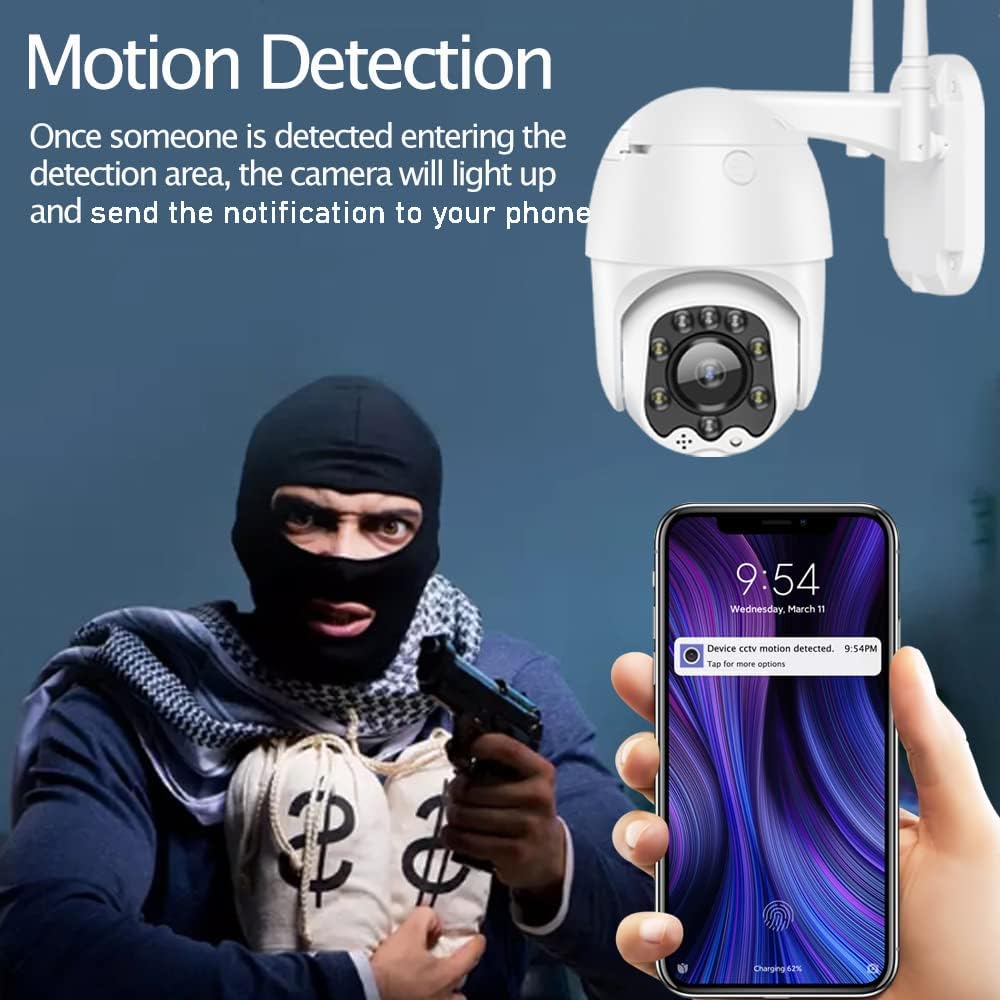
Figure 5: Motion Detection Alerts.
3.4 Nachtsichtmodi
The AT-200DW offers intelligent full-color night vision and infrared night vision.
- Intelligente Nachtsicht: The camera automatically switches between IR and full-color mode based on light conditions and detected motion.
- Infrarot Nachtsicht: Provides black and white video in low light using IR LEDs.
- Vollfarbige Nachtsicht: Utilizes white LEDs to provide color video even in very low light conditions. This can also act as a deterrent.

Figure 6: Full-Color Night Vision for Deterrence.
3.5 Multiplattform Viewing
Access your camera feed from various devices.
- Mobile App: CamHi/CamHiPro for iOS and Android smartphones.
- PC-Software: Available for Windows and Mac operating systems.
- Web Browser: Supports IE, Firefox, Safari, Chrome.
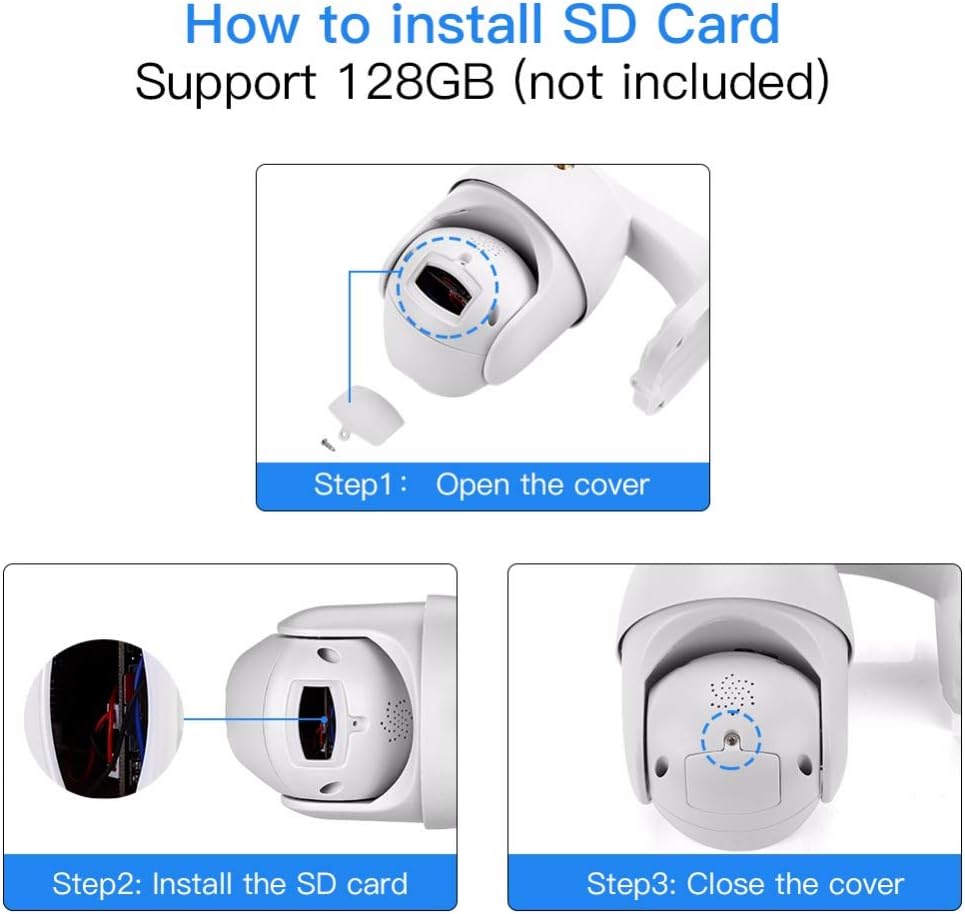
Figure 7: Multiple Platform Viewing Options.
4. Wartung
Regelmäßige Wartung gewährleistet optimale Leistung und Langlebigkeit Ihrer Kamera.
- Reinigung: Reinigen Sie Objektiv und Gehäuse der Kamera regelmäßig mit einem weichen, fusselfreien Tuch.amp Mit einem Tuch Staub und Schmutz entfernen. Keine scharfen Chemikalien oder Scheuermittel verwenden.
- Firmware-Updates: Check the CamHiPro app or Alptop's official webAuf dieser Website finden Sie alle verfügbaren Firmware-Updates. Durch die Aktualisierung der Firmware können die Leistung verbessert und neue Funktionen hinzugefügt werden.
- SD-Kartenverwaltung: If using an SD card for continuous recording, consider formatting it periodically (e.g., monthly) through the app to maintain performance and prevent data corruption.
- Verbindungsprüfung: Occasionally verify the camera's Wi-Fi connection stability, especially after power outages oder Netzwerkänderungen.
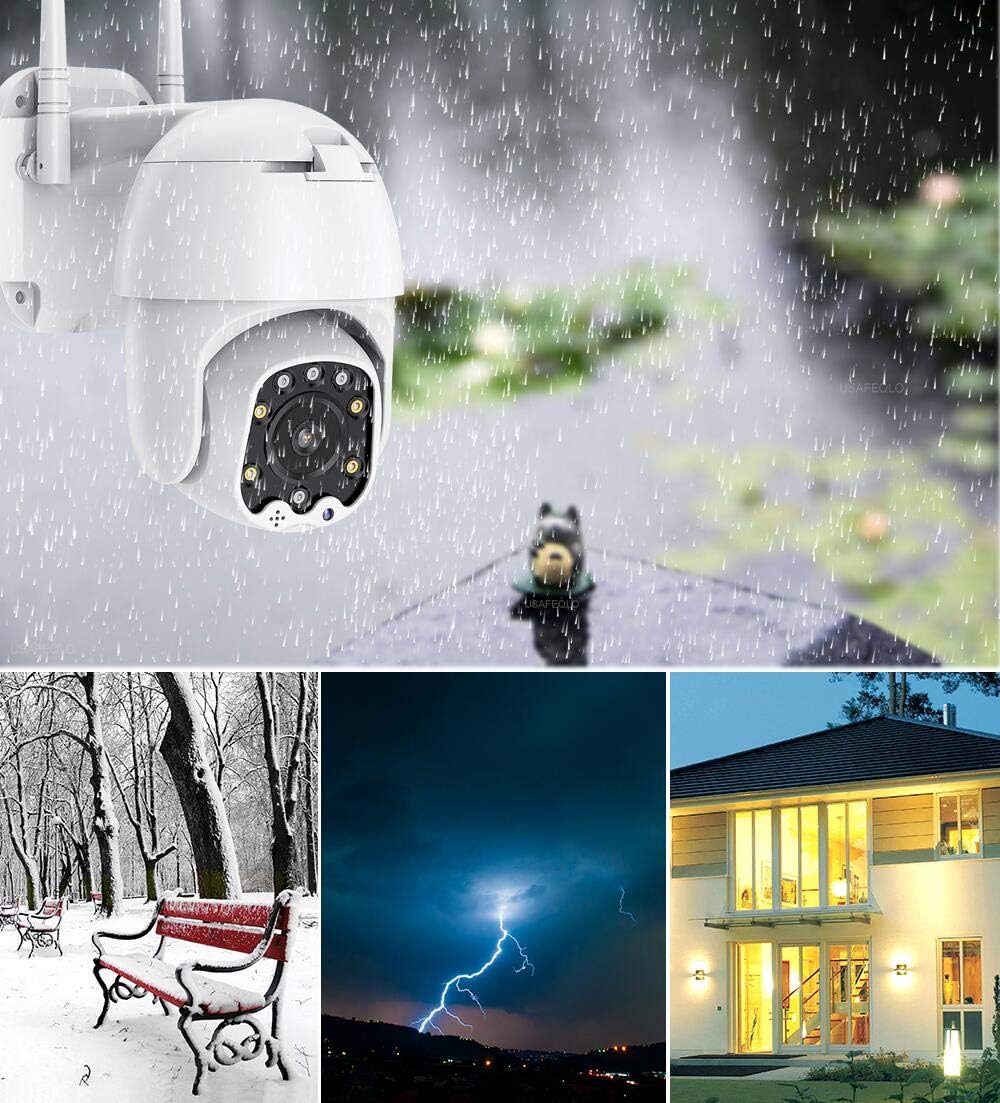
Abbildung 8: Wetterfeste Ausführung gemäß IP66.
5. Fehlerbehebung
Sollten Sie Probleme mit Ihrer Kamera haben, beachten Sie bitte die folgenden häufigen Probleme und Lösungen:
| Problem | Mögliche Ursache | Lösung |
|---|---|---|
| Die Kamera kann keine Verbindung zum WLAN herstellen. | Incorrect Wi-Fi band (5GHz), wrong password, special characters in password, weak signal. | Ensure you are connecting to a 2.4GHz Wi-Fi network. Verify Wi-Fi password (no special symbols). Move camera closer to router or use a Wi-Fi extender. |
| No video feed or intermittent connection. | Network congestion, poor Wi-Fi signal, router channel interference. | Check network stability. Try changing your router's 2.4GHz Wi-Fi channel to a less congested one (e.g., 1, 6, or 11). Ensure your smartphone is not on the 2.4GHz band if possible. |
| Bewegungserkennung funktioniert nicht oder ist zu empfindlich. | Falsche Einstellungen, Umwelteinflüsse. | Adjust motion detection sensitivity and detection areas in the app. Ensure there are no moving objects (trees, flags) in the detection zone causing false alarms. |
| Two-way audio is unclear or has echo. | Umgebungsgeräusche, Mikrofon-/Lautsprecherverstopfung. | Ensure no obstructions near microphone or speaker. Reduce background noise if possible. |
| Die SD-Karte wird nicht erkannt oder zeichnet nicht auf. | Card not inserted correctly, incompatible card, card full/corrupted. | Re-insert the SD card. Ensure it is a Class 10 or higher, up to 128GB. Format the SD card via the app. |
6. Spezifikationen
| Besonderheit | Detail |
|---|---|
| Modellnummer | AT-200DW |
| Videoauflösung | 1080P HD (1920x1080) |
| Schwenk-/Neigebereich | Horizontal 320°, Vertikal 90° |
| Nachtsichtbereich | IR: 150FT, Full-color: 100FT |
| Konnektivität | 2.4GHz Wi-Fi (IEEE802.11b/g/n), Ethernet |
| Lagerung | Supports max 128GB Micro SD card |
| Audio | Two-way audio (built-in 38dB microphone & speaker) |
| Stromversorgung | 12V 2A (AC/DC) |
| Betriebstemperatur | Not specified, but designed for outdoor use (IP66) |
| IP-Schutzart | IP66 (wetterfest) |
| Maße | 8.19 x 8.15 x 5.43 Zoll |
| Gewicht | 1.76 Pfund |
7. Garantie und Support
For warranty information and technical support, please refer to the documentation included with your product or contact Alptop customer service directly. You can also visit the official Alptop website for the latest support resources, FAQs, and contact details.
The primary application for managing your camera is the CamHiPro app, available for iOS and Android devices. PC software is also available for Windows and Mac users.