
Redzeo BH510A
Redzeo MDots Kabellose Ohrhörer – Bedienungsanleitung
Modell: BH510A
Einführung
Thank you for choosing Redzeo MDots Wireless Earbuds. This manual provides detailed instructions on how to set up, operate, maintain, and troubleshoot your new earbuds. Please read this manual carefully before use to ensure optimal performance and longevity of your device.
Packungsinhalt
- Redzeo MDots Wireless Earbuds (Left and Right)
- Kabelloses Ladecase
- USB-Ladekabel
- Multiple Sizes of Eartips (S/M/L)
- Multiple Sizes of Earwings (S/M/L)
- Bedienungsanleitung
Aufstellen
1. Erstes Aufladen
Vor dem ersten Gebrauch Ladecase und Ohrhörer vollständig aufladen.
- Legen Sie die Ohrhörer in das Ladecase. Achten Sie darauf, dass sie richtig in ihren jeweiligen Fächern sitzen.
- Verbinden Sie das USB-Ladekabel mit dem Ladeanschluss am Gehäuse und das andere Ende mit einer USB-Stromquelle (z. B. Computer, Netzteil).
- The indicator light on the charging case will show charging status. A full charge for the case takes approximately 2.0 hours. The earbuds provide 4.0 hours of playback per charge, and the case provides up to 4 full charges, totaling 20 hours of enjoyment.

Image: The Redzeo MDots earbuds and charging case, illustrating the 20 hours total playtime with the case, 4.0 hours playback per earbud charge, and 2.0 hours to fully charge the case.
2. Koppeln mit Ihrem Gerät
The earbuds automatically enter pairing mode when taken out of the charging case.
- Öffnen Sie das Ladecase und entnehmen Sie beide Ohrhörer. Sie schalten sich automatisch ein und versuchen, sich miteinander zu verbinden.
- Gehen Sie auf Ihrem Bluetooth-fähigen Gerät (Smartphone, Tablet usw.) zu den Bluetooth-Einstellungen.
- Suchen nach new devices and select "Redzeo MDots" from the list.
- Sobald die Verbindung hergestellt ist, hören Sie einen Bestätigungston, und die Ohrhörer sind einsatzbereit.

Image: The Redzeo MDots wireless earbuds resting inside their open charging case, ready for pairing or charging.
3. Einsetzen der Ohrhörer
For optimal sound quality and comfort, choose the correct size of eartips and earwings.
- Experiment with the different sizes of eartips (S/M/L) to find the best seal for your ear canal. A good seal is crucial for bass response and noise isolation.
- Select the appropriate earwings (S/M/L) that fit snugly into your ear's concha, providing stability during movement.
- Gently insert the earbuds into your ears and twist slightly until they feel secure and comfortable.
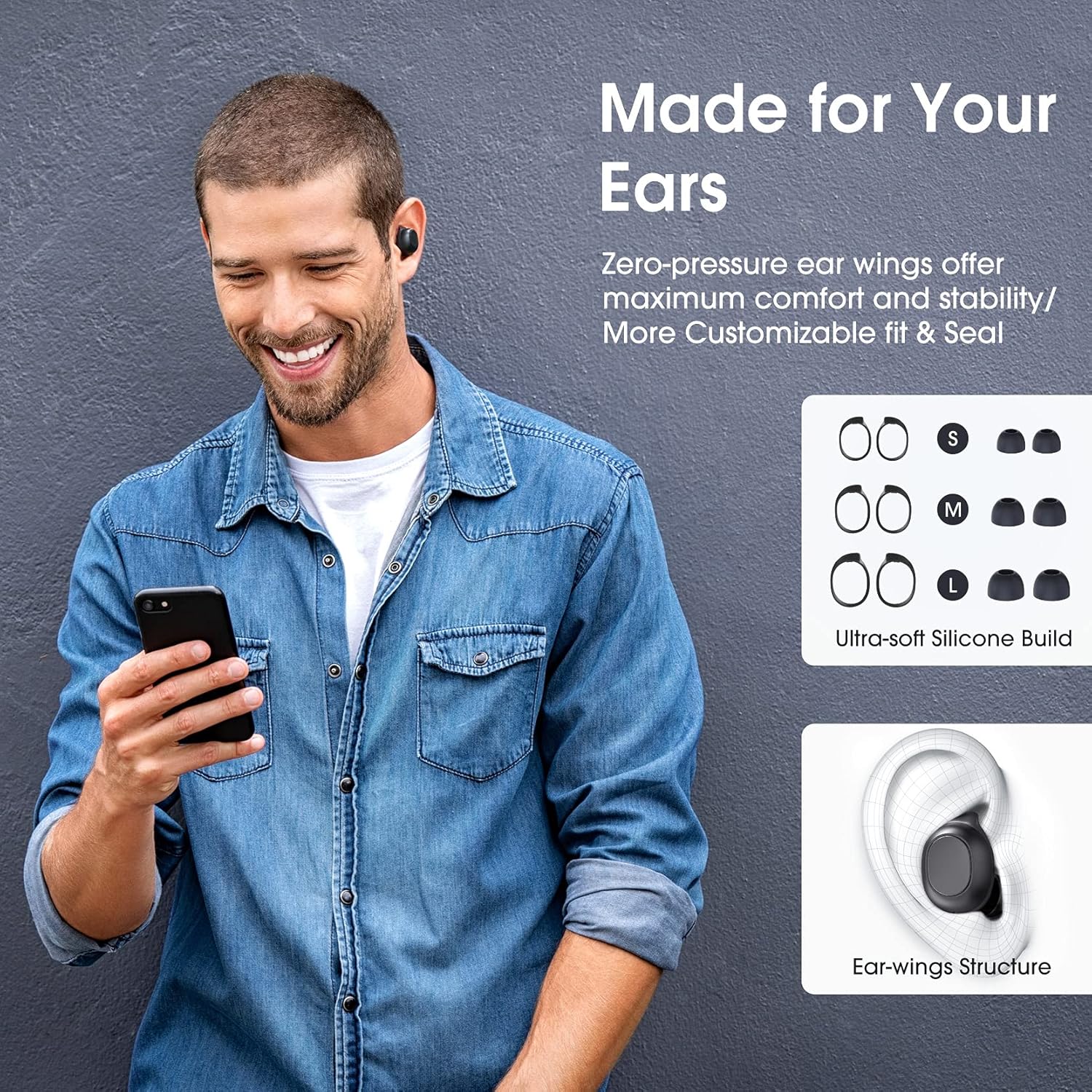
Image: A man wearing the Redzeo MDots earbuds, demonstrating their comfortable fit. The image also shows diagrams of various earwing sizes (S, M, L) and an illustration of how the earwing structure fits into the ear for maximum comfort and stability.
Bedienungsanleitung
Tastensteuerung
The Redzeo MDots earbuds feature two easy-to-press buttons on each earbud for comprehensive control.
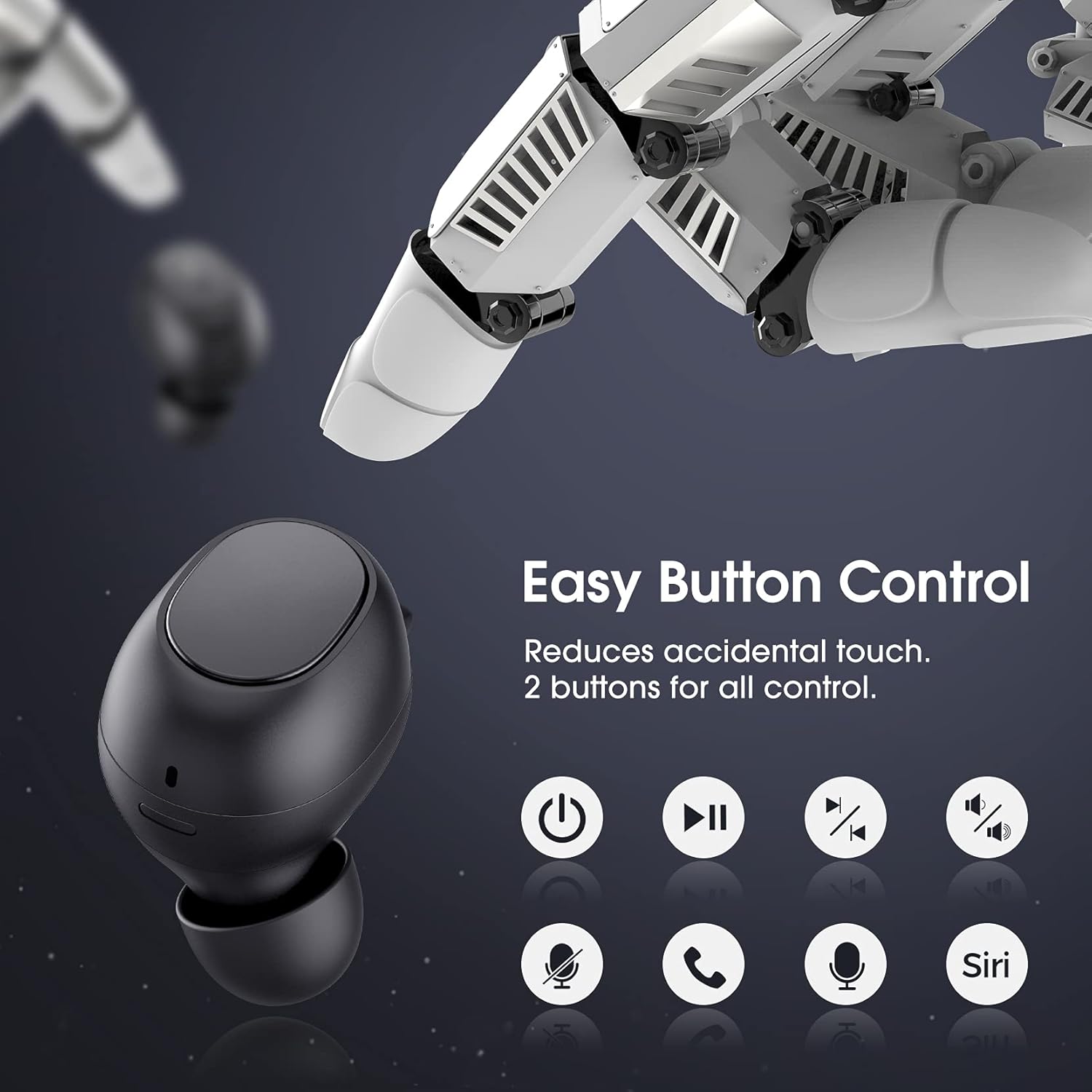
Image: A visual representation of the easy button controls on the Redzeo MDots earbuds, with icons indicating functions such as power on/off, play/pause, skip track, volume control, microphone mute, call answer/end, and voice assistant activation (Siri/Google Assistant).
| Funktion | Aktion |
|---|---|
| Einschalten | Aus dem Ladecase entnehmen |
| Ausschalten | Legen Sie es zurück in das Ladecase. |
| Abspielen/Pause | Single press on either earbud |
| Nächster Titel | Double press on the Right earbud |
| Vorheriger Titel | Double press on the Left earbud |
| Lautstärke erhöhen | Press and hold Right earbud |
| Lautstärke verringern | Press and hold Left earbud |
| Anruf annehmen/beenden | Single press on either earbud |
| Anruf ablehnen | Drücken und halten Sie einen der Ohrhörer |
| Sprachassistent aktivieren (Siri/Google Assistant) | Triple press on either earbud |
Mono Mode and Twin Stereo Mode
The Redzeo MDots earbuds offer flexible listening options:
- Mono-Modus: Each earbud can be used independently. This allows you to leave one ear free to hear your surroundings while still enjoying audio. Simply take one earbud out of the case to use it in mono mode.
- Twin-Stereo-Modus: Use both earbuds simultaneously for an immersive true wireless stereo sound experience. This mode is ideal for enjoying music or blocking out surrounding noise.

Image: A visual guide demonstrating the different listening modes: Right Mono Mode (using only the right earbud), Left Mono Mode (using only the left earbud to hear ambient sound), and Twin Stereo Mode (using both earbuds for immersive sound).
Tonqualität
The MDots wireless earbuds deliver well-balanced sound with stereo bass. For the best audio experience, ensure you have selected the optimal eartips for a proper seal, which enhances bass and overall sound clarity.

Image: An exploded diagram illustrating the internal components of the Redzeo MDots earbud, highlighting the driver and acoustic structure responsible for delivering magical immersive sound with rich, high-quality audio.
Wartung
Reinigung
Regelmäßige Reinigung trägt zur Erhaltung der Klangqualität und Hygiene bei.
- Verwenden Sie ein weiches, trockenes, fusselfreies Tuch, um die Ohrhörer und das Ladecase abzuwischen.
- For eartips, remove them from the earbuds and clean with a mild soap solution if necessary, then rinse thoroughly and dry completely before reattaching.
- Entfernen Sie Ohrenschmalz oder Ablagerungen vorsichtig mit einer kleinen, weichen Bürste oder einem Wattestäbchen vom Ohrstöpselgitter.
Lagerung
Bewahren Sie die Ohrhörer immer im Ladecase auf, wenn Sie sie nicht benutzen, um sie zu schützen und geladen zu halten.
Wasserbeständigkeit (IPX6)
The Redzeo MDots earbuds feature an IPX6 waterproof nano-coating design, making them resistant to sweat, water splashes, and rain. They are suitable for strenuous exercise and all-weather conditions.

Image: The Redzeo MDots earbuds resting on a wet surface, visually representing their IPX6 waterproof capability, which provides water protection for daily use and resistance to sweat, water, and rain, making them ideal for running, yoga, and gym activities.
Wichtiger Hinweis: Do not use the earbuds for swimming or immerse them in heavy rain. The IPX6 rating protects against strong jets of water, but not continuous submersion.
Fehlerbehebung
Häufige Probleme und Lösungen
- Ohrhörer lassen sich nicht mit dem Gerät koppeln:
- Stellen Sie sicher, dass Bluetooth auf Ihrem Gerät aktiviert ist.
- Stellen Sie sicher, dass die Ohrhörer aufgeladen sind.
- Place earbuds back in the case, close it, wait a few seconds, then open and remove them to re-enter pairing mode.
- Forget/delete "Redzeo MDots" from your device's Bluetooth list and try pairing again.
- Nur ein Ohrhörer funktioniert:
- Stellen Sie sicher, dass beide Ohrhörer aufgeladen sind.
- Place both earbuds back into the charging case, close the lid, and then open it again. This should force them to re-sync.
- Sollte das Problem weiterhin bestehen, versuchen Sie, die Ohrhörer zurückzusetzen (siehe Herstellerangaben). web(falls hier keine genauen Anweisungen zum Zurücksetzen aufgeführt sind, wenden Sie sich bitte an den Support oder besuchen Sie die Website.)
- Kein Ton oder geringe Lautstärke:
- Überprüfen Sie die Lautstärke sowohl auf Ihrem Gerät als auch an den Ohrhörern.
- Stellen Sie sicher, dass die Ohrhörer ordnungsgemäß mit Ihrem Gerät verbunden sind.
- Clean any debris from the earbud mesh that might be obstructing sound.
- Try different eartip sizes to ensure a proper seal in your ear.
- Ladeetui lädt nicht:
- Stellen Sie sicher, dass das Ladekabel sowohl mit dem Gehäuse als auch mit der Stromquelle fest verbunden ist.
- Versuchen Sie es mit einem anderen USB-Kabel oder Netzteil.
- Prüfen Sie den Ladeanschluss auf Fremdkörper.
Technische Daten
| Besonderheit | Detail |
|---|---|
| Modellnummer | BH510A |
| Marke | Redzeo |
| Konnektivitätstechnologie | Kabellos (Bluetooth 5.0) |
| Platzierung des Ohrs | Im Ohr |
| Formfaktor | Im Ohr |
| Kopfhöreranschluss | USB |
| Farbe | Helles Schwarz |
| Material | Plastik |
| Technische Daten | 6.35 x 2.49 x 1.98 cm |
| Artikelgewicht | 91 g |
| Wasserbeständigkeit | IPX6 |
| Wiedergabezeit (Ohrhörer) | Bis zu 4 Stunden |
| Gesamtwiedergabezeit (mit Ladecase) | Bis zu 20 Stunden |
| Ladezeit (Case) | Ca. 2 Stunden |
| Im Lieferumfang enthaltene Komponenten | Kabelloses Ladecase |
| Datum der ersten Verfügbarkeit | 31 Mag 2021 |
Garantie und Support
Redzeo products are designed and manufactured to the highest quality standards. For information regarding warranty coverage, technical support, or customer service, please refer to the warranty card included in your product packaging or visit the official Redzeo webBitte bewahren Sie Ihren Kaufbeleg für eventuelle Garantieansprüche auf.
For further assistance, you may contact Redzeo customer support through the contact information provided on their official webWebsite.
Ask a question about this manual
Ask about setup, troubleshooting, compatibility, parts, safety, or missing instructions. Manuals+ will review the question and use this page’s manual context to help answer it.