
Einführung
This manual provides comprehensive instructions for the Mesqool Vibrating Alarm Clock, designed for heavy sleepers, individuals with hearing impairment, and those who prefer a silent wake-up. Please read this manual thoroughly before using the device to ensure proper operation and to maximize its features.
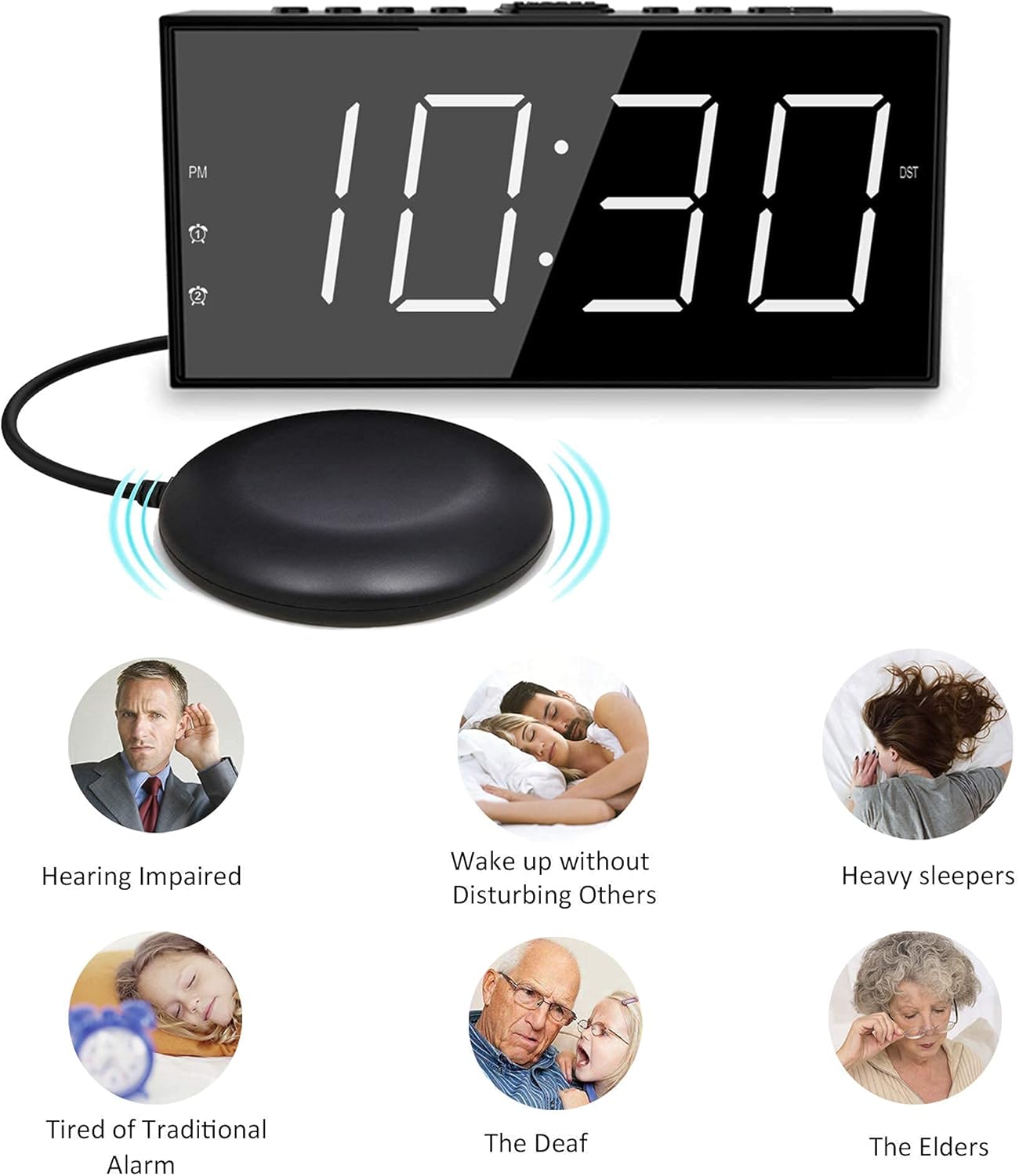
Image: The Mesqool Vibrating Alarm Clock with its bed shaker, illustrating its use for hearing impaired, heavy sleepers, and for waking without disturbing others.
Packungsinhalt
Überprüfen Sie, ob alle Artikel im Paket vorhanden sind:
- 1 x Mesqool Digital Alarm Clock
- 1 x US-Stecker-Netzadapter
- 1 x Bed Shaker with 78-inch Cable
- 2 x Black Brackets (for stability)
- 1 x Benutzerhandbuch (dieses Dokument)
Produkteigenschaften
- Mehrere Aufwachmodi: Choose from bed shaker only, loud buzzer only, or both.
- Adjustable Buzzer Volume: 4 levels of buzzer volume to suit individual preferences.
- Doppelte Alarmfunktion: Stelle zwei unabhängige Alarme für unterschiedliche Zeitpläne ein.
- Large Snooze Button: Sorgt für zusätzliche 9 Minuten Schlaf.
- 7-Zoll-LED-Display: Große, gut lesbare Ziffern.
- 5-Level Brightness Dimmer: Adjustable display brightness from completely dark to extra bright.
- USB Ladeanschluss: Conveniently charge mobile devices (5V/1A output).
- Batterie-Backup: Maintains time settings and ensures alarm function during power outages (benötigt 2 AAA-Batterien, nicht im Lieferumfang enthalten).
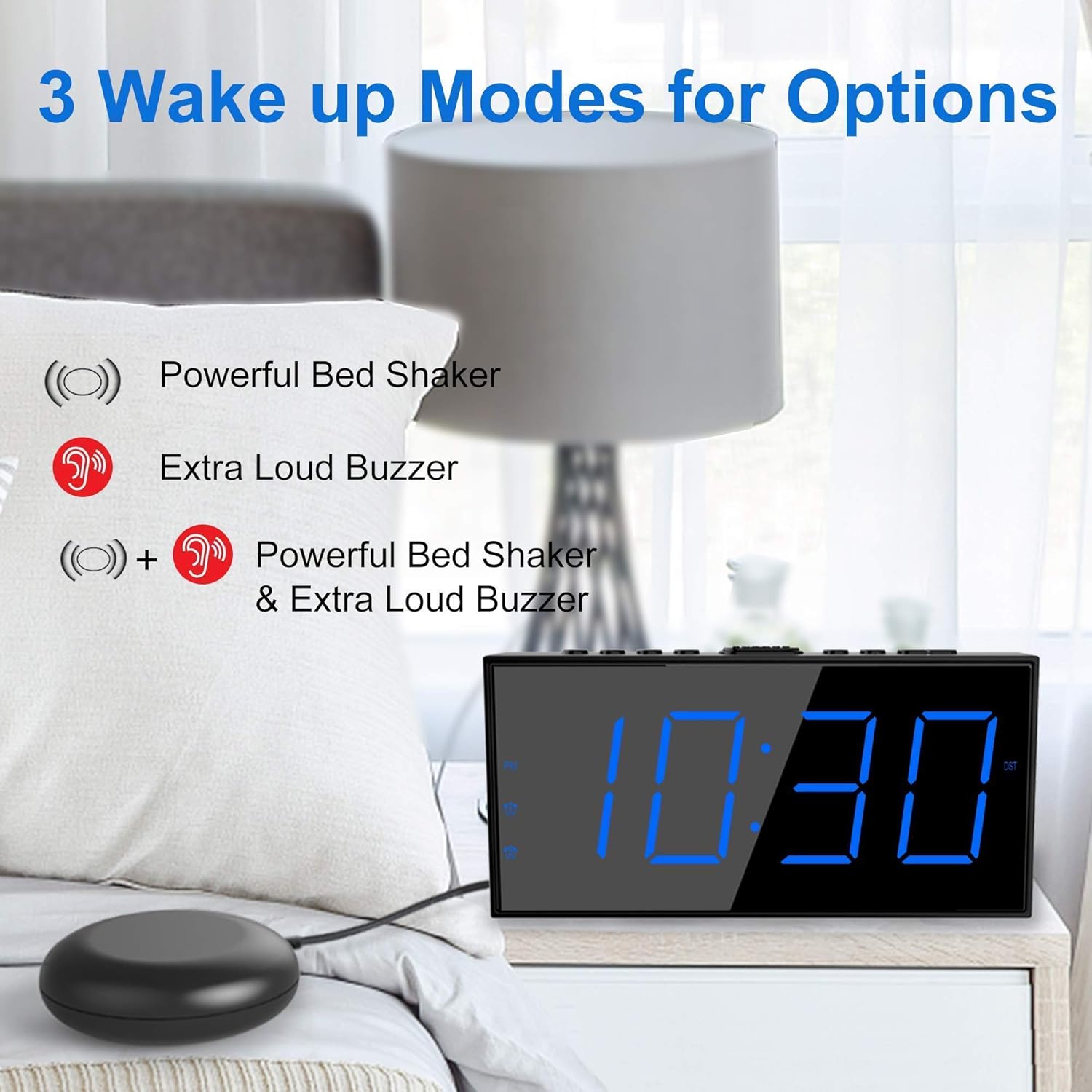
Image: The alarm clock illustrating its three wake-up modes: bed shaker, buzzer, or a combination of both.
Bedienelemente und Anzeige
Machen Sie sich mit den Tasten und Anzeigeelementen vertraut:

Image: The alarm clock's large LED display, physical dimensions, and the bed shaker with its 78-inch cable.
Tasten auf der Oberseite:
- SET TIME/HOUR: Press to enter time setting mode; use to adjust hour.
- MIN/DIMMER: Press to adjust minute; use to adjust display brightness.
- 12/24 Uhr: Zwischen 12-Stunden- und 24-Stunden-Zeitformat umschalten.
- Sommerzeit: Activate/deactivate Daylight Saving Time.
- ALM PAUSE: Temporarily silence the alarm.
- ALARM 1/ALARM 2: Set or activate/deactivate Alarm 1 or Alarm 2.
- ALM OFF: Turn off all active alarms.
- SCHLÄUFE/SCHLAF: Large button for snooze function.
Anzeigeindikatoren:
- Nachmittags: Indicates PM in 12-hour format.
- Alarmsymbol 1: Lights up when Alarm 1 is active.
- Alarmsymbol 2: Lights up when Alarm 2 is active.
- Sommerzeit: Lights up when Daylight Saving Time is active.
Aufstellen
1. Stromanschluss
- Connect the provided US Plug Power Adapter to the DC IN port on the back of the alarm clock.
- Stecken Sie den Adapter in eine normale Steckdose. Das Display leuchtet auf.

Bild: Rückseite view of the alarm clock highlighting the USB charging port and the battery backup compartment.
2. Installation einer Notstromversorgung (optional, aber empfohlen)
- Öffnen Sie die Batteriefachabdeckung an der Unterseite der Uhr.
- Legen Sie 2 AAA-Batterien (nicht im Lieferumfang enthalten) entsprechend den Polaritätsmarkierungen (+ und -) ein.
- Close the battery compartment cover. These batteries will maintain time settings and alarm function during a power outage.
3. Bed Shaker Connection
- Plug the bed shaker cable into the designated port on the back of the alarm clock.
- Place the bed shaker under your mattress or pillow. Ensure the cable is not pinched or damaged.
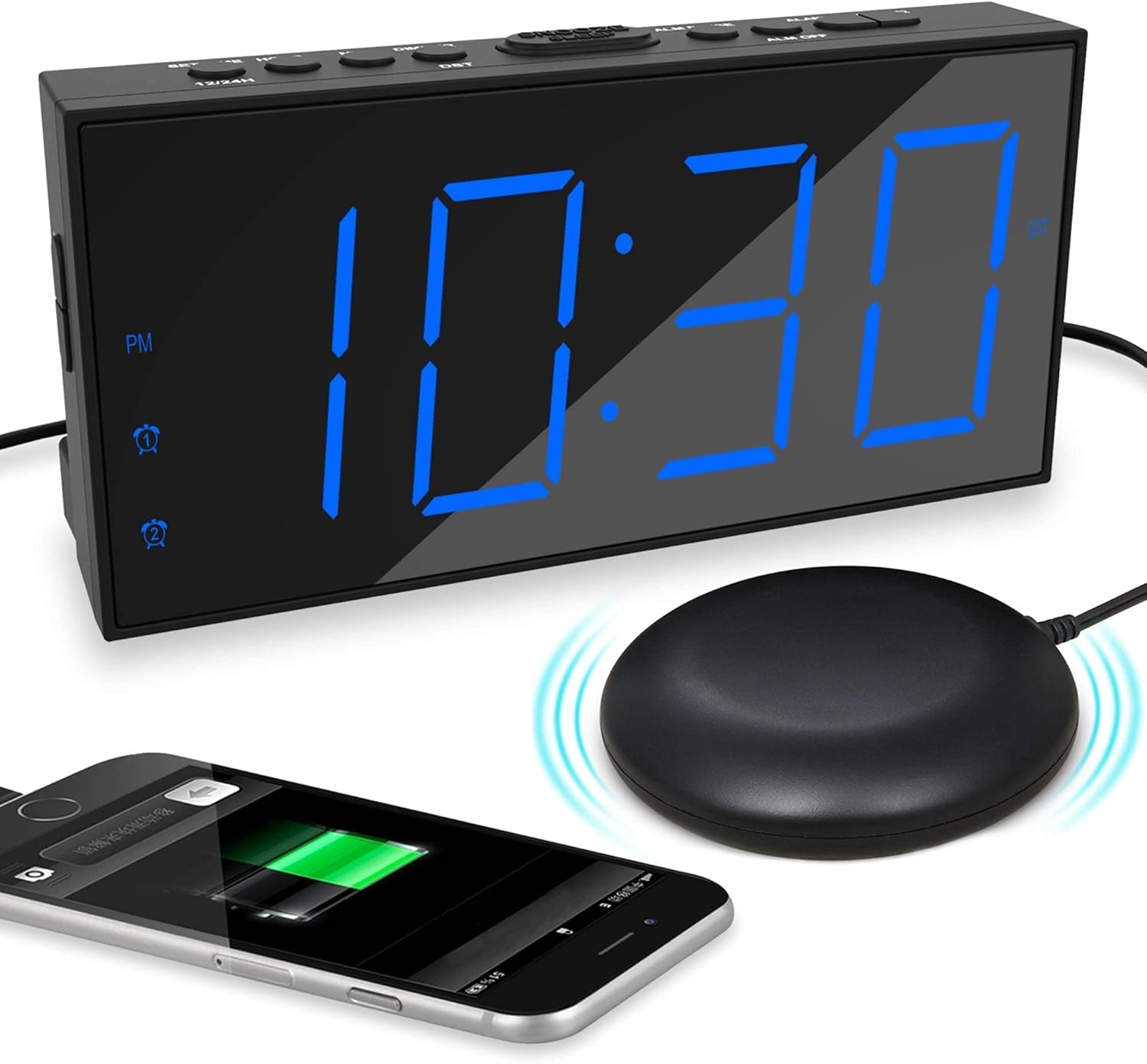
Image: The alarm clock displaying time with a blue LED, connected to a bed shaker, and a smartphone charging from its USB port.
Bedienungsanleitung
Einstellen der Uhrzeit
- Halten Sie die SET TIME/HOUR Drücken Sie die Taste so lange, bis die Stundenziffern blinken.
- Drücken SET TIME/HOUR repeatedly to adjust the hour.
- Drücken Sie die MIN/DIMMER Durch wiederholtes Drücken der Taste können die Minuten eingestellt werden.
- Drücken SET TIME/HOUR again to confirm and exit time setting mode, or wait for 5 seconds for it to exit automatically.
- Um zwischen 12-Stunden- und 24-Stunden-Format umzuschalten, drücken Sie die Taste 12/24 Uhr Taste.
- To activate/deactivate Daylight Saving Time (DST), press the Sommerzeit button. The DST indicator will light up when active.
Alarme einstellen (Alarm 1 und Alarm 2)
Die Uhr unterstützt zwei unabhängige Alarme.

Image: The alarm clock demonstrating its dual alarm capability with two distinct alarm times.
- Halten Sie die ALARM 1 or ALARM 2 Drücken Sie die Taste so lange, bis die Ziffern der Alarmstunde blinken.
- Drücken Sie die entsprechende Taste ALARM Durch wiederholtes Drücken der Taste kann die Alarmzeit eingestellt werden.
- Drücken Sie die MIN/DIMMER Durch wiederholtes Drücken der Taste kann die Alarmminuteneinstellung angepasst werden.
- Drücken Sie die entsprechende Taste ALARM Drücken Sie erneut die Taste, um die Uhrzeit zu bestätigen.
- Next, select the wake-up mode by pressing the ALARM Taste:
- Summersymbol: Buzzer only.
- Shaker Icon: Bed shaker only.
- Buzzer + Shaker Icons: Both buzzer and bed shaker.
- Drücken Sie die entsprechende Taste ALARM button one more time to confirm the wake-up mode and activate the alarm. The alarm icon will light up on the display.
- Um einen Alarm zu deaktivieren, drücken Sie die entsprechende Taste. ALARM Drücken Sie die Taste so lange, bis das Alarmsymbol vom Display verschwindet.
Adjusting Buzzer Volume
Wenn der Alarm ertönt, drücken Sie die MIN/DIMMER button to cycle through the 4 volume levels.
Schlummerfunktion

Image: A hand pressing the large snooze button on the alarm clock.
Wenn ein Alarm ertönt, drücken Sie die große Taste. SNOOZE/SCHLAF button to temporarily silence the alarm for 9 minutes. The alarm will sound again after 9 minutes. To cancel snooze and turn off the alarm, press the ALM AUS Taste.
Anpassen der Anzeigehelligkeit
Drücken Sie die MIN/DIMMER button (when not in time setting mode) to cycle through the 5 brightness levels (including OFF) for the LED display.
USB-Ladeanschluss
The USB port on the back of the clock provides 5V/1A output for charging mobile phones or other small electronic devices. Connect your device's charging cable to this port.
Wartung
- Reinigung: Reinigen Sie die Uhr mit einem weichen, trockenen Tuch. Verwenden Sie keine Scheuermittel oder Lösungsmittel.
- Platzierung: Place the clock on a stable, flat surface. Avoid direct sunlight, extreme temperatures, and high humidity.
- Bed Shaker Care: Ensure the bed shaker cable is not tangled or damaged. Avoid placing heavy objects directly on the shaker.
- Batteriewechsel: Replace AAA backup batteries annually or when the battery backup function is no longer reliable.
Fehlerbehebung
| Problem | Mögliche Ursache | Lösung |
|---|---|---|
| Die Uhranzeige ist aus. | No power, or display brightness set to OFF. | Check power adapter connection. Press MIN/DIMMER um die Helligkeit anzupassen. |
| Der Alarm ertönt/vibriert nicht. | Alarm not activated, wrong wake-up mode selected, or volume too low. | Ensure alarm icon is lit. Verify correct wake-up mode (buzzer/shaker). Adjust buzzer volume. Check bed shaker connection. |
| Zeit-/Weckereinstellungen werden nach Stromausfall zurückgesetzttage. | Die Notstrombatterien sind nicht installiert oder leer. | Setzen Sie 2 neue AAA-Batterien ein. |
| USB-Ladefunktion funktioniert nicht. | Clock not powered, or device cable faulty. | Ensure clock is plugged into wall power. Try a different USB cable or device. |
Technische Daten
- Marke: Mesqool
- Modell: B096F79526
- Anzeigetyp: Digitale LED
- Anzeigegröße: 7 Zoll
- Helligkeitsstufen: 5 (einschließlich AUS)
- Alarmmodi: Buzzer, Vibrator (Bed Shaker), Both
- Summerlautstärke: 4 einstellbare Stufen
- Energiequelle: Corded Electric (DC adapter), 2x AAA batteries (backup, not included)
- USB-Ladeausgang: 5 V/1 A
- Bed Shaker Cable Length: Approximately 78 inches (6.5 feet)
- Abmessungen (ungefähr): 6.77 Zoll (B) x 3.26 Zoll (H) x 1.18 Zoll (T)
- Material: Plastik
Garantie und Support
For warranty information or technical support, please refer to the contact details provided on the product packaging or visit the official Mesqool webWebsite. Bewahren Sie Ihren Kaufbeleg für Garantieansprüche auf.
Mesqool Official Store: Visit Mesqool Store on Amazon