
Einführung
Thank you for choosing the Soul S-GEAR Wireless Bluetooth Earbuds. These earbuds are designed to provide a high-quality audio experience with the convenience of wireless connectivity, active noise cancellation, and a comfortable in-ear fit. Featuring Bluetooth 5.0, IPX4 water resistance, and a long-lasting battery with fast charging, the S-GEAR earbuds are perfect for daily use.
Please read this manual carefully before using your earbuds to ensure proper operation and to maximize their lifespan.
Packungsinhalt
- Soul S-GEAR Wireless Earbuds (Left and Right)
- Ladeetui
- USB-C-Ladekabel
- Ohrstöpsel in verschiedenen Größen
- Bedienungsanleitung
Produkt überview
Familiarize yourself with the components of your Soul S-GEAR earbuds and charging case.
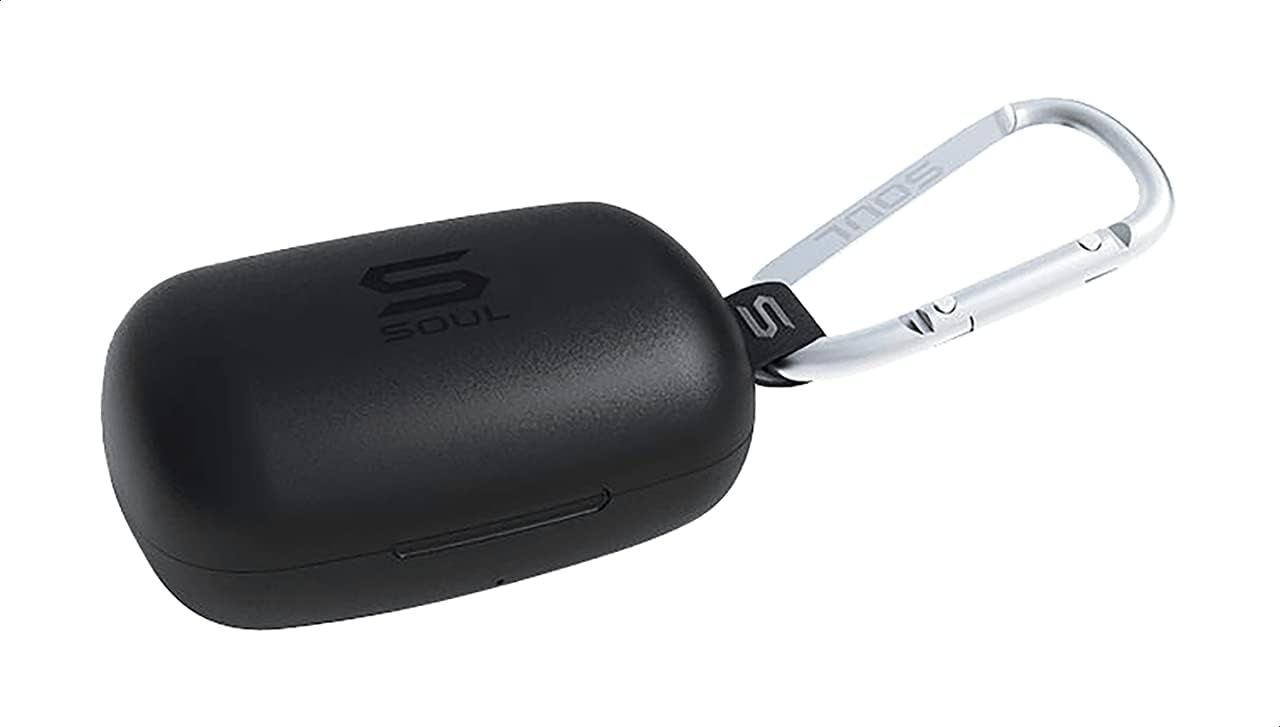
Abbildung 1: The Soul S-GEAR charging case in black, with the Soul logo visible. A carabiner clip is attached for portability.
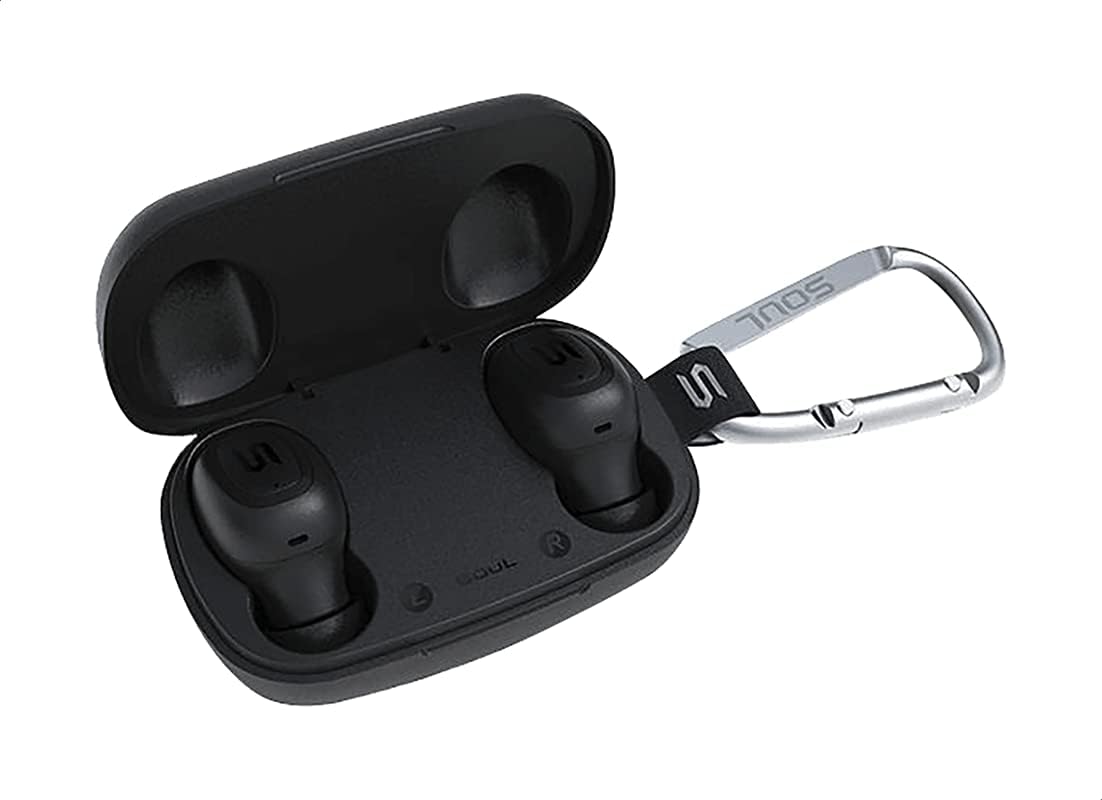
Abbildung 2: The Soul S-GEAR charging case opened, revealing the two black earbuds securely placed inside their charging slots. The carabiner clip is also visible.
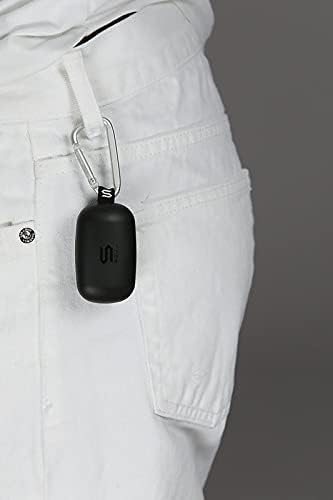
Abbildung 3: The Soul S-GEAR charging case, with its carabiner clip, attached to the belt loop of white pants, demonstrating its portability.
Aufstellen
1. Aufladen der Ohrhörer und des Ladecase
- Legen Sie die Ohrhörer in das Ladecase. Achten Sie darauf, dass sie korrekt in den jeweiligen linken/rechten Steckplätzen sitzen.
- Verbinden Sie das USB-C-Ladekabel mit dem Ladeanschluss am Gehäuse und stecken Sie das andere Ende in eine USB-Stromquelle (z. B. Netzteil, USB-Anschluss am Computer).
- The indicator lights on the case will show the charging status. Allow approximately 1-2 hours for a full charge.
- Sobald das Gerät vollständig aufgeladen ist, trennen Sie das Ladekabel.
2. Erstkopplung mit einem Gerät
- Öffnen Sie das Ladecase. Die Ohrhörer schalten sich automatisch ein und wechseln in den Kopplungsmodus. Die Kontrollleuchten an den Ohrhörern blinken und zeigen damit an, dass sie bereit zum Koppeln sind.
- Aktivieren Sie auf Ihrem Gerät (Smartphone, Tablet usw.) Bluetooth und suchen Sie nach verfügbaren Geräten.
- Select "Soul S-GEAR" from the list of found devices.
- Once connected, you will hear an audible confirmation, and the earbud indicator lights will stop flashing.
- The earbuds feature automatic pairing. After the initial setup, they will automatically connect to the last paired device when removed from the case.
Bedienungsanleitung
The Soul S-GEAR earbuds feature touch controls for easy management of audio and calls.
Ein-/Ausschalten
- Einschalten: Open the charging case, or press and hold the touch sensor on both earbuds for 3 seconds.
- Ausschalten: Place the earbuds back into the charging case and close the lid, or press and hold the touch sensor on both earbuds for 5 seconds.
Musikwiedergabe
- Abspielen/Pause: Berühren Sie den Berührungssensor an einem der Ohrhörer einmal.
- Nächster Titel: Tippen Sie zweimal auf den Berührungssensor am rechten Ohrhörer.
- Vorheriges Lied: Tippen Sie zweimal auf den Berührungssensor am linken Ohrhörer.
Anruf-Management
- Anruf annehmen/beenden: Berühren Sie den Berührungssensor an einem der Ohrhörer einmal.
- Anruf ablehnen: Drücken und halten Sie den Berührungssensor an einem der Ohrhörer 2 Sekunden lang.
Aktive Geräuschunterdrückung (ANC)
- ANC aktivieren/deaktivieren: Triple-tap the touch sensor on the left earbud to cycle through ANC On, Ambient Mode, and ANC Off.
Sprachassistent
- Sprachassistenten aktivieren: Tippen Sie dreimal auf den Berührungssensor am rechten Ohrhörer.
Laden
The Soul S-GEAR earbuds and charging case provide up to 24 hours of total playtime. The case supports USB-C fast charging.
- Aufladen der Ohrhörer: Place earbuds into the charging case. They will charge automatically.
- Aufladung des Ladecase: Connect the USB-C cable to the case and a power source. The LED indicator on the case will show charging status.
- A full charge for the case typically takes 1.5-2 hours.
Wartung
- Reinigung: Reinigen Sie die Ohrhörer und das Ladecase regelmäßig mit einem weichen, trockenen und fusselfreien Tuch. Verwenden Sie keine scharfen Chemikalien oder Scheuermittel.
- Ohrtipps: Entfernen Sie die Ohrstöpsel und reinigen Sie sie gegebenenfalls mit Wasser und milder Seife. Stellen Sie sicher, dass sie vollständig trocken sind, bevor Sie sie wieder anbringen.
- Wasserbeständigkeit: The earbuds are IPX4 rated, meaning they are resistant to splashing water from any direction. They are not designed for submersion in water. Do not expose them to heavy rain or immerse them. Ensure earbuds are dry before placing them back in the charging case.
- Lagerung: Bewahren Sie die Ohrhörer bei Nichtgebrauch im Ladecase auf, um sie zu schützen und geladen zu halten. Vermeiden Sie extreme Temperaturen.
Fehlerbehebung
| Ausgabe | Lösung |
|---|---|
| Ohrhörer lassen sich nicht koppeln |
|
| Kein Ton von einem Ohrhörer |
|
| Ladeetui lädt nicht |
|
| Die aktive Geräuschunterdrückung funktioniert nicht. |
|
Technische Daten
| Besonderheit | Detail |
|---|---|
| Marke | Seele |
| Modellname | S-GEAR (Soul S Gemar) |
| Modellnummer | SS56BK |
| Konnektivitätstechnologie | Kabellos (Bluetooth 5.0) |
| Formfaktor der Kopfhörer | Im Ohr |
| Lärmschutz | Aktive Geräuschunterdrückung |
| Mikrofon | Integriert |
| Kontrollmethode | Berühren |
| Wasser- und Staubbeständigkeit | IPX4 |
| Spielzeit | Bis zu 24 Stunden (mit Ladeetui) |
| Ladeanschluss | USB-C (Schnellladen) |
| Kompatible Geräte | Multiple Bluetooth-enabled devices |
| Material | Plastik |
| Farbe | Schwarz |
| Verpackungsabmessungen | 11.8 x 9.8 x 4.2 cm |
| Artikelgewicht | 152 Gramm |
Sicherheitshinweise
- Zerlegen, reparieren oder modifizieren Sie das Produkt nicht.
- Setzen Sie das Produkt keinem Feuer oder hohen Temperaturen aus.
- Um Gehörschäden vorzubeugen, sollten Sie die Ohrhörer nicht über längere Zeiträume bei übermäßig hoher Lautstärke verwenden.
- Bewahren Sie das Produkt außerhalb der Reichweite von Kindern und Haustieren auf.
- Verwenden Sie ausschließlich die mitgelieferten oder zertifizierten Ladekabel und Adapter.
- Entsorgen Sie das Produkt verantwortungsvoll gemäß den örtlichen Vorschriften.
Garantie und Support
The Soul S-GEAR Wireless Bluetooth Earbuds come with a standard manufacturer's warranty. For detailed warranty terms and conditions, please refer to the warranty card included in your package or visit the official Soul webWebsite.
For technical support, troubleshooting assistance, or any inquiries regarding your product, please contact Soul customer service through their official webWebsite oder die Kontaktinformationen, die auf Ihrer Produktverpackung angegeben sind.