
1. Einleitung
The FOXSUR 6V/12V 2A Smart Battery Charger is a fully-automatic, microprocessor-controlled device designed for charging and maintaining various types of 6V and 12V lead-acid batteries. This includes AGM, GEL, SLA, and Flooded (WET) batteries. It functions as a battery charger, maintainer, and desulfator, offering comprehensive protection and intelligent charging capabilities.
This manual provides essential information for the safe and effective operation of your FOXSUR battery charger. Please read it thoroughly before use.
2. Sicherheitshinweise
Sicherheit hat beim Umgang mit Batterien und elektrischen Geräten stets oberste Priorität. Die Nichtbeachtung dieser Anweisungen kann zu Stromschlag, Brand oder schweren Verletzungen führen.
- Lies alle Anweisungen: Lesen Sie vor der Verwendung des Ladegeräts alle Anweisungen und Warnhinweise auf dem Ladegerät, dem Akku und dem Produkt, das den Akku verwendet.
- Belüftung: Sorgen Sie für ausreichende Belüftung im Ladebereich. Batterien können explosive Gase erzeugen.
- Avoid sparks: Rauchen Sie nicht und lassen Sie keine Funken oder Flammen in der Nähe der Batterie oder des Motors entstehen.
- Augenschutz: Tragen Sie beim Umgang mit Batterien stets eine Schutzbrille und Schutzkleidung.
- Korrekte Verbindung: Connect and disconnect DC output connectors only after setting the AC cord to OFF.
- Not for lithium batteries: This charger is designed for 6V and 12V lead-acid batteries only. Do not use it with lithium batteries or any other battery types.
- Schutzfunktionen: The charger includes built-in circuit protection against reverse polarity, sparks, overcharging, over-current, open-circuits, short-circuits, and overheating. However, always ensure correct connection.

Abbildung 1: Mehrere Sicherheitsfunktionen
3. Produktüberschreitungview und Funktionen
The FOXSUR Smart Battery Charger is compact and efficient, designed for ease of use and reliable performance.
Hauptmerkmale:
- Mikroprozessorsteuerung (CPU): Gewährleistet präzises und effizientes Laden.
- Breites Anwendungsspektrum: Compatible with 6V and 12V lead-acid batteries (AGM, GEL, SLA, Flooded) within 6-150Ah (for 12V) and 6V.
- Mehrere Sicherheitsmaßnahmen: Schützt vor Verpolung, Funkenbildung, Überladung, Überstrom, Unterbrechungen, Kurzschlüssen und Überhitzung.
- LCD Bildschirm: Backlit display clearly shows charging voltage, current, battery type, charging mode, and power percentage.
- Advanced REPAIR Mode: Helps recover old or idle batteries and extends battery life using high-frequency and low-frequency pulse technology.
- Automatische Temperaturkompensation: Passt die Ladespannung antage based on ambient temperature (winter mode below 10°C, summer mode above 28°C) to prevent overcharging or undercharging.
Physikalische Eigenschaften:
- Abmessungen: Ungefähr 130 mm x 75 mm x 50 mm (5.12 x 2.95 x 1.97 Zoll)
- Gewicht: Ungefähr 280 g (12.2 Unzen)
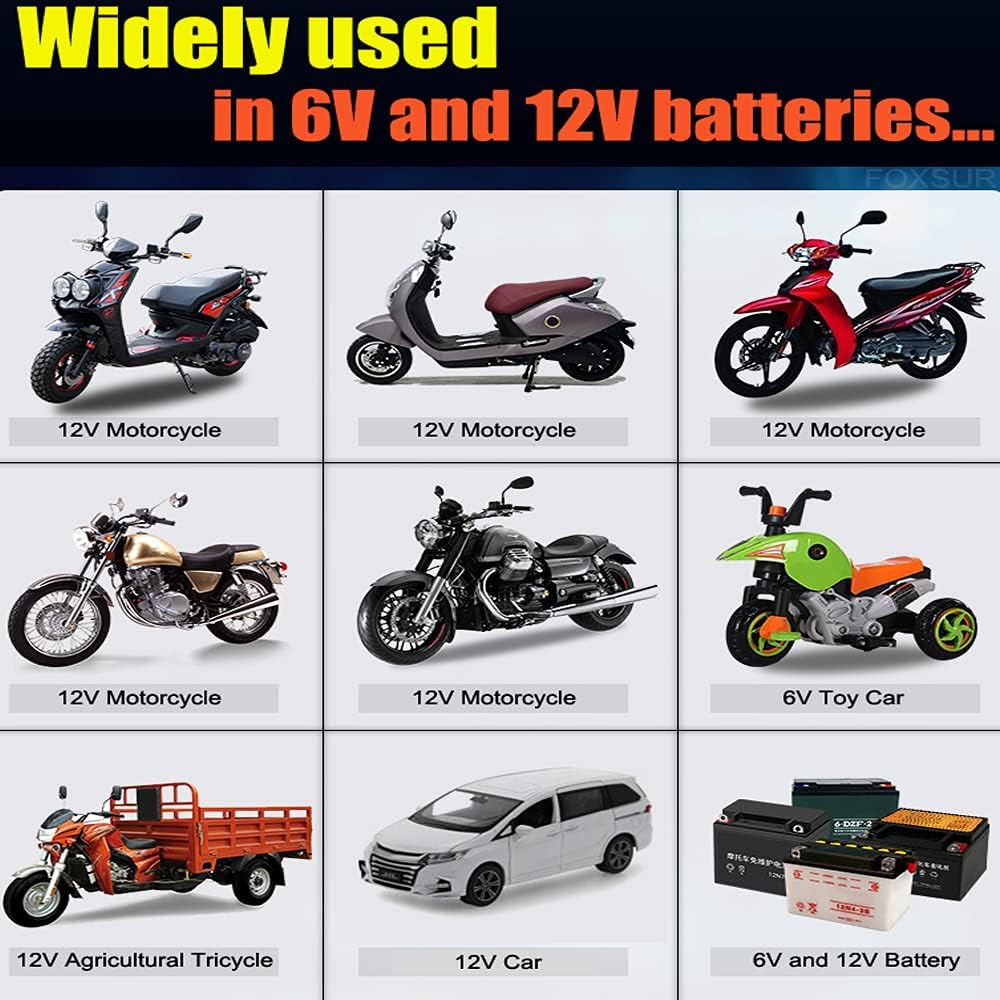
Abbildung 2: Breites Anwendungsspektrum
4. Einrichtung
Follow these steps to set up your charger for use:
- Batterietyp und -volumen bestimmentage: Ensure your battery is a 6V or 12V lead-acid type (AGM, GEL, SLA, Flooded). This charger is not compatible with lithium batteries or 24-volt systems.
- Ladegerät an Batterie anschließen:
- Verbinden Sie ROT positiv (+) clamp an den Pluspol (+) der Batterie anschließen.
- Verbinden Sie SCHWARZ negativ (-) clamp an den Minuspol (-) der Batterie.
Ensure a secure connection. The charger will detect the battery voltage automatisch.
- Ladegerät an Steckdose anschließen: Plug the charger's AC power cord into a standard electrical outlet (240 Volts). The charger will power on, and the LCD screen will illuminate.

Figure 3: Connecting the Charger to a Battery
5. Bedienungsanleitung
Once connected, the charger operates automatically. The LCD screen provides real-time information.
LCD-Anzeigeanzeigen:
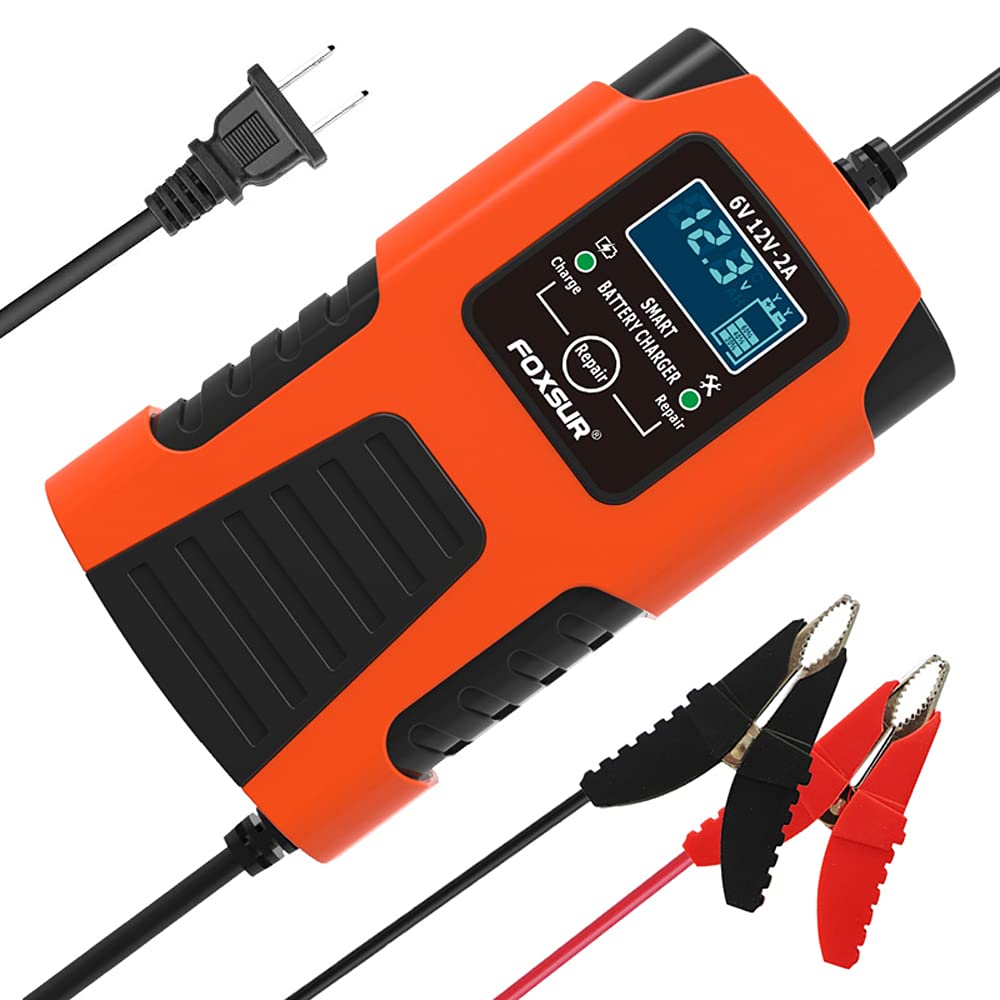
Figure 4: LCD Display States
- Ladevolumentage: Zeigt die aktuelle Lautstärke antage der Batterie.
- Ladestrom: Zeigt den Ladestrom in Amperes.
- Akku voll (VOLL): Indicates when the battery is fully charged. The charger will automatically switch to maintenance mode.
- Error (ERO): Appears if there is a problem, such as reverse polarity or a faulty battery.
- Reparaturmodus (PUL): Indicates the charger is performing pulse repair.
- End Repair (End): Shows when the repair process is complete.
Ladevorgang:
- After connecting to the battery and power, the charger will automatically detect the battery voltage (6V or 12V) and the ambient temperature.
- It will then begin the charging process, displaying the current voltage und Stromstärke auf dem LCD.
- Das Ladegerät passt das Ladevolumen automatisch antage based on temperature: below 10°C, it enters winter mode; above 28°C, it enters summer mode.
- Once the battery is fully charged, the display will show "FUL", and the charger will switch to a trickle charge/maintenance mode to prevent overcharging. You can leave the charger connected indefinitely.
Reparaturmodus verwenden:
- The advanced REPAIR mode uses high-frequency and low-frequency pulse technology to help recover old or idle batteries and extend their life.
- For batteries with capacities between 4Ah and 15Ah, it is recommended to use the Repair mode for optimal charging and maintenance, as pulse charging is beneficial for smaller batteries.
- To activate Repair mode, press the 'Repair' button on the charger. The display will show "PUL" during the process and "End" when complete.
6. Wartung
The FOXSUR Smart Battery Charger is designed for low maintenance. Follow these general guidelines:
- Reinigung: Keep the charger clean and free from dust and debris. Use a dry cloth to wipe the exterior.
- Lagerung: Bewahren Sie das Ladegerät bei Nichtgebrauch an einem kühlen, trockenen Ort auf und schützen Sie es vor direkter Sonneneinstrahlung und Feuchtigkeit.
- Kabelinspektion: Periodically inspect the power cord and charging cables for any signs of damage. Do not use the charger if cables are damaged.
7. Fehlerbehebung
If you encounter issues with your charger, refer to the following:
- Ladegerät schaltet sich nicht ein: Stellen Sie sicher, dass das Netzkabel fest in einer funktionierenden Steckdose eingesteckt ist. Prüfen Sie, ob Strom austritt.tages.
- "ERO" (Error) displayed:
- Check for reverse polarity: Ensure the red clamp befindet sich am positiven (+) Anschluss und der schwarze Steckeramp befindet sich am negativen Anschluss (-).
- Check for short-circuit: Ensure the clampDie s berühren sich weder untereinander noch mit anderen leitfähigen Materialien.
- The battery may be severely damaged or completely dead, beyond the charger's ability to repair or charge. This charger cannot activate a dead battery or repair a battery that is seriously damaged.
- Akku wird nicht aufgeladen: Stellen Sie sicher, dass die Batteriepole sauber sind und dieamps have good contact. Verify the battery type is compatible (6V/12V lead-acid).
- Das Ladegerät fühlt sich warm an: It is normal for the charger to become warm during operation. The built-in overheating protection will shut down the unit if it becomes too hot.
8. Spezifikationen
| Besonderheit | Spezifikation |
|---|---|
| Modell | 6V/12V 2A Smart Battery Charger |
| Eingangslautstärketage | 240 Volt AC |
| Ausgangsvolumentage | 6 V / 12 V DC (automatische Erkennung) |
| Aktuelle Bewertung | 2 Amps |
| Kompatible Batterietypen | 6V & 12V Lead-Acid (AGM, GEL, SLA, Flooded, WET) |
| Akkukapazitätsbereich | 6-150Ah (for 12V batteries) |
| Technische Daten | 5.12 x 2.95 x 1.97 Zoll (130 x 75 x 50 mm) |
| Artikelgewicht | 12.2 Unzen (280 g) |
| Sicherheitsschutz | Reverse Polarity, Sparks, Overcharging, Over-current, Open-circuits, Short-circuits, Overheating |
| Besondere Merkmale | Microprocessor Control, LCD Display, Repair Mode, Automatic Temperature Compensation |
9. Garantie und Support
Specific warranty information is not provided in this manual. For any questions, technical assistance, or support regarding your FOXSUR 6V/12V 2A Smart Battery Charger, please contact the seller or manufacturer directly.
Bitte bewahren Sie Ihren Kaufbeleg für eventuelle Garantieansprüche auf.


