
Produkt überview
The Swann NVW-800CAM is a 4K WiFi IP Digital Still Image Video Camera designed for comprehensive security surveillance. It features controllable red & blue flashing lights, spotlights, and a siren to deter intruders. This camera is built for both indoor and outdoor use, offering robust performance year-round.
Hauptmerkmale:
- 4K Ultra HD-Video: Provides high-resolution video for clear identification of faces and license plates.
- Controllable Deterrents: Features red & blue flashing lights and a siren to actively deter unwanted activity.
- Powered Wi-Fi Video: The camera connects to power, and its video signal transmits wirelessly to the NVR, simplifying installation.
- True Detect™ Heat & Motion Sensing: Advanced PIR heat and motion detection reduces false alarms by sensing heat from people and cars.
- Night2Day™ Farbnachtsicht: Provides color video at night up to 32 feet (10 meters) with built-in spotlights.
- Infrarot Nachtsicht: Offers black and white night vision up to 115 feet (35 meters) in total darkness.
- Zweiwege-Audio: Ermöglicht die Kommunikation über die Kamera.
- Wetterfestes Design: Built to withstand various weather conditions for reliable outdoor use.

Image: The Swann NVW-800CAM camera, showcasing its compact design and integrated red and blue flashing lights.

Bild: Detailliert view of the Swann NVW-800CAM with key components labeled, including the WiFi antenna, controllable flashing lights, sensor spotlight, lens, color video image sensor, microphone, True Detect™ PIR Heat & Motion Sensor, weatherproof casing, and speaker/siren.
Video: Ein Beamter überview of the Swann SecureAlert Wi-Fi NVR Security System, highlighting its crime-fighting features, easy Wi-Fi installation, free local and cloud recording, Night2Day color night vision, True Detect heat and motion detection, and smart home integration.
Installationsanweisungen
Follow these steps to set up your Swann NVW-800CAM camera.
Was ist in der Box:
- SWNVW-800CAM 4K Wi-Fi SwannForce Camera
- Stromkabel 12m
- Netzteil
- Befestigungsschrauben und -stopfen
- Bedienungsanleitung (dieses Handbuch)
- Aufkleber zur Diebstahlsicherung

Image: The Swann NVW-800CAM camera displayed alongside its included accessories: power cable, power adapter, mounting screws, and theft deterrent stickers.
Physische Installation:
- Wählen Sie einen Standort: Select a suitable indoor or outdoor location for your camera. Ensure it has a clear line of sight to the area you wish to monitor and is within range of your Wi-Fi network.
- Montieren Sie die Kamera: Use the provided mounting screws and plugs to securely attach the camera to a wall or ceiling.
- Strom anschließen: Connect the power cable to the camera and then to the power adapter. Plug the power adapter into a suitable power outlet.
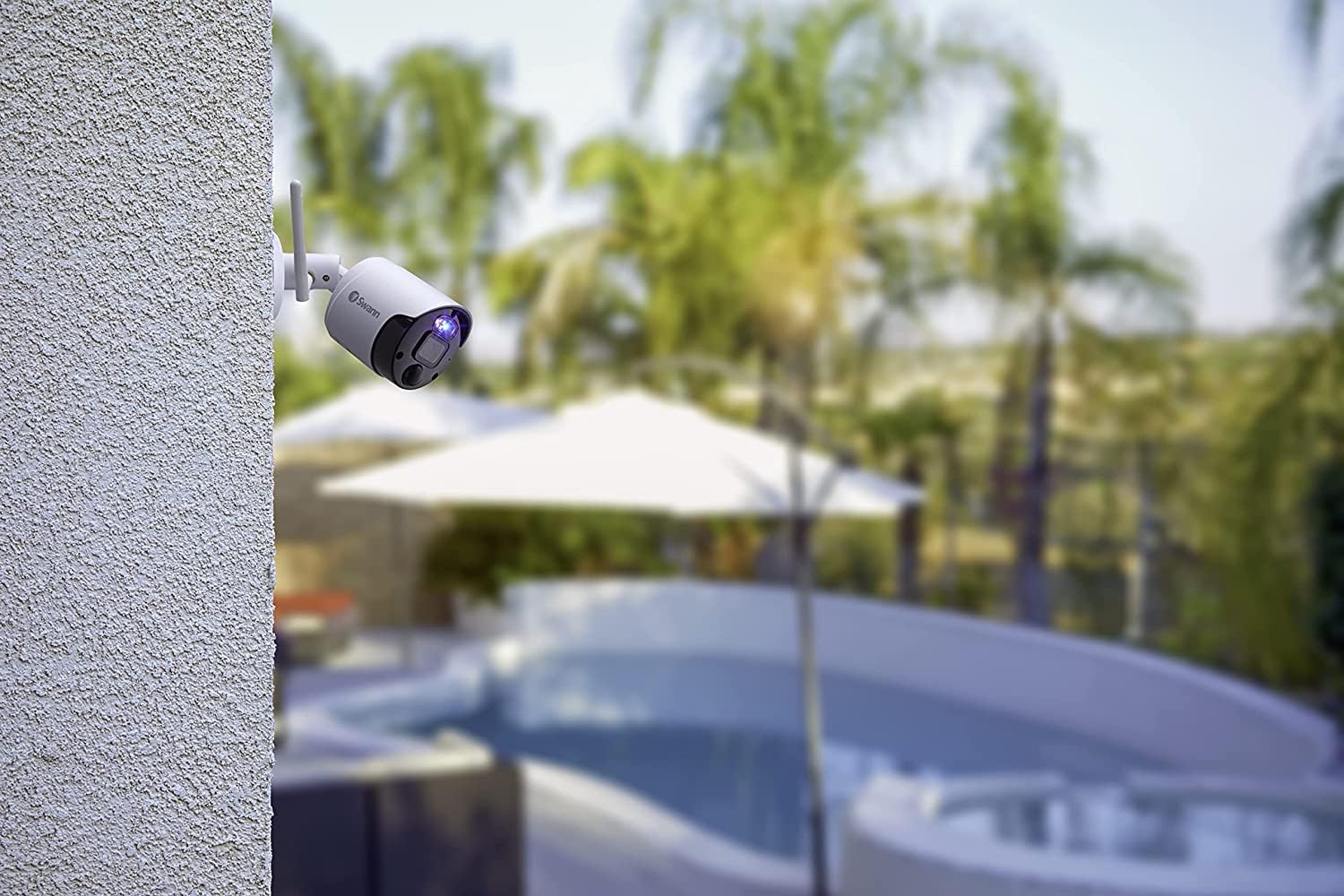
Image: The Swann NVW-800CAM camera mounted on an exterior wall, overlooking an outdoor area with a pool, demonstrating its outdoor placement capability.
App Setup and Connectivity:
The camera utilizes SwannNet™ Technology for a reliable Wi-Fi connection. Download the Swann Security app to your smartphone to complete the setup process.
- Laden Sie die App herunter: Suchen nach "Swann Security" in your device's app store and install it.
- Ein Konto erstellen: Öffnen Sie die App und folgen Sie den Anweisungen auf dem Bildschirm, um ein neues Konto zu erstellen oder sich anzumelden, falls Sie bereits eines besitzen.
- Fügen Sie Ihre Kamera hinzu: Follow the in-app prompts to add your NVW-800CAM. This typically involves scanning a QR code on the camera or manually entering its details.
- Mit WLAN verbinden: The app will guide you through connecting your camera to your home Wi-Fi network.

Image: A diagram illustrating how Swann cameras and NVRs connect to a modem via Wi-Fi, highlighting the SwannNet™ Technology for reliable wireless connectivity.
Bedienungsanleitung
Maximize the security features of your NVW-800CAM with these operating guidelines.
Verwendung der Swann Security App:
The Swann Security app provides complete control and monitoring capabilities.
- Live-Streaming: View real-time video from your camera from anywhere.
- Push-Benachrichtigungen: Receive instant alerts on your smartphone when motion or heat is detected.
- Anpassbare Steuerelemente: Adjust camera settings, activate deterrents, and manage recordings directly from the app.

Image: A smartphone displaying the Swann Security app interface, showing multiple camera feeds and options for live streaming, push notifications, and customizable controls.
Motion and Heat Detection (True Detect™):
The camera uses True Detect™ PIR heat and motion sensing to accurately identify significant activity.
- Reduzierte Fehlalarme: By detecting heat signatures, the system minimizes alerts from minor movements like swaying branches.
- Ereignisgesteuerte Aufzeichnung: Recording is triggered only when genuine activity is detected, saving storage space and review Zeit.

Image: A visual representation of heat detection, showing a person delivering packages highlighted by a red heat signature, indicating how True Detect™ identifies warm objects.
Nachtsichtfunktionen:
- Night2Day™ Farbnachtsicht: With built-in spotlights, the camera can capture full-color video at night up to 32 feet (10 meters).
- Infrarot Nachtsicht: For discreet monitoring in complete darkness, the camera provides clear black and white infrared night vision up to 115 feet (35 meters).

Image: A night scene of a driveway captured with Night2Day™ technology, showing objects and surroundings in color despite low light conditions.
Zweiwege-Audio:
The integrated microphone and speaker allow you to hear what's happening and speak back through the camera.
- Communicate with Visitors: Speak to delivery personnel or guests.
- Eindringlinge abschrecken: Use your voice to warn off suspicious individuals.

Image: A graphic illustrating the 2-way audio feature, showing a person receiving a package and a person in a car communicating through the camera, with text bubbles indicating dialogue.
Smart Home Integration:
Integrate your camera with compatible smart home devices for hands-free viewing.
- Sprachsteuerung: Use voice commands with Hey Google or Alexa devices to view camera feeds on your smart TV or display.
Wartung
Regelmäßige Wartung gewährleistet optimale Leistung und Langlebigkeit Ihrer Kamera.
- Reinigung: Reinigen Sie das Kameraobjektiv und das Gehäuse regelmäßig mit einem weichen Tuch.amp Verwenden Sie ein Tuch, um Staub, Schmutz oder Wasserflecken zu entfernen. Vermeiden Sie scheuernde Reinigungsmittel.
- Firmware-Updates: Check the Swann Security app regularly for available firmware updates. Keeping your camera's firmware up-to-date ensures you have the latest features and security enhancements.
- Kabelinspektion: For outdoor installations, periodically inspect the power cable for any signs of wear or damage.
- Wetterbeständigkeit: The camera is designed to be weatherproof (IP66 rated), but extreme weather conditions may still require occasional checks to ensure proper functioning.
Fehlerbehebung
If you encounter issues with your NVW-800CAM, refer to these common solutions.
Kein Videostream:
- Überprüfen Sie die Leistung: Ensure the camera is properly connected to a power source and the power adapter is plugged in.
- Wi-Fi-Verbindung: Verify that your camera is connected to your Wi-Fi network. Check your router and the Swann Security app for connection status.
- Router-Interferenzen: Move the camera closer to your Wi-Fi router or reduce potential interference from other wireless devices.
Falscher Alarm:
- Empfindlichkeit anpassen: In the Swann Security app, adjust the motion detection sensitivity settings.
- Erkennungszonen: Configure specific detection zones to exclude areas with frequent, non-threatening movement (e.g., public sidewalks, swaying trees).
- Umweltfaktoren: Ensure the camera is not pointed directly at sources of heat or light that could trigger false alarms.
Schlechte Nachtsicht:
- Linse reinigen: Stellen Sie sicher, dass das Kameraobjektiv sauber und frei von Flecken oder Schmutz ist.
- Hindernisse: Check for any obstructions (e.g., spiderwebs, leaves) blocking the camera's view or infrared illuminators.
- Beleuchtung: For Night2Day™ color vision, ensure the built-in spotlights are enabled and functioning.
Audioprobleme:
- App Einstellungen: Verify that audio recording and two-way audio features are enabled in the Swann Security app.
- Mikrofon-/Lautsprecherblockierung: Ensure the microphone and speaker ports on the camera are not blocked.
Technische Daten
| Modellnummer | SWNVW-800CAM |
| Auflösung der Videoaufnahme | 4K (8 MP) |
| Konnektivitätstechnologie | Kabellos (Wi-Fi) |
| Verwendung im Innen- und Außenbereich | Innenbereich, Außenbereich |
| Stromquelle | Kabelgebundenes Elektrogerät (9 Watt) |
| Nachtsichtbereich | 115 Fuß (35 Meter) |
| Low-Light-Technologie | Nachtfarbe |
| Alarmtyp | Motion Only (True Detect™) |
| Wasserbeständigkeit | Wasserdicht (IP66) |
| Artikelabmessungen (L x B x H) | 2.56 x 2.56 x 7.8 Zoll |
| Artikelgewicht | 1.59 Pfund |
| Kompatible Geräte | Smartphone |
| Kontrollmethode | App |
| Smart Home Kompatibilität | Smart Home Compatible (Hey Google, Alexa) |
Garantieinformationen
Swann products are covered by a manufacturer's warranty. For specific details regarding the warranty period and terms for your NVW-800CAM, please refer to the warranty card included with your product or visit the official Swann webWebsite.
Typically, Swann offers a limited warranty that covers defects in materials and workmanship under normal use. Keep your proof of purchase for warranty claims.
Unterstützung
Für weitere Unterstützung, technischen Support oder den Zugriff auf zusätzliche Ressourcen nutzen Sie bitte die folgenden Optionen:
- Swann-Unterstützung WebWebsite: Besuchen www.swann.com/us/support Hier finden Sie FAQs, Anleitungen zur Fehlerbehebung, Software-Downloads und Kontaktinformationen.
- Swann Security App: The app often includes a help section with useful tips and direct access to support.
- Online-Community: Engage with other Swann users and find solutions in online forums.
When contacting support, please have your product model number (SWNVW-800CAM) and proof of purchase readily available.