
1. Einleitung
The Phanteks T30-120 fan is engineered for superior cooling performance in various computing environments. This fan features a robust Liquid Crystal Polymer (LCP) construction and offers flexible fan profiles to suit different operational needs, from silent computing to extreme performance. This manual provides essential information for the proper installation, operation, and maintenance of your T30-120 fan.

Image 1: Phanteks T30-120 Fan overview.
2. Produktmerkmale
- Reinforced Liquid Crystal Polymer (LCP) Material: Both the fan blades and frame are constructed from LCP, providing exceptional rigidity and durability. This material allows for tighter tolerances and enhanced performance.
- Versatile Fan Profiles: An integrated switch allows users to select between three distinct fan profiles: Hybrid, Performance, and Advanced, catering to silent, balanced, or extreme cooling requirements.
- Optimized Acoustic Performance: Designed to deliver efficient airflow with a lower frequency range, contributing to a quieter operation.
- 30 mm Dicke: The fan's 30mm thickness, compared to standard 25mm fans, allows for a larger blade surface area, resulting in enhanced airflow and static pressure.
- Dual Vapo Bearing: Ensures silent and durable operation.
- 3-Phase Motor: Provides smooth and stable fan operation.
- Magnetic Levitation Plate: A contactless stabilizer for improved longevity and reduced friction.

Image 2: Illustration of Liquid Crystal Polymer (LCP) construction for enhanced rigidity and durability.

Image 3: Diagram detailing the PWM profile switch and its three modes: Hybrid, Performance, and Advanced.
3. Packungsinhalt
Überprüfen Sie, ob alle Komponenten im Paket vorhanden sind:
- 1x Phanteks T30-120 Fan
- 4x Fan Mounting Screws (M3, typically 36mm or 39mm length to accommodate 30mm thickness)
- 1x 500mm Extension Cable
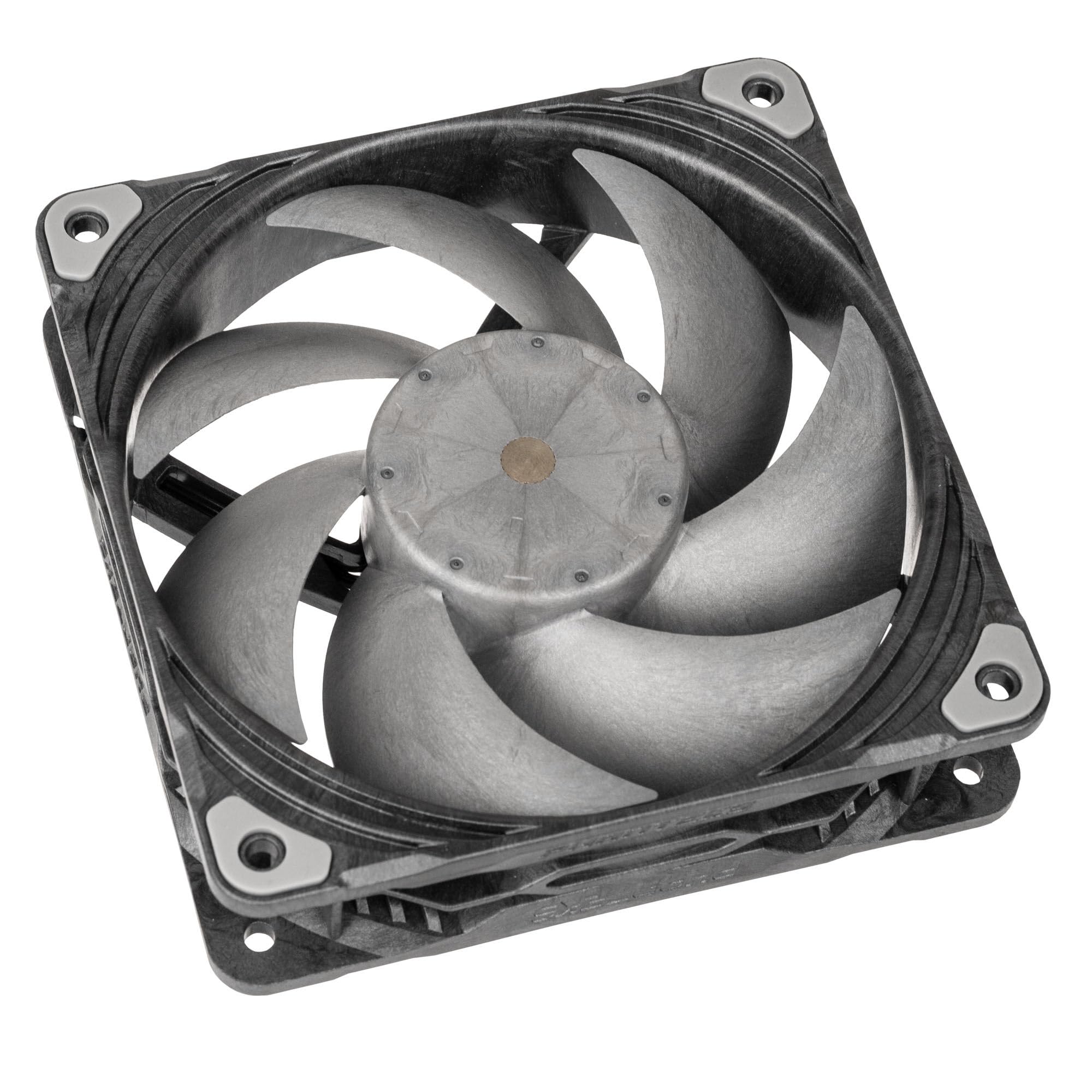
Image 4: Phanteks T30-120 Single Fan.
4. Installation
Follow these steps to install your Phanteks T30-120 fan:
- Bereiten Sie Ihr System vor: Power off your computer and disconnect it from the power source. Open your PC case to access the fan mounting locations.
- Freigabe prüfen: The T30-120 fan has a 30mm thickness, which is 5mm thicker than standard 25mm fans. Ensure sufficient clearance in your desired mounting location (e.g., case fan mounts, radiator mounts) to avoid interference with other components.
- Montieren Sie den Lüfter: Position the fan in the desired location. Use the provided mounting screws to secure the fan to the case or radiator. Ensure the fan is oriented correctly for optimal airflow (intake or exhaust).
- Strom anschließen: Connect the fan's 4-pin PWM connector to an available 4-pin fan header on your motherboard or fan controller. If the cable length is insufficient, use the provided 500mm extension cable.
- Set Fan Profile: Locate the small switch on the side of the fan frame. This switch allows you to select one of three fan profiles: Hybrid, Performance, or Advanced. Refer to Section 5 for details on each mode. Set the desired profile before closing your case.
- Gehäuse schließen und Gerät einschalten: Once the fan is securely mounted and connected, close your PC case, reconnect the power, and power on your system.
5. Bedienung
The Phanteks T30-120 fan features a PWM profile switch that allows you to select between three operational modes:
- Hybrid Mode (Up to 1200 RPM): Designed for ultimate silence. In this mode, the fan can stop completely (0 RPM) when the PWM signal is below 50%, providing passive cooling for minimal noise.
- Performance Mode (Up to 2000 RPM): Recommended for a balanced operation between cooling performance and noise levels. This mode offers efficient cooling suitable for most general computing and gaming scenarios.
- Advanced Mode (Up to 3000 RPM): Provides extreme cooling performance for demanding tasks and high-heat environments. This mode maximizes airflow and static pressure at higher RPMs.
Adjust the fan profile switch on the fan frame to select your preferred mode. The fan speed within each mode will then be controlled by the PWM signal from your motherboard or fan controller.
Video 1: Official product video demonstrating the features and performance of the Phanteks T30-120 fan, including its LCP construction, 30mm thickness, and various operating modes.
6. Wartung
Regelmäßige Wartung gewährleistet optimale Leistung und Langlebigkeit Ihres Ventilators:
- Staubentfernung: Reinigen Sie die Lüfterflügel und das Gehäuse regelmäßig mit Druckluft oder einer weichen Bürste. Stellen Sie sicher, dass der Lüfter vor der Reinigung ausgeschaltet und vom Stromnetz getrennt ist.
- Inspektion: Check for any obstructions around the fan blades or unusual wear on the cables.
- Vermeiden Sie Flüssigkeiten: Do not use liquid cleaners directly on the fan.
7. Fehlerbehebung
If you encounter issues with your Phanteks T30-120 fan, refer to the following common troubleshooting steps:
- Lüfter dreht sich nicht:
- Ensure the 4-pin PWM connector is securely plugged into the motherboard or fan controller.
- Check your motherboard's BIOS/UEFI settings or fan control software to ensure the fan header is enabled and receiving a sufficient PWM signal.
- In Hybrid Mode, the fan may stop at low PWM signals (below 50%). This is normal operation for silent performance. Increase the PWM signal or switch to Performance/Advanced mode if continuous spinning is desired.
- Übermäßiger Lärm:
- Verify the fan is securely mounted and not vibrating against the case or other components.
- Prüfen Sie, ob Kabel oder Fremdkörper die Lüfterflügel blockieren.
- Ensure the fan profile switch is set to a lower RPM mode (e.g., Hybrid or Performance) if noise is a concern. Advanced Mode operates at higher RPMs and will naturally produce more sound.
- Schlechte Kühlleistung:
- Confirm the fan is oriented correctly for desired airflow (intake or exhaust).
- Ensure the fan profile switch is set to a higher RPM mode (e.g., Performance or Advanced) for increased cooling.
- Clean any dust accumulation on the fan blades or radiator fins.
- Probleme mit der physischen Passform:
- The T30-120 fan is 30mm thick. If it does not fit, verify your case or radiator has adequate clearance for this dimension.
8. Spezifikationen
| Besonderheit | Spezifikation |
|---|---|
| Modellnummer | PH-F120T30_BG |
| Lüftergröße | 120 mm x 120 mm x 30 mm |
| Lüfteranschluss | 4-Pin PWM (Daisy-Chain) |
| Kabellänge | 130mm (Fan), 500mm (Extension Cable) |
| Nennvolumentage | Gleichstrom 12 V |
| Betriebslautstärketage Reichweite | DC 10.2-13.2V |
| Max Current | 0.36 A |
| Maximale Leistung | 4.32 W |
| Maximale Drehzahl | 3000 RPM (Advanced Mode) |
| Lagertyp | Dual Vapo Bearing |
| Material | Liquid Crystal Polymer (LCP) |
| MTTF (Mean Time To Failure) | 150,000 Stunden |
| Isolierungstyp | UL Klasse A |
| Flammhemmung | UL-94V-0 |
9. Garantie und Support
Phanteks stands behind the quality of its products. The T30-120 fan comes with a 6 Jahr Garantie ab Kaufdatum, einschließlich Herstellungsfehlern und Materialmängeln bei normalem Gebrauch.

Image 5: Phanteks 6-year warranty information.
For technical support, warranty claims, or further assistance, please visit the official Phanteks webBesuchen Sie die Website oder kontaktieren Sie den Kundendienst. Bewahren Sie Ihren Kaufbeleg zur Überprüfung der Garantie auf.