
Soniclean C2
Soniclean WhisperJet C2 Canister Vacuum Cleaner
Bedienungsanleitung
Einführung
Welcome to your new Soniclean WhisperJet C2 Canister Vacuum Cleaner manual. This guide provides essential information for the safe and efficient operation, maintenance, and troubleshooting of your appliance. Designed in Germany, the WhisperJet C2 combines ultra-quiet operation with powerful suction and advanced U15 ULPA filtration for superior cleaning performance.
Einrichtung und Montage
Before first use, ensure all components are present and properly assembled. Refer to the following steps for initial setup:
- Auspacken: Nehmen Sie alle Teile vorsichtig aus der Verpackung. Bewahren Sie die Verpackung für die spätere Lagerung oder den Transport auf.
- Schlauchanschluss: Stecken Sie den flexiblen Schlauch in den Sauganschluss des Hauptgeräts, bis er hörbar einrastet.
- Zauberstabmontage: Connect the stainless steel telescopic wand to the end of the hose. Ensure a firm connection.
- Floor Tool Attachment: Attach the Technik floor tool to the end of the telescopic wand.
- Accessory Caddy: Mount the tool storage wand mount onto the telescopic wand for convenient access to accessories.

Figure 1: Soniclean WhisperJet C2 Canister Vacuum Cleaner with all components assembled.
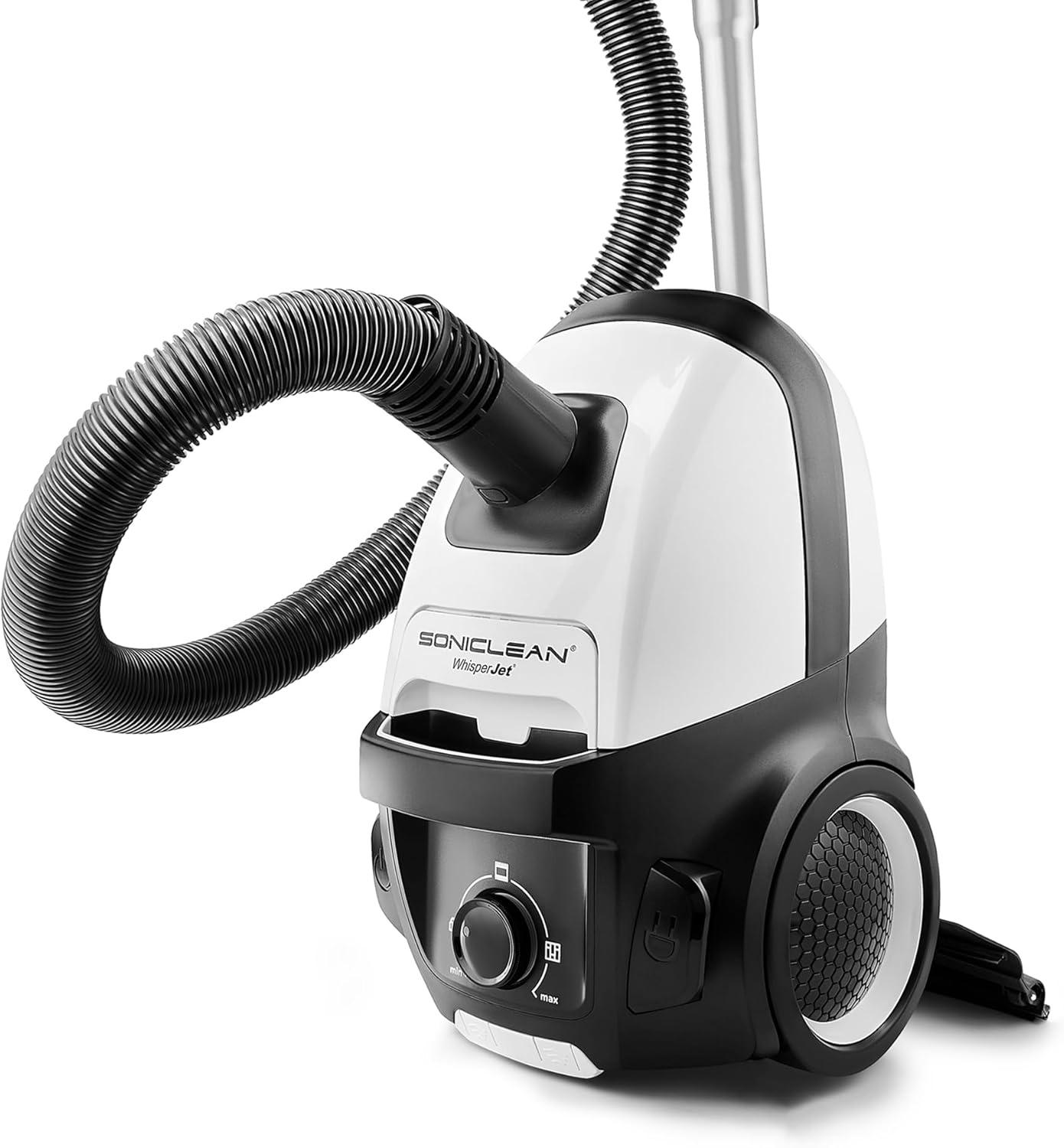
Abbildung 2: Seite view of the Soniclean WhisperJet C2, showing the hose connection point.
Bedienungsanleitung
The Soniclean WhisperJet C2 is designed for efficient cleaning on hard floors and low-pile carpeting. Follow these steps for optimal performance:
- Stromanschluss: Extend the extra-long power cord and plug it into a suitable electrical outlet. The cord features an automatic rewind for convenience.
- Ein-/Ausschalten: Drücken Sie den Ein-/Ausschalter am Hauptgerät, um den Staubsauger ein- oder auszuschalten.
- Saugkontrolle: Use the digital motor control dial on the main unit to adjust suction power. Turn the dial towards 'min' for delicate surfaces or 'max' for deep cleaning.
- Wendigkeit: The vacuum is equipped with two large rubber rear wheels and two 360-degree rubber castor front wheels, allowing for easy movement across various flooring surfaces.
- Anhänge verwenden:
- Technik Floor Tool: Ideal für die allgemeine Reinigung von Hartböden und Kurzflorteppichen.
- Dusting Tool: Use for delicate surfaces, shelves, and blinds.
- Fugendüse: Ideal für schmale Spalten, Ecken und Kanten.
- Polsterwerkzeug: Designed for cleaning furniture and fabric surfaces.
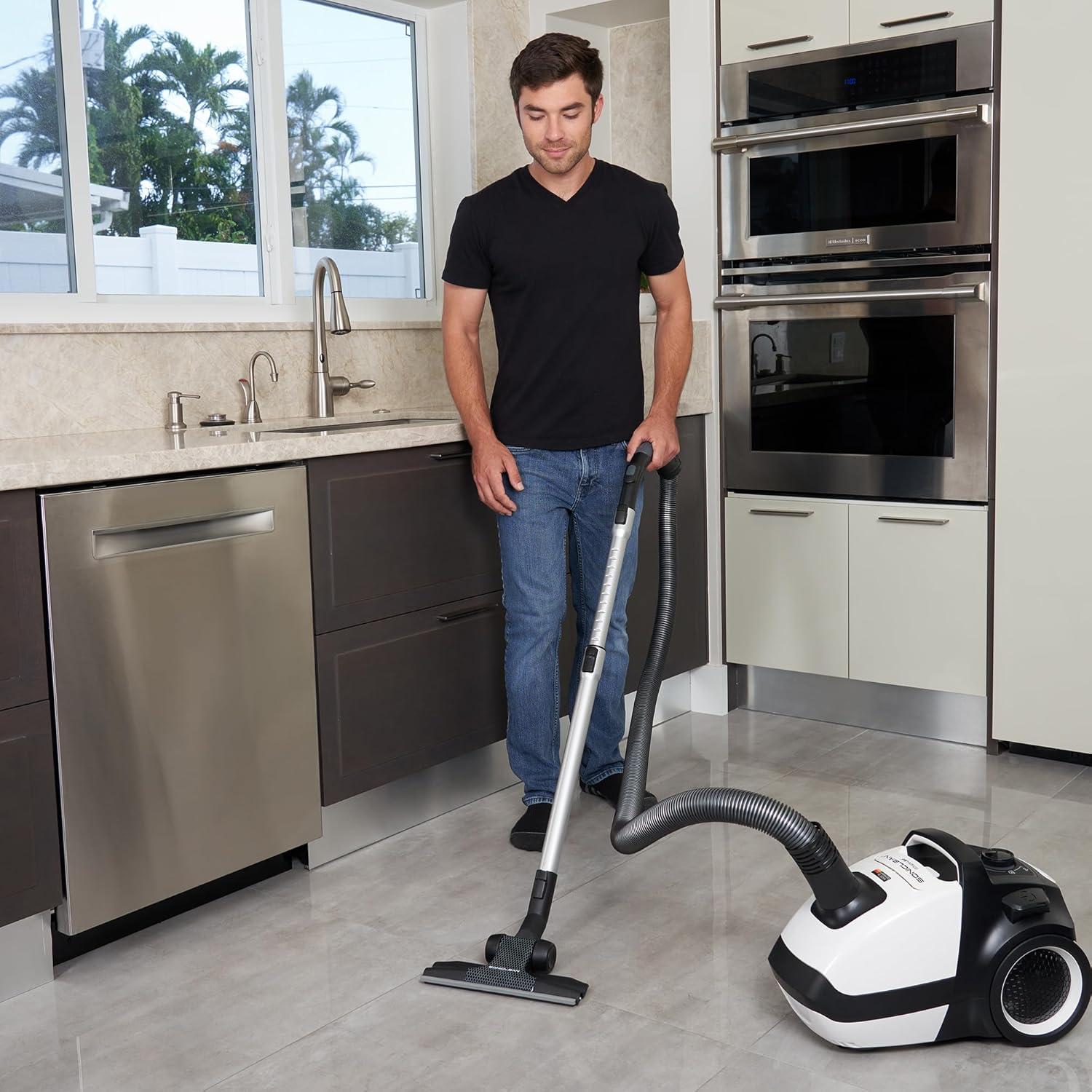
Figure 3: User operating the Soniclean WhisperJet C2 on a hard kitchen floor.

Figure 4: The Soniclean WhisperJet C2 in use on a carpeted area, demonstrating its quiet operation.
Wartung
Regular maintenance ensures the longevity and optimal performance of your Soniclean WhisperJet C2. Always unplug the vacuum cleaner before performing any maintenance.
Filter and Bag Replacement:
The WhisperJet C2 utilizes Medical Laboratory-Grade U15 ULPA Filtration and a Sound-Dampening C2 filter bag. These should be checked regularly and replaced as needed.
- U15 ULPA Filter: This filter captures 99.999% of particles down to 0.12 microns. Replace the ULPA filter when the suction power noticeably decreases or the filter appears dirty.
- C2 Filter Bag: The vacuum features a bag-full/clog indicator light. Replace the bag when this light illuminates or when suction power is reduced. To replace, open the bag compartment, remove the full bag, and insert a new Soniclean C2 filter bag, ensuring it is properly seated.

Figure 5: Diagram illustrating the Medical Laboratory-Grade U15 ULPA Filtration system.
Reinigung des Geräts:
- Wischen Sie die Außenseite des Staubsaugers mit einem weichen, fusselfreien Tuch ab.amp Tuch. Keine Scheuer- oder Lösungsmittel verwenden.
- Periodically check the floor tool and accessories for blockages or tangled debris and remove them.
Fehlerbehebung
In der folgenden Tabelle finden Sie häufig auftretende Probleme und deren Lösungen:
| Problem | Mögliche Ursache | Lösung |
|---|---|---|
| Keine oder nur schwache Saugkraft |
|
|
| Ungewöhnliche Geräusche während des Betriebs |
|
|
| Staubsauger lässt sich nicht einschalten |
|
|
Technische Daten
| Besonderheit | Detail |
|---|---|
| Marke | Soniclean |
| Modellname | WhisperJet C2 |
| Technische Daten | 18 Zoll L x 12 Zoll B x 11 Zoll H |
| Artikelgewicht | 11.5 Pfund |
| Wastage | 700 W |
| Filtertyp | U15 ULPA |
| Geräuschpegel | 58 dB |
| Besonderheit | Auto-Rewind (37FT TOTAL CLEANING RADIUS) |
| Im Lieferumfang enthaltene Komponenten | Technik floor tool, hose, telescopic wand, dusting tool, crevice tool, upholstery tool and accessory caddy. |
| Empfohlene Verwendung | Hard Floor, Tile, Hardwood, Home |
| Material | ABS engineered plastic |
Garantie und Support
Your Soniclean WhisperJet C2 Canister Vacuum Cleaner comes with a comprehensive warranty to ensure your peace of mind:
- Motorgarantie: 7 Jahre eingeschränkte Garantie.
- Teilegarantie: 1 Jahre eingeschränkte Garantie.
For warranty claims, technical support, or to purchase genuine Soniclean replacement parts and accessories, please visit the official Soniclean website or contact customer service. Always use genuine Soniclean parts to maintain warranty validity and optimal performance.
Note: Warranty details are subject to change. Please refer to the official Soniclean website or your purchase documentation for the most current warranty information.
Ask a question about this manual
Ask about setup, troubleshooting, compatibility, parts, safety, or missing instructions. Manuals+ will review the question and use this page’s manual context to help answer it.