
BUFFBEE Portable Sound Machine
Buffbee Portable Sound Machine
Bedienungsanleitung
Einführung
Thank you for choosing the Buffbee Portable Sound Machine. This compact and versatile device is designed to create a calming environment, helping to soothe and promote better sleep for infants, children, and adults. With a selection of 17 soothing sounds and 8 gentle night light colors, it's perfect for use at home or while traveling.

Front view of the Buffbee Portable Sound Machine, showcasing its compact design and illuminated light ring.
Erste Schritte & Einrichtung
Before first use, please fully charge your Buffbee Portable Sound Machine. Use the provided USB cable to connect the device to a compatible USB power source (e.g., wall adapter, computer USB port).
- Laden: Connect the USB charging cable to the charging port on the device. The charging indicator light will show the charging status. A full charge typically takes a few hours.
- Portabilität: The machine comes with a baby-safe clip for easy attachment to strollers, car seats, or cribs, enhancing its portability.
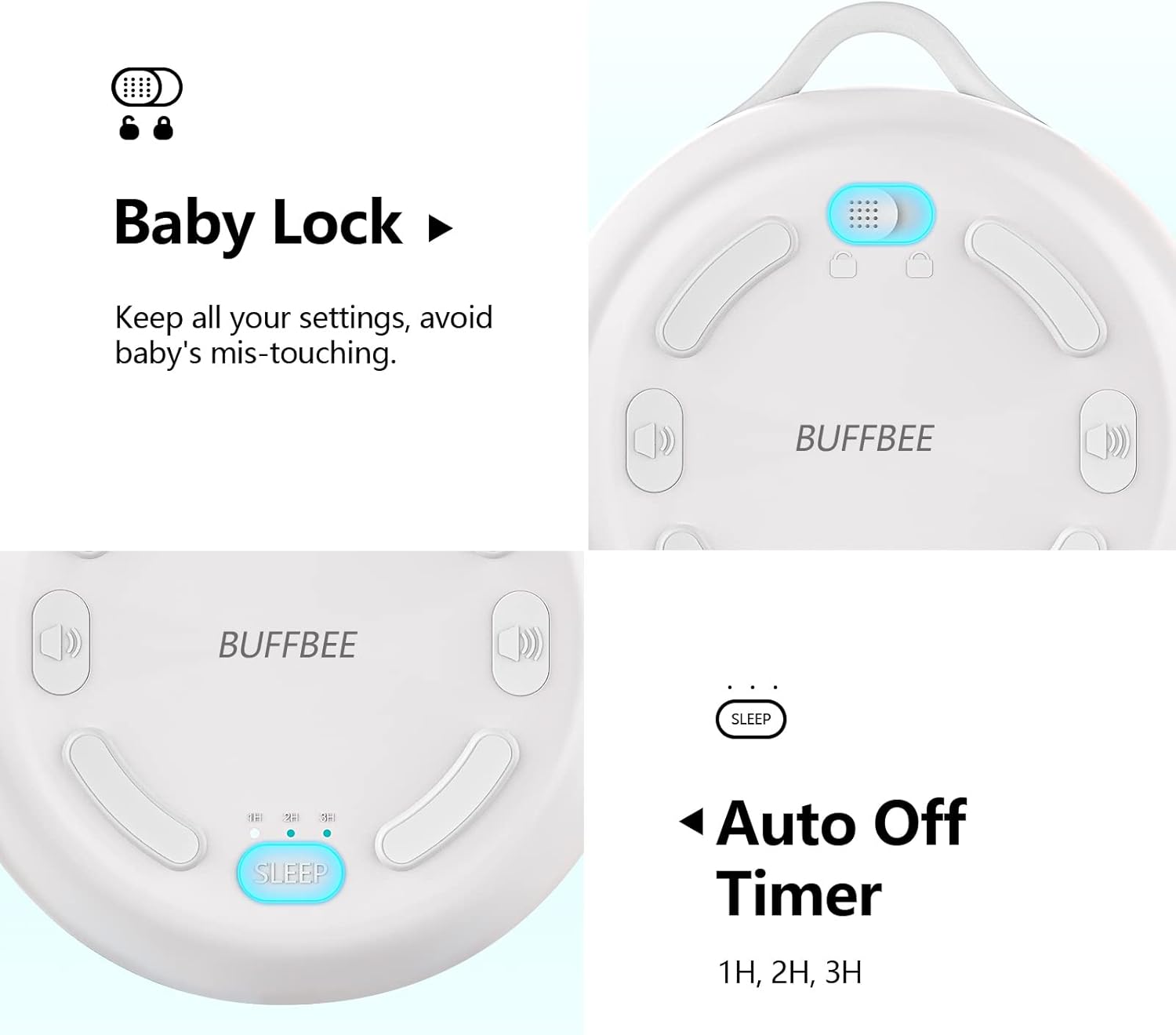
The Buffbee Portable Sound Machine shown with its included USB charging cable and attachment ring.
Bedienungsanleitung
Familiarize yourself with the control buttons located on the device's surface.
- Ein-/Ausschalten: Press and hold the power button (usually indicated by a universal power symbol) to turn the device on or off.
- Klangauswahl: Press the sound selection buttons (often indicated by left/right arrows or a music note symbol) to cycle through the 17 available soothing sounds. These include 5 white noises, 2 fan sounds, and 10 nature sounds (ocean, shushing, lullaby, fetal tone, campfire, summer night, rain, bird, brook, waves).

Ein explodiert view diagram illustrating the internal components and highlighting the 17 soothing sound options available.
- Lautstärkeregelung: Use the volume up (+) and volume down (-) buttons to adjust the sound output to your desired level.
- Nachtlichtsteuerung: Press the light button (often indicated by a sun or light bulb symbol) to activate the night light. Continue pressing to cycle through the 8 soft color options.

The Buffbee Portable Sound Machine displaying its 8-color night light feature, providing gentle illumination.
- Auto-Off-Timer: The device features an auto-off timer. Press the timer button (often labeled 'SLEEP' or with a clock icon) to set the device to automatically turn off after 1, 2, or 3 hours. This conserves battery life and ensures the sound stops after a desired period.
- Baby Lock Feature: To prevent accidental button presses by curious hands, activate the Baby Lock feature. This locks all settings, ensuring uninterrupted operation. Refer to the diagram below for the location of the Baby Lock switch.
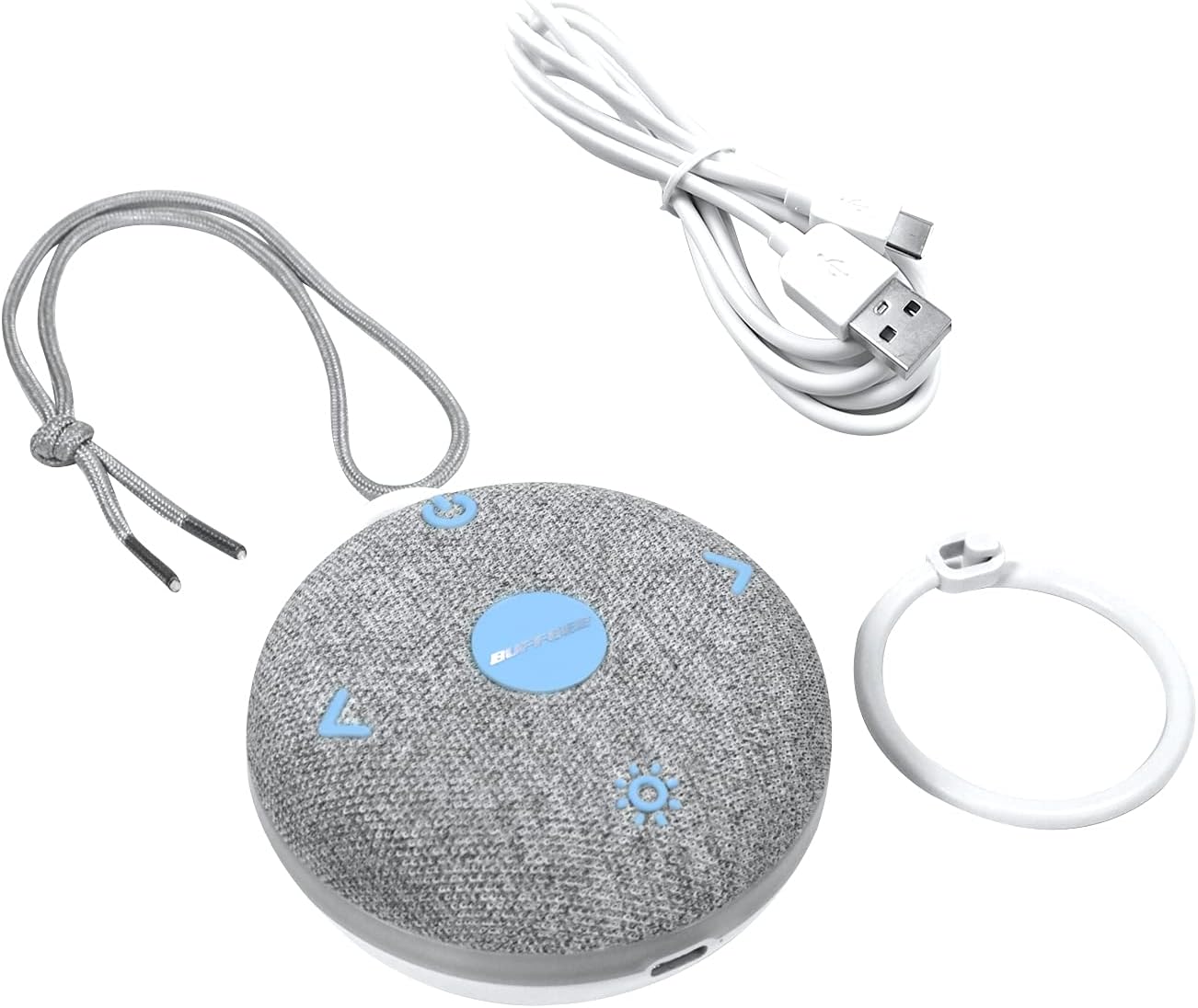
Detaillierte view of the back of the sound machine, highlighting the Baby Lock switch and the Auto Off Timer settings (1H, 2H, 3H).
Pflege und Wartung
- Reinigung: Wischen Sie das Gerät mit einem weichen, trockenen Tuch ab. Verwenden Sie keine Scheuermittel und tauchen Sie das Gerät nicht in Wasser.
- Lagerung: Bei längerer Nichtbenutzung sollte das Gerät an einem kühlen, trockenen Ort und vor direkter Sonneneinstrahlung geschützt aufbewahrt werden.
- Batteriepflege: Um die Akkulaufzeit zu verlängern, vermeiden Sie häufiges vollständiges Entladen des Akkus. Laden Sie das Gerät regelmäßig auf, auch wenn Sie es nicht ständig benutzen.
Fehlerbehebung
| Problem | Mögliche Ursache | Lösung |
|---|---|---|
| Gerät lässt sich nicht einschalten. | Batterie ist leer. | Laden Sie das Gerät mit dem mitgelieferten USB-Kabel auf. |
| Kein Ton oder geringe Lautstärke. | Die Lautstärke ist zu niedrig eingestellt oder der Ton ist stummgeschaltet. | Erhöhen Sie die Lautstärke mit der Taste „+“. |
| Nachtlicht funktioniert nicht. | Light feature is off. | Drücken Sie den Lichtknopf, um das Licht zu aktivieren und die Farben durchzuschalten. |
| Das Gerät schaltet sich unerwartet aus. | Auto-off timer is active or battery is low. | Check timer settings. Ensure device is fully charged. The New Edition is designed to avoid beeping when battery is low. |
| Tasten reagieren nicht. | Baby Lock feature is enabled. | Toggle the Baby Lock switch to the unlocked position. |
Produktspezifikationen
| Marke | BUFFBEE |
| Modell | Tragbare Soundmaschine |
| ASIN | B09C1LTT37 |
| Technische Daten | 9.4 x 8.89 x 3.81 cm; 220 g |
| Stromquelle | Battery Powered (Built-in rechargeable Li-ion battery) |
| Number of Soothing Sounds | 17 |
| Nachtlichtfarben | 8 |
| Akkulaufzeit | Bis zu 12 Stunden |
| Steckertyp | USB |
Garantie und Support
For warranty information or technical support, please refer to the product packaging or contact BUFFBEE customer service through the retailer where the product was purchased. Keep your proof of purchase for any warranty claims.
Ask a question about this manual
Ask about setup, troubleshooting, compatibility, parts, safety, or missing instructions. Manuals+ will review the question and use this page’s manual context to help answer it.