
Einführung
Vielen Dank für Ihren Einkauf.asing the Acctim Model 15789 Alarm Clock. This compact and versatile alarm clock features an LCD display showing time, calendar, and indoor temperature. It is designed for ease of use and portability, making it an ideal travel companion. Please read this manual carefully to ensure proper setup and operation.
Wichtige Sicherheitsinformationen
- Setzen Sie die Uhr keinen extremen Temperaturen, direkter Sonneneinstrahlung oder hoher Luftfeuchtigkeit aus.
- Vermeiden Sie es, die Uhr fallen zu lassen oder starken Stößen auszusetzen.
- Mischen Sie keine alten und neuen Batterien oder verschiedene Batterietypen.
- Um ein Auslaufen zu verhindern, entfernen Sie die Batterien, wenn die Uhr längere Zeit nicht benutzt wird.
- Außerhalb der Reichweite von Kindern aufbewahren.
Packungsinhalt
- Acctim Model 15789 Alarm Clock
- Benutzerhandbuch (dieses Dokument)
Produkteigenschaften
- Multi-function LCD display with time, calendar, and indoor temperature.
- Foldable travel case design for portability.
- Wecker mit Schlummerfunktion.
- Kompakte Abmessungen: 71 x 63 x 63 mm.
Aufstellen
1. Einlegen der Batterie
The Acctim Model 15789 requires 2 x AAA batteries (not included).
- Öffnen Sie die Abdeckung des Batteriefachs auf der Rückseite der Uhr.
- Legen Sie zwei neue AAA-Batterien ein und achten Sie dabei auf die richtige Polarität (+ und -), wie im Batteriefach angegeben.
- Schließen Sie den Batteriefachdeckel fest.
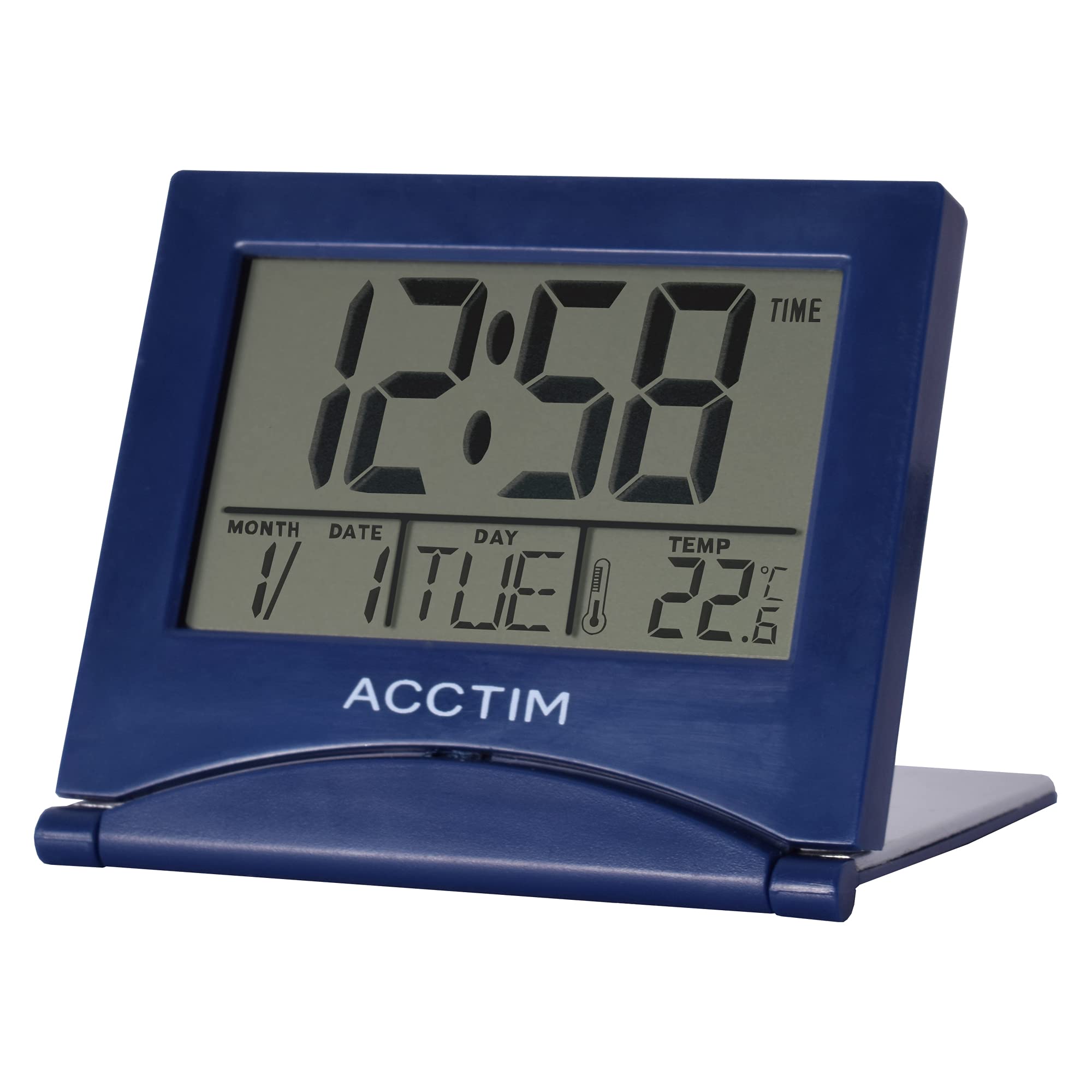
Bild: Vorderseite view of the Acctim Model 15789 Alarm Clock, showing the LCD screen and compact design. This image illustrates the product's appearance for reference during setup and operation.
2. Erstes Einschalten
Upon inserting the batteries, the clock will power on and display default time and date settings. You will need to set the current time and date.
Bedienungsanleitung
Familiarize yourself with the buttons on your alarm clock. Typically, these include MODE, SET, UP, DOWN, and SNOOZE/LIGHT.
1. Uhrzeit einstellen
- Drücken Sie die MODUS button repeatedly until the time display starts flashing or you enter time setting mode.
- Verwenden Sie die UP or RUNTER Tasten zum Einstellen der Stunde.
- Drücken SATZ (oder MODUS again) to confirm the hour and move to setting the minutes.
- Verwenden Sie die UP or RUNTER Tasten zum Einstellen der Minuten.
- Drücken SATZ (oder MODUS again) to confirm the minutes and exit time setting mode.
2. Einstellen des Alarms
- Drücken Sie die MODUS Drücken Sie die Taste so lange, bis die Alarmzeit angezeigt wird (oft durch ein Alarmsymbol gekennzeichnet).
- Halten Sie die SATZ Drücken Sie die Taste, bis die Alarmstunde zu blinken beginnt.
- Verwenden Sie die UP or RUNTER Tasten, um die Weckstunde einzustellen.
- Drücken SATZ to confirm the alarm hour and move to setting the alarm minutes.
- Verwenden Sie die UP or RUNTER Tasten zum Einstellen der Alarmminuten.
- Drücken SATZ to confirm the alarm minutes.
- Zum Aktivieren oder Deaktivieren des Alarms drücken Sie die Taste UP or RUNTER button while the alarm time is displayed. An alarm icon will appear or disappear on the screen.
3. Schlummerfunktion
Wenn der Alarm ertönt, drücken Sie die SNOOZE / LICHT button to temporarily silence the alarm. The alarm will sound again after a few minutes (typically 5-10 minutes, depending on the model). To turn off the alarm completely, press any other button.
4. Calendar and Temperature Display
The clock automatically displays the current date and indoor temperature. You can cycle through different display modes (e.g., time only, time and date, time and temperature) by pressing the MODUS button. To set the date, enter the time setting mode and continue pressing SATZ until the year, month, or day flashes, then adjust with UP/RUNTER.
5. Hintergrundbeleuchtung
Drücken Sie die SNOOZE / LICHT button to activate the backlight for a few seconds, allowing you to read the display in low light conditions. Note that some models may emit a soft beep when this button is pressed.
Wartung
- Reinigen Sie die Uhr mit einem weichen, trockenen Tuch. Verwenden Sie keine Scheuermittel oder Lösungsmittel.
- Replace batteries promptly when the display dims or functions become erratic.
Fehlerbehebung
| Problem | Mögliche Lösung |
|---|---|
| Das Display ist dunkel oder leer. | Replace the batteries with new AAA batteries. Ensure correct polarity. |
| Der Alarm ertönt nicht. | Ensure the alarm is activated (alarm icon visible). Check if the alarm volume is set (if applicable) or if batteries are low. |
| Falsche Uhrzeit oder falsches Datum. | Follow the "Setting the Time" and "Calendar and Temperature Display" instructions to reset. |
| Tasten reagieren nicht. | Um einen Soft-Reset durchzuführen, entfernen Sie die Batterien und setzen Sie sie wieder ein. Sollte das Problem weiterhin bestehen, tauschen Sie die Batterien aus. |
Technische Daten
- Modellnummer: Acctim 15789
- Abmessungen: 6.3 x 7.1 x 6.3 cm (H x B x T)
- Gewicht: 44 g
- Energiequelle: 2 x AAA-Batterien (nicht enthalten)
- Anzeigetyp: LCD
- Besondere Merkmale: Alarm, Temperature Indicator, Calendar Display, Foldable Design
- Material: Plastik
Garantie und Support
This Acctim product comes with a 2 Jahr Garantie Diese Garantie gilt ab Kaufdatum und deckt Herstellungsfehler ab. Sie deckt keine Schäden ab, die durch Missbrauch, Unfälle, unbefugte Änderungen oder normale Abnutzung verursacht wurden.
For technical support or warranty claims, please contact your retailer or visit the official Acctim website for customer service information. Please retain your proof of purchase for warranty validation.