
1. Einleitung
Thank you for choosing the FLYLINKTECH Home Treadmill. This 2-in-1 foldable treadmill is designed to provide a safe, comfortable, and efficient workout experience in your home. It features a powerful motor, a multi-layer running belt, and smart control options, including a touch screen and app connectivity. Please read this manual thoroughly before operation to ensure proper use and maintenance.
2. Sicherheitshinweise
Ihre Sicherheit hat oberste Priorität. Bitte beachten Sie folgende Vorsichtsmaßnahmen:
- Always ensure the red safety key is properly in place before starting the treadmill.
- Halten Sie Kinder und Haustiere während des Betriebs vom Laufband fern.
- Stellen Sie das Laufband auf eine ebene, stabile Fläche mit ausreichendem Freiraum um das Laufband herum.
- Tragen Sie geeignete Sportschuhe und -kleidung.
- Das Laufband darf nicht in Betrieb genommen werden, wenn es beschädigt ist oder Fehlfunktionen aufweist.
- Konsultieren Sie einen Arzt, bevor Sie mit einem neuen Trainingsprogramm beginnen.
3. Produktüberschreitungview und Komponenten
The FLYLINKTECH Home Treadmill is engineered for versatility and comfort. Key components include:
- LED-Digitalmonitor: Displays speed, time, distance, and calories.
- Direct Speed Buttons: For quick speed adjustments.
- Gerätehalterung: Conveniently holds your tablet or phone.
- Sicherheitsschloss: Essential safety mechanism.
- Multi-Layer Running Belt: Designed for shock absorption and joint protection.
- 2.25HP Motor: Provides quiet and consistent power.
- Transporträder: For easy relocation and storage.
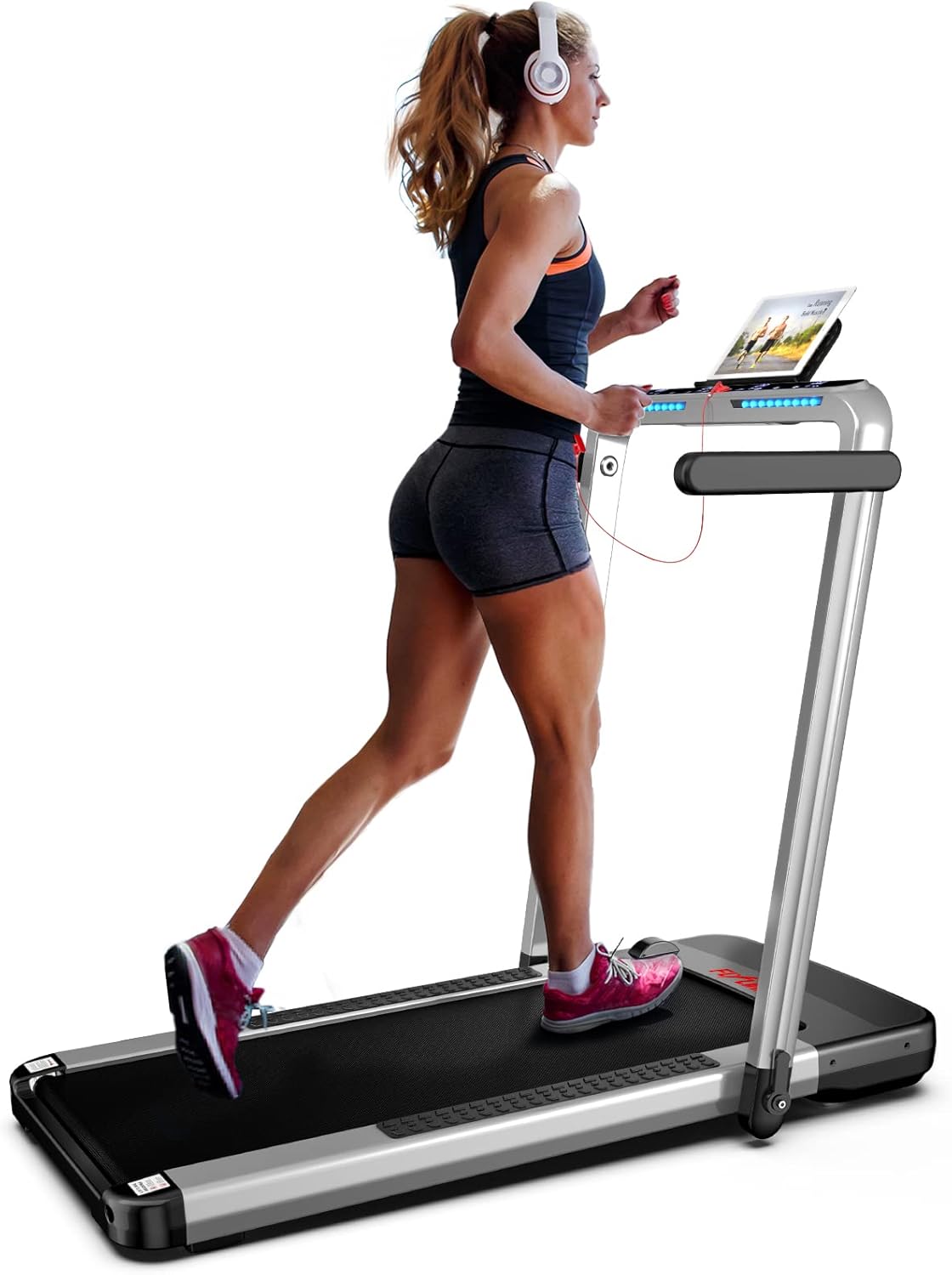
Image: The FLYLINKTECH Home Treadmill in operation, showcasing its sleek design and user-friendly console.

Image: Close-up of the treadmill's control panel, highlighting direct speed buttons, LED digital monitor, device holder, and safety lock.
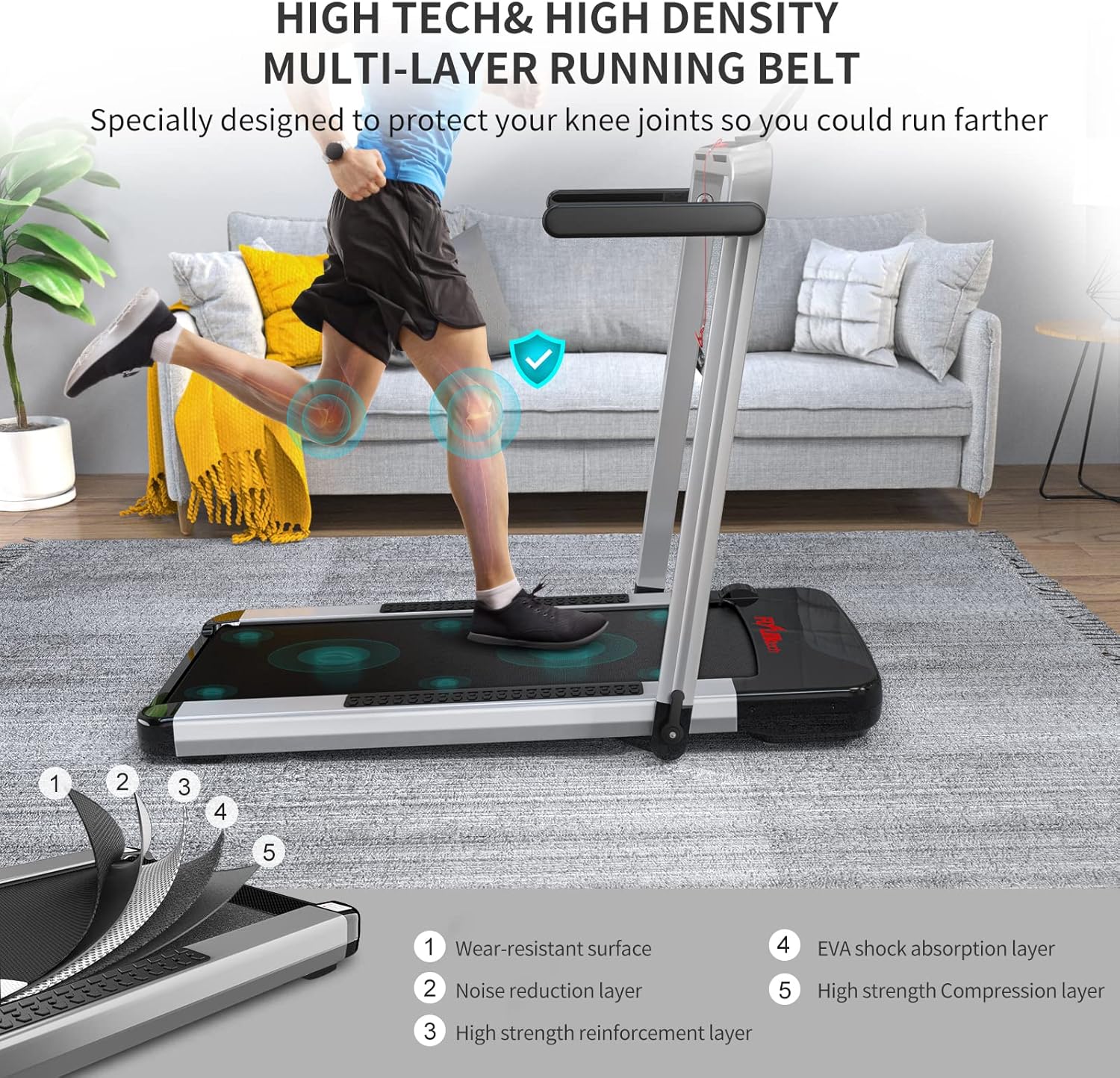
Image: Detailed diagram illustrating the five layers of the high-density running belt, designed for wear resistance, noise reduction, and shock absorption.

Image: Illustration of the powerful 2.25HP home motor, emphasizing its quiet operation and capacity to support up to 180 kg.
4. Aufbau und Montage
The FLYLINKTECH Home Treadmill is designed for quick and easy setup, typically within 3 minutes. It comes largely pre-assembled.
4.1 Auspacken und Aufstellen
- Nehmen Sie das Laufband vorsichtig aus der Verpackung.
- Stellen Sie das Laufband auf eine feste, ebene Fläche. Achten Sie darauf, dass hinter dem Laufband mindestens 2 Meter und zu jeder Seite 0.5 Meter freier Platz vorhanden sind.
4.2 Falten und Entfalten
The treadmill features a convenient folding mechanism for storage and a 2-in-1 functionality.
- Unfolding for Running Mode: Lift the console arm until it locks into the upright position. This allows for speeds up to 14 km/h.
- Folding for Walking Mode (Under-Desk Use): Lower the console arm completely. In this mode, the treadmill functions as a walking pad with speeds up to 4 km/h, suitable for use under a desk.
- Zur Aufbewahrung zusammenklappbar: The treadmill can be fully folded for compact storage. Utilize the transport wheels at the bottom to easily move it under a sofa or bed.

Image: Comparison of the treadmill in Running Mode (4-14 km/h) and Walking Mode (1-4 km/h), illustrating its 2-in-1 functionality.
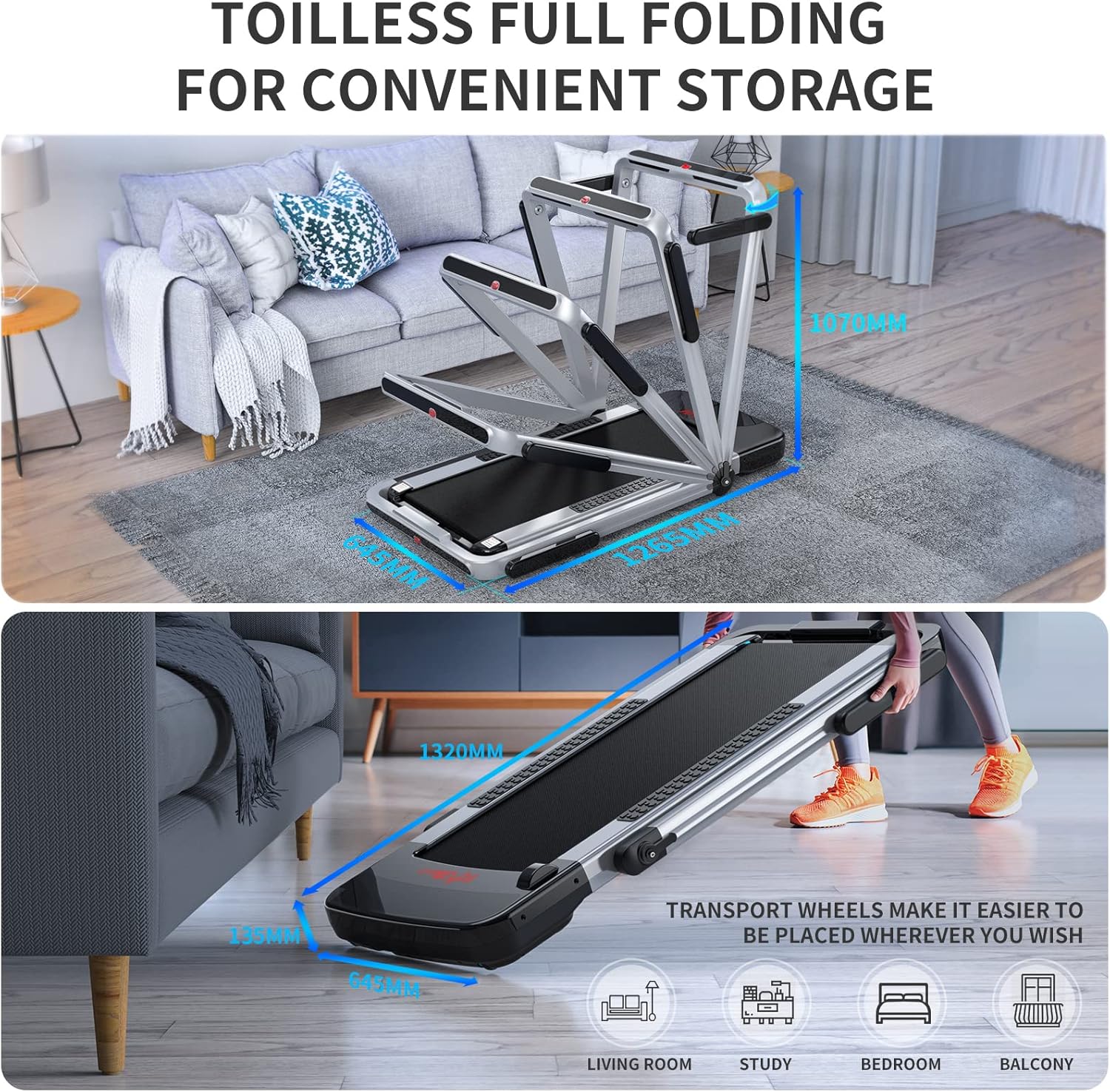
Image: Visual guide demonstrating the full folding capability of the treadmill for convenient storage, highlighting its compact dimensions and transport wheels.

Image: The treadmill positioned under a desk, illustrating its use as an under-desk walking machine for exercising while working.
5. Bedienungsanleitung
5.1 Ein-/Ausschalten
Connect the power cable to a grounded outlet. Press the power button on the console to turn the treadmill on or off.
5.2 Verwenden der Systemsteuerung
The LED display tracks speed, time, distance, and calories in real-time. Use the direct speed buttons or the remote control to adjust settings.
5.3 Trainingsmodi
The treadmill offers 12 preset exercise modes. Select a mode based on your fitness goals and preferences. The special light strip design adds an enjoyable element to your workout.
5.4 Smart App Control (FSC App)
For enhanced control and tracking, download the "FSC" exercise app. Scan the QR code provided in the manual to install the app. Connect your treadmill via Bluetooth to control it from your smartphone or tablet. The app allows for real-time data recording and access to various workout programs.
6. Wartung
Regelmäßige Wartung gewährleistet die Langlebigkeit und optimale Leistung Ihres Laufbands.
- Reinigung: Wischen Sie die Laufbandoberflächen mit einem Desinfektionsmittel ab.amp Nach jedem Gebrauch mit einem Tuch abwischen. Scheuermittel vermeiden.
- Riemenschmierung: Refer to the specific instructions in the included user manual for belt lubrication frequency and procedure. Proper lubrication is crucial for smooth operation and belt lifespan.
- Riemenspannung und -ausrichtung: Periodically check the running belt for proper tension and alignment. Adjust as needed according to the detailed instructions in the full user manual.
- Lagerung: When not in use, fold the treadmill and store it in a dry, cool place away from direct sunlight and moisture.
7. Fehlerbehebung
Sollten Sie auf Probleme stoßen, beachten Sie bitte die folgenden gängigen Schritte zur Fehlerbehebung:
- Laufband lässt sich nicht einschalten: Check if the power cord is securely plugged into both the treadmill and the wall outlet. Ensure the safety key is correctly inserted.
- Rutschen oder Zögern des Gürtels: The running belt may require lubrication or tension adjustment. Refer to the maintenance section or the full user manual.
- Ungewöhnliche Geräusche: Stop the treadmill immediately. Check for any loose parts or foreign objects under the belt. If the noise persists, contact customer support.
- Probleme mit der App-Verbindung: Ensure Bluetooth is enabled on your device and the treadmill. Restart both the app and the treadmill.
For more complex issues, please contact FLYLINKTECH customer support.
8. Spezifikationen
| Besonderheit | Spezifikation |
|---|---|
| Marke | FLIEGENLINKTECH |
| Modellnummer | JF-H-40DC |
| Farbe | Silber/Weiß |
| Material | Metall (Rahmen aus legiertem Stahl) |
| Produktabmessungen (L x B x H) | 132 x 64.5 x 13.5 cm |
| Artikelgewicht | 34 Kilogramm |
| Höchstgeschwindigkeit | 14 Kilometer pro Stunde |
| Motorleistung | 2.25 PS |
| Anzeigetyp | LCD |
| Anzeigemetriken | Time, Distance, Speed, Calorie |
| Anzahl der Programme | 12 |
| Besondere Merkmale | Foldable, Touch Screen |
| Stromquelle | Kabelgebundene Elektrik |
| Montage erforderlich | Ja (minimal) |
9. Garantie und Support
The FLYLINKTECH Home Treadmill comes with a 2 Jahr Garantie, providing peace of mind regarding your investment. For any questions, technical assistance, or warranty claims, please contact FLYLINKTECH customer support through the retailer where you purchased the product or visit the official FLYLINKTECH webWebsite für Kontaktinformationen.