
Einführung
This manual provides detailed instructions for the setup, operation, maintenance, and troubleshooting of your Yealink YHS34 LITE DUAL Wideband Headset. Please read this manual thoroughly before using the product to ensure proper functionality and longevity.

Image: The Yealink YHS34 LITE DUAL Wideband Headset, showing its over-the-head design with two earcups and an adjustable microphone boom arm.
Aufstellen
Anschließen des Headsets
The Yealink YHS34 LITE DUAL headset is designed for plug-and-play connectivity with compatible Yealink IP phones using its QD (Quick Disconnect) to RJ9 cable.
- Connect the QD end of the cable to the headset.
- Connect the RJ9 end of the cable to the headset port on your Yealink IP phone.
- The phone will automatically optimize acoustic parameters for the headset.

Image: The Yealink YHS34 LITE DUAL headset displayed alongside its QD to RJ9 connection cable, illustrating the plug-and-play setup.
Compatible Yealink IP Phones
This headset is compatible with the following Yealink IP phone models:
- T19(P) E2, T21(P) E2, T23P, T23G, T27G, T29G
- T30, T30P, T31, T31P, T31G, T33P, T33G
- T40P, T40G, T41S, T42S, T46S, T48S
- T42U, T43U, T46U, T48U
- T53, T53W, T54W, T57W, T58A, VP59
- T41S SFB, T42S SFB, T46S SFB, T48S SFB
- T55A SFB, T56A SFB, T58A SFB, MP56
Bedienungsanleitung
Tragen des Headsets
Position the headset comfortably over your head. The ear cushions are designed for extended wear. Adjust the headband for a secure yet comfortable fit.
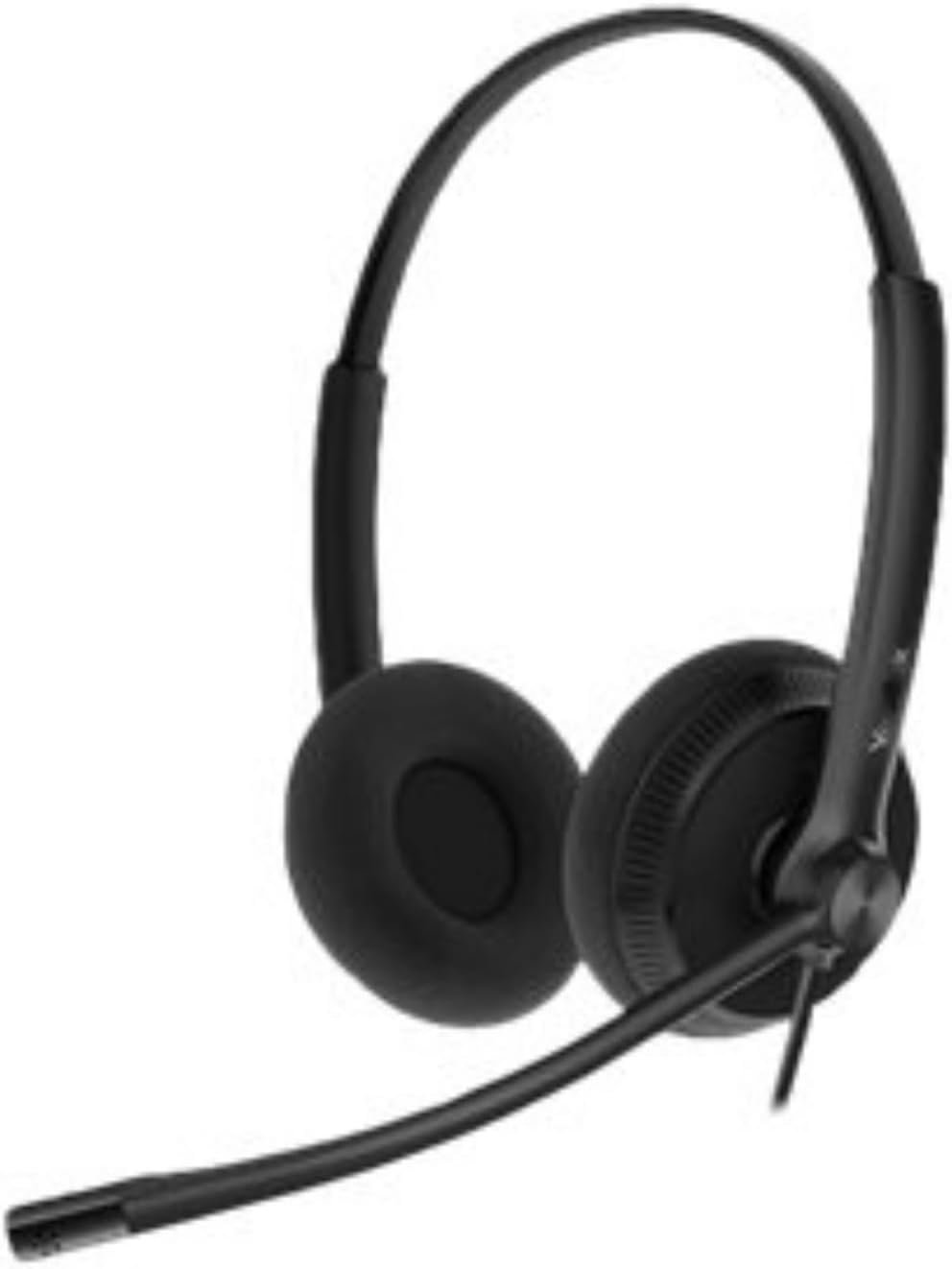
Bild: Eine Nahaufnahme view of the soft ear cushions on the Yealink YHS34 LITE DUAL headset, highlighting their design for comfort during long periods of use.
Mikrofoneinstellung
The microphone features a 330° bendable boom arm. Position the microphone approximately 2-3 cm (1 inch) from your mouth for optimal voice pickup. The noise-canceling microphone helps reduce background noise for clearer conversations.
Audioqualität
The headset provides HD Voice/Wideband speaker performance. Its independent cavity design and passive noise cancellation contribute to a richer and clearer audio experience by minimizing ambient distractions.
Lautstärkeregelung
Volume adjustments are typically managed directly from your connected Yealink IP phone or through the phone's interface. Refer to your specific IP phone's manual for detailed volume control instructions.
Wartung
Reinigung
- Verwenden Sie ein weiches, trockenes Tuch, um das Headset zu reinigen.
- Die Ohrpolster vorsichtig mit einem leicht feucht gehaltenen Tuch abwischen.amp Das Tuch auftragen und vor Gebrauch vollständig an der Luft trocknen lassen.
- Verwenden Sie keine aggressiven Chemikalien, Reinigungslösungen oder starken Reinigungsmittel.
Lagerung
When not in use, store the headset in a clean, dry place away from extreme temperatures and direct sunlight. Avoid tangling the cables to prevent damage.
Fehlerbehebung
Kein Ton vom Headset
- Ensure the QD to RJ9 cable is securely connected to both the headset and the IP phone.
- Check the volume settings on your IP phone.
- Verify that the headset is selected as the audio output device on your IP phone, if applicable.
Mikrofon funktioniert nicht
- Confirm the microphone boom arm is positioned correctly near your mouth.
- Check if the microphone is muted on your IP phone.
- Stellen Sie sicher, dass alle Kabelverbindungen sicher sind.
Schlechte Audioqualität
- Stellen Sie sicher, dass das Headset ordnungsgemäß angeschlossen ist.
- Adjust the microphone position to reduce background noise.
- Check for any physical damage to the cables or headset.
Technische Daten
| Marke | Yealink |
| Modellnummer | YHS34 LITE DUAL |
| Farbe | Schwarz |
| Platzierung des Ohrs | Am Ohr |
| Formfaktor | Over-Ear (Dual Earcup) |
| Impedanz | 32 Ohm |
| Konnektivitätstechnologie | Kabelgebunden (RJ9) |
| Mikrofontyp | Uni-Directional ECM, Noise-Canceling |
| Mikrofon-Frequenzgang | 100 Hz - 8 kHz (Wideband) |
| Mikrofonempfindlichkeit | -44.0 dB bezüglich 1 V/Pa |
| Lautsprechergröße | 28 mm |
| Lautsprecherempfindlichkeit | 93 dB SPL bei 1 kHz |
| Lautsprecher Frequenzgang | 20 Hz - 20 kHz (Wideband) |
| Speaker Input Power | Max. 10 mW |
| Headset-Kabellänge | 0.9 m |
| QD to RJ9 Cable Length | 1.2 m |
| Lagertemperatur | -30 °C bis +70 °C |
| Betriebstemperatur | -10 °C bis +50 °C |
| Gewicht | 160 Gramm |
| Materialien | Foam, Leather (Ear Cushions) |
Garantieinformationen
For detailed warranty information regarding your Yealink YHS34 LITE DUAL headset, please refer to the warranty card included with your product or visit the official Yealink webDie Garantiebedingungen können je nach Region und Händler variieren.
Unterstützung
If you require further assistance or have questions not covered in this manual, please contact Yealink customer support or visit the official Yealink support webWebsite mit FAQs, Treibern und weiteren Ressourcen.
Offizieller Yealink WebWebsite: www.yealink.com