
1. Einleitung
This manual provides essential information for setting up, operating, and maintaining your TECLAST T60Pro 12-inch 2K Tablet. The T60Pro features a 12-inch 2K IPS display, powered by a MediaTek Helio G99 Octa-Core processor, running Android 15. It includes 20GB RAM (8GB physical + 12GB virtual expansion) and 128GB internal storage, expandable up to 1TB via Micro SD. The tablet is equipped with four stereo speakers, a 13MP rear camera, an 8MP front camera, and an 8000mAh battery with 18W fast charging.

The TECLAST T60Pro features a slim 7.9mm metal body, weighing 553g, designed for portability and comfortable handling.
2. Lieferumfang
Überprüfen Sie, ob alle Artikel im Paket vorhanden sind:
- TECLAST T60Pro Tablet (x1)
- Ladegerät (x1)
- USB-C-Kabel (x1)
- SIM Ejector Tool (x1)
- Benutzerhandbuch (x1)
This video demonstrates the unboxing process of the TECLAST T60Pro tablet and its included accessories.
3. Einrichtung
3.1 Geräteaufbau
The image displays the side profile of the tablet, highlighting the SIM/TF Card slot, speaker grilles, and the Type-C port for charging and data transfer.
3.2 Aufladen des Tablets
Before first use, fully charge the tablet using the provided USB-C cable and charger. Connect the USB-C cable to the tablet's Type-C port and the charger to a power outlet. The battery indicator on the screen will show charging status.
3.3 Ein-/Ausschalten
- Zum Einschalten: Halten Sie den Netzschalter gedrückt, bis das TECLAST-Logo erscheint.
- Zum Ausschalten: Halten Sie die Ein-/Aus-Taste gedrückt und wählen Sie dann auf dem Bildschirm die Option „Ausschalten“ aus.
- Zum Neustart: Halten Sie die Ein-/Aus-Taste gedrückt und wählen Sie dann in den Optionen „Neustart“ aus.
3.4 Installation der SIM-/TF-Karte
To install a SIM card for cellular connectivity or a TF (Micro SD) card for expanded storage:
- Suchen Sie den SIM-/TF-Kartensteckplatz an der Seite des Tablets.
- Führen Sie das mitgelieferte SIM-Auswurfwerkzeug in die kleine Öffnung neben dem Fach ein und drücken Sie vorsichtig, bis das Fach herausspringt.
- Legen Sie Ihre Nano-SIM-Karte(n) und/oder Ihre Micro-SD-Karte in die dafür vorgesehenen Schlitze des Kartenfachs ein und achten Sie dabei auf die richtige Ausrichtung.
- Schieben Sie die Schublade vorsichtig wieder in das Tablet, bis sie einrastet.

The tablet supports up to 1TB Micro SD card expansion for additional storage.
3.5 Erste Android-Einrichtung
Upon first power-on, follow the on-screen prompts to complete the initial setup, which includes selecting your language, connecting to Wi-Fi, setting up your Google account, and configuring security options.
4. Bedienungsanleitung
4.1 Darstellung und Visualisierung
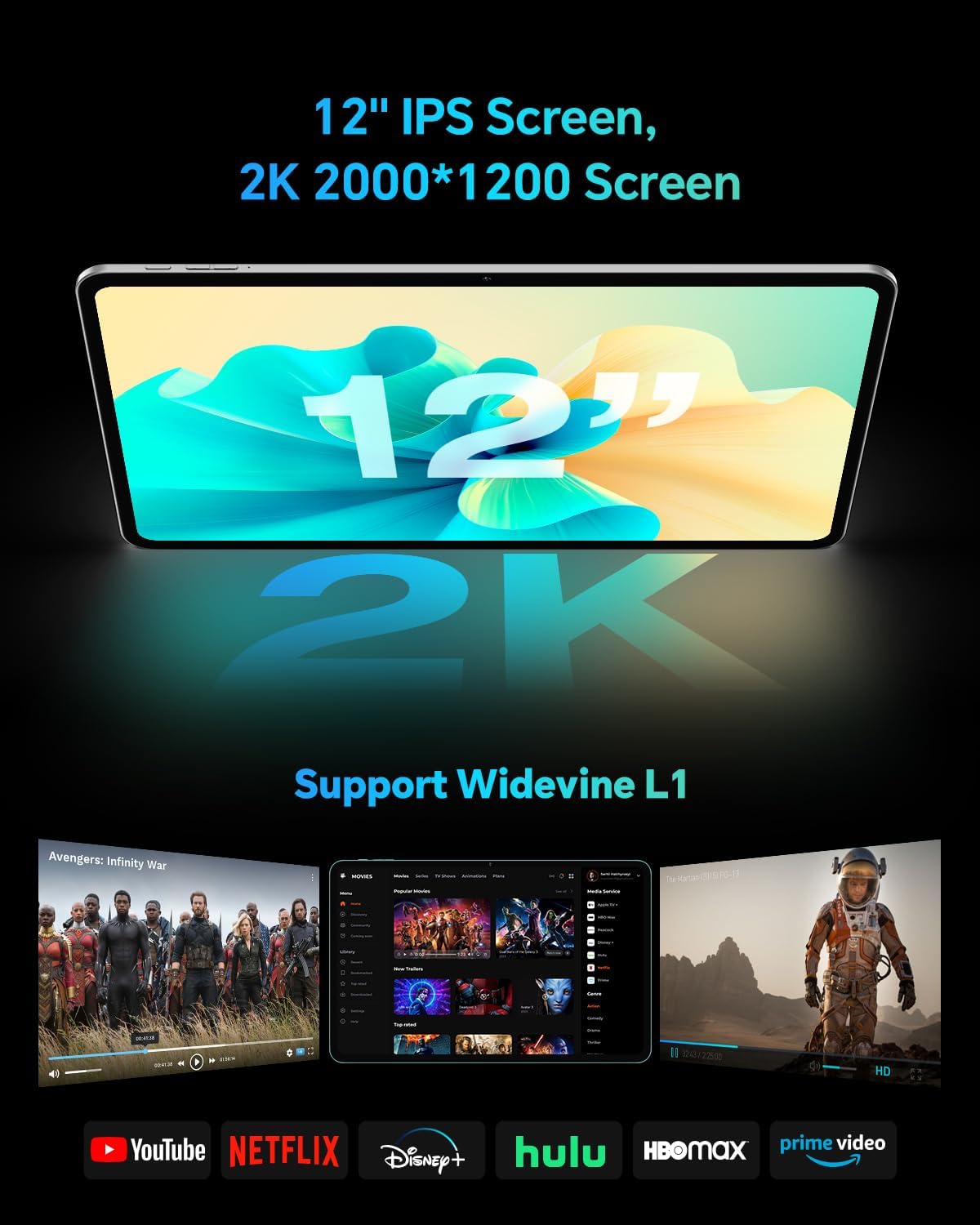
The TECLAST T60Pro features a 12-inch 2K (2000x1200) IPS TDDI full-lamination screen. It includes built-in blue light filtering for eye protection. The display supports Widevine L1 for high-definition streaming content.

Experience crisp visuals and support for HD streaming with the 12-inch 2K IPS display and Widevine L1 certification.
4.2 Audio
The tablet is equipped with four high-fidelity stereo speakers, providing an immersive audio experience for media consumption and video calls.
4.3 Kamerafunktionen
The T60Pro includes a 13MP rear camera and an 8MP front camera. The rear camera is designed for clear shooting, even in low-light conditions. Utilize the camera for photos, videos, and video calls.

The tablet features a 13MP rear camera and an 8MP front camera, supporting features like Google Lens and Face Recognition.
4.4 Konnektivität
- W-lan: Supports 2.4/5GHz dual-band Wi-Fi (802.11a/b/g/n/ac) for stable internet connection.
- Bluetooth: Features Bluetooth 5.2 for connecting wireless accessories.
- Mobilfunk: Supports 4G cellular connectivity with a compatible SIM card.
- Geographisches Positionierungs System: Integrated A-GPS/GPS/BeiDou/GLONASS/Galileo multi-navigation system for accurate location services.

The tablet includes built-in GPS with support for multiple satellite positioning systems for reliable navigation.
4.5 Speicherverwaltung
The tablet comes with 128GB of internal storage. This can be expanded up to 1TB using a Micro SD card (sold separately).
4.6 Gesichtserkennung
For convenient and secure unlocking, the tablet supports face recognition. Simply hold your face in front of the front camera. If face recognition fails, use your registered password or adjust ambient lighting for better recognition.

Unlock your tablet quickly and securely using the face recognition feature.
4.7 Kabellose Projektion
Mirror your tablet's display to a larger screen, such as a TV, for an enhanced viewing experience. Refer to your TV's manual for specific wireless projection setup instructions.
4.8 Parental Controls and Kids Mode
The Android 15 system includes built-in parental controls to manage screen time and app access for children. Utilize these features to create a safe and controlled environment for younger users.
5. Wartung
5.1 Gerät reinigen
Use a soft, lint-free cloth to clean the tablet's screen and body. Avoid using harsh chemicals or abrasive materials that could damage the surfaces.
5.2 Batteriepflege
So verlängern Sie die Akkulaufzeit:
- Vermeiden Sie extreme Temperaturen.
- Lassen Sie den Akku nicht häufig vollständig entladen.
- Verwenden Sie für optimale Ladeergebnisse das mitgelieferte Ladegerät.
5.3 Softwareaktualisierungen
Regularly check for and install system updates to ensure optimal performance, security, and access to the latest features. Navigate to Einstellungen > System > Systemupdate um nach verfügbaren Updates zu suchen.
5.4 Bildschirmschutz
The tablet comes with a pre-applied tempered glass screen protector. A protective film for shipping is also applied, which should be removed after opening the package.

The tablet includes a pre-applied screen protector for immediate use and protection.
6. Fehlerbehebung
6.1 Gerät lässt sich nicht einschalten
- Stellen Sie sicher, dass der Akku geladen ist. Schließen Sie das Tablet mindestens 30 Minuten lang an das Ladegerät an, bevor Sie es einschalten.
- Um einen Neustart zu erzwingen, halten Sie den Netzschalter 10-15 Sekunden lang gedrückt.
6.2 Verbindungsprobleme (WLAN/Bluetooth)
- Toggle Wi-Fi or Bluetooth off and on in the Settings menu.
- Restart your router or Bluetooth device.
- Vergessen Sie das Netzwerk/Gerät und stellen Sie die Verbindung wieder her.
6.3 Low Audio Volume
- Adjust the volume using the physical Volume buttons on the tablet.
- Check media volume settings in Einstellungen > Ton & Vibration.
- Ensure no external audio devices are connected via Bluetooth or Type-C that might be overriding the internal speakers.
6.4 Abstürzende oder einfrierende Apps
- Schließen Sie die App und öffnen Sie sie erneut.
- Löschen Sie den Cache und die Daten der App in Einstellungen > Apps > [App-Name] > Speicher > Cache leeren/Daten löschen.
- Stellen Sie sicher, dass die App auf die neueste Version aus dem Google Play Store aktualisiert ist.
7. Spezifikationen
| Besonderheit | Spezifikation |
|---|---|
| Marke | TECLAST |
| Modellname | T60pro |
| Betriebssystem | Android 15 |
| Bildschirmgröße | 12 Zoll |
| Bildschirmauflösung | 2000x1200 Pixel (2K) |
| Prozessor | MediaTek Helio G99 Octa-Core (2.2 GHz) |
| RAM-Speicher | 20 GB (8 GB physisch + 12 GB virtuell) |
| Speicherkapazität | 128 GB |
| Erweiterbarer Speicher | Bis zu 1 TB (Micro-SD) |
| Grafik-Coprozessor | Mali-G57 MC2 |
| Batteriekapazität | 8000 mAh |
| Laden | 18-W-USB-PD-Schnellladung |
| Rückfahrkamera | 13 Megapixel |
| Frontkamera | 8 Megapixel |
| Wireless-Technologie | Wi-Fi (2.4/5GHz), Bluetooth 5.2, 4G Cellular |
| GPS-Funktionalität | GPS/BEIDOU/GLONASS/GALILEO |
| Kopfhöreranschluss | Typ C |
| Abmessungen (L x B x T) | 10.97" x 6.85" x 0.31" |
| Farbe | Dunkelgrau |
8. Garantie und Support
8.1 Herstellergarantie
The TECLAST T60Pro tablet comes with a 1 Jahr HerstellergarantieDiese Garantie deckt Material- und Verarbeitungsfehler bei normalem Gebrauch ab. Bitte bewahren Sie Ihren Kaufbeleg für Garantieansprüche auf.
8.2 Kundendienst
For technical assistance, troubleshooting, or warranty inquiries, please contact TECLAST customer support. Most questions are answered within 24 hours. Refer to the official TECLAST webFür konkrete Kontaktdaten besuchen Sie bitte die Website oder Ihre Einkaufsplattform.
Online resources and FAQs may also be available on the TECLAST support page.