
Bluenin BBH-918
Bluenin BBH-918 Bluetooth-Nackenbügelkopfhörer – Benutzerhandbuch
Model: BBH-918
Produkt überview
The Bluenin BBH-918 Bluetooth Neckband Headphones are designed for comfort and high-quality audio, featuring Bluetooth 5.0 connectivity, retractable earbuds, and CVC 8.0 noise-cancelling microphone. This manual provides detailed instructions for setup, operation, and maintenance.

Image: Bluenin BBH-918 Bluetooth Neckband Headphones, showcasing the black neckband design with retractable earbuds.

Image: A person wearing the ergonomic neckband headphones during exercise, with insets showing the flexible neckband and the retractable earbud mechanism.
Packungsinhalt
Stellen Sie sicher, dass alle Artikel im Paket vorhanden sind:
- Bluenin BBH-918 Bluetooth Neckband Headphones
- USB-Ladekabel
- Ohrpolster (verschiedene Größen)
- Benutzerhandbuch (dieses Dokument)
Aufstellen
1. Aufladen der Kopfhörer
Laden Sie die Kopfhörer vor dem ersten Gebrauch vollständig auf. Eine vollständige Aufladung dauert etwa 2.5 Stunden.
- Verbinden Sie das USB-Ladekabel mit dem Ladeanschluss am Nackenband.
- Verbinden Sie das andere Ende des Kabels mit einer USB-Stromquelle (z. B. einem USB-Anschluss am Computer oder einem Netzteil).
- Die LED-Anzeige zeigt den Ladestatus an (Einzelheiten dazu finden Sie im Abschnitt LED-Anzeige).

Image: Visual representation of the Bluenin headphones with an overlay indicating 15 hours of playing time and a battery icon, highlighting the long battery life.
2. Kopplung mit einem Bluetooth-Gerät
Die Kopfhörer nutzen Bluetooth 5.0 für eine stabile und schnelle Verbindung.
- Stellen Sie sicher, dass die Kopfhörer ausgeschaltet sind.
- Press and hold the Multi-function button (usually the power button) until the LED indicator flashes red and blue alternately, indicating pairing mode.
- Aktivieren Sie auf Ihrem Gerät (Smartphone, Tablet, Computer) Bluetooth und suchen Sie nach verfügbaren Geräten.
- Select "BBH-918" from the list of found devices.
- Nach erfolgreicher Kopplung blinkt die LED-Anzeige langsam blau.

Image: Diagram illustrating the Bluetooth 5.0 chip and connectivity features, including up to 33ft wireless range and the ability to connect to 2 devices simultaneously.
Die Kopfhörer können gleichzeitig mit zwei Geräten verbunden werden.
Bedienungsanleitung
Kontrollen überview
The Bluenin BBH-918 features intuitive controls located on the neckband.
- Ein-/Ausschalten: Slide switch or press and hold Multi-function button.
- Lautstärke erhöhen/verringern: Press '+' or '-' buttons.
- Nächster / Vorheriger Track: Press and hold '+' or '-' buttons (or dedicated track buttons if present).
- Abspielen/Pause: Drücken Sie die Multifunktionstaste.
- Anruf annehmen/beenden: Drücken Sie die Multifunktionstaste.
- Anruf ablehnen: Halten Sie die Multifunktionstaste gedrückt.
- Retract Earbuds: Press the dedicated retract button on each side of the neckband.
Retractable Ohrhörer
The earbuds feature an automatic retractable wire management system for tangle-free storage.
- To extend: Gently pull the earbud wire to the desired length.
- To retract: Press the retract button located on the neckband. The wire will automatically retract into the neckband.

Image: Illustration demonstrating the automatic retraction mechanism of the earbuds, showing hands pulling out and retracting the earbud wires with a button press.
Call Vibration Alert
The neckband will vibrate to alert you of incoming calls, ensuring you don't miss important communications.
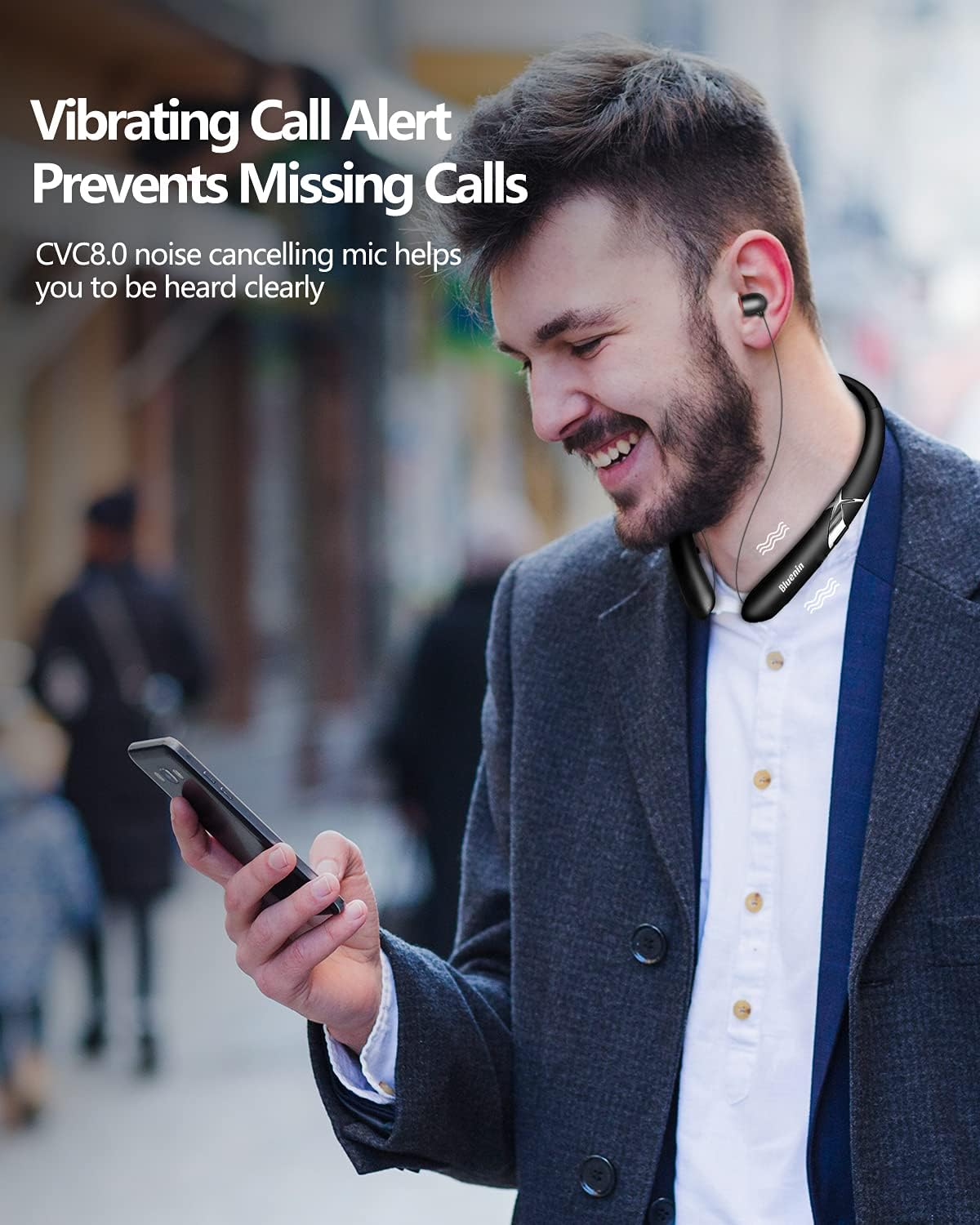
Image: A person wearing the neckband headphones, with visual cues indicating the vibration alert for incoming calls, and a phone displaying a call notification.
Mikrofon mit Rauschunterdrückung
Equipped with CVC 8.0 noise-cancelling technology, the built-in microphone reduces background noise for crystal-clear hands-free calls.

Image: Banner highlighting the CVC6.0 Noise Suppression Mic feature, with a person using the headphones for a call, emphasizing clear communication.

Bild: Eine explodierte view diagram of the earbud's internal components, illustrating the CSR8645 chips and 12mm dynamic drivers that deliver Hi-Fi stereo sound.
Wartung
Durch sachgemäße Pflege werden die Langlebigkeit und Leistungsfähigkeit Ihrer Kopfhörer sichergestellt.
- Reinigung: Use a soft, dry cloth to wipe the neckband and earbuds. Do not use abrasive cleaners or immerse in water.
- Lagerung: When not in use, store the headphones in a cool, dry place, away from direct sunlight and extreme temperatures. Ensure earbuds are fully retracted to prevent wire damage.
- Batteriepflege: To preserve battery life, avoid fully discharging the battery frequently. Charge regularly, even if not in constant use.
Fehlerbehebung
| Problem | Lösung |
|---|---|
| Die Kopfhörer lassen sich nicht einschalten. | Stellen Sie sicher, dass der Akku geladen ist. Schließen Sie das Gerät an eine Stromquelle an und versuchen Sie es erneut. |
| Kopplung mit dem Gerät nicht möglich. | Stellen Sie sicher, dass sich die Kopfhörer im Kopplungsmodus befinden (rot/blau blinkend). Schalten Sie Bluetooth auf Ihrem Gerät aus und wieder ein. Gehen Sie näher an das Gerät heran. |
| Kein Ton oder geringe Lautstärke. | Überprüfen Sie die Lautstärke sowohl an den Kopfhörern als auch an Ihrem angeschlossenen Gerät. Stellen Sie sicher, dass die Kopfhörer richtig angeschlossen sind. |
| Earbuds not retracting properly. | Ensure the wire is not tangled or obstructed. Press the retract button firmly. Avoid forcing the wire. |
| Schlechte Gesprächsqualität. | Ensure the microphone is not obstructed. Move to a quieter environment. Check device's network signal. |
Technische Daten
| Besonderheit | Detail |
|---|---|
| Modellname | BBH-918 |
| Konnektivitätstechnologie | Kabellos, Bluetooth 5.0 |
| Drahtlose Kommunikationstechnologie | Bluetooth |
| Bluetooth-Reichweite | 33 Fuß (10 Meter) |
| Akkulaufzeit (Musikzeit) | Bis zu 14-15 Stunden |
| Akkulaufzeit (Sprechzeit) | Bis zu 16 Stunden |
| Standby-Zeit | Bis zu 500 Stunden |
| Ladezeit | Ca. 2.5 Stunden |
| Lärmschutz | CVC 8.0 Noise Cancelling (Mic) |
| Platzierung des Ohrs | Im Ohr |
| Formfaktor | Im Ohr |
| Kabelfunktion | Einziehbar |
| Artikelgewicht | 1.3 Unzen (ca. 36.85 Gramm) |
| Technische Daten | 6 x 7 x 0.7 Zoll |
| Wasserbeständigkeit | Wasserabweisend (schweißfest) |
| Kompatible Geräte | Smartphones, Laptops, Tablets, Computers |
Garantie und Support
Bluenin products are manufactured with high-quality standards. For warranty information and technical support, please refer to the contact details provided on the product packaging or the official Bluenin webWebsite.
Bewahren Sie Ihren Kaufbeleg als Kaufnachweis für Garantieansprüche auf.
Ask a question about this manual
Ask about setup, troubleshooting, compatibility, parts, safety, or missing instructions. Manuals+ will review the question and use this page’s manual context to help answer it.