
Einführung
The New Bee M50 Bluetooth Headset is designed for clear communication and comfortable wear throughout your day. Featuring advanced Dual Mic Noise Cancelling technology and Bluetooth 5.2 connectivity, it ensures stable signal transmission and superior audio quality. This manual provides detailed instructions for setting up, operating, and maintaining your headset.
Packungsinhalt
Bitte kreuzen Sie das Kästchen für die folgenden Elemente an:
- New Bee M50 Bluetooth-Headset
- USB-Ladekabel
- 3 x Optional Eartips (Small, Medium, Large)
- Tragbare Tragetasche
- Bedienungsanleitung

Image: New Bee M50 Bluetooth Headset with its accessories, including the charging cable, various eartips, and a protective carry case.
Produkt überview
Familiarize yourself with the buttons and components of your New Bee M50 headset.

Image: A detailed diagram highlighting the control buttons on the New Bee M50 Bluetooth Headset, including volume, multi-function, and mute buttons.
- Multifunktionstaste: For Music Play/Pause, Answer/Hang up calls.
- Lautstärke erhöhen (+)/Nächster Titel: Lautstärke erhöhen, zum nächsten Titel springen.
- Lautstärke verringern (-)/Vorheriger Titel-Taste: Lautstärke verringern, zum vorherigen Titel wechseln.
- Stummschaltfläche: Mute/unmute microphone during calls.
- Mikrofon: Flexible arm for optimal voice capture.
- Ohrhaken: Rotatable for left or right ear wearing.
Aufstellen
1. Laden des Headsets
Before first use, fully charge your headset. Connect the provided USB charging cable to the headset's charging port and to a USB power source (e.g., computer, wall adapter).
- Ladezeit: ca. 2–3 Stunden.
- The indicator light will change to show charging status (refer to product for specific light indicators).
2. Ein-/Ausschalten
- Einschalten: Press and hold the Multi-function Button until the indicator light flashes (e.g., blue).
- Ausschalten: Press and hold the Multi-function Button until the indicator light turns off (e.g., red).
3. Bluetooth-Kopplung
So verbinden Sie Ihr Headset mit einem Gerät:
- Stellen Sie sicher, dass das Headset ausgeschaltet ist.
- Press and hold the Multi-function Button for approximately 5-7 seconds until the indicator light flashes red and blue alternately, indicating pairing mode.
- Aktivieren Sie auf Ihrem Gerät (Smartphone, Tablet, Laptop) Bluetooth und suchen Sie nach verfügbaren Geräten.
- Wählen Sie „New Bee M50“ aus der Geräteliste aus.
- Once connected, the indicator light on the headset will typically flash blue slowly.
The headset supports pairing with two Bluetooth devices simultaneously. After connecting the first device, disable its Bluetooth, pair the second device, then re-enable Bluetooth on the first device to connect both.

Image: The New Bee M50 Bluetooth Headset demonstrating its compatibility with various devices such as music players, Android phones, iPhones, iPads, laptops, and desktop computers, highlighting Bluetooth 5.2 technology.
Bedienungsanleitung
Aufruffunktionen
- Anruf annehmen/beenden: Drücken Sie einmal die Multifunktionstaste.
- Anruf ablehnen: Halten Sie die Multifunktionstaste 2 Sekunden lang gedrückt.
- Wahlwiederholung letzte Nummer: Drücken Sie die Multifunktionstaste zweimal.
- Stummschalten/Stummschaltung aufheben: During a call, press the Mute Button once. Note: Mute function is only supported on mobile phones.

Image: A visual representation of the mute function on the New Bee M50 headset, indicating how to protect privacy during calls.
Musiksteuerung
- Abspielen/Pause: Drücken Sie einmal die Multifunktionstaste.
- Nächster Titel: Press the Volume Up (+) button once.
- Vorheriges Lied: Press the Volume Down (-) button once.
- Lautstärkeregelung: Press and hold the Volume Up (+) or Volume Down (-) buttons.
Sprachassistent
To activate your device's voice assistant (e.g., Siri), press the Mute Button for 2 seconds. This feature enhances safety, especially while driving.
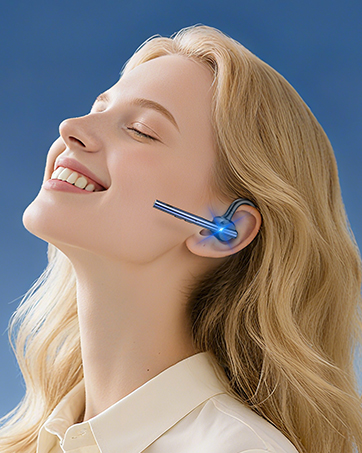
Image: A user activating the Siri voice assistant using the New Bee M50 headset, emphasizing hands-free operation for driving safety.
Tragen des Headsets
The New Bee M50 headset is designed for comfort and versatility.
- The ear hook is rotatable by 180 degrees, allowing you to wear the headset on either your left or right ear.
- The microphone arm is flexible and can be rotated 270 degrees to position it optimally for voice capture.
- Choose from the three provided eartip sizes to find the most secure and comfortable fit for your ear.
- Weighing only 16g, the headset is lightweight for extended wear.

Image: A diagram illustrating the 270-degree rotatable microphone and 180-degree rotatable ear hook of the New Bee M50 headset, demonstrating its adaptable design for comfortable wearing on either ear.

Image: A visual guide demonstrating the correct way to wear the New Bee M50 headset for optimal sound and microphone performance, contrasting with incorrect positions.
Wartung
To ensure the longevity and optimal performance of your New Bee M50 Bluetooth Headset, follow these maintenance guidelines:
- Reinigung: Reinigen Sie das Headset mit einem weichen, trockenen Tuch. Vermeiden Sie die Verwendung von scharfen Chemikalien oder scheuernden Materialien.
- Lagerung: When not in use, store the headset in its portable carry case to protect it from dust, moisture, and physical damage.
- Vermeiden Sie extreme Bedingungen: Do not expose the headset to extreme temperatures, direct sunlight, or high humidity.
- Laden: Only use the provided charging cable or a certified equivalent. Avoid overcharging the battery.
- Wasserbeständigkeit: The headset is not water resistant. Avoid contact with liquids.
Fehlerbehebung
Sollten Sie Probleme mit Ihrem Headset haben, beachten Sie bitte die folgenden gängigen Lösungsansätze:
| Problem | Mögliche Lösung |
|---|---|
| Das Headset lässt sich nicht einschalten | Ensure the headset is fully charged. Press and hold the Multi-function Button for a longer duration (5 seconds). |
| Kopplung mit Gerät nicht möglich | Make sure the headset is in pairing mode (flashing red and blue). Turn off Bluetooth on other nearby devices. Restart your device and the headset. Ensure the headset is within 49 feet of your device. |
| Kein Ton oder geringe Lautstärke | Überprüfen Sie die Lautstärke sowohl am Headset als auch an Ihrem angeschlossenen Gerät. Stellen Sie sicher, dass das Headset korrekt angeschlossen ist. Versuchen Sie, das Headset erneut zu koppeln. |
| Mikrofon funktioniert nicht | Ensure the microphone is not muted. Check microphone settings on your connected device. Adjust the microphone arm for optimal positioning. |
| Intermittierende Verbindung | Move closer to your connected device. Avoid obstacles between the headset and device. Ensure no other devices are causing interference. |
Technische Daten
| Besonderheit | Detail |
|---|---|
| Modellname | M50 |
| Konnektivitätstechnologie | Kabellos (Bluetooth 5.2) |
| Bluetooth-Reichweite | Bis zu 49 Fuß (15 Meter) |
| Lärmschutz | Active Noise Cancellation (Dual Mic DSP) |
| Gesprächszeit | Bis zu 24 Stunden |
| Musikwiedergabezeit | Bis zu 20 Stunden |
| Standby-Zeit | Bis zu 1440 Stunden |
| Ladezeit | 2-3 Stunden |
| Artikelgewicht | 16 Gramm (0.564 Unzen) |
| Form der Hörmuschel | In Ear, Ear Hook |
| Material | Silikon |
| Kompatible Geräte | Smartphones, Tablets, Laptops (iOS and Android systems) |
Garantie und Support
New Bee provides a 3 Jahr Garantie for the M50 Bluetooth Headset, ensuring peace of mind regarding product quality and performance.
If you encounter any problems or have suggestions, please contact our customer service team. Our professional technical team is available 24 hours to assist you.

Image: Icons representing the 3-year warranty and 30-day free returns policy for New Bee products.
Produktvideo
Video: Official product video demonstrating the features and usage of the New Bee M50 Bluetooth Headset.