
1. Sicherheitshinweise
Please read and understand all safety information before operating this digital multimeter. Failure to follow these instructions may result in electric shock, fire, or damage to the device.
- Vor jeder Messung sollte sichergestellt sein, dass das Multimeter auf die richtige Funktion und den richtigen Messbereich eingestellt ist.
- Die für jede Funktion angegebenen maximalen Eingabewerte dürfen nicht überschritten werden.
- Seien Sie vorsichtig beim Arbeiten mit VolumentagSpannungen über 30 V AC RMS, 42 V Spitze oder 60 V DC sind zu vermeiden, da sie eine Stromschlaggefahr darstellen.
- Prüfen Sie die Messleitungen vor jedem Gebrauch auf Beschädigungen. Nicht verwenden, wenn die Isolierung beschädigt ist.
- WARNUNG: Before opening the case for battery or fuse replacement, always remove the test leads from the object being measured and disconnect from any power source to avoid electric shock.
- This device features F0.5A/600V fuse overload protection. Replace fuses only with specified types and ratings.
2. Produktüberschreitungview
The ANENG AN101 is a portable digital multimeter designed for measuring AC voltage, AC current, DC voltage, DC current, and resistance. It features an easy-to-read LCD display with 1999 counts and supports both automatic and manual ranging for versatile use in various electrical and electronic applications.
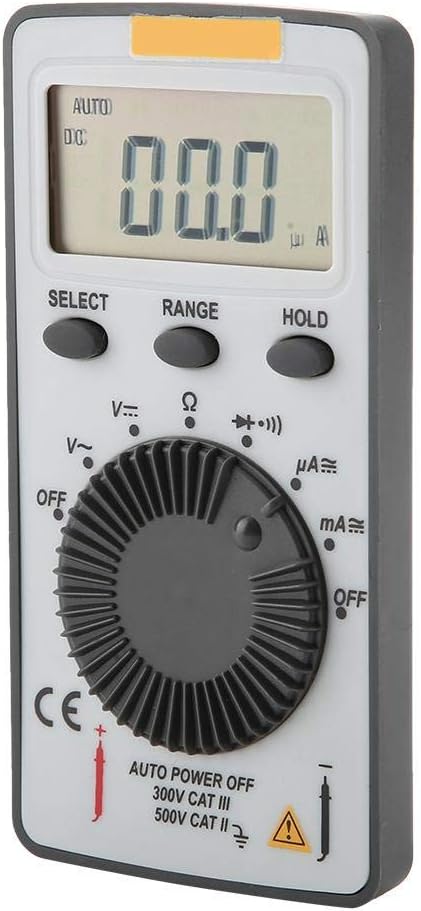
Abbildung 2.1: Vorderseite view of the ANENG AN101 Digital Multimeter. This image displays the device's LCD screen, the central rotary function dial, and the 'SELECT', 'RANGE', and 'HOLD' buttons.
3. Einrichtung
3.1 Einlegen der Batterie
- Stellen Sie sicher, dass das Multimeter ausgeschaltet ist und trennen Sie alle Messleitungen.
- Suchen Sie das Batteriefach auf der Rückseite des Geräts.
- Verwenden Sie einen Schraubendreher, um die Abdeckung des Batteriefachs zu öffnen.
- Insert two 3V CR2032 batteries, observing the correct polarity.
- Bringen Sie die Batteriefachabdeckung wieder an und sichern Sie sie mit der Schraube.

Abbildung 3.1: Zurück view of the ANENG AN101 Digital Multimeter. This image shows the battery compartment cover and a safety warning regarding opening the case.
3.2 Anschließen der Testleitungen
- Stecken Sie die rote Messleitung in die Eingangsbuchse „VΩmA“.
- Stecken Sie die schwarze Messleitung in die Eingangsbuchse „COM“.
- Ensure the connections are firm before proceeding with measurements.
4. Bedienungsanleitung
4.1 Ein-/Ausschalten
Rotate the central dial from 'OFF' to any measurement function to power on the device. To power off, rotate the dial back to 'OFF'. The multimeter also features an auto power-off function to conserve battery life.
4.2 Funktionsauswahl
Turn the rotary dial to select the desired measurement function (e.g., DC Voltage (V=), AC Voltage (V~), Resistance (Ω), DC Current (μA=, mA=), AC Current (μA~, mA~)).
4.3 Range Selection (Auto/Manual)
The AN101 supports both automatic and manual ranging. In auto-ranging mode, the meter automatically selects the best range for the measurement. Press the 'RANGE' button to switch between auto and manual ranging. In manual mode, press 'RANGE' repeatedly to cycle through available ranges.
4.4 Messen der Gleichspannungtage
- Set the rotary dial to 'V='.
- Schließen Sie die rote Messleitung an den Pluspol des Stromkreises und die schwarze Messleitung an den Minuspol an.
- Lesen Sie den Bandtage value on the LCD display. The polarity will be indicated automatically.
4.5 Messen der Wechselspannungtage
- Set the rotary dial to 'V~'.
- Schließen Sie die Messleitungen an die Wechselstromspannung an.tagDie Quelle.
- Lesen Sie den Bandtage-Wert auf dem LCD-Display.
4.6 Messen von Gleichstrom
- Set the rotary dial to 'μA=' or 'mA=' depending on the expected current.
- WARNUNG: To measure current, the multimeter must be connected in series with the circuit. Do not connect it in parallel across a voltagDie Quelle.
- Break the circuit and connect the multimeter in series, ensuring the red lead is towards the higher potential and the black lead towards the lower potential.
- Lesen Sie den aktuellen Wert auf dem LCD-Display ab.
4.7 Messung von Wechselstrom
- Set the rotary dial to 'μA~' or 'mA~'.
- WARNUNG: Schließen Sie das Multimeter in Reihe mit dem Stromkreis an.
- Unterbrechen Sie den Stromkreis und schalten Sie das Multimeter in Reihe.
- Lesen Sie den aktuellen Wert auf dem LCD-Display ab.
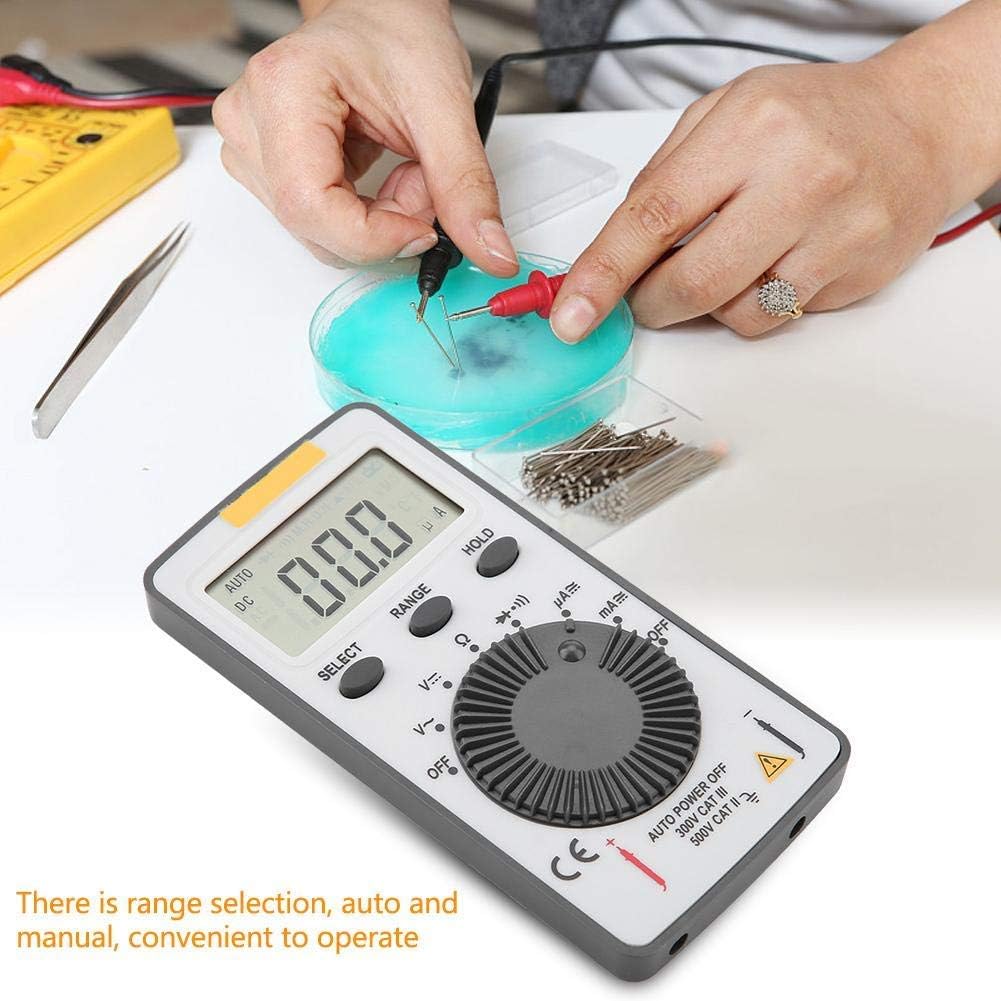
Figure 4.1: The ANENG AN101 Digital Multimeter in use, demonstrating its application for measuring electrical components. The image highlights the ease of operation with auto and manual range selection.
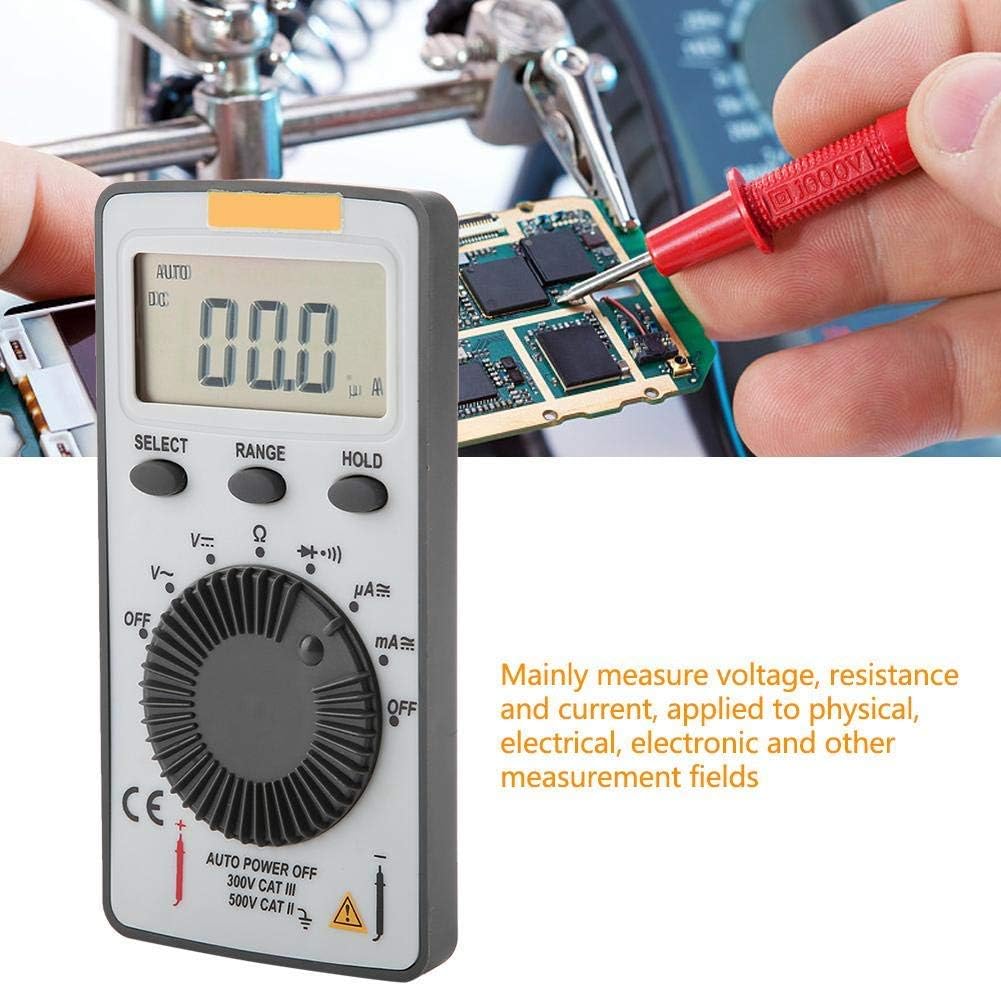
Figure 4.2: The ANENG AN101 Digital Multimeter being used to measure voltage or current on a circuit board. This illustrates its primary function in physical, electrical, and electronic measurement fields.
4.8 Haltefunktion
Press the 'HOLD' button to freeze the current reading on the display. Press it again to release the hold function and resume live measurements.
5. Wartung
5.1 Reinigung
Wipe the device with a dry, soft cloth. Do not use abrasive cleaners or solvents. Keep the device free from dust and moisture.
5.2 Batteriewechsel
When the battery indicator appears on the display, replace the batteries as described in Section 3.1. Always use two new 3V CR2032 batteries.
5.3 Sicherungswechsel
If the current measurement functions stop working, the fuse may need replacement. Refer to the safety warnings in Section 1 before attempting to open the case. Replace the fuse only with a F0.5A/600V type.
6. Fehlerbehebung
- Kein Bildschirm: Überprüfen Sie den Einbau der Batterien und stellen Sie sicher, dass die Batterien nicht entladen sind.
- "OL" wird angezeigt: This indicates an over-range condition. Either the measured value exceeds the selected range, or the circuit is open (for resistance/current measurements). Select a higher range or check circuit continuity.
- Falsche Messwerte: Ensure test leads are properly connected, the correct function and range are selected, and the circuit connections are secure.
- Strommessung funktioniert nicht: Check the fuse as described in Section 5.3.
7. Spezifikationen
| Besonderheit | Spezifikation |
|---|---|
| Marke | ANENG |
| Modell | AN101 |
| Anzeige | LCD-Anzeige, 1999 Zählwerte |
| Aktualisierungsrate | 2-mal / Sekunde |
| LCD-Größe | 40 * 20 mm |
| Polaritätsanzeige | Automatic '-' |
| Bereichsüberschreitungsanzeige | 'OL' |
| Bereichsauswahl | Auto oder Manuell |
| Betriebstemperatur | 0℃ to 40℃, Relative Humidity: <80% RH |
| Lagertemperatur | -10℃ to 50℃, Relative Humidity: <85% RH |
| Akku-Typ | 2 * 3V, CR2032 size (not included) |
| DC-Voltage Eingangsimpedanz | 10 MΩ |
| DC-Voltage Überlastungsschutz | 600 V DC/AC RMS |
| max. DC Voltage Eingang | 600 V Gleichstrom |
| DC Current Overload Protection | F0.5A / 600V Fuse |
| Max. DC Current Input | 500 mA |
| AC Current Overload Protection | F0.5A / 600V Fuse |
| Max. AC Current Input | 500 mA |
| AC Current Frequency Range | 40Hz - 400Hz |
| AC-Lautstärketage Eingangsimpedanz | 10 MΩ |
| AC-Lautstärketage Frequenzbereich | 40Hz - 400Hz |
| AC-Lautstärketage Überlastungsschutz | 600 V DC/AC RMS |
| max. AC Voltage Eingang | 600 V Wechselstrom effektiv |
| Gewicht | Ca. 102 g |
| Maße | Approx. 110 * 55 * 10 mm / 4.3 * 2.2 * 0.4 in |
| Packungsinhalt | 1 * Digital Multimeter, 2 * Test Leads |

Figure 7.1: Dimensions of the ANENG AN101 Digital Multimeter, showing its compact size for portability.
8. Garantie und Support
Informationen zu Garantie und technischem Support finden Sie in der Ihnen beim Kauf ausgehändigten Dokumentation oder wenden Sie sich an Ihren Händler. Bewahren Sie Ihren Kaufbeleg als Kaufnachweis auf.