
Einführung
This manual provides detailed instructions for the setup, operation, and maintenance of your Blue Tiger Storm Gray Premium Trucker Bluetooth Headset. Please read this manual thoroughly to ensure optimal performance and longevity of your device.
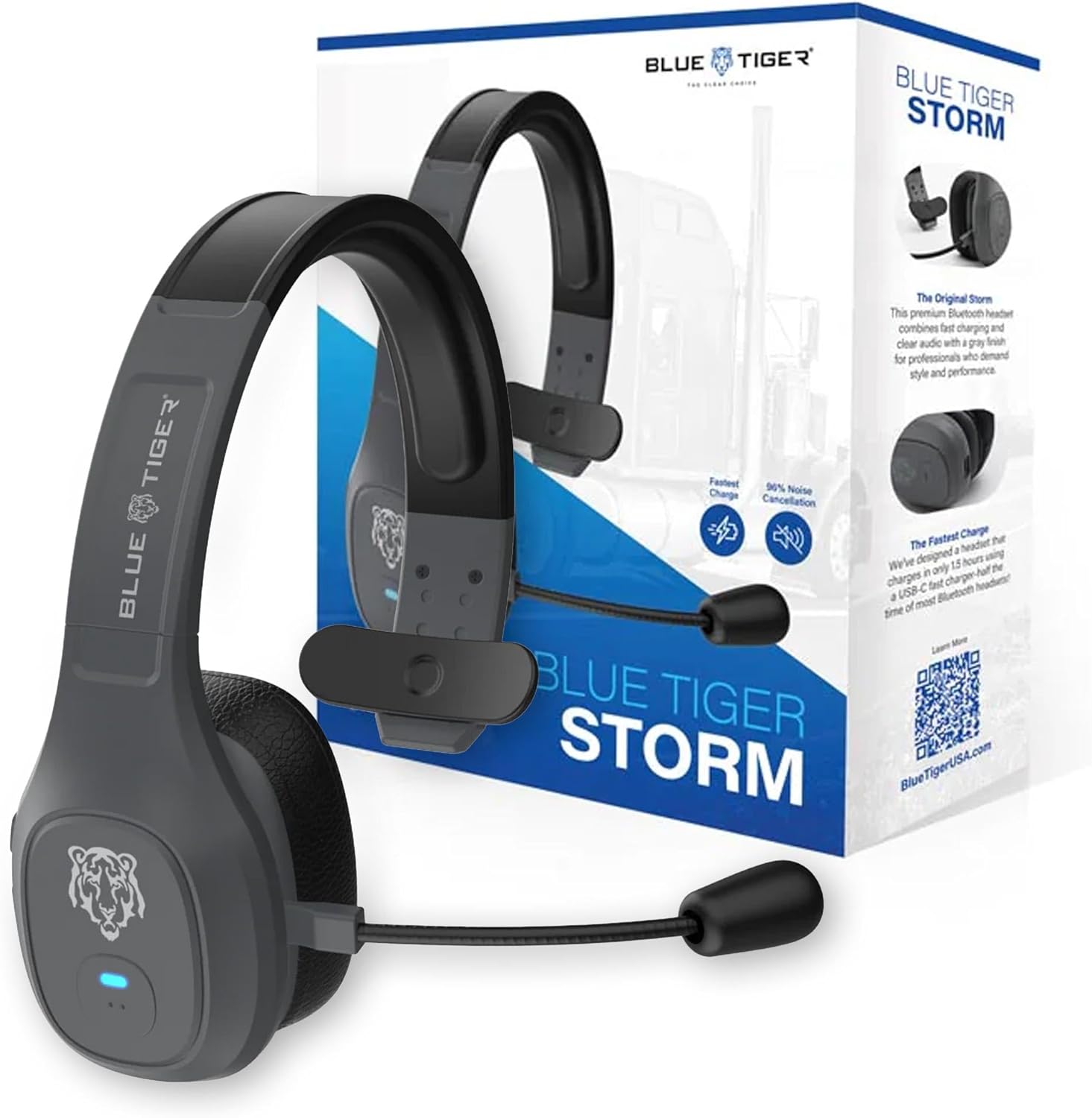
Image: Blue Tiger Storm Gray Premium Trucker Bluetooth Headset with its packaging.
Packungsinhalt
Überprüfen Sie, ob alle Artikel in Ihrem Paket vorhanden sind:
- Premium Storm Headset
- Attached Protein Leather Ear Cushion
- USB-C-Ladekabel
- D/C Vehicle Adapter
- Bonus Mic Cover
- Kurzanleitung
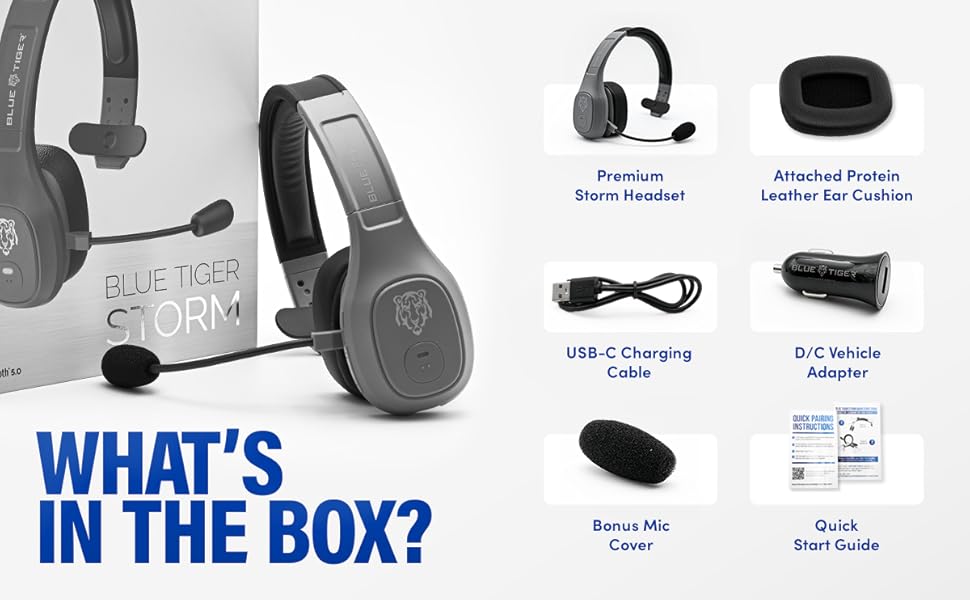
Image: Contents of the Blue Tiger Storm headset package.
Produkt überview
Komponenten und Bedienelemente
Machen Sie sich mit den verschiedenen Teilen und Bedienelementen Ihres Headsets vertraut:
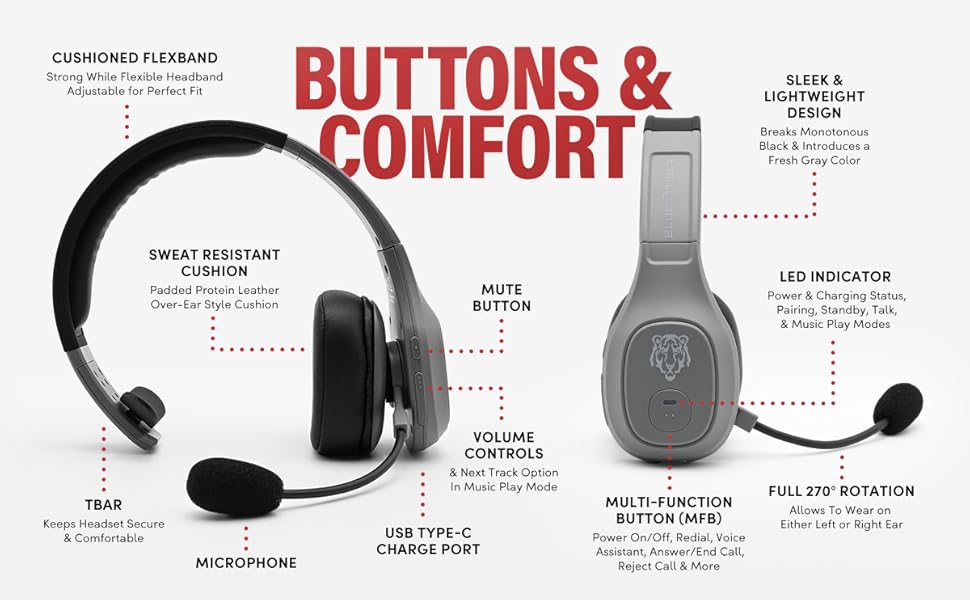
Image: Diagram of headset components and controls.
- Cushioned Flexband: Strong yet flexible headband for a comfortable fit.
- Sweat Resistant Cushion: Padded protein leather over-ear style cushion.
- Mikrofon: Passive noise-canceling microphone for clear communication.
- USB-Ladeanschluss Typ C: Zum Aufladen des Headsets.
- Stummschaltfläche: Controls microphone mute function.
- Lautstärkeregler: Adjusts audio volume and navigates tracks in music mode.
- Multifunktionstaste (MFB): Controls power, pairing, calls, and voice assistant.
- LED-Anzeige: Displays power, charging, pairing, talk, and music play modes.
- Volle 270°-Drehung: Ermöglicht das Tragen des Headsets entweder am linken oder am rechten Ohr.
- TBAR: Helps keep the headset secure and comfortable.
Hauptmerkmale
- Komfort: Lightweight (under 5 oz), adjustable headband, and soft over-ear protein leather ear cushions designed for extended wear.
- Geräuschunterdrückung: Passive noise-canceling microphone blocks out 96% of background noise for clear calls in noisy environments.
- Verlängerte Akkulaufzeit: 400 mAh battery provides 30 hours of talk time and 800 hours on standby.
- Schnelles Laden: USB-C port allows for a full charge in 1.5 hours.
- Zuverlässige Konnektivität: Bluetooth 5.0 offers a 100 ft operating range and compatibility with two devices simultaneously.
- Smart Features: Supports Siri and Google Assistant for hands-free voice commands.
- Vehicle-Ready: Includes a D/C vehicle adapter for convenient charging on the go.

Image: Comfort features of the headset.

Image: Noise cancellation features.
Aufstellen
1. Laden des Headsets
- Connect the provided USB-C charging cable to the headset's USB-C port.
- Plug the other end of the USB-C cable into a compatible USB power source (e.g., computer, wall adapter, or the included D/C vehicle adapter).
- Die LED-Anzeige zeigt den Ladestatus an. Eine vollständige Ladung dauert in der Regel 1.5 Stunden.
2. Bluetooth-Kopplung
Ensure your device supports Bluetooth functionality.
- Einschalten: Press and hold the Multi-Function Button (MFB) until the LED indicator flashes blue and red, indicating pairing mode.
- Bluetooth aktivieren: On your mobile device, navigate to the Bluetooth settings and turn Bluetooth on.
- Headset auswählen: Look for "Blue Tiger Storm" in the list of available devices and select it to connect.
- Bestätigung: The LED indicator on the headset will turn solid blue or flash blue slowly once successfully paired. A voice prompt will also confirm the connection.
- Ein zweites Gerät koppeln: To pair a second device, ensure the first device is connected. Then, put the headset back into pairing mode (LED flashing blue/red) and connect the second device. The headset can maintain connection with two devices simultaneously.
Video: Ein 360-Grad-Video view of the Blue Tiger Storm headset, demonstrating its design and features.
Bedienungsanleitung
Ein-/Ausschalten
- Einschalten: Press and hold the MFB for approximately 3 seconds until the LED flashes blue.
- Ausschalten: Press and hold the MFB for approximately 5 seconds until the LED flashes red and then turns off.
Anruf-Management
- Anruf annehmen/beenden: Drücken Sie einmal die MFB.
- Anruf ablehnen: Halten Sie die MFB 2 Sekunden lang gedrückt.
- Wahlwiederholung letzte Nummer: Drücken Sie die MFB zweimal.
Lautstärke und Stumm
- Lautstärke erhöhen: Drücken Sie die Lauter-Taste.
- Lautstärke runter: Drücken Sie die Leiser-Taste.
- Mikrofon stummschalten/Stummschaltung aufheben: Double-tap the Mute button. The microphone boom can be adjusted 270 degrees for optimal positioning.
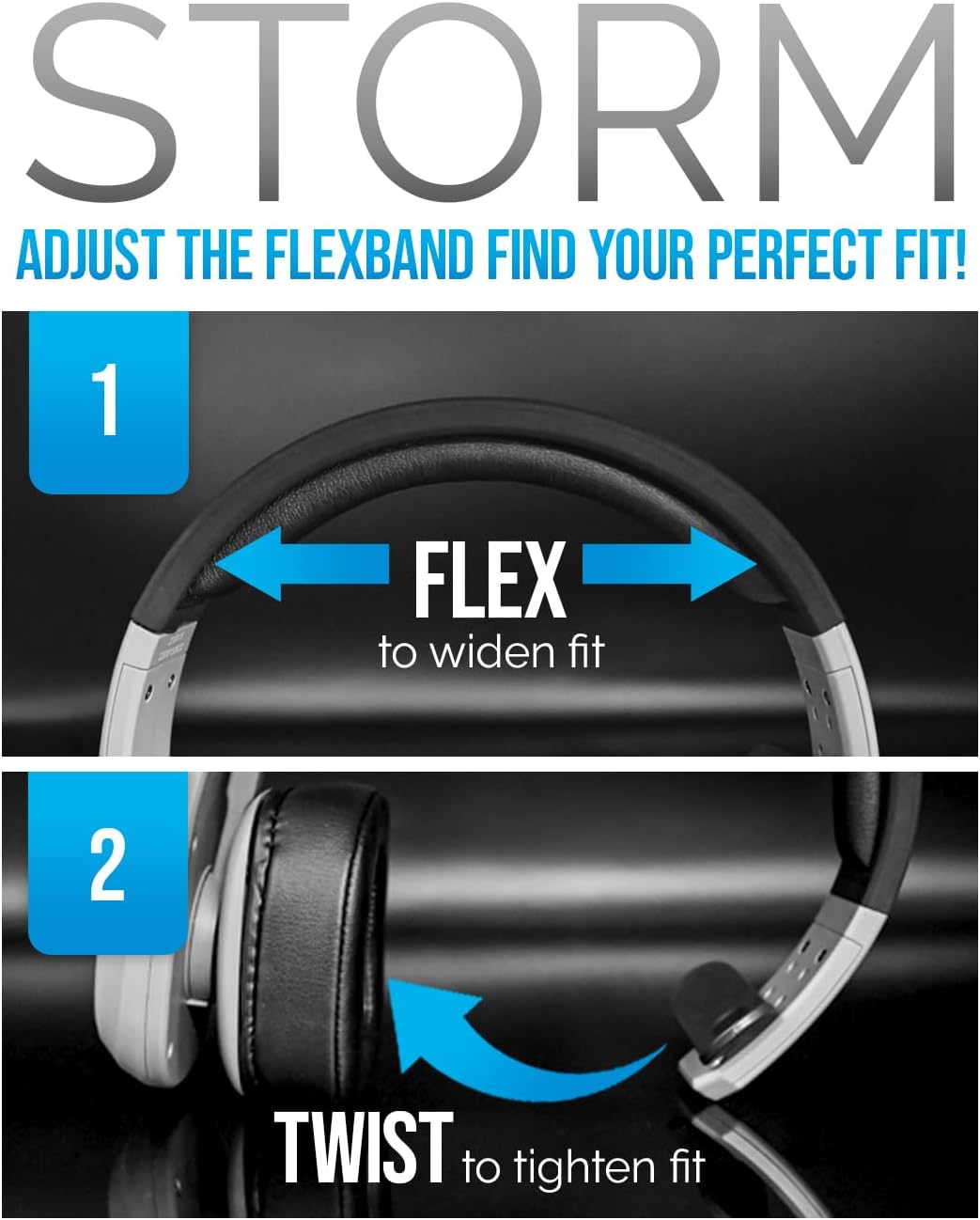
Image: Adjusting the headset for a perfect fit.
Sprachassistent
- Siri/Google Assistant aktivieren: Tap the MFB once to activate your device's voice assistant.
Musikwiedergabe
- Abspielen/Pause: Drücken Sie einmal die MFB.
- Nächster Titel: Drücken Sie die Lauter-Taste 2 Sekunden lang.
- Vorheriges Lied: Drücken Sie die Leiser-Taste 2 Sekunden lang.
Video: A promotional video highlighting the features and benefits of the Blue Tiger Storm headset, including noise cancellation, battery life, and smart assistant integration.
Wartung
Reinigung
- Reinigen Sie das Headset mit einem weichen, fusselfreien Tuch.amp Tuch. Vermeiden Sie die Verwendung aggressiver Chemikalien oder Scheuermittel.
- For the protein leather ear cushions, use a mild soap solution if necessary, and ensure they are completely dry before use.
- The microphone cover can be gently removed and cleaned or replaced with the bonus mic cover provided.
Lagerung
- Bewahren Sie das Headset an einem kühlen, trockenen Ort fern von direkter Sonneneinstrahlung und extremen Temperaturen auf.
- Um Beschädigungen zu vermeiden, sollten Sie keine schweren Gegenstände auf das Headset stellen.
Fehlerbehebung
| Problem | Mögliche Ursache | Lösung |
|---|---|---|
| Headset lässt sich nicht einschalten | Schwache Batterie | Charge the headset using the USB-C cable. |
| Kopplung mit dem Gerät nicht möglich | Headset not in pairing mode; Bluetooth off on device; Device out of range | Ensure headset is in pairing mode (flashing blue/red LED). Turn on Bluetooth on your device. Move device closer to headset (within 100 ft). |
| Schlechte Audioqualität / Hintergrundgeräusche | Microphone not positioned correctly; Excessive environmental noise; Weak Bluetooth connection | Adjust microphone closer to your mouth. Ensure the passive noise cancellation is effective. Move closer to the paired device. |
| Kein Ton aus dem Headset | Volume too low; Headset not connected; Device audio output not set to headset | Increase headset and device volume. Re-pair the headset. Check device audio settings to ensure output is directed to the headset. |
| Das Headset trennt häufig die Verbindung. | Out of range; Interference; Low battery | Stay within 100 ft of the paired device. Avoid strong electromagnetic interference. Charge the headset. |
Technische Daten
| Besonderheit | Spezifikation |
|---|---|
| Modellname | Sturm |
| Konnektivitätstechnologie | Kabellos (Bluetooth 5.0) |
| Bluetooth-Reichweite | 100 Fuß |
| Gesprächszeit | 30 Stunden |
| Standby-Zeit | 800 Stunden |
| Ladezeit | 1.5 Stunden (USB-C) |
| Lärmschutz | Passive Noise Cancellation (96%) |
| Gewicht | 4.98 Ounces (approx. 5 ounces) |
| Platzierung des Ohrs | Über dem Ohr |
| Mikrofon | 270-degree adjustable boom mic |
| Kompatible Geräte | Bluetooth-enabled devices, Car Audio Systems |
| Im Lieferumfang enthaltene Komponenten | D/C vehicle adapter, Extra Mic Cover, USB-C Charging Cable |
Garantie und Support
Blue Tiger products are designed for durability and performance. For specific warranty information, please refer to the warranty card included with your product or visit the official Blue Tiger website. For technical support or further assistance, please contact Blue Tiger customer service.
Online-Hilfe: www.bluetigerusa.com