
Einführung
Vielen Dank für Ihren Einkauf.asing the SZELAM Digital Alarm Clock. This manual provides detailed instructions for setting up and operating your new alarm clock. Please read it thoroughly to ensure proper use and to maximize the features of your device.
Produkt überview
Hauptmerkmale:
- Large 14cm LED Display: High-resolution display clearly shows time, date, and temperature. HD white LED digits ensure visibility from a distance.
- Einstellbare Helligkeit: 6 levels of brightness (5% to 100%) to suit various lighting conditions.
- 8 Alarm Ringtones: Choose from 8 distinct alarm tones.
- Einstellbare Alarmlautstärke: 6 volume levels, ranging from 30 to 90 dB.
- Schlummerfunktion: Gewährt zusätzliche 9 Minuten Schlaf nach dem Weckerklingeln.
- 12/24-Stunden-Format: Switch between 12-hour (AM/PM) and 24-hour time displays.
- Date and Temperature Display: Shows current date and indoor temperature.
- USB-Stromversorgung mit Akku-Backup: Operates via USB cable; 3 AAA batteries (not included) provide memory function for settings during power outages.
Packungsinhalt:
- 1 x SZELAM Digitaler Wecker
- 1 x USB-Ladekabel
- 1 x Benutzerhandbuch
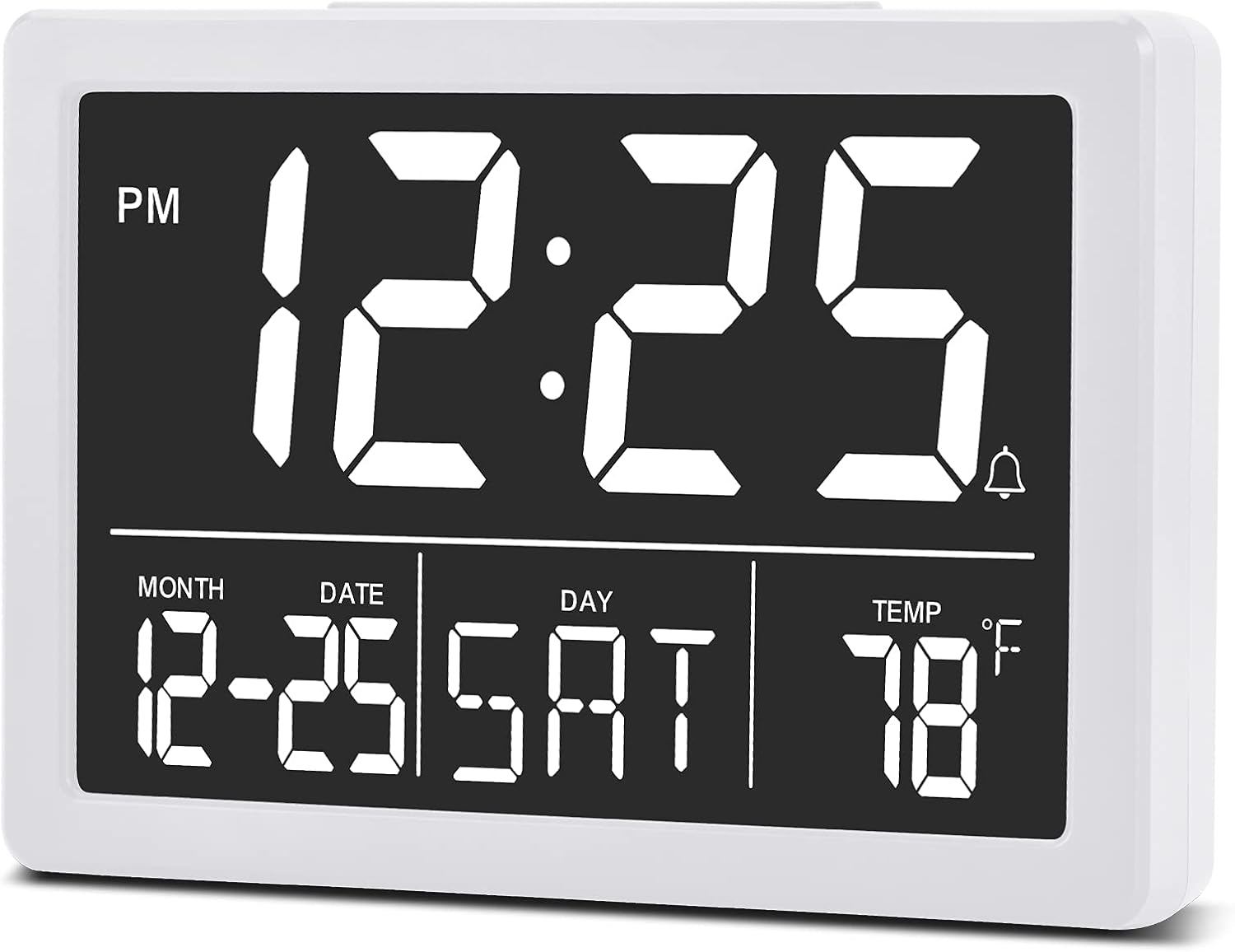
Bild: Front view of the SZELAM Digital Alarm Clock displaying time, date, and temperature.
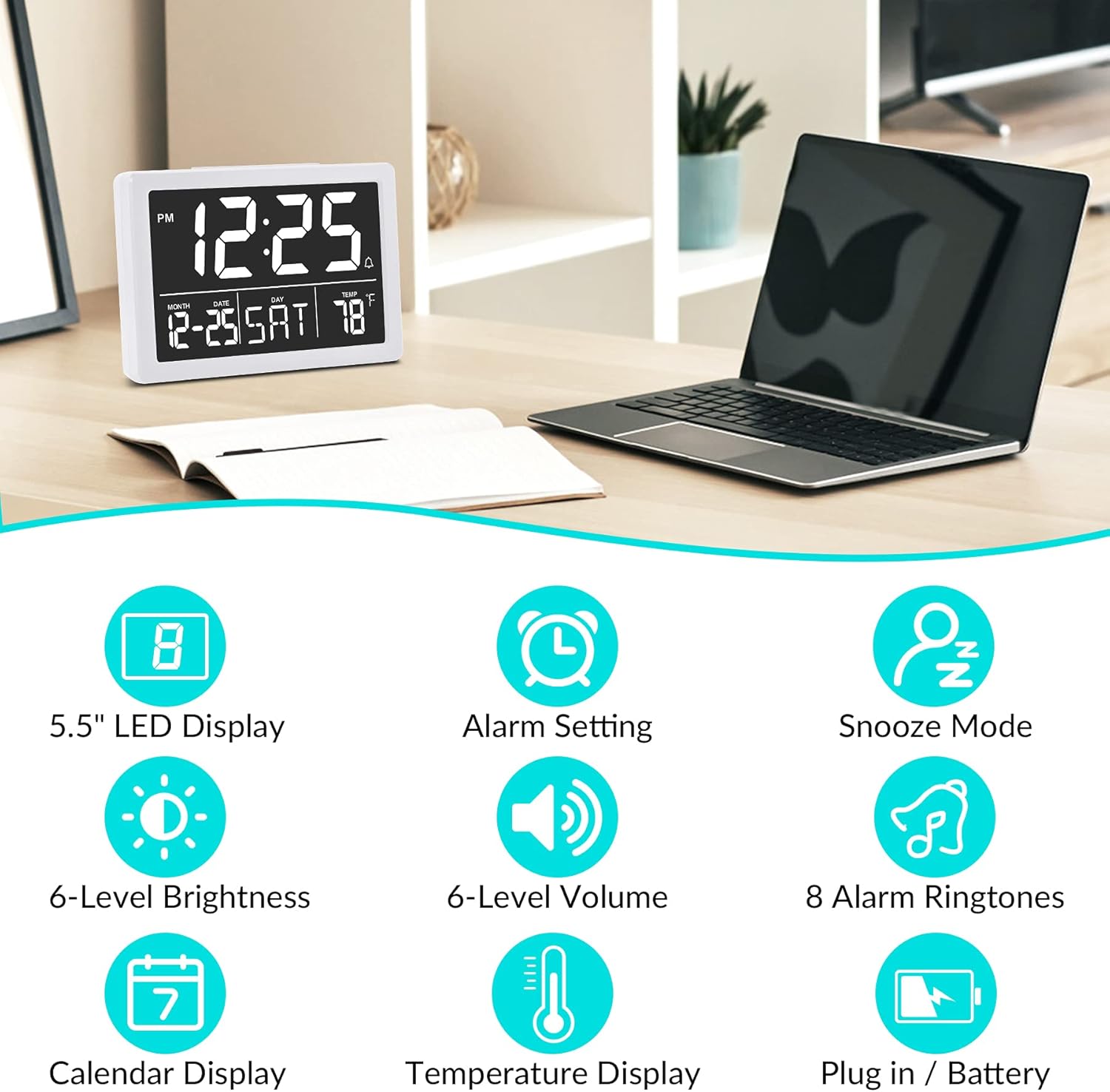
Bild: Graphic illustrating key features: 5.5" LED Display, Alarm Setting, Snooze Mode, 6-Level Brightness, 6-Level Volume, 8 Alarm Ringtones, Calendar Display, Temperature Display, Plug in / Battery operation.
Aufstellen
Powering the Clock:
- USB-Stromversorgung anschließen: Insert the provided USB cable into the clock's USB port and connect the other end to a USB power adapter (not included) or a powered USB port. The clock will power on and the display will illuminate.
- Einbau von Backup-Batterien (optional, aber empfohlen): Open the battery compartment on the back of the clock. Insert 3 new AAA batteries (not included), ensuring correct polarity (+/-). These batteries will preserve your time and alarm settings in case of a power outage. Notiz: The clock display will not remain continuously lit when operating solely on battery power. The display will turn off after 10 seconds to conserve energy; press any button to temporarily illuminate it. For continuous display, USB power is required.

Bild: Illustration showing the alarm clock powered by a USB cable for continuous display and a note about battery backup for memory function only.
Bedienungsanleitung
Refer to the back panel diagram for button locations.

Bild: Hinteren view of the alarm clock, highlighting the USB port, 6 Levels Volume switch, Alarm/Time Setting buttons, Alarm Sounds Switch, °C/°F switch, and 12/24H switch, and 6 Levels Brightness switch.
1. Uhrzeit und Datum einstellen:
- Halten Sie die "SATZ" button (located on the back) until the hour digits flash.
- Verwenden Sie die "HOCH" or "RUNTER" Tasten zum Einstellen der Stunde.
- Drücken "SATZ" again to move to minute setting, then use "HOCH" or "RUNTER" um die Minuten einzustellen.
- Drücken Sie weiter "SATZ" um die Einstellungen für Jahr, Monat und Tag durchzulaufen und jede einzelne anzupassen mit "HOCH" or "RUNTER".
- Drücken "SATZ" Ein letztes Mal oder warten Sie einige Sekunden, bis die Einstellungen automatisch gespeichert werden.
2. Switching 12/24 Hour Format:
- Suchen Sie die "12/24H" Schalten Sie den Schalter auf der Rückseite der Uhr ein.
- Slide the switch to select either 12-hour (with AM/PM indicator) or 24-hour format.
3. Den Wecker stellen:
- Drücken Sie die "ALARM" button (located on the back) once. The alarm time will appear, and the hour digits will flash.
- Verwenden Sie die "HOCH" or "RUNTER" Tasten, um die Weckstunde einzustellen.
- Drücken "ALARM" again to move to minute setting, then use "HOCH" or "RUNTER" to adjust alarm minutes.
- Drücken "ALARM" one last time or wait a few seconds to save the alarm setting.
- Zum Aktivieren/Deaktivieren des Alarms drücken Sie die Taste "ALARM" button briefly. An alarm icon (bell symbol) will appear on the display when the alarm is active.
4. Einstellen der Alarmlautstärke:
- Suchen Sie die "6 Levels Volume" Schalten Sie den Schalter auf der Rückseite der Uhr ein.
- Slide the switch to your desired volume level (L1 to L6).

Bild: A family enjoying the alarm clock, illustrating the 8 pleasant alarm bells feature and volume adjustment levels.
5. Selecting Alarm Ringtones:
- Suchen Sie die "Alarm Sounds Switch" auf der Rückseite der Uhr.
- Slide the switch to cycle through the 8 available alarm tones. Select your preferred tone.
6. Using the Snooze Function:
- Wenn der Alarm ertönt, drücken Sie die große Taste. "SCHLUCKEN" Knopf oben auf der Uhr.
- Der Alarm pausiert für 9 Minuten und ertönt dann erneut.
- Um den Alarm vollständig auszuschalten, drücken Sie eine beliebige andere Taste auf der Rückseite der Uhr.
7. Anpassen der Displayhelligkeit:
- Suchen Sie die "6 Levels Brightness" Schalten Sie den Schalter auf der Rückseite der Uhr ein.
- Slide the switch to cycle through the 6 brightness levels (from 5% to 100%).
- The clock also features an automatic dimming function between 6 PM and 7 AM. You can adjust the brightness during these hours, and the setting will be saved for the night mode.

Bild: A series of six alarm clock displays showing the different brightness levels from dimmest to brightest.
8. Temperaturanzeige:
- The clock displays the indoor temperature by default.
- Um zwischen Celsius (°C) und Fahrenheit (°F) umzuschalten, suchen Sie die entsprechende Schaltfläche. "°C/°F" switch on the back of the clock and slide it to your desired unit.
Wartung
- Reinigung: Reinigen Sie die Uhr mit einem weichen, trockenen Tuch. Verwenden Sie keine Scheuermittel oder Lösungsmittel.
- Batteriewechsel: If using backup batteries, replace them annually or when the clock fails to retain settings during a power interruption. Ensure correct polarity when inserting new batteries.
- Lagerung: Wenn Sie die Uhr über einen längeren Zeitraum lagern, entfernen Sie die AAA-Batterien, um ein Auslaufen zu verhindern.
Fehlerbehebung
| Problem | Mögliche Ursache | Lösung |
|---|---|---|
| Das Display ist aus oder flackert. | No USB power; loose USB connection; batteries depleted (if running on battery only). | Ensure USB cable is securely connected to a working power source. If using batteries, replace them. Remember, continuous display requires USB power. |
| Clock does not keep correct time. | Incorrect time setting; backup batteries depleted or not installed. | Re-set the time following the "Setting Time and Date" instructions. Ensure fresh AAA batteries are installed for backup. |
| Der Alarm ertönt nicht. | Alarm nicht aktiviert; Alarmlautstärke zu niedrig; falsche Alarmzeit eingestellt. | Verify the alarm icon is visible on the display. Adjust alarm volume using the switch. Check and re-set the alarm time. |
| Die Schlummerfunktion funktioniert nicht. | Snooze button not pressed correctly. | Ensure you press the large "SNOOZE" button on top when the alarm sounds. Pressing other buttons will turn off the alarm. |
| Das Display ist entweder zu hell oder zu dunkel. | Die Helligkeit muss angepasst werden. | Adjust the "6 Levels Brightness" switch on the back of the clock to your preferred level. |
Technische Daten
| Marke: | SZELAM |
| Modell: | Digitaler Wecker |
| Farbe: | Weiß |
| Anzeigetyp: | Digitale LED |
| Produktabmessungen (L x B x H): | 13.31 x 3.81 x 9.3 cm (5.24 x 1.5 x 3.66 Zoll) |
| Artikelgewicht: | 200 Gramm |
| Energiequelle: | USB Powered (for continuous display), 3x AAA Batteries (for memory backup only, not included) |
| Besondere Merkmale: | Temperature Display, Alarm, Snooze, Adjustable Brightness, Adjustable Volume, 12/24H Format |

Bild: Diagram showing the approximate visual dimensions of the SZELAM Digital Alarm Clock, including display size and overall width.
Garantie und Support
Your SZELAM Digital Alarm Clock comes with a 1 Jahr Garantie ab Kaufdatum. Wir bieten außerdem an: 30-day unconditional refund/exchange policy.
If you encounter any issues or have questions regarding your product, please contact our customer support team via email. We aim to provide solutions within 24 hours.
For further assistance, please refer to the contact information provided on the product packaging or the seller's page.