
1. Wichtige Sicherheitshinweise
Please read all safety and operating instructions carefully before using this television. Keep this manual for future reference. Always follow basic safety precautions to reduce the risk of fire, electric shock, and injury.
- Setzen Sie dieses Gerät weder Regen noch Feuchtigkeit aus.
- Die Lüftungsöffnungen dürfen nicht blockiert werden. Die Installation muss gemäß den Anweisungen des Herstellers erfolgen.
- Installieren Sie das Gerät nicht in der Nähe von Wärmequellen wie Heizkörpern, Heizregistern, Öfen oder anderen Geräten (einschließlich ampKonverter (Lüfter), die Wärme erzeugen.
- Schützen Sie das Netzkabel vor dem Betreten oder Einklemmen, insbesondere an Steckern, Steckdosen und an der Stelle, an der sie aus dem Gerät austreten.
- Verwenden Sie nur vom Hersteller angegebene Zusatzgeräte/Zubehör.
- Überlassen Sie alle Wartungsarbeiten qualifiziertem Servicepersonal. Eine Wartung ist erforderlich, wenn das Gerät in irgendeiner Weise beschädigt wurde.
2. Lieferumfang
Carefully unpack your new Sansui TV and ensure all items listed below are present.
- 1 x Sansui 4K Ultra HD Android LED TV (JSW50ASUHD)
- 2 x Tischständer
- 1 x Wall Mounting Set
- 4 x Screws for stand/mount
- 1 x Benutzerhandbuch
- 1 x Garantiekarte
- 1 x Fernbedienung
- 2 x AAA-Batterien (für die Fernbedienung)
- 1 x Netzkabel
- 1 x Mini-AV-Kabel
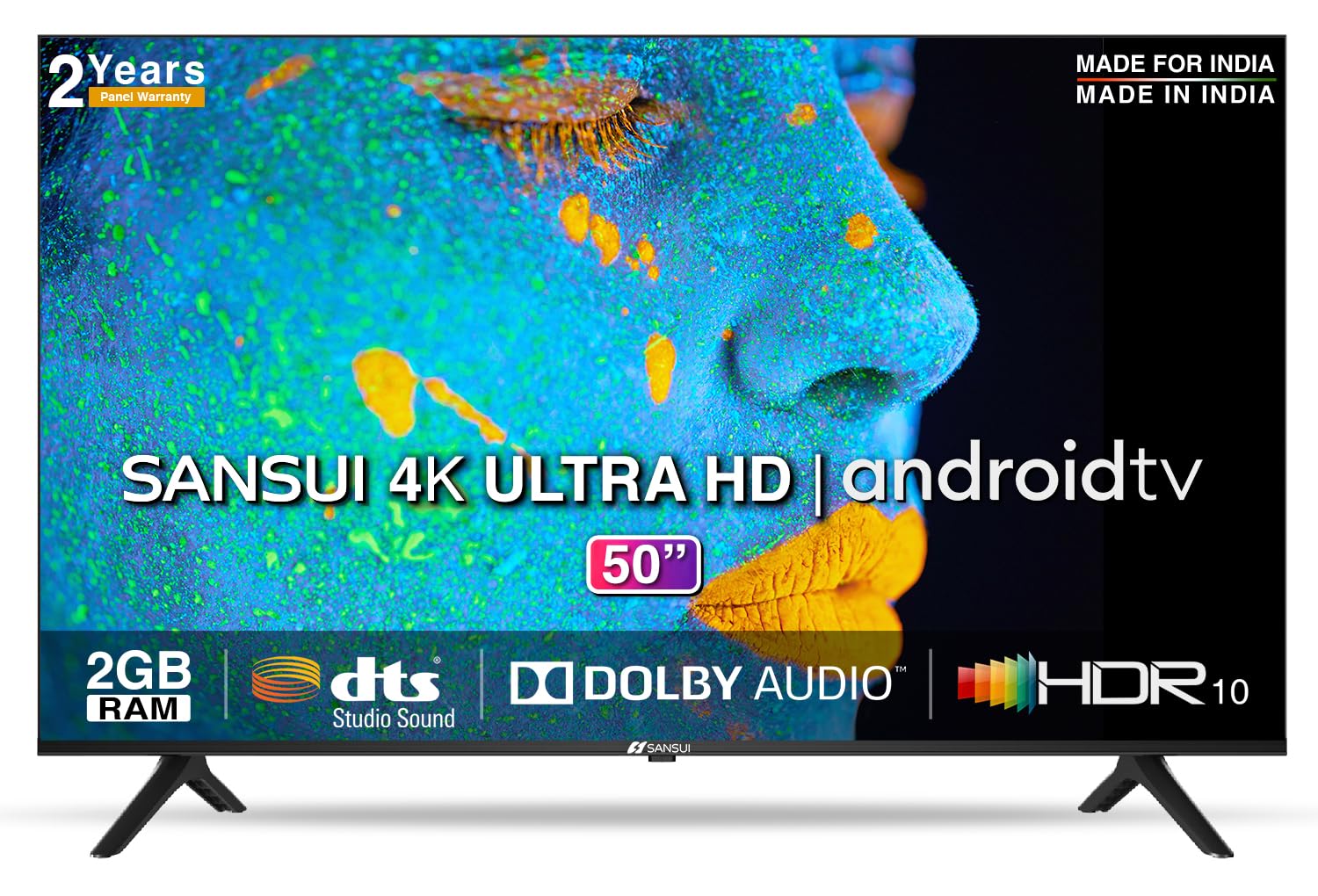
Image: Sansui 50-inch 4K Ultra HD Android LED TV with its table stand.
3. Produktüberschreitungview
3.1. Hauptmerkmale
- Anzeige: 4K Ultra HD (3840x2160) resolution, 60Hz refresh rate, Wide Viewing Angle, A+ Grade Panel, Wide Colour Gamut, HDR 10, Crystal Clear Display, High Brightness, Bezel-less Design.
- Audio: Dolby Audio, DTS Studio Sound, 20 Watts Audio Output.
- Smart-TV-Funktionen: Android 10.0 (Certified by Google), Google Assistant, Alexa Enabled Support, Built-in Chromecast, CA53 Quad Core Processor, 2GB RAM, 8GB ROM.
- Unterstützte Apps: Prime Video, Netflix, Disney + Hotstar, YouTube, Google Play.
- Konnektivität: 3 HDMI ports, 2 USB ports, 3.5mm audio jack, Bluetooth, Wi-Fi, RJ45 (Ethernet), Antenna.

Image: Visual representation of the TV's main features and capabilities.
3.2. Abmessungen
The TV features a 50-inch screen (127 cm diagonal) with a bezel-less design for an immersive viewErfahrung.

Image: Detailed dimensions of the Sansui 50-inch TV, including width, height, and depth with and without the stand.
4. Einrichtung
4.1. Montage des Tischständers
- Legen Sie den Fernseher mit dem Bildschirm nach unten auf eine weiche, ebene Unterlage, um Beschädigungen zu vermeiden.
- Align the table stand bases with the corresponding slots at the bottom of the TV.
- Secure the bases using the provided screws. Ensure they are tightened firmly.
4.2. Wandmontage (optional)
If you choose to wall mount your TV, please use the provided wall mounting set and screws. The VESA mount standard is 800 x 400 mm. It is recommended to seek professional assistance for wall mounting to ensure proper and safe installation.
4.3. Geräte anschließen
The TV offers various connectivity options for your external devices.
- Leistung: Verbinden Sie das Netzkabel mit dem Stromeingang des Fernsehers und anschließend mit einer Wandsteckdose.
- HDMI: Use HDMI cables to connect devices like set-top boxes, gaming consoles, or Blu-ray players to the 3 HDMI ports.
- USB: Connect USB drives or other USB devices to the 2 USB ports for media playback.
- Audio Ausgang: Use the 3.5mm jack to connect headphones or external audio systems.
- Ethernet (RJ45): For a stable internet connection, connect an Ethernet cable from your router to the RJ45 port.
- Antenne: Connect your antenna cable to the RF input for terrestrial broadcasting.
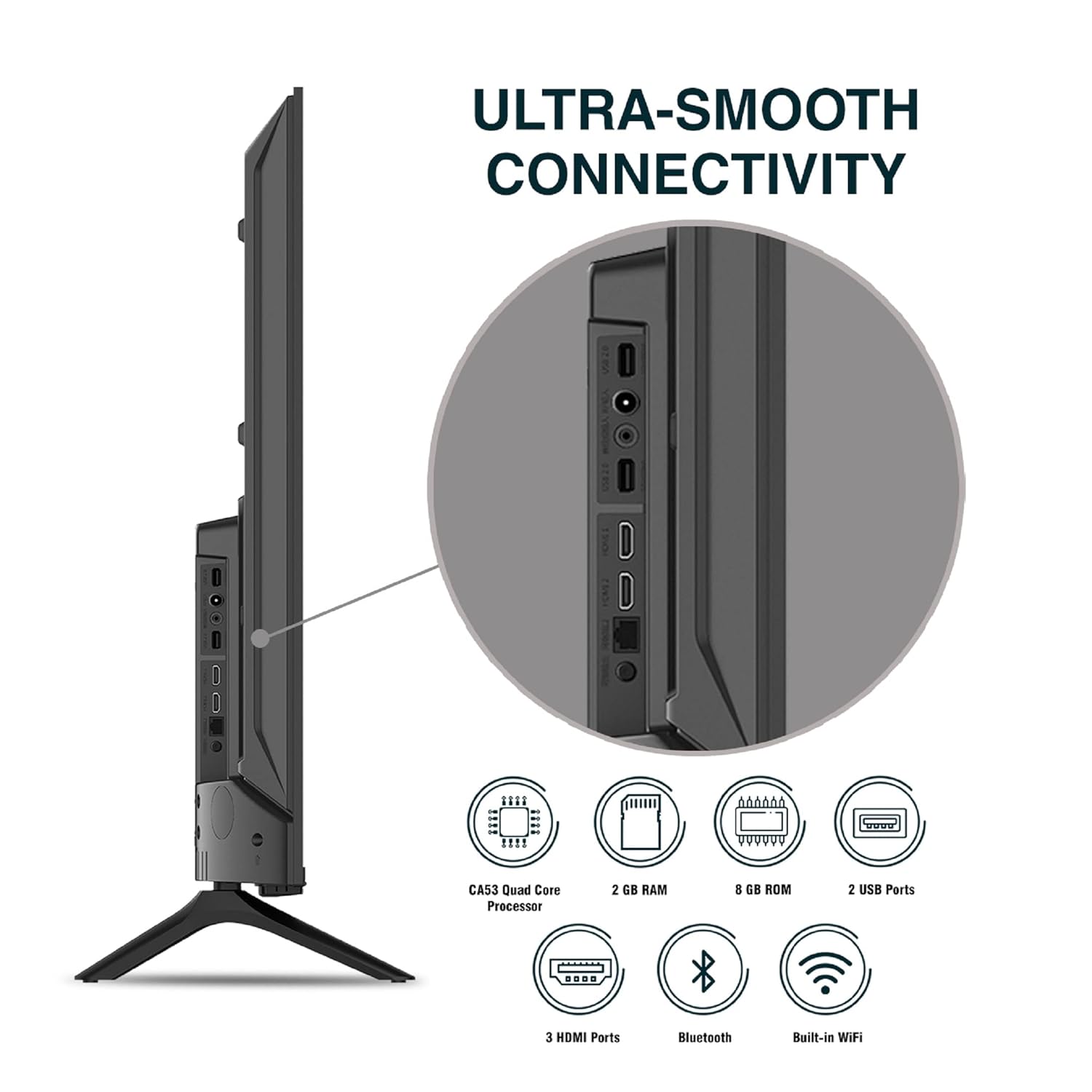
Bild: Detailliert view der Anschlussbuchsen des Fernsehers.
5. Bedienungsanleitung
5.1. Grundlegende Bedienung
- Ein-/Ausschalten: Drücken Sie den Ein-/Ausschalter auf der Fernbedienung oder am Fernseher, um das Gerät ein- oder auszuschalten.
- Ersteinrichtung: Upon first power-on, follow the on-screen instructions to set up language, network connection, and Google account.
- Eingabequelle: Press the 'Input' button on the remote to select between HDMI, AV, TV, or other connected sources.
- Lautstärkeregelung: Verwenden Sie die Lautstärketasten (Lauter/Leiser) auf der Fernbedienung.
5.2. Verwendung der intelligenten Fernbedienung
The included remote control features voice control and dedicated hotkeys for quick access to popular streaming services.
- Sprachsteuerung: Press the Google Assistant button (microphone icon) and speak your commands to search for content, control smart home devices, or ask questions.
- Tastenkombinationen: Directly launch Netflix, Prime Video, YouTube, and Google Play with a single press.
- Navigation: Use the directional pad and 'OK' button to navigate the Android TV interface.

Image: Sansui Smart Remote Control with voice control and app hotkeys.
5.3. Android TV Interface and Smart Features
Your Sansui TV runs on Android 10.0, providing access to a wide range of apps and smart functionalities.
- Startbildschirm: The home screen displays your favorite apps, recommended content, and input sources.
- Google Play Store: Download and install additional apps, games, and content from the Google Play Store.
- Integrierter Chromecast: Cast content (videos, photos, music) from your smartphone, tablet, or computer directly to the TV.
- Google Assistant/Alexa: Use voice commands via the remote or a compatible Alexa device to control your TV and other smart home devices.

Image: Android TV home screen showing available applications.
6. Wartung
Durch sachgemäße Pflege und Wartung verlängern Sie die Lebensdauer Ihres Fernsehers.
- Reinigen des Bildschirms: Wischen Sie den Bildschirm vorsichtig mit einem weichen, fusselfreien Tuch ab. Bei hartnäckigen Flecken verwenden Sie einen speziell für Fernseher entwickelten Bildschirmreiniger. Tragen Sie den Reiniger auf das Tuch und nicht direkt auf den Bildschirm auf.
- Reinigung des Schranks: Wischen Sie den Fernsehschrank mit einem weichen, trockenen Tuch ab. Verwenden Sie keine Scheuermittel oder Lösungsmittel.
- Belüftung: Um eine Überhitzung zu vermeiden, stellen Sie sicher, dass die Lüftungsöffnungen frei von Staub und Schmutz sind.
- Netzkabel: Regularly check the power cord for any damage. If damaged, replace it with an authorized part.
7. Fehlerbehebung
Sollten Sie auf Probleme stoßen, konsultieren Sie bitte die folgenden häufigen Probleme und Lösungen.
| Problem | Mögliche Ursache | Lösung |
|---|---|---|
| Kein Strom | Netzkabel nicht angeschlossen; Problem mit der Steckdose | Überprüfen Sie den Anschluss des Netzkabels; Testen Sie die Steckdose mit einem anderen Gerät. |
| Kein Bild, nur Ton | Incorrect input source; External device issue | Select correct input source; Check external device connection and power. |
| Kein Ton, nur Bild | Volume muted/low; External audio system issue | Unmute or increase volume; Check external audio system connections. |
| Fernbedienung funktioniert nicht | Batterien leer; Blockade zwischen Fernbedienung und Fernseher | Batterien austauschen; Hindernisse beseitigen. |
| Probleme mit der WLAN-Verbindung | Falsches Passwort; Routerprobleme; Signalstörungen | Re-enter password; Restart router; Move TV closer to router or use Ethernet. |
Wenn das Problem nach dem Ausprobieren dieser Lösungen weiterhin besteht, wenden Sie sich bitte an den Kundensupport.
8. Spezifikationen
Detailed technical specifications for the Sansui JSW50ASUHD TV.
| Besonderheit | Beschreibung |
|---|---|
| Modellname | SANSUI LED - JSW50ASUHD |
| Bildschirmgröße | 50 Zoll (127 cm) |
| Display-Technologie | LED |
| Auflösung | 4K Ultra HD (3840x2160) |
| Bildwiederholrate | 60 Hz |
| Betriebssystem | Android 10.0 (Certified by Google) |
| Prozessor | CA53 Quad-Core |
| RAM | 2 GB |
| ROM (Speicher) | 8 GB |
| Audioausgang | 20 Watt |
| Sound Technology | Dolby Audio, DTS Studio Sound |
| HDMI-Anschlüsse | 3 |
| USB-Anschlüsse | 2 |
| Kabellose Konnektivität | WLAN, Bluetooth |
| Andere Konnektivität | Ethernet (RJ45), 3.5mm Audio Jack, Antenna |
| HDR-Unterstützung | HDR10 |
| Montagetyp | Wand- und Tischmontage |
| VESA-Halterungsstandard | 800 x 400 mm |
| Energieaufnahme | 120 Watt |
| Artikelgewicht | 9650 Gramm |
| Farbe | Mystique Black |
9. Garantie und Support
Your Sansui TV comes with a comprehensive warranty and dedicated customer support.
- Garantie: 1 year comprehensive warranty and 1 year additional on panel from the date of purchase.
- Garantieunterstützung: For warranty-related queries, please contact Sansui Toll Free No.: 1800-419-3777.
- Kontakt zum Importeur: Jaina India Pvt Ltd., D170, Okhla Industrial Area, Phase-1, New Delhi-110020 INDIA | Email: sansuicare@jainaindia.com.
Bitte bewahren Sie Ihren Kaufbeleg für Garantieansprüche auf.