
Einführung
This user manual provides comprehensive instructions for the LongPlus Wireless Outdoor Security Camera (Model X83). It covers everything from initial setup and operation to maintenance and troubleshooting, ensuring you can effectively utilize all features including 2K resolution, AI motion detection, 2-way talk, and various storage options.

Figure 1: LongPlus Security Cameras with live view auf dem Smartphone.
Lieferumfang
Überprüfen Sie, ob alle Komponenten in Ihrem Paket vorhanden sind:
- Security Camera with Bracket
- Packung Schrauben
- Nadel zurücksetzen
- USB-Kabel
- Kurzanleitung
Video 1: Unboxing the LongPlus Security Camera, showing all included components.
Produkt überview
The LongPlus X83 camera features a compact design with essential components for effective surveillance.

Abbildung 2: Vorderseite view of the LongPlus camera, highlighting the lens and sensors.
Key components include the camera lens, PIR motion sensor, LED indicator, microphone, speaker, and a USB charging port. The camera is designed for both indoor and outdoor use, with an IP65 waterproof rating.
Aufstellen
1. Anfangsgebühr
Before first use, fully charge the camera using the provided USB cable. A full charge ensures optimal battery life and performance.
2. App-Installation
Download the "Vicohome" app from your smartphone's app store (App Store for iOS or Google Play Store for Android). Create an account and log in.
3. Kamerakopplung (WLAN-Verbindung)
Befolgen Sie diese Schritte, um Ihre Kamera mit Ihrem WLAN-Netzwerk zu verbinden:
- Open the Vicohome app and tap "Add Device".
- Select "Battery Home Security Camera" from the list.
- Turn on the camera by long-pressing the power button until the indicator light flashes and you hear a voice prompt.
- Confirm in the app that you heard the beeping sound.
- Input your 2.4GHz Wi-Fi network name (SSID) and password.
- The app will generate a QR code. Hold your camera approximately 6-12 inches (15-30 cm) in front of your phone's screen to scan the QR code. The camera will confirm successful scanning with a voice prompt.
- Sobald die Verbindung hergestellt ist, benennen Sie Ihre Kamera und legen Sie ihren Standort fest.
Video 2: Detailed guide on how to set up and connect your LongPlus camera to the app.
4. Montage
The camera can be mounted on a wall or ceiling. Use the provided bracket and screws for secure installation. Ensure the mounting location has a strong Wi-Fi signal for optimal performance.

Figure 3: Multiple installation options for the LongPlus camera.
Bedienungsanleitung
1. Leben View
Access real-time video streaming from your camera through the Vicohome app. You can view up to four cameras simultaneously on one screen.

Figure 4: Demonstrating the upgraded 2K QHD video quality.
2. Zwei-Wege-Audio
Utilize the built-in microphone and speaker for two-way communication. This feature allows you to speak with visitors or deter intruders directly through the app.

Figure 5: Two-way audio functionality for real-time communication.
3. Bewegungserkennung und Benachrichtigungen
The camera features AI-powered motion detection that can differentiate between people, pets, vehicles, and packages, reducing false alarms. When motion is detected, the camera can trigger an audio and strobe light alarm and send instant notifications to your phone.

Figure 6: AI event analysis for precise motion detection.
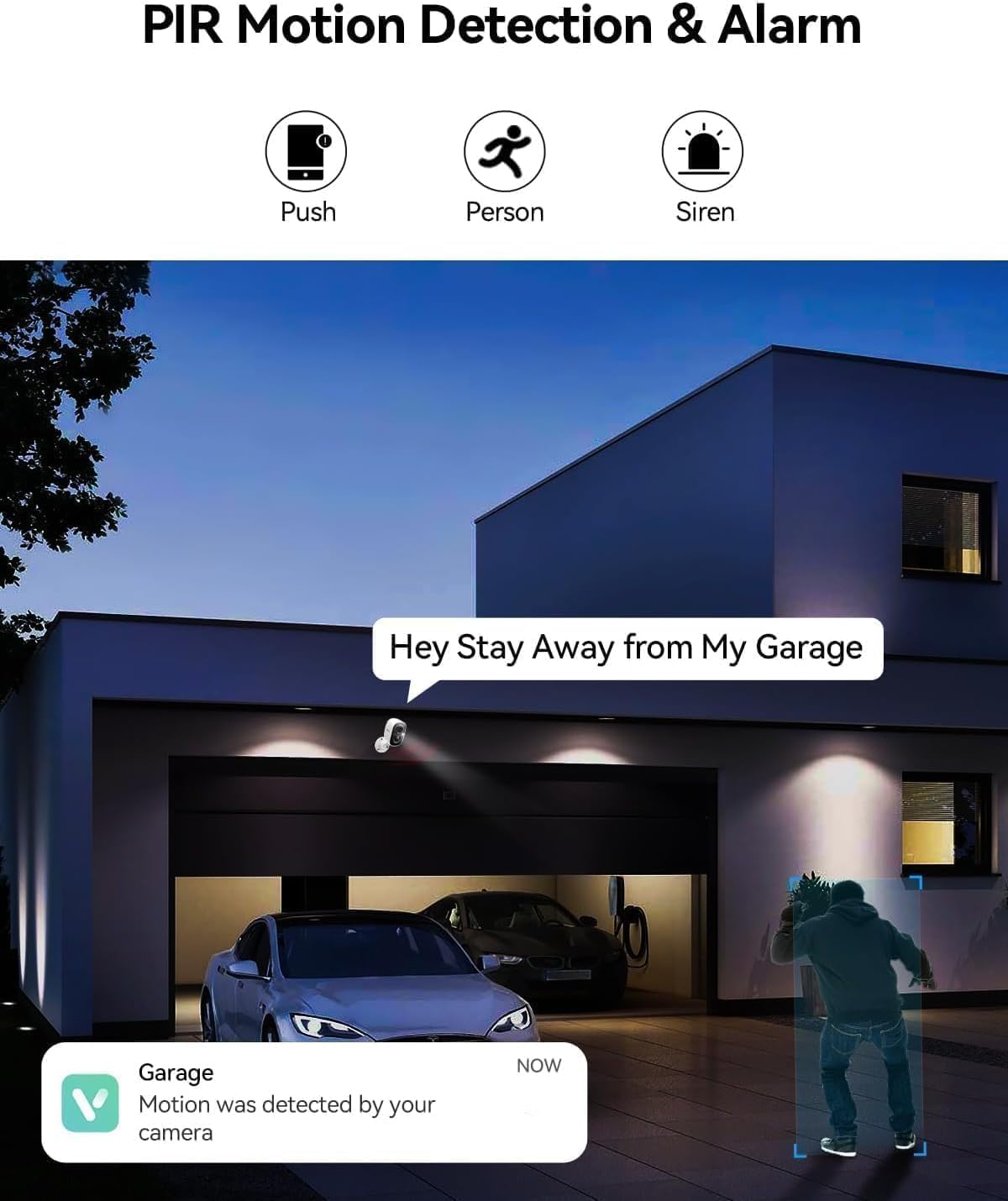
Figure 7: PIR motion detection and siren alarm in action.
Video 3: Function introduction for the wireless security camera, including motion detection and alerts.
4. Nachtsicht
Equipped with color night vision technology, the camera captures clear and vibrant images up to 33ft even in low-light conditions.
Figure 8: Color night vision for clear images in the dark.
5. Speicheroptionen
The camera supports local storage via a Micro SD card (up to 128GB, not included) and offers optional bank-level encrypted cloud storage with a 30-day free trial.
6. Gerätefreigabe
Share access to your camera with multiple users globally through the Vicohome app, allowing family members to monitor your home together.
Wartung
1. Laden des Akkus
The camera is battery-powered. Recharge the battery using the provided USB cable when the battery level is low. For optimal battery longevity, avoid extreme temperatures during charging and operation.
2. Reinigung
Regularly clean the camera lens and body with a soft, dry cloth to ensure clear image quality and proper sensor function. Do not use harsh chemicals or abrasive materials.
3. Firmware-Updates
Keep your camera's firmware updated through the Vicohome app to ensure access to the latest features, security enhancements, and bug fixes. Follow the in-app prompts for firmware updates.
Fehlerbehebung
| Problem | Mögliche Ursache | Lösung |
|---|---|---|
| Kamera stellt keine Verbindung zum WLAN her | Falsches WLAN-Passwort; Kamera zu weit vom Router entfernt; Nur 5-GHz-WLAN verfügbar. | Ensure correct 2.4GHz Wi-Fi password. Move camera closer to router. Confirm router supports 2.4GHz. |
| Häufige Fehlalarme | High motion sensitivity; Environmental factors (e.g., swaying trees, passing cars). | Adjust motion detection sensitivity in the app. Utilize AI detection features to filter out non-human motion. Set up activity zones. |
| Schlechte Videoqualität | Verschmutzte Linse; Schwaches WLAN-Signal; Schlechte Lichtverhältnisse. | Clean the camera lens. Improve Wi-Fi signal strength. Ensure adequate lighting or rely on color night vision. |
| Der Akku entlädt sich schnell | Häufige Bewegungserkennung; Live view overuse; Extreme temperatures. | Reduzieren Sie die Empfindlichkeit oder Frequenz der Bewegungserkennung. Begrenzen Sie die Anzahl der Live-Übertragungen. view sessions. Avoid placing camera in direct sunlight or extreme cold. |
Technische Daten
| Besonderheit | Detail |
|---|---|
| Modell | X83 |
| Verwendung im Innen- und Außenbereich | Draußen, Drinnen |
| Stromquelle | Batteriebetrieben (2599.99 mAh) |
| Konnektivitätsprotokoll | WLAN (2.4 GHz) |
| Auflösung der Videoaufnahme | 1440p (2K QHD) |
| Nachtsichtbereich | 33 Fuß (Farbnachtsicht) |
| Viewing-Winkel | 130 Grad |
| Lagerung | Micro-SD-Karte (bis zu 128 GB), Cloud-Speicher |
| Zwei-Wege-Audio | Ja |
| Bewegungserkennung | AI Motion Detection (Person/Vehicle/Pets Detection), PIR Sensor |
| Wasserbeständigkeit | Wasserdicht (IP65) |
| Abmessungen (L x B x H) | 3 x 2 x 2 Zoll |
| Artikelgewicht | 5.6 Unzen |
Garantieinformationen
LongPlus products typically come with a manufacturer's warranty. Please refer to the warranty card included in your product packaging or visit the official LongPlus webDie vollständigen Garantiebedingungen finden Sie auf der Website. Bewahren Sie Ihren Kaufbeleg als Kaufnachweis für Garantieansprüche auf.
Kundenservice
For any questions, technical assistance, or support regarding your LongPlus Security Camera, please contact our customer support team:
- WebWebsite: www.longplus.com
- E-Mail: support@longplus.com
- Telefon: (Refer to your Quick Start Guide for regional contact numbers)
Unser Support-Team steht Ihnen bei der Einrichtung, Fehlerbehebung und allgemeinen Anfragen gerne zur Verfügung.