
1. Einleitung
Vielen Dank für Ihren Einkauf.asing the Final UX3000 Bluetooth Wireless Headphones. These headphones are designed to deliver premium Hi-Fi sound quality with hybrid noise-cancelling technology, ensuring an immersive audio experience. With long battery life and versatile connectivity options, the UX3000 is ideal for music listening, movies, and gaming.
Please read this manual thoroughly before using the product to ensure proper operation and to maximize your listening enjoyment.

Image: The Final UX3000 headphones in black, showcasing ihr elegantes Design.
2. Packungsinhalt
Bitte stellen Sie sicher, dass alle folgenden Artikel in Ihrem Paket enthalten sind:
- Final UX3000 Headphone
- USB-C-Ladekabel
- Weiche Tragetasche
- 3.5mm Cable for Wired Connection
- Benutzerhandbuch (dieses Dokument)
Note: A USB charger is not included in the package.
3. Produktüberschreitungview
3.1 Kopfhörerkomponenten
Familiarize yourself with the various parts and controls of your Final UX3000 headphones.

Bild: Eine detaillierte view of the control buttons located on the ear cup.
Bedienelemente und Anzeigen:
- Netzschalter: Dient zum Ein- und Ausschalten der Kopfhörer und zum Initiieren der Bluetooth-Kopplung.
- Lautstärke + / - Tasten: Regelt die Lautstärke.
- Multifunktionstaste: Controls playback (play/pause), call management (answer/end calls), and activates voice assistant.
- ANC-Taste: Schaltet die aktive Geräuschunterdrückung ein/aus.
- Bluetooth / ANC Status Indicator: LED light indicating power, pairing status, and ANC status.
- USB-C-Ladeanschluss: Zum Aufladen der Kopfhörer.
- 3.5-mm-Audiobuchse: Für kabelgebundene Verbindungen.

Image: Diagram showing the Power Button and Status Indicator.

Image: Diagram showing the Volume Up and Volume Down buttons.
4. Einrichtung
4.1 Aufladen der Kopfhörer
Before first use, fully charge your UX3000 headphones. Connect the supplied USB-C charging cable to the headphone's USB-C port and the other end to a USB power source (e.g., computer USB port, USB wall adapter). The LED indicator will show charging status and turn off when fully charged.
- Ladezeit: Ungefähr 2.5 Stunden für eine vollständige Aufladung.
- Akkulaufzeit: Bis zu 35 Stunden Musikwiedergabe.
4.2 Bluetooth-Kopplung
So verbinden Sie Ihre Kopfhörer drahtlos mit einem Gerät:
- Stellen Sie sicher, dass die Kopfhörer ausgeschaltet sind.
- Halten Sie den Ein-/Ausschalter etwa 5 Sekunden lang gedrückt, bis die LED-Anzeige blau und rot blinkt und damit den Kopplungsmodus signalisiert.
- Aktivieren Sie auf Ihrem Gerät (Smartphone, Tablet, Computer) Bluetooth und suchen Sie nach verfügbaren Geräten.
- Select "Final UX3000" from the list of found devices.
- Once connected, the LED indicator will flash blue slowly. A voice prompt will confirm "Device Connected".

Image: The UX3000 headphones positioned beside a smartphone displaying its Bluetooth connection settings.
Mehrpunktverbindung:
The UX3000 supports multipoint connection, allowing you to connect to two Bluetooth devices simultaneously. For example, you can be connected to your smartphone and your laptop at the same time, seamlessly switching audio sources.
4.3 Kabelverbindung
For a wired audio experience or when the battery is depleted, use the supplied 3.5mm audio cable.
- Connect one end of the 3.5mm cable to the audio jack on the headphones.
- Verbinden Sie das andere Ende mit dem 3.5-mm-Audioausgang Ihres Geräts.
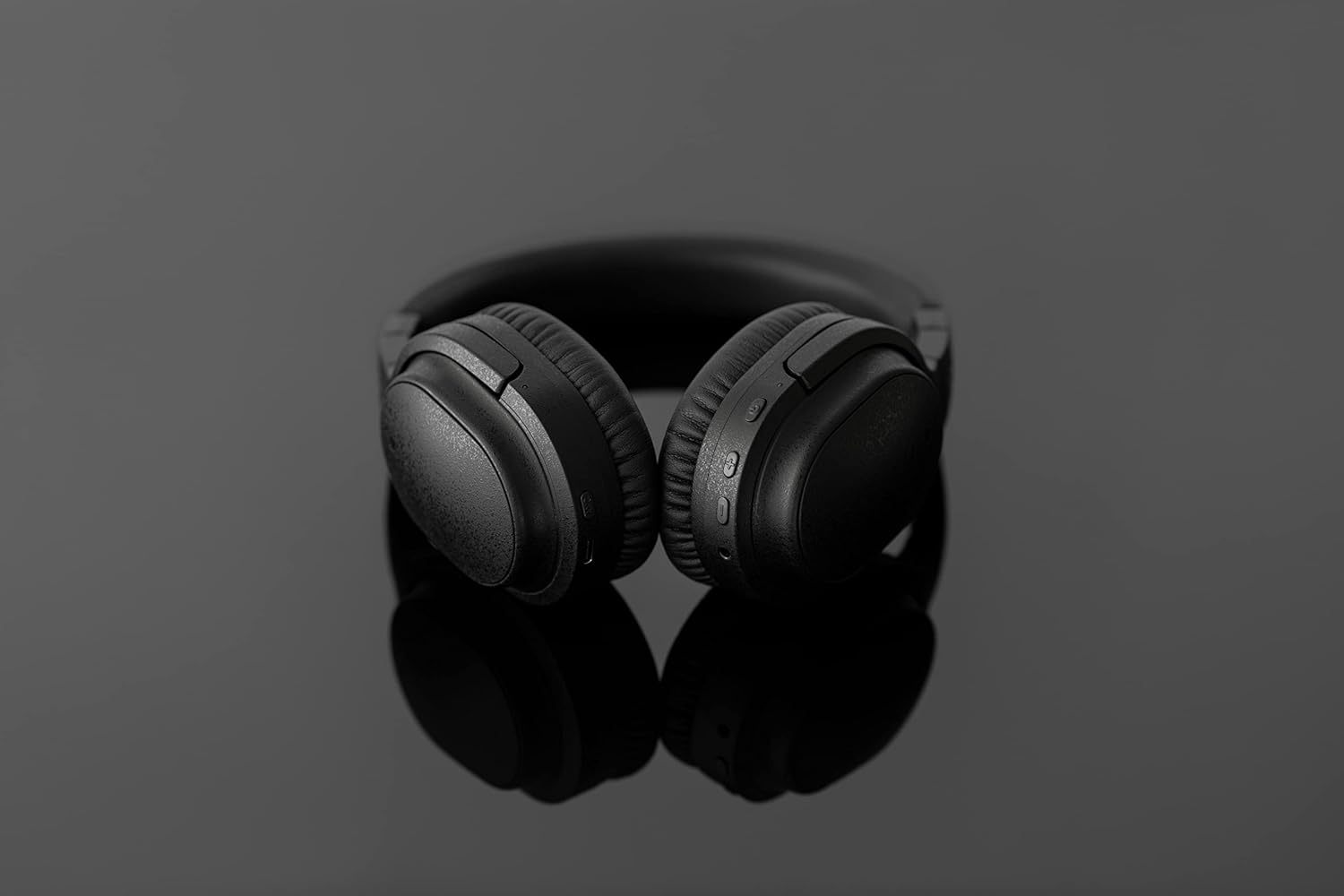
Image: The UX3000 headphones connected to a digital audio player using the 3.5mm audio cable.
5. Bedienungsanleitung
5.1 Ein-/Ausschalten
- Einschalten: Halten Sie den Ein-/Ausschalter 2 Sekunden lang gedrückt. Die LED-Anzeige blinkt blau.
- Ausschalten: Halten Sie den Ein-/Ausschalter 3 Sekunden lang gedrückt. Die LED-Anzeige erlischt.
5.2 Musikwiedergabe
- Abspielen/Pause: Drücken Sie einmal die Multifunktionstaste.
- Nächster Titel: Die Lautstärketaste + 2 Sekunden lang gedrückt halten.
- Vorheriges Lied: Die Lautstärketaste - 2 Sekunden lang gedrückt halten.
- Lautstärke erhöhen: Press the Volume + button briefly.
- Lautstärke runter: Press the Volume - button briefly.
5.3 Hybrid Noise Cancelling (ANC)
The UX3000 features Hybrid Active Noise Cancelling, utilizing two microphones per ear cup to effectively reduce ambient noise. One microphone collects external noise, and the other collects sound from the driver unit, allowing for highly accurate anti-noise signal generation.
- ANC aktivieren/deaktivieren: Press the ANC button once. A voice prompt will confirm the status.

Image: A schematic diagram explaining how the Hybrid Noise Cancelling technology works with external and internal microphones.
5.4 aptX Low Latency Support
The UX3000 supports aptX Low Latency, which minimizes audio delay and ensures proper synchronization with visuals. This feature provides an optimal experience for watching movies and playing games, preventing noticeable lag between audio and video.

Image: A user wearing the UX3000 headphones, engaged with a laptop, highlighting their suitability for media and communication.
5.5 Anruffunktionen
- Anruf annehmen/beenden: Drücken Sie einmal die Multifunktionstaste.
- Anruf ablehnen: Halten Sie die Multifunktionstaste 2 Sekunden lang gedrückt.
- Sprachassistenten aktivieren: Drücken Sie die Multifunktionstaste zweimal.
6. Wartung
To ensure the longevity and optimal performance of your Final UX3000 headphones, follow these maintenance guidelines:
- Reinigung: Wipe the headphones with a soft, dry cloth. Do not use abrasive cleaners, solvents, or strong chemicals.
- Lagerung: When not in use, store the headphones in the provided soft carrying pouch to protect them from dust and scratches. The headphones are foldable for compact storage.
- Feuchtigkeit vermeiden: Keep the headphones away from water, humidity, and extreme temperatures.
- Laden: Do not leave the headphones connected to a charger for extended periods after they are fully charged.

Image: The UX3000 headphones shown in their folded configuration, ready for compact storage or travel.
7. Fehlerbehebung
If you encounter issues with your Final UX3000 headphones, refer to the following common problems and solutions:
| Problem | Mögliche Ursache | Lösung |
|---|---|---|
| Die Kopfhörer lassen sich nicht einschalten. | Schwache Batterie. | Laden Sie die Kopfhörer vollständig auf. |
| Kopplung mit dem Gerät nicht möglich. | Headphones not in pairing mode; device's Bluetooth is off; too many paired devices. | Ensure headphones are in pairing mode (flashing red/blue). Turn on Bluetooth on your device. Forget previous pairings on your device and try again. |
| Kein Ton oder geringe Lautstärke. | Lautstärke zu niedrig; Kopfhörer nicht angeschlossen; falscher Audioausgang am Gerät ausgewählt. | Erhöhen Sie die Lautstärke sowohl an den Kopfhörern als auch am Gerät. Schließen Sie die Kopfhörer erneut an. Überprüfen Sie die Audioausgabeeinstellungen Ihres Geräts. |
| Die Geräuschunterdrückung ist nicht wirksam. | ANC not activated; environmental noise too high for full cancellation. | Ensure ANC is activated. ANC is most effective for low-frequency, constant noises. |
| Voice prompts (e.g., "Battery Low") occur frequently even when charged. | Potential firmware issue or specific device interaction. | Ensure headphones are fully charged. If issue persists, contact customer support. |
8. Spezifikationen
| Besonderheit | Detail |
|---|---|
| Modellname | UX3000 BLK |
| Konnektivitätstechnologie | Kabellos (Bluetooth), Kabelgebunden (3.5-mm-Klinkenstecker) |
| Drahtlose Kommunikationstechnologie | Bluetooth 5.0 |
| Bluetooth-Reichweite | 10 Meter |
| Lärmschutz | Hybride Geräuschunterdrückung |
| Audiotreibertyp | Dynamischer Treiber |
| Frequenzbereich | 20 Hz – 20 kHz |
| Akkulaufzeit | Bis zu 35 Stunden |
| Ladezeit | 2.5 Stunden |
| Artikelgewicht | 260 Gramm (9.2 Unzen) |
| Platzierung des Ohrs | Über dem Ohr |
| Formfaktor | Über dem Ohr |
| Kompatible Geräte | Bluetooth-enabled devices supporting HFP, HSP, A2DP, and AVRCP profiles, and specifically compatible with SBC, AAC, aptX, and aptX low latency codecs |
| Spezifische Verwendungen für das Produkt | Filme und Spiele |
| Hersteller | Final Audio |
| Datum der ersten Verfügbarkeit | 14. Dezember 2021 |
9. Garantie und Support
The Final UX3000 headphones come with Final's 12 Month Worry-Free Warranty. This warranty covers defects in materials and workmanship under normal use for a period of 12 months from the date of original purchase.
For warranty claims, technical support, or any inquiries regarding your product, please contact Final customer service through the official Final webBitte kontaktieren Sie den Support über die Website oder Ihre Verkaufsstelle. Halten Sie Ihren Kaufbeleg bereit, wenn Sie sich an den Support wenden.
Final is committed to providing friendly and responsive customer service to ensure your satisfaction.