
1. Einleitung
This manual provides detailed instructions for the installation, operation, and maintenance of your GNCC T2 1080P WiFi Security Camera. Please read this manual thoroughly before using the product to ensure proper functionality and safety. The GNCC T2 camera is designed for both outdoor and indoor surveillance, offering high-definition video, night vision, two-way audio, and smart detection features.
2. Produktmerkmale
- Full HD 1080P Video: Captures clear and detailed images with 1920x1080 resolution.
- 110°-Weitwinkelobjektiv: Provides extensive coverage to minimize blind spots.
- IR Nachtsicht: Automatic activation of 850nm infrared LEDs for clear black and white vision in low light or darkness.
- Zweiwege-Audio: Eingebautes Mikrofon und Lautsprecher ermöglichen die Kommunikation in Echtzeit.
- Bewegungs- und Geräuscherkennung: Sends real-time push notifications upon detecting movement or sound. Adjustable sensitivity and customizable detection zones are available.
- IP65 Wetterfestes Metall Casing: Durable design suitable for extreme weather conditions (sun, rain, snow, sand).
- 2.4-GHz-WLAN-Konnektivität: Ensures a stable wireless connection (5GHz Wi-Fi is not supported).
- Flexible Speicheroptionen: Supports local storage via TF (MicroSD) card (up to 128GB, 64GB recommended) with loop recording, and cloud storage via the Osaio App.
- Smart Home Integration: Kompatibel mit Alexa und Google Assistant für Sprachsteuerung und Live-Übertragung view auf intelligenten Displays.

Image: GNCC T2 Camera highlighting its key features including motion detection, night vision, two-way audio, 1080P resolution, IP65 waterproofing, and Alexa integration.
3. Installationsanleitung
3.1 Erste Einrichtungsschritte
- Laden Sie die Osaio-App herunter: Suchen nach "Osaio" in the App Store (iOS) or Google Play Store (Android) and install the application on your smartphone.
- Schalten Sie die Kamera ein: Connect the camera to a power source using the provided power adapter. Wait for the camera's indicator light to flash, indicating it is ready for pairing.
- Stellen Sie eine Verbindung zu 2.4-GHz-WLAN her: Ensure your smartphone is connected to a 2.4GHz Wi-Fi network. The GNCC T2 camera only supports 2.4GHz Wi-Fi.
- Gerät in der App hinzufügen: Open the Osaio App, create an account or log in, and follow the in-app instructions to add your new camera. This typically involves scanning a QR code displayed on your phone with the camera lens.
- Vollständige Konfiguration: Follow the remaining prompts in the app to name your camera and finalize the setup.
Important Note: Please ensure your Wi-Fi network is 2.4GHz and the Wi-Fi password does not exceed 32 characters for successful connection.

Image: Visual guide showing the three steps for configuring the GNCC T2 camera: downloading the Osaio app, connecting to 2.4GHz Wi-Fi, and starting live view.
3.2 Montage der Kamera
The GNCC T2 camera supports surface, ceiling, and wall mounting. Choose a location that provides the desired viewDer Betrachtungswinkel muss eingehalten werden und die Reichweite Ihres 2.4-GHz-WLAN-Netzwerks sowie einer Steckdose muss gegeben sein.
- Verwenden Sie die mitgelieferte Montagevorlage, um die Bohrlöcher zu markieren.
- Bei der Montage an Gipskarton- oder Mauerwerkswänden müssen Löcher gebohrt und Dübel eingesetzt werden.
- Befestigen Sie die Montagehalterung mit Schrauben an der Oberfläche.
- Befestigen Sie die Kamera an der Halterung und stellen Sie den Winkel nach Bedarf ein.

Image: The GNCC T2 camera mounted on an exterior wall, demonstrating its robust IP65 weatherproof metal construction, designed for durability in various environmental conditions.
4. Bedienungsanleitung
4.1 Live View und Wiedergabe
Once configured, open the Osaio App to access the live feed from your camera. You can view real-time video and listen to audio. To review aufgenommenes footage, navigate to the playback section within the app. You can drag the timeline to select specific times or dates to view aufgezeichnete Ereignisse.

Image: A smartphone displaying the Osaio app's playback records interface, illustrating how to navigate the timeline to review past video recordings.
4.2 Zwei-Wege-Audio
The camera features a built-in microphone and speaker. In the Osaio App's live view, tap the microphone icon to speak through the camera, and tap the speaker icon to listen to audio from the camera's location. This allows for communication with visitors or to deter intruders.

Image: A visual representation of the two-way audio function, where a user can speak through their phone to the camera, enabling communication or warning.
4.3 Bewegungs- und Geräuscherkennung
The GNCC T2 camera is equipped with advanced motion and sound detection. When an event is detected, you will receive a real-time push notification on your smartphone. You can customize the detection sensitivity and set specific activity zones within the Osaio App to reduce false alerts.

Image: A smartphone screen showing a real-time alert from the Osaio app indicating motion detection, demonstrating the camera's surveillance capabilities.

Image: The GNCC T2 camera actively monitoring a garden, with motion detection zones highlighted and a notification bubble indicating a real-time alert.
4.4 Nachtsicht
The camera automatically switches to infrared night vision mode in low light conditions, providing clear black and white video footage up to a certain distance. This ensures continuous surveillance 24/7.

Image: A comparison illustrating the camera's 1080P Full HD day vision (color) and black and white night vision, highlighting its clear imaging capabilities in varying light conditions.
4.5 Speichermöglichkeiten
The GNCC T2 camera offers two storage methods for your recordings:
- MicroSD-Karte: Insert a C10 TF (MicroSD) card (up to 128GB, 64GB recommended) into the camera's slot for local storage. The camera supports loop recording, overwriting older footage, wenn die Karte voll ist.
- Cloud-Speicher: Subscribe to the Osaio App's cloud storage service for secure, off-site storage of your video recordings.
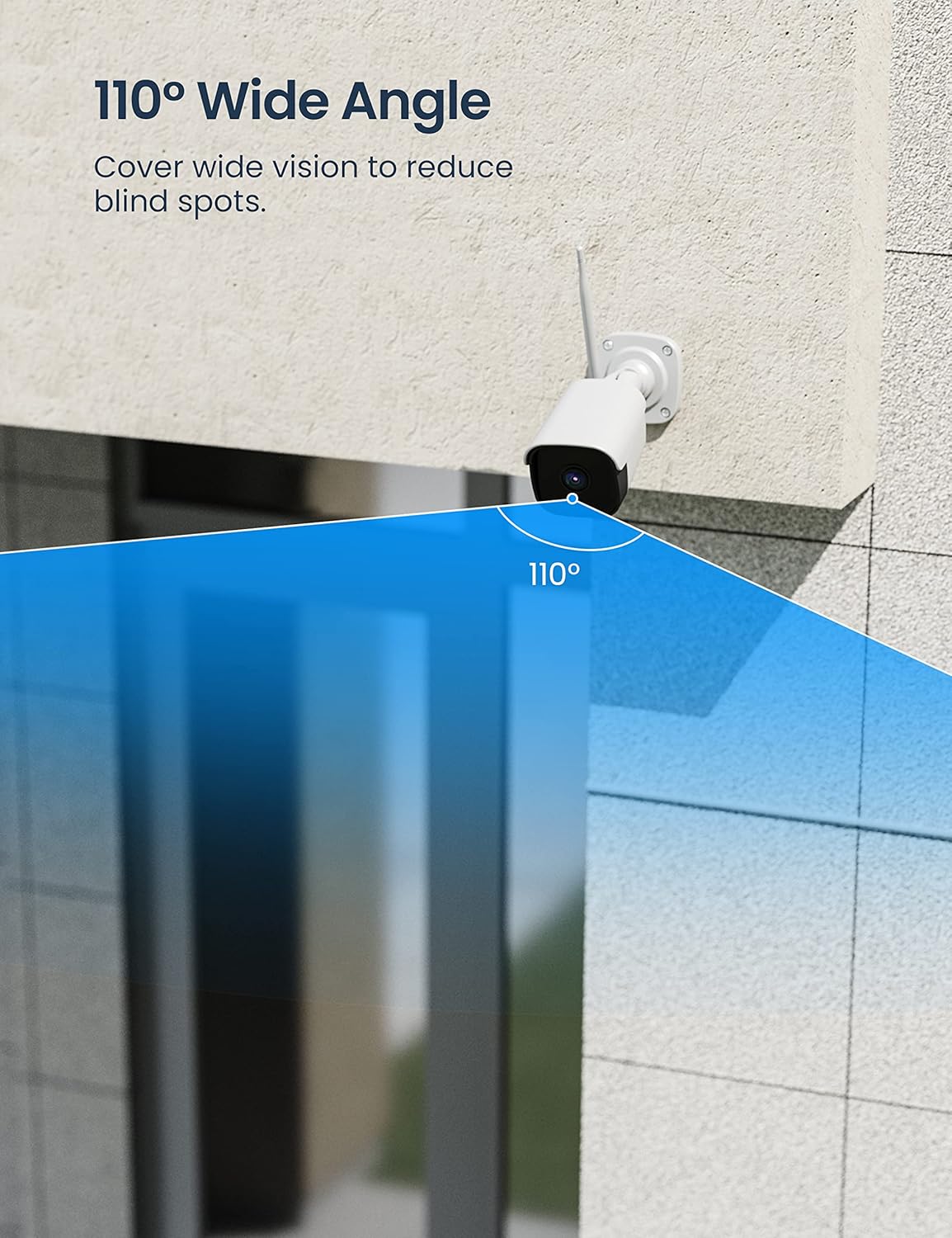
Image: The GNCC T2 camera illustrating its flexible storage options, including secure cloud storage and local SD card recording, accessible via the Osaio app.

Image: An illustration emphasizing data privacy and security for the GNCC T2 camera, showing encrypted cloud and local storage options accessible through the Osaio app.
4.6 Smart-Home-Integration
The GNCC T2 camera is compatible with Amazon Alexa and Google Assistant. You can link your camera to these platforms through the Osaio App to enable voice commands and view Live-Feeds auf kompatiblen Smart-Displays.
- Für Alexa: Enable the Osaio skill in the Alexa app and link your account. Then, you can say commands like, "Alexa, show me the [camera name]."
- Für Google Assistant: Link your Osaio account in the Google Home app. You can then use commands such as, "Hey Google, show me the [camera name] on [device name]."

Image: An Amazon Echo Show device displaying a live feed from the GNCC T2 camera, illustrating its seamless integration with Alexa for smart home control.

Image: A scene depicting smart home convenience, where a user is cooking while viewing the GNCC camera's live feed on an Echo Show, enabled by Alexa or Google Assistant.
5. Wartung
5.1 Reinigung der Kamera
To ensure optimal performance, periodically clean the camera lens and housing. Use a soft, dry cloth to wipe away dust and dirt. For stubborn marks on the lens, use a lens cleaning solution and a microfiber cloth. Avoid abrasive cleaners or solvents that could damage the camera.
5.2 Firmware-Updates
GNCC regularly releases firmware updates to improve camera performance, add new features, and enhance security. Check for available updates through the Osaio App and follow the in-app instructions to update your camera's firmware. Ensure the camera has a stable power supply and Wi-Fi connection during the update process.
5.3 Wi-Fi Connection Check
Regularly verify the camera's Wi-Fi signal strength in the Osaio App to ensure a stable connection. A weak signal can lead to video lag or disconnections. Consider repositioning your Wi-Fi router or using a Wi-Fi extender if signal strength is consistently low.
6. Fehlerbehebung
- Kamera offline:
- Prüfen Sie, ob die Kamera eingeschaltet ist und das Netzteil fest angeschlossen ist.
- Verify your Wi-Fi router is working and other devices can connect to the internet.
- Stellen Sie sicher, dass sich die Kamera in Reichweite Ihres 2.4-GHz-WLAN-Netzwerks befindet.
- Try restarting the camera by unplugging and replugging the power adapter.
- Keine Verbindung zum WLAN möglich:
- Vergewissern Sie sich, dass Ihr WLAN-Netzwerk mit 2.4 GHz arbeitet. Die Kamera unterstützt kein 5-GHz-WLAN.
- Überprüfen Sie das WLAN-Passwort bitte noch einmal auf Richtigkeit.
- Ensure the Wi-Fi password does not exceed 32 characters.
- Bringen Sie die Kamera während der Einrichtung näher an den Router heran.
- Reset the camera (refer to the app for specific reset instructions) and try the setup process again.
- No Motion/Sound Detection Alerts:
- Check the detection settings in the Osaio App to ensure motion/sound detection is enabled.
- Passen Sie die Erkennungsempfindlichkeit an.
- Verify that activity zones are correctly configured.
- Ensure your phone's notification settings allow alerts from the Osaio App.
- Schlechte Videoqualität:
- Reinigen Sie das Kameraobjektiv.
- Prüfen Sie die Stärke Ihres WLAN-Signals; ein schwaches Signal kann die Videoqualität beeinträchtigen.
- Stellen Sie sicher, dass keine Hindernisse die Sicht der Kamera blockieren. view.
7. Spezifikationen
| Besonderheit | Spezifikation |
|---|---|
| Modellnummer | T2 |
| Videoauflösung | 1080p (1920x1080 Pixel) |
| Konnektivitätstechnologie | Drahtlos (2.4-GHz-WLAN) |
| Besonderheit | Nachtsicht, Zwei-Wege-Audio, Bewegungserkennung |
| Nutzungsumgebung | Draußen, Drinnen |
| Stromquelle | Stromkabel |
| Controllertyp | Android, iOS (via Osaio App) |
| Montagetyp | Surface Mount, Ceiling Mount, Wall Mount |
| IP-Schutzart | IP65 (wasserdicht) |
| Optische Sensorik | CMOS |
| View Winkel | 110 Grad |
| Lagerung | MicroSD-Karte (bis zu 128 GB), Cloud-Speicher |
| Abmessungen (Paket) | 21 x 9.4 x 9.3 cm |
| Gewicht (Paket) | 570 Gramm |
8. Garantie und Support
8.1 Produktgarantie
GNCC products typically come with a limited warranty. Please refer to the warranty card included in your product packaging or visit the official GNCC webDie vollständigen Garantiebedingungen finden Sie auf der Website. Bewahren Sie Ihren Kaufbeleg als Kaufnachweis für Garantieansprüche auf.
8.2 Kundendienst
If you encounter any issues or have questions regarding your GNCC T2 camera, please contact GNCC customer support. Support contact information can usually be found on the official GNCC website or within the Osaio App's help section.


