
Einführung
This manual provides comprehensive instructions for setting up and operating your LEMNOI 7-inch LCD Digital Calendar Clock. This device is designed to display time, date, and day clearly, with features like auto-dimming and multiple alarm settings, making it suitable for various users, including the elderly and children.

Image: The LEMNOI 7-inch LCD Digital Calendar Clock displaying the time and date in a clear, large font.
Packungsinhalt
Bitte prüfen Sie das Paket auf folgende Artikel:
- 1x LEMNOI 7-inch Digital Calendar Clock
- 1x Power Adapter (DC5V/12A)
- 1x Benutzerhandbuch
Produkteigenschaften
- 7-Zoll-HD-Display: High-resolution 1024*600 screen with clear, bold text.
- Multiple Day Periods: Displays Morning, Afternoon, Evening, Night, and Predawn.
- Up to 8 Alarms: Includes 3 daily meal/medication reminders and 5 customizable alarms.
- Automatisches Dimmen: Automatically adjusts screen brightness at 7:00 AM and 7:00 PM. This feature can be disabled.
- Zeitspeicher: Retains time settings automatically even when unplugged, restoring correct time upon power reconnection.
- 8 Sprachunterstützung: English, French, Italian, German, Spanish, Dutch, Welsh, Polish.
- Vielseitige Platzierung: Can be used as a table clock, bedside clock, or wall-mounted clock.
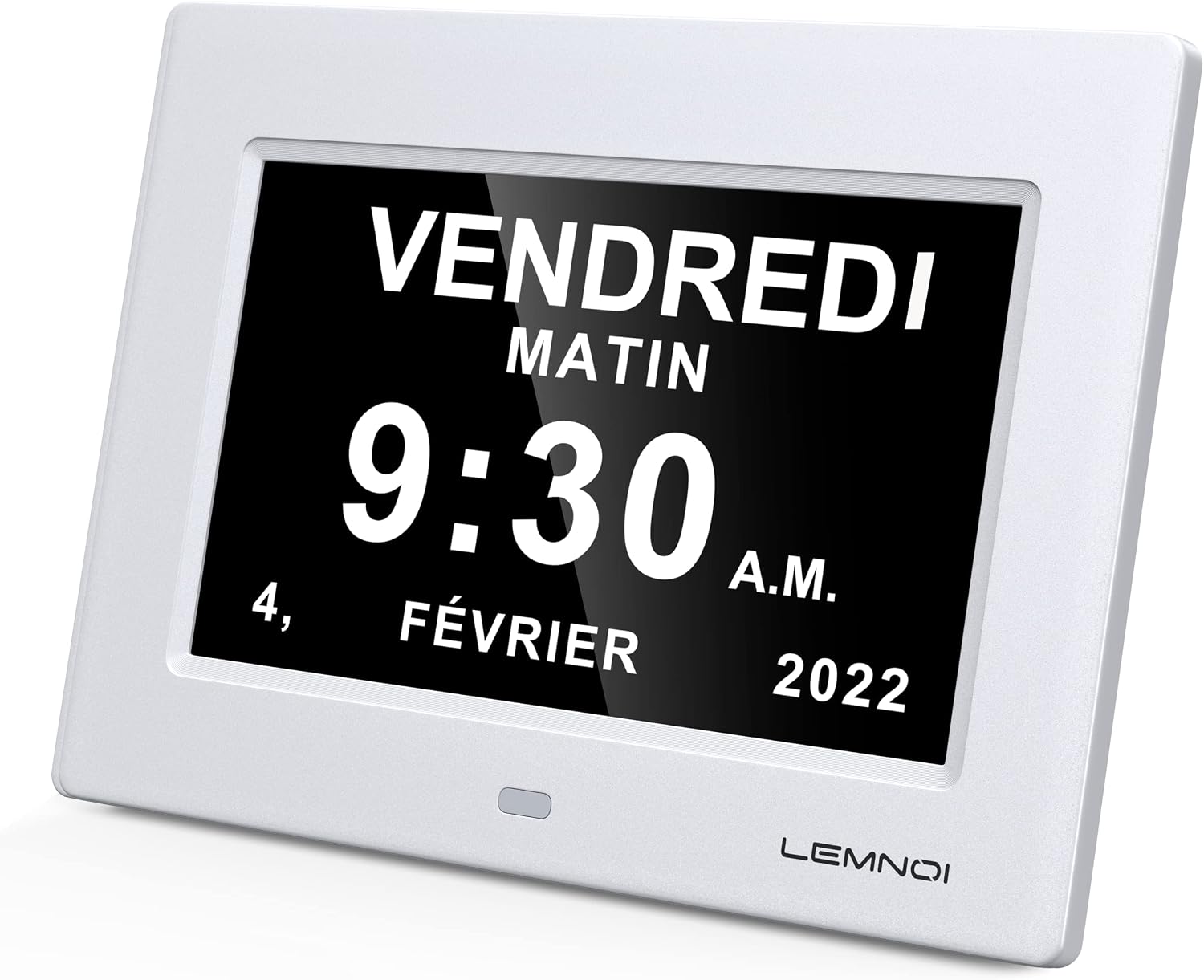
Image: The clock supports 8 languages, indicated by flags.
Aufstellen
- Auspacken: Nehmen Sie die Uhr und sämtliches Zubehör vorsichtig aus der Verpackung.
- Stromanschluss: Connect the provided power adapter to the DC5V port on the back of the clock. Plug the adapter into a standard electrical outlet.
- Erstes Einschalten: The clock will power on automatically and display the default time and date.
- Platzierung: Place the clock on a flat surface or mount it on a wall using the integrated mounting holes (mounting hardware not included).
Bedienungsanleitung
Grundlegende Navigation
The clock features control buttons, typically located on the back or side, for navigating menus and adjusting settings. Refer to the specific button labels on your device.
Einstellen von Uhrzeit und Datum
- Access the settings menu (usually by pressing a "Menu" or "Set" button).
- Navigate to "Time Setting" or "Date Setting".
- Use the Up/Down buttons to adjust the hour, minute, day, month, and year.
- Confirm each selection by pressing the "Enter" or "OK" button.
- Exit the menu to save changes.
Einstellen von Alarmen
The clock supports up to 8 alarms, including pre-set medication reminders and customizable alarms.

Image: The alarm settings interface, showing options for medication reminders and custom alarms.
- Enter the "Alarm Settings" menu.
- Select the alarm you wish to set (e.g., "Morning Medication Reminder" or "Alarm 01").
- Adjust the alarm time using the Up/Down buttons.
- Choose the alarm frequency (e.g., daily, weekdays, weekends).
- Alarm aktivieren oder deaktivieren.
- Speichern Sie Ihre Einstellungen und verlassen Sie das Menü.
The clock can display visual reminders for medication times, such as "TIME TO TAKE MORNING MEDICINE".

Image: Visual reminders for medication times on the clock display.
Spracheinstellungen
- Navigate to the "Language" option in the settings menu.
- Select your preferred language from the available options (English, French, Italian, German, Spanish, Dutch, Welsh, Polish).
- Bestätigen Sie Ihre Auswahl.
Automatische Dimmfunktion
The clock automatically dims at 7:00 PM and brightens at 7:00 AM. To adjust or disable this feature:
- Go to the "Display Settings" or "Brightness" menu.
- You can choose to enable/disable auto-dimming or set a constant brightness level.
Time Mode (12/24 Hour) and Date Mode
- In the settings menu, locate "Time Format" to switch between 12-hour and 24-hour display modes.
- Find "Date Format" to choose between Month/Date/Year or Date/Month/Year display options.
Wartung
- Reinigung: Verwenden Sie ein weiches, trockenes Tuch, um den Bildschirm und die Tastatur zu reinigen.asing. Vermeiden Sie scheuernde Reinigungs- und Lösungsmittel.
- Leistung: Ensure the clock is always connected to a stable power source. Although it has a time memory function, continuous power is required for operation.
- Umfeld: Schützen Sie die Uhr vor extremen Temperaturen, direkter Sonneneinstrahlung und hoher Luftfeuchtigkeit.
Fehlerbehebung
| Problem | Mögliche Ursache | Lösung |
|---|---|---|
| Die Uhr lässt sich nicht einschalten. | Keine Stromversorgung. | Check if the power adapter is securely plugged into the clock and the wall outlet. Ensure the outlet is functional. |
| Das Display ist zu dunkel oder zu hell. | Auto-dimming enabled or brightness settings incorrect. | Adjust brightness settings in the "Display Settings" menu. Disable auto-dimming if a constant brightness is desired. |
| Datum/Uhrzeit sind falsch. | Falsche Einstellungen. | Follow the "Setting Time and Date" instructions to correct the settings. |
| Die Alarme ertönen nicht. | Alarm disabled or volume too low. | Check alarm settings to ensure they are enabled and set to the correct time. Verify volume settings if applicable. |
Technische Daten
| Besonderheit | Detail |
|---|---|
| Anzeige | 7-Zoll-LCD |
| Auflösung | 1024*600 |
| Helligkeit | 350 cd/m2 |
| Eingang | Gleichstrom 5 V/12 A |
| Zeitmodus | 12 Stunden / 24 Stunden |
| Kalendermodus | Month/Date/Year or Date/Month/Year |
| Produktgewicht | 0.5 kg (290 Gramm) |
| Technische Daten | 20.4 x 14.3 x 2.3 cm (14.3l x 2.3H centimeters) |
| Bildschirmgröße | 15.4 x 8.7 cm (17.8 Centimeters diagonal) |
| Material | Plastik |
| Besondere Merkmale | Temperature Display, Daylight Saving Time, Adjustable Brightness, Automatic Dimmer |
| Stromquelle | Kabelgebundene Elektrik |
| Montagetyp | Tischmontage |
| Wecker | Ja |
| Anzahl Batterien | 1 CR123A (for memory, not included for operation) |

Image: Product dimensions of the LEMNOI 7-inch LCD Digital Calendar Clock.
Garantie und Support
For warranty information or technical support, please refer to the contact details provided with your purchase or visit the official LEMNOI webWebsite. Bewahren Sie Ihren Kaufbeleg für Garantieansprüche auf.