
UYODM 63
UYODM Wall Mount Holder for SimpliSafe Outdoor Security Camera Instruction Manual
Model: 63 | Brand: UYODM
Einführung
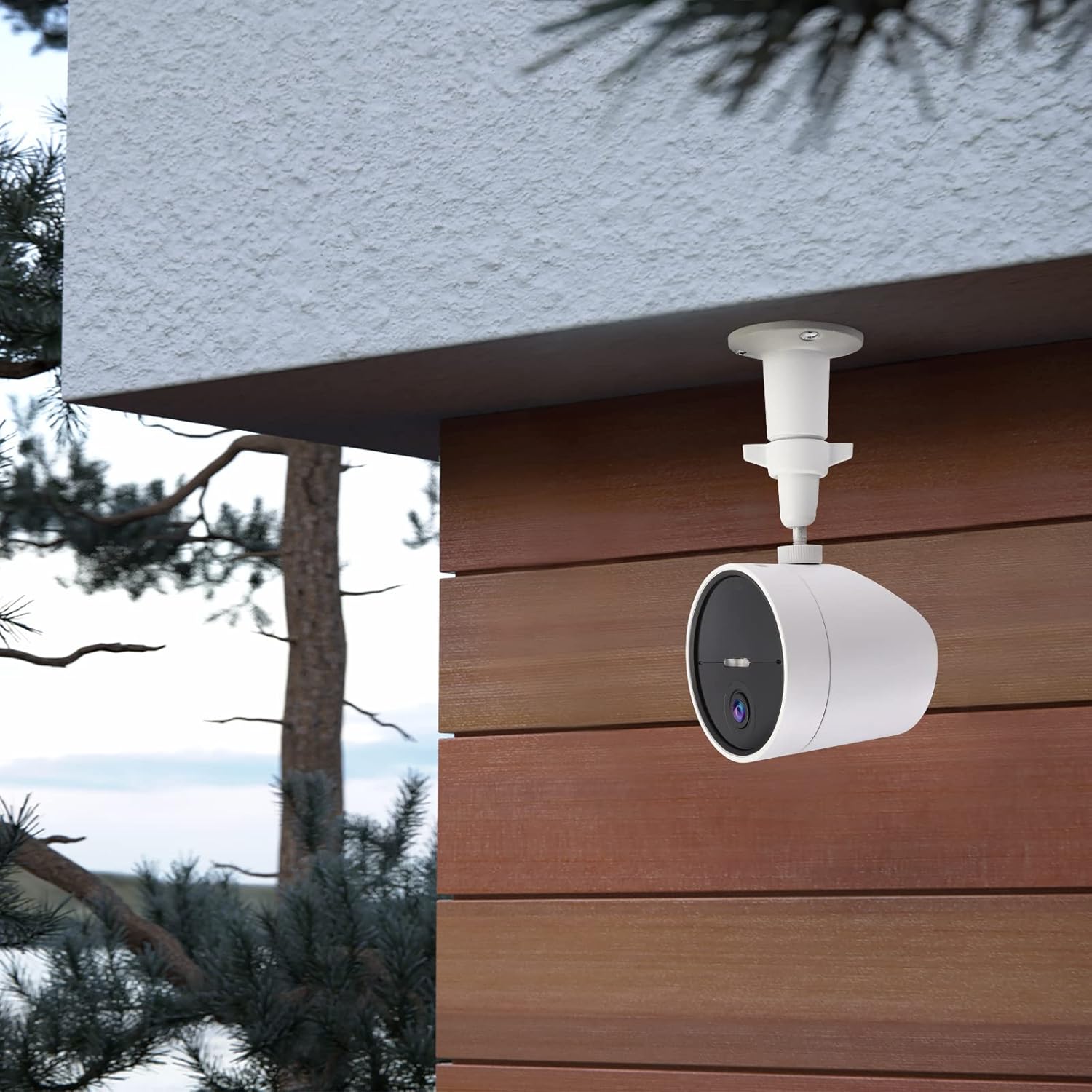
The UYODM Wall Mount Holder is designed to provide a secure and adjustable mounting solution for your SimpliSafe Outdoor Security Camera. Constructed from durable Aluminum Alloy and ABS material, this bracket is built for both indoor and outdoor use, offering stability and resistance to rust and water. Its unique design allows for 360° rotation and 90° tilt, enabling optimal camera positioning to capture various viewwinkeln.
This manual provides detailed instructions for the installation, operation, and maintenance of your UYODM Wall Mount Holder.
Sicherheitshinweise
- Always ensure the mounting surface is strong enough to support the weight of the camera and the mount.
- Verwenden Sie während der Installation geeignete Werkzeuge und Schutzausrüstung, einschließlich Augenschutz.
- When drilling, be aware of any hidden electrical wires or plumbing.
- Die Schrauben dürfen nicht zu fest angezogen werden, da dies die Halterung oder die Montagefläche beschädigen kann.
- Halten Sie Kleinteile und Verpackungsmaterialien von Kindern fern.
Packungsinhalt
Überprüfen Sie, ob alle Artikel in Ihrem Paket vorhanden sind:
- 2 x UYODM Wall Mount Holders
- 2 sets of mounting screws (screws and wall anchors)

Note: SimpliSafe Outdoor Security Camera is not included.
Setup und Installation
Follow these steps to install your UYODM Wall Mount Holder:
- Wählen Sie einen Montageort: Select a flat surface such as a wall, ceiling, wooden board, or desk. Ensure the location provides a clear view for your camera and is within reach for installation.
- Bohrlöcher markieren: Place the base of the mount against the chosen surface and mark the three screw hole positions with a pencil.
- Bohrlöcher: Using an appropriate drill bit for your surface type, drill three holes at the marked positions. If mounting into drywall or masonry, insert the provided wall anchors.
- Secure the Mount Base: Align the mount base with the drilled holes and secure it firmly using the provided screws.
- Befestigen Sie die Kamera: The mount features a 1/4-inch screw thread at the top. Align your SimpliSafe Outdoor Security Camera's mounting hole with this thread and screw the camera onto the mount until secure.


Betrieb und Justierung
The UYODM Wall Mount Holder features a metal ball head that allows for flexible camera positioning:
- Winkeleinstellung: The ball joint can be adjusted for 360° rotation and 90° tilt. Loosen the joint knob slightly to adjust the camera to your desired angle.
- Sichere Position: Once the camera is in the desired position, tighten the joint knob firmly to lock the camera in place. This ensures the camera remains stable and does not shift due to wind or vibrations.

Wartung
To ensure the longevity and optimal performance of your UYODM Wall Mount Holder:
- Reinigung: Reinigen Sie die Halterung regelmäßig mit einem weichen, fusselfreien Tuch.amp Entfernen Sie Staub und Schmutz mit einem feuchten Tuch. Vermeiden Sie die Verwendung aggressiver Chemikalien oder Scheuermittel.
- Inspektion: Regularly check the mounting screws and the joint knob to ensure they remain tight and secure. Retighten if necessary.
- Witterungseinflüsse: While designed for outdoor use, extreme weather conditions may require more frequent inspection.

Fehlerbehebung
| Problem | Mögliche Ursache | Lösung |
|---|---|---|
| Mount feels loose after installation. | Die Schrauben sind nicht vollständig festgezogen oder die Wandanker sitzen nicht richtig. | Ensure screws are tightened securely. If using wall anchors, verify they are fully expanded in the wall. Consider using larger anchors or mounting to a stud/joist if the surface is weak. |
| Camera angle shifts after adjustment. | Joint knob is not tightened sufficiently. | Firmly tighten the joint knob after adjusting the camera to the desired angle. |
| Camera does not fit the mount's screw thread. | Camera uses a different screw thread size. | This mount is designed for cameras with a standard 1/4-inch screw thread. Verify your camera's specifications. |
Technische Daten
| Besonderheit | Detail |
|---|---|
| Marke | UYODM |
| Modellnummer | 63 |
| Material | Aluminiumlegierung, ABS |
| Farbe | Weiß |
| Montagetyp | Wandhalterung |
| Verstellbarkeit | 360° Rotation, 90° Tilt |
| Schraubengewinde | 1/4 Zoll |
| Artikelgewicht | 4.6 Unzen (ca. 0.13 kg) |
| Abmessungen (Montage) | 4.01 inches (10.2 cm) length, 2.3 inches (5.7 cm) width |
| Packungsmenge | 2 mounts per package |
| UPC | 717981318696 |
Garantie und Support
For any questions regarding the UYODM Wall Mount Holder, including warranty information or technical support, please contact the manufacturer or seller directly through your purchase platform. Please refer to your purchase receipt or the product packaging for specific contact details.
You can also visit the official UYODM store for more information: UYODM Store on Amazon.
Ask a question about this manual
Ask about setup, troubleshooting, compatibility, parts, safety, or missing instructions. Manuals+ will review the question and use this page’s manual context to help answer it.